

 microsoftgraph
Teams Bot recording is not starting - teams-recording-bot project
I am trying to set up and run the teams-recording-bot project. The bot is joining the meeting but it is not starting the recording.
In the teams-recording-bot Readme file, the setup process is only mentioned till the bot joins the call, But there is no information on how the bot records the meeting.
I have also created recording policies for my account but after creating the policy I am unable to join any meeting from my teams app or website. I am getting below error
"There was a problem setting up the recording required by your org. Try joining again."
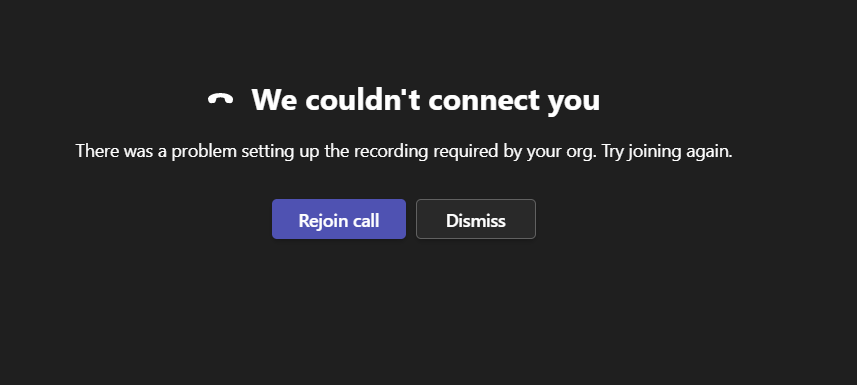
Can you suggest how the recording process starts after the bot joins the meeting?

@tagideasteachme I got this error randomly. Instead, I had the wrong port for my local signaling address: it was 9442 instead of 9441. After that it was resolved

The recording Bot application gets access to the raw media streams in the meeting that means it does not start a recording like pressing on the record button as a user in the meeting. Recording policies are there to invite a bot in meetings of users. Policies can be set up to require to have a bot in meetings or to ignore if no bot is present for a user under policy.

Adding to what @1fabi0 said. You should see the configurations the bot application assigned the policy. I use for example Set-CsTeamsComplianceRecordingApplication -Identity <tag...> -RequiredBeforeMeetingJoin $false.
Check the command Get-CsTeamsComplianceRecordingApplication
-
RequiredBeforeCallEstablishment (default: false): Indicates whether the policy based recording application must be in the call before the call is allowed to establish. If this is set to True, the call will be cancelled if the policy-based recording application fails to join the call. If this is set to False, call establishment will proceed normally if the policy-based recording application fails to join the call.
-
RequiredBeforeMeetingJoin (default: false): Indicates whether the policy-based recording application must be in the meeting before the user is allowed to join the meeting. If this is set to True, the user will not be allowed to join the meeting if the policy-based recording application fails to join the meeting. The meeting willstill continue for users who are in the meeting. If this is set to False, the user will be allowed to join the meeting even if the policy-based recording application fails to join the meeting.
