

 microsoft
Zoom.ZoomRooms version 5.12.2
- [x] Have you signed the Contributor License Agreement?
- [x] Have you checked that there aren't other open pull requests for the same manifest update/change?
- [x] Have you validated your manifest locally with
winget validate --manifest <path>? - [x] Have you tested your manifest locally with
winget install --manifest <path>? - [x] Does your manifest conform to the 1.2 schema?
Note: <path> is the name of the directory containing the manifest you're submitting.
Microsoft Reviewers: Open in CodeFlow




![azure-pipelines[bot] avatar](https://avatars.githubusercontent.com/in/9426?v=4 "Published by a pub.dev verified publisher")
Hello @chrome-penguin,
During installation testing, this application failed to install without user input. Did you forget to add Silent or SilentWithProgress switches?
This can also happen when a dependency is missing. You can test with https://github.com/microsoft/winget-pkgs#test-your-manifest.
Please investigate a fix and resubmit the Pull Request.
You may also try using the Windows Package Manager Manifest Creator to determine the proper installer type. If the installer type is MSIX, MSI, or a known installer technology like NullSoft, Inno, etc. the wingetcreate tool can detect them and the winget client will know what switches to pass. If it's a .exe installer of an unknown type, you will need to search to determine the proper switches for Silent and SilentWithProgress.
Template: msftbot/validationError/installation/unattended

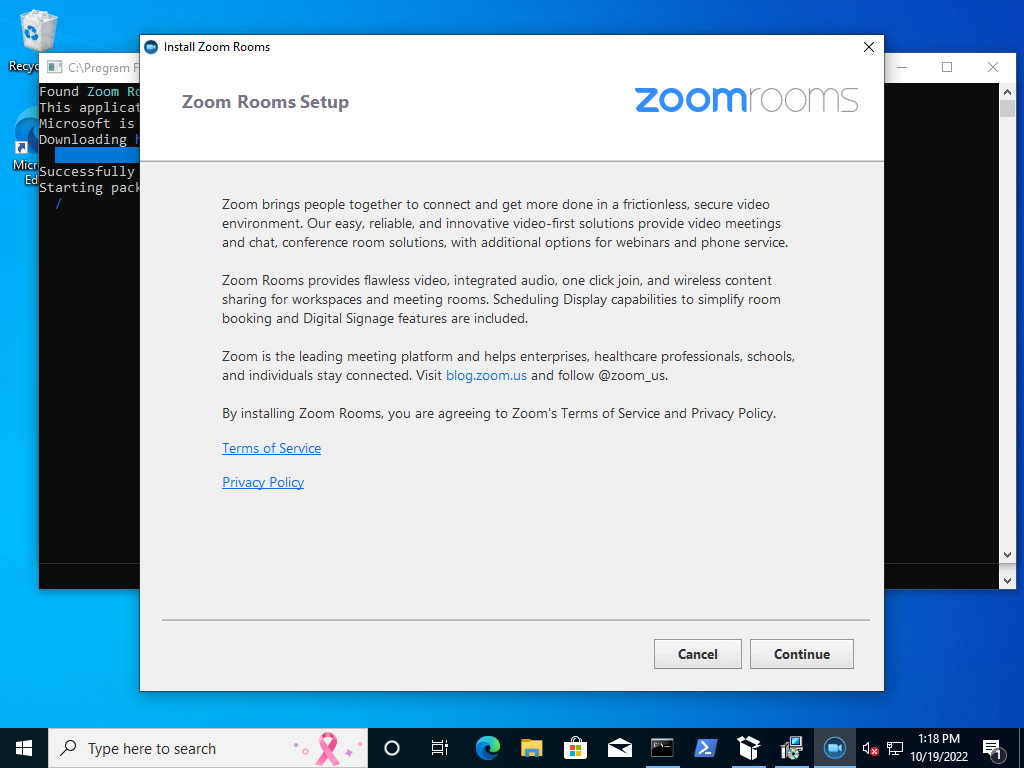

Hello @chrome-penguin,
During installation testing, this application failed to install without user input. Did you forget to add Silent or SilentWithProgress switches?
This can also happen when a dependency is missing. You can test with https://github.com/microsoft/winget-pkgs#test-your-manifest.
Please investigate a fix and resubmit the Pull Request.
You may also try using the Windows Package Manager Manifest Creator to determine the proper installer type. If the installer type is MSIX, MSI, or a known installer technology like NullSoft, Inno, etc. the wingetcreate tool can detect them and the winget client will know what switches to pass. If it's a .exe installer of an unknown type, you will need to search to determine the proper switches for Silent and SilentWithProgress.
Template: msftbot/validationError/installation/unattended