

 microsoft
Repeated prompts the latest version of voidtools.Everything even if the latest version has already been installed
Brief description of your issue
winget prompted me that there is a new version 1.4.1.1017 of voidtools.Everything (a cool software to find files in Windows rapidly), after upgrading it with winget. Winget will still notify there is a new version for Everything. Is there something wrong with the version checking?

Steps to reproduce
search and install voidtools.Everything with winget. Then try winget upgrade and it will always telling you there is a update for voidtools.Everything.
winget install voidtools.Everything
winget upgrade
Expected behavior
winget should be quiet after upgrading voidtools.Everything to latest version.
Actual behavior
winget keeps telling you there is an update for voidtools.Everything.
Environment
PowerShell 7.2.5
winget v1.3.2091
windows 10 21H2 19044.1826

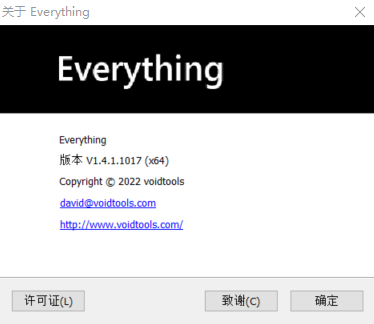
Check in the about window in Everything and make sure the install didn't fail for some reason


名称 ID 版本 可用 源
Everything 1.4.1.1017 (x64) voidtools.Everything < 1.4.1.1014 1.4.1.1017 winget

I believe this is actually an error with Voidtools (the publisher) not removing old entries from the registry on upgrade (they do on uninstall).
I ran a few commands installing, upgrading, and uninstalling between versions. After installing multiple versions there were multiple ARP entries in the table. Uninstalling any version that isn't latest using the Add and Remove Programs entry uninstalls all the files for whichever version of the app that is installed, but leaves the errant ARP entries. Then, I booted into a clean sandbox, installed just V1.4.1.1017 and it didn't report an upgrade.
I would suggest emailing a bug report to the publisher to get this fixed permanently. We could add UpgradeBehavior: uninstallPrevious to the manifest, but this could potentially remove user settings (not sure if this would happen, just saying it could, I'm not familiar with the app). For a temporary fix, I recommend running appwiz.cpl and removing all versions of the application, then re-installing through winget
I filed a question in everything forum.
https://www.voidtools.com/forum/viewtopic.php?f=6&t=11842
I think this is an issue caused by the upgrade of winget.
There are several other software on my machine that is affected:
Logitech.GHUBMicrosoft.WindowsSDK
The current Version of these software are displayed as <x.xx.xxx rather than a specific version.
Manually uninstall and re-install resolve some of the software's issue.

voidtools.Everything released a new version 1.4.1.1018 on winget, but the issue seems still there in my side.
Could anyone please help to look into it? @Trenly
https://www.voidtools.com/forum/viewtopic.php?f=6&t=11842&sid=b8d4afdcd19e6a843be490c1bbfcc768
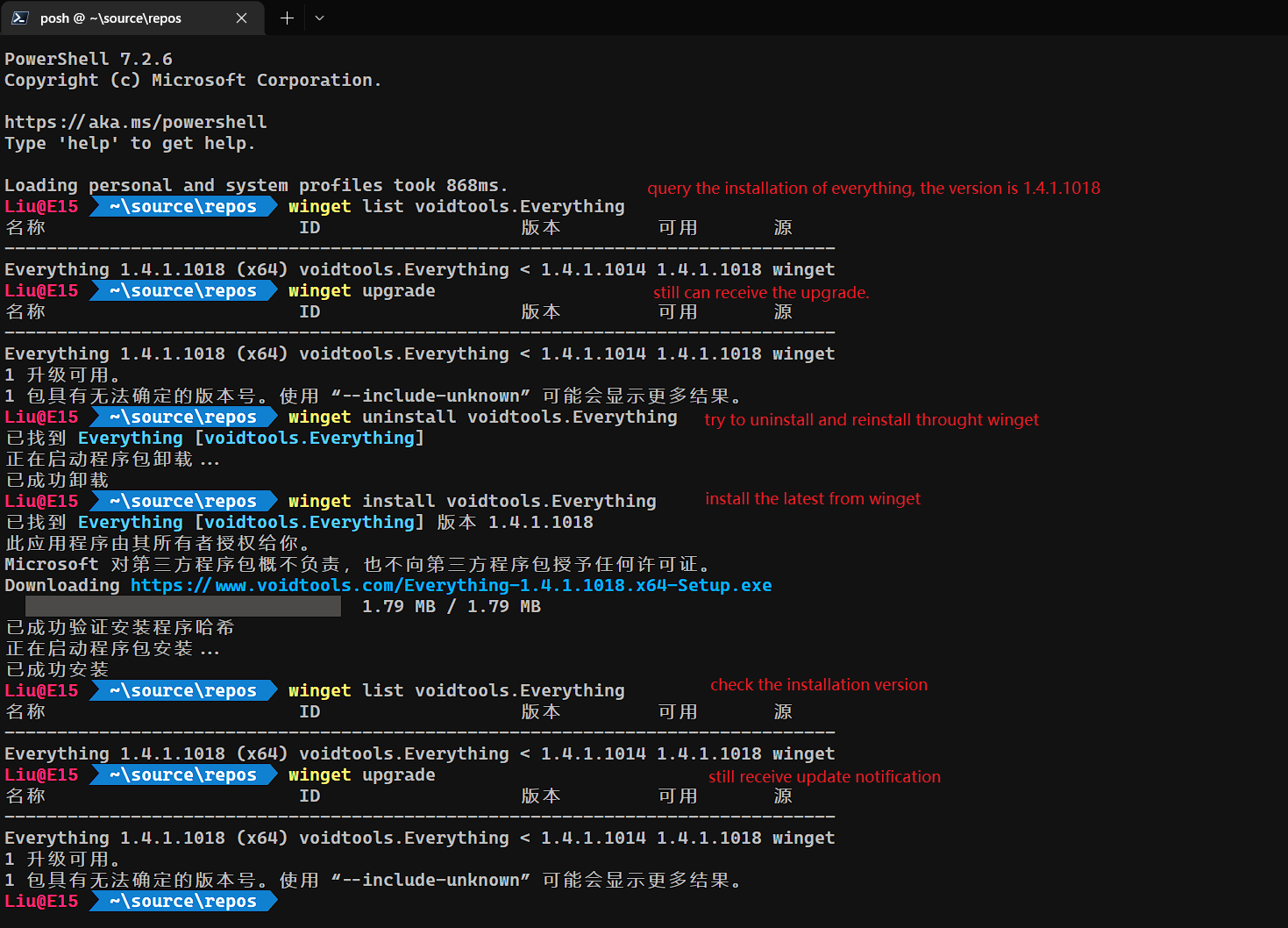
voidtools.Everything released a new version 1.4.1.1018 on winget, but the issue seems still there in my side.
Could anyone please help to look into it? @Trenly
https://www.voidtools.com/forum/viewtopic.php?f=6&t=11842&sid=b8d4afdcd19e6a843be490c1bbfcc768
Same here.

I think this is an issue caused by the upgrade of
winget. There are several other software on my machine that is affected:
Logitech.GHUBMicrosoft.WindowsSDKThe current
Versionof these software are displayed as<x.xx.xxxrather than a specific version.Manually uninstall and re-install resolve some of the software's issue.
Continue with this topic, here is some additional list:

All package listed above have the same issue.
I thinking this is a winget-cli update issue, rather than specific software issue.
2022/8/23 Update: I try to update the softwares with winget in my laptop today, but find the repeated upgrade of "voidtools.Everything" has gone.
No sure if this issue has been fixed.