

 microsoft
Winget doesn't wait for an update to finish so the second update is skipped
Brief description of your issue
If I tell winget to update Visual Studio Enterprise 2019 and then update 2022 using the following two commands via powershell, I've found that only 2019 gets updated.
& winget upgrade --id Microsoft.VisualStudio.2019.Enterprise --accept-package-agreements --accept-source-agreements & winget upgrade --id Microsoft.VisualStudio.2022.Enterprise --accept-package-agreements --accept-source-agreements
Steps to reproduce
Have a computer with 2019 and 2022 Visual Studio enterprise installed and they're outdated, then run the following two lines in powershell:
& winget upgrade --id Microsoft.VisualStudio.2019.Enterprise --accept-package-agreements --accept-source-agreements & winget upgrade --id Microsoft.VisualStudio.2022.Enterprise --accept-package-agreements --accept-source-agreements
Expected behavior
I expected Visual Studio installer to update 2019 to the latest version and then for the second line to run and Visual Studio installer to update 2022 to the latest version.
Actual behavior
VIsual Studio 2019 gets updated to the latest version but 2022 does not because Winget doesn't wait until 2019 is done updating.
Environment
Windows Package Manager v1.2.11601
Windows: Windows.Desktop v10.0.19044.1766
Package: Microsoft.DesktopAppInstaller v1.17.11601.0

Powershell version:
PSVersion                      5.1.19041.1682

Try using a semicolon instead of &
winget upgrade --id Microsoft.VisualStudio.2019.Enterprise --accept-package-agreements --accept-source-agreements; winget upgrade --id Microsoft.VisualStudio.2022.Enterprise --accept-package-agreements --accept-source-agreements

Thank you Trenly for the suggestion! I just tried it now and it looks like it updated Visual Studio 2019 to the latest version, but it did not update 2022 at all. You can see in the powershell output that it thinks it updated 2022 though. Here are a few screenshots that I took during the process:
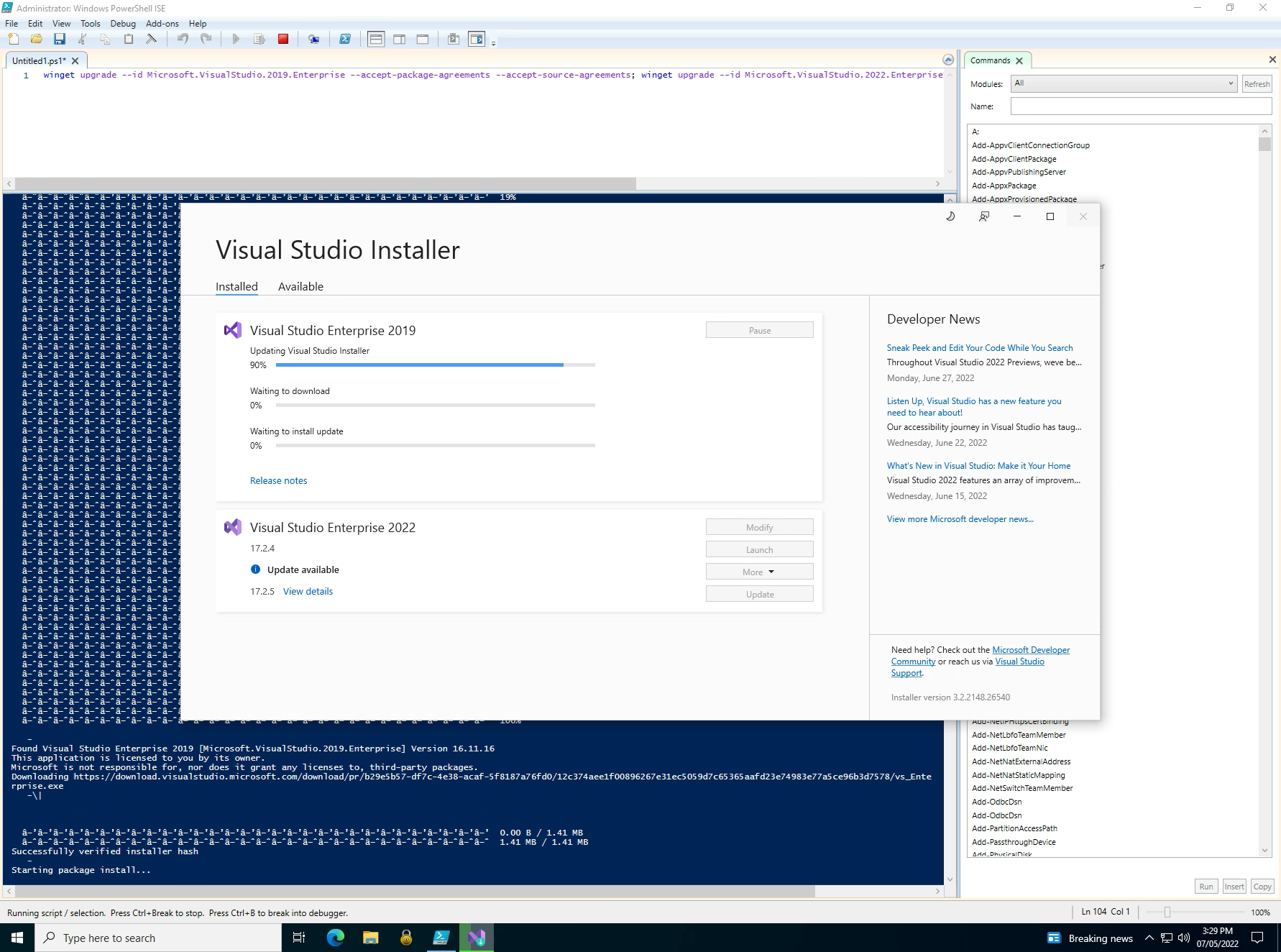

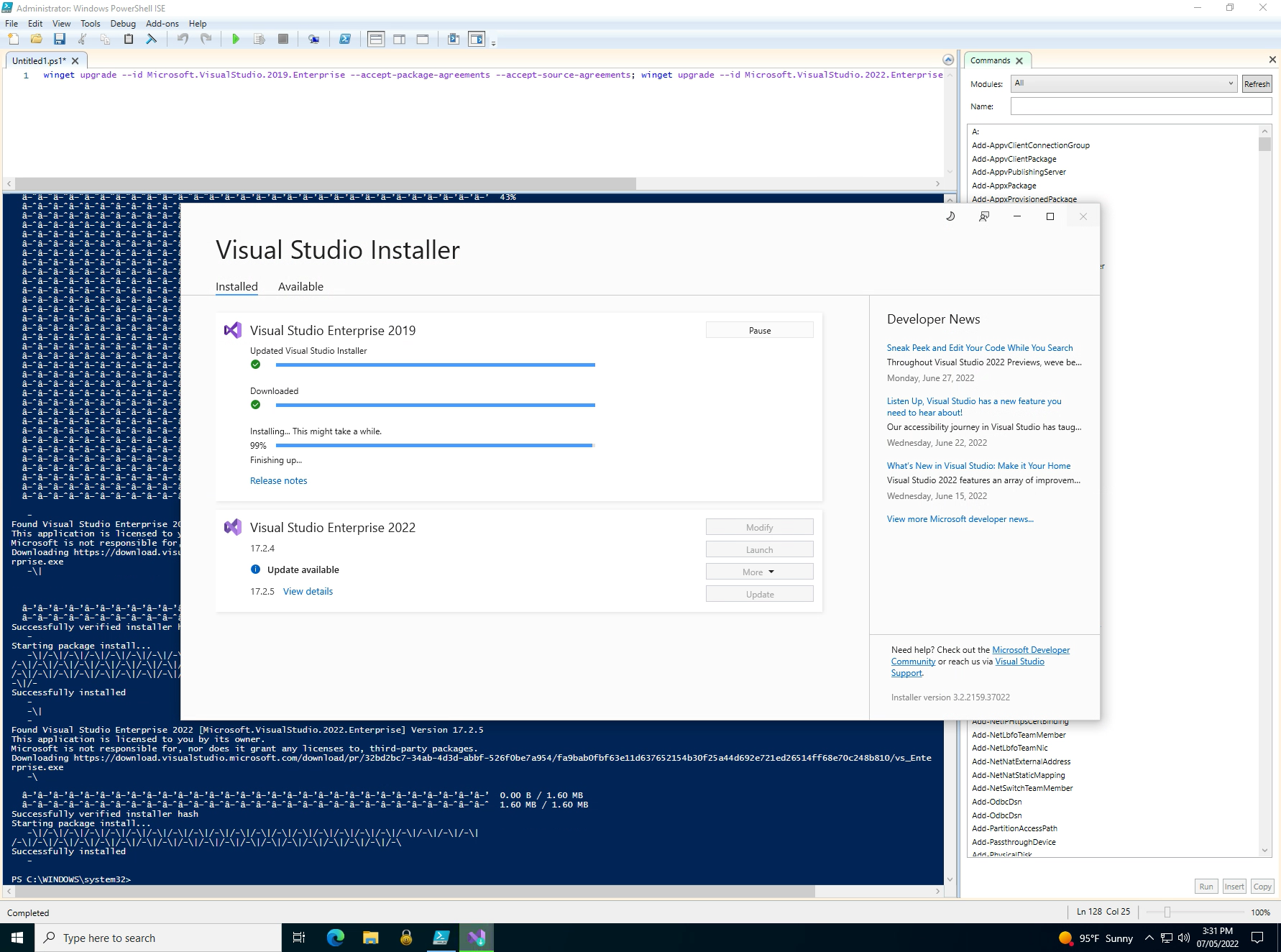

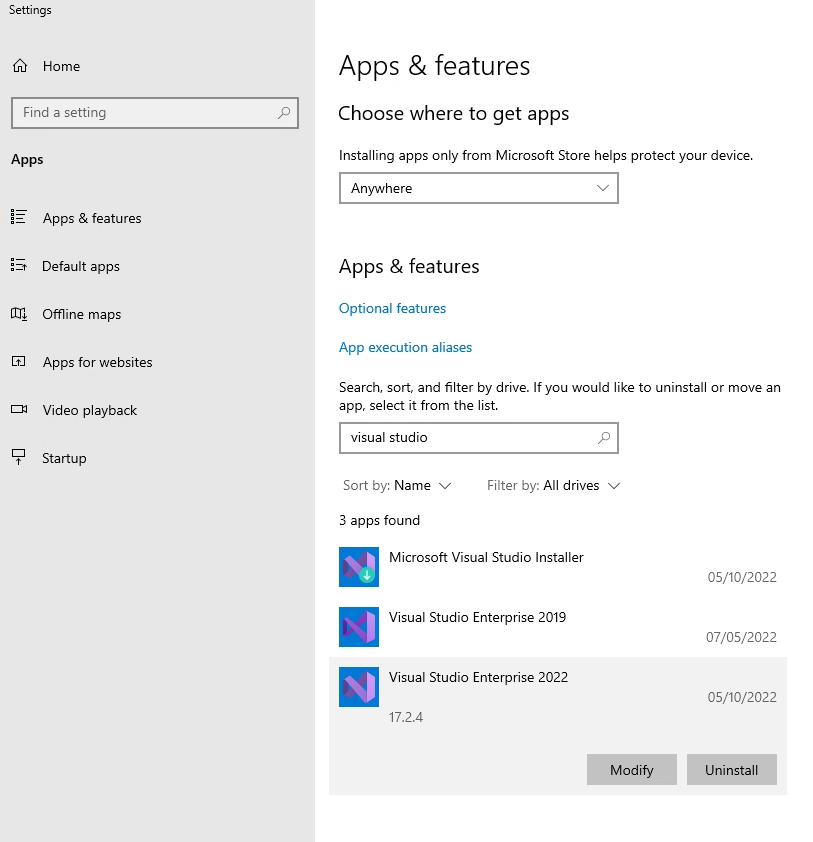
This may actually be a bug with VisualStudio returning that the upgrade finished before it actually did, even though the --wait switch is included. @jedieaston might know more about it than I do
It looks like a workaround I found is to monitor for the setup.exe process (visual studio installer). Once it closes, have it run the second command to update Visual Studio 2022.
Here is the powershell code I put in-between the two Winget commands and it works now-
        # Wait until Visual Studio Installer process is no longer running...
        While ((Get-Process setup))
        {
          Start-Sleep -Seconds 10
        }

        # wait another 20 seconds ...
        start-sleep -seconds 20
This may actually be a bug with VisualStudio returning that the upgrade finished before it actually did
It smells like a bug to me too, unfortunately. If Visual Studio starts another process to actually do the upgrade in then it would be hard for winget to track, but I thought the installer didn't do that. I'll have to build a VM and try it.
