
vscode-java-debug

vscode-java-debug copied to clipboard
 microsoft
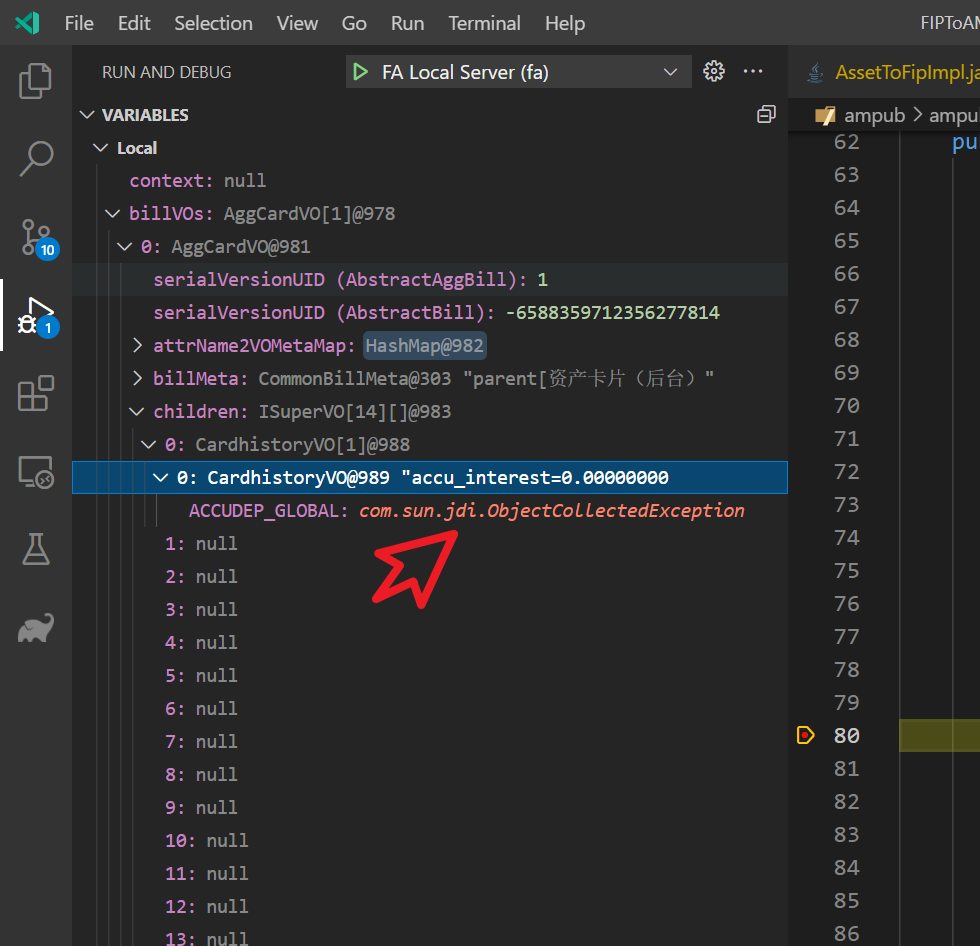
Debugging & inspection of variables causes com.sun.jdi.ObjectCollectedException
[provide a description of the issue]
Debugging & inspection of variables causes com.sun.jdi.ObjectCollectedException
Environment
- Operating System: Windows_NT x64 10.0.17134
- JDK version: 16
- Visual Studio Code version: 1.57.0-insider (system setup)
- Java extension version: 0.79.1
- Java Debugger extension version: 0.33.1
Steps To Reproduce
- View the contents of the variable collection in the breakpoint.
- switch 2 ~ 3 times
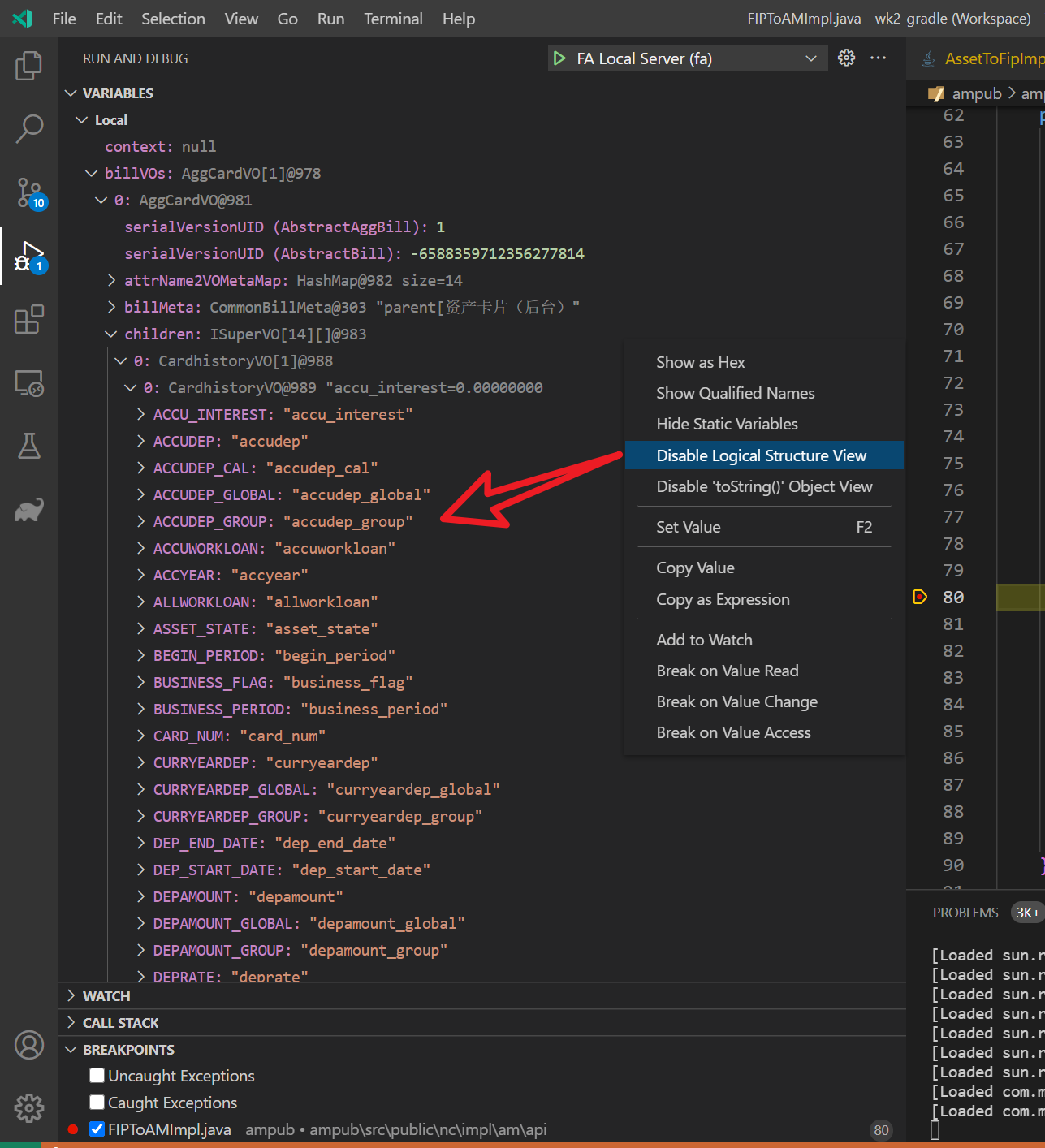
Disable Logical Structure ViewandEnable Logical Structure Viewat Parent Collection Object and Child Collection Object. (Random combination)
Sometimes there will be problems
eclipse 4.18 has been resolved
- open https://www.eclipse.org/eclipse/news/4.18/jdt.php
search
com.sun.jdi.ObjectCollectedException
Current Result
Expected Result
Additional Informations

I have the same problem. In my case, I use ConcurrentHashMap<String, HashSet<String>>:
public void put(ConcurrentHashMap<String, HashSet<String>> mark) {
  HashSet<String> col = new HashSet();
  mark.put('1', col);
  col.put("abc');
}
When col end its life circle, the value of mark.get('1') become: com.sun.jdi.ObjectCollectedException

