

 microsoft
NPM reload
https://user-images.githubusercontent.com/50314456/185886195-5bdb79c4-c0c6-457b-8b26-bc7fadbd5696.mp4
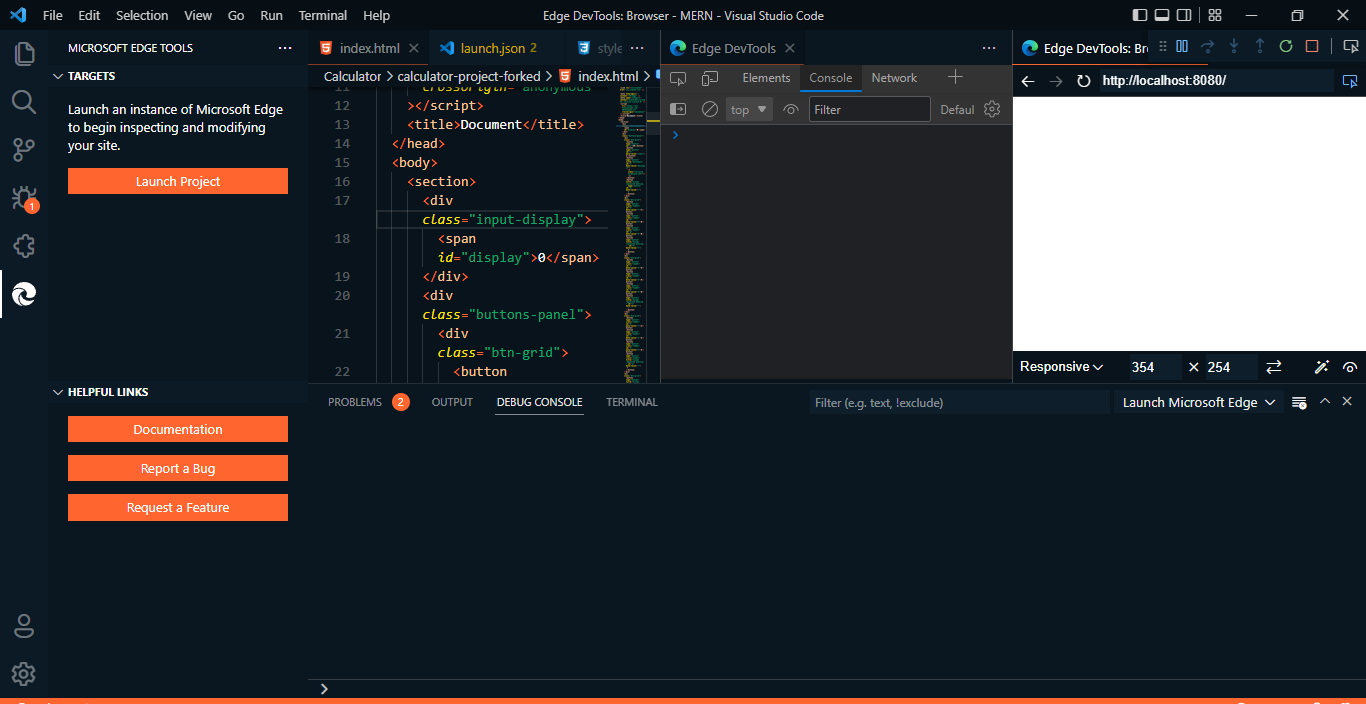
Hey !! I want to open my html file on a local host 8080 inside my vs code for the auto reload feature so when i edit the html,css and js file the changes will reflect in my webpage inside vs code which is opened in local host . I opened the json file but i was unable to change the url to a local host("http://localhost:8080") as there r so many url present inside the json file containing the html file address and idk which one i have to change. After saving the json file when i click on start instance it opens this welcome page and not my calculator page. I checked the vs code and other youtube channels , stack-overflow but didnt find any solutions so i am here for help.
https://www.youtube.com/watch?v=-pu52EA_x5w
https://user-images.githubusercontent.com/50314456/185864498-41f5d66b-eb0c-4f62-a61e-4c93be89305e.mp4

Hi there, sorry you got stuck with this. The answer is simple: if you generate the launch.json, replace every url with http://localhost:8080 and you should get the experience you expect.

I have changed all the URL to http://localhost:8080
This is the json file https://codepen.io/3Scratch/pen/zYWbmzw?editors=0012
Now my webpage is not loading

I'm afraid this issue has gotten stale. I'll close it now. But if the issue is still here, please feel free to comment.
