

 microsoft
Missing icon in status bar only in web-based Codespace
Opening this issue here to track: https://github.com/microsoft/vssaas-planning/issues/2187
The original issue:
Testing https://github.com/microsoft/vssaas-planning/issues/1711
Trying to complete step "9. Debug."
I don't see a bug icon in the extension/status bar at the bottom of VS Code in the browser:

I do, however, see it in the desktop:

If I should file this in the CMake extension, please just let me know.

Thanks for filing this @Colengms.
I just had a new browser-based Codespace open connected to the same repo, and I was facing the same problem where I didn't see the bug icon. The Codespace ended up shutting down due to inactivity, and upon my latest connection to it, I'm now seeing the bug icon for what I believe is the first time:


Can you check your cmake.statusbar.* settings (workspace and user)? The appearance of this icon depends on this setting and if it was disabled and the setting migrated to your workspace, that might explain it. Otherwise, we'll need to take a deeper look.

I'm not sure if this is the appropriate setting, but here's what I found so far (please let me know if I should search for something else):


I think I may have found a relevant issue - the cpptools extension seems to get automatically installed, yet also grayed out/disabled, in Codespaces I create on this repo: https://github.com/microsoft/vssaas-planning/issues/2186#issuecomment-776145402.
I'm initially missing the bug icon in this Codespace. When I follow the steps I mention in the linked issue above to reinstall the C++ extension, and then I reload the Codespace, the bug icon appears:

Also potentially worth noting that on each load/reload, I'm automatically getting this pop up (don't remember getting this before?):
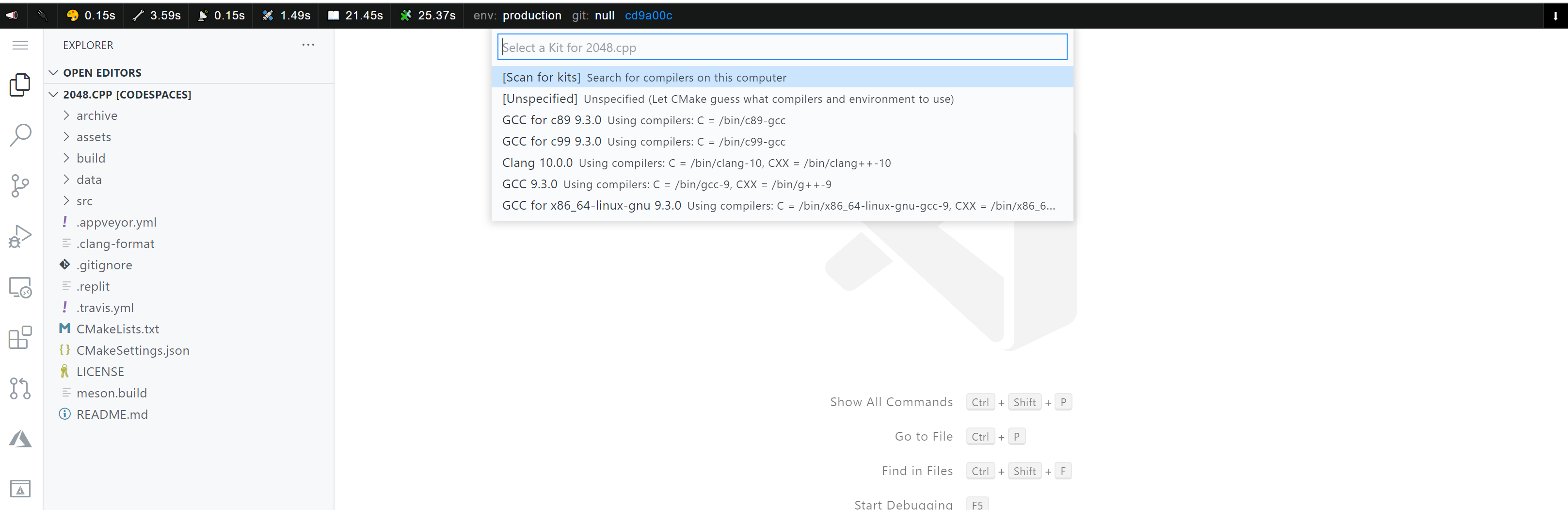
Regarding the popup, in order for the CMake Tools extension to fully activate, configure, etc... you need to select a kit (also unspecified is a good choice if you don't have a particular preference). This popup will keep showing up until you select one. Once you do, then it will show up only at your request via the select kit command in the pallette. I am trying to think why you see it now and you didn't before. Once you chose a kit, if somehow the memento state of the project happens to be cleared out, you get the question again. The memento state can get cleared via a "cmake troubleshooting" command in the pallette (which I don't think you ran). Maybe it got cleared during that mysterious install/uninstall, greyed out thing. I don't know, but let's keep an eye on this popup. Select a kit and if the popup shows up again for no reason at load/reload let us know.
Then about the bug icon, I don't know about that either. From the settings snippets you shared, those shouldn't have caused the bug to hide. Thinking... Maybe it was also because of that mysterious state your project was in at some point. It would be great if you can find a way to reproduce that consistently and we'll look more at what could cause it.

Thanks for all the context here @andreeis! It makes sense the pop up would show up until you select one, this just seemed new to today. I'll keep you updated if it shows up again for no reason at load/reload after selecting a kit.
Regarding the bug icon - I believe I've been able to consistently repro/get my Codespace in that state through the following:
- Make sure you don't have the C++ (
cpptools) extension installed. You can double-check by opening a Codespace and uninstalling it if you already have it. - Create a fresh Codespace on https://github.com/lukka/2048.cpp
- Notice the C++ extension gets installed dynamically but is grayed out
- Uninstall the C++ extension
- Have to search up the C++ extension to reinstall
Ok, great. We will investigate based on these repro steps. It's good that you are not blocked and there is an easy way to get back to a good state of visibility in the UI.