
terraform-provider-azuredevops
 terraform-provider-azuredevops copied to clipboard
 microsoft
Error parsing Work Item Template ID, got : invalid UUID length: 0
Community Note
- Please vote on this issue by adding a 👍 reaction to the original issue to help the community and maintainers prioritize this request
- Please do not leave "+1" or "me too" comments, they generate extra noise for issue followers and do not help prioritize the request
- If you are interested in working on this issue or have submitted a pull request, please leave a comment
Terraform (and Azure DevOps Provider) Version
PS /Users/timja/projects/hmcts/ops-bootstrap/Terraform/Environments/Sandbox> terraform -v
Terraform v0.13.2
+ provider registry.terraform.io/hashicorp/azuread v0.11.0
+ provider registry.terraform.io/hashicorp/azurerm v2.15.0
+ provider registry.terraform.io/hashicorp/random v2.3.0
+ provider registry.terraform.io/terraform-providers/azuredevops v0.0.1

Your version of Terraform is out of date! The latest version
is 0.13.4. You can update by downloading from https://www.terraform.io/downloads.html
Affected Resource(s)
data.azuredevops_project
Terraform Configuration Files
# Copy-paste your Terraform configurations here - for large Terraform configs,
# please use a service like Dropbox and share a link to the ZIP file. For
# security, you can also encrypt the files using our GPG public key: https://keybase.io/hashicorp
data "azuredevops_project" "project" {
  project_name = "DevOps"
}
Debug Output
can't see anything useful there
Panic Output
Expected Behavior
data source works
Actual Behavior
Error: Error flattening project: Error parsing Work Item Template ID, got : invalid UUID length: 0

  on ../../Modules/Infrastructure/Management/main.tf line 323, in data "azuredevops_project" "project":
 323: data "azuredevops_project" "project" {
Steps to Reproduce
terraform apply
Important Factoids
This project wasn't created by AzureDevOps, looks like it's expecting something to be setup that isn't.
References
- #0000

@timja How was you project created. Every project created by Azure DevOps will bound to a work item process template.
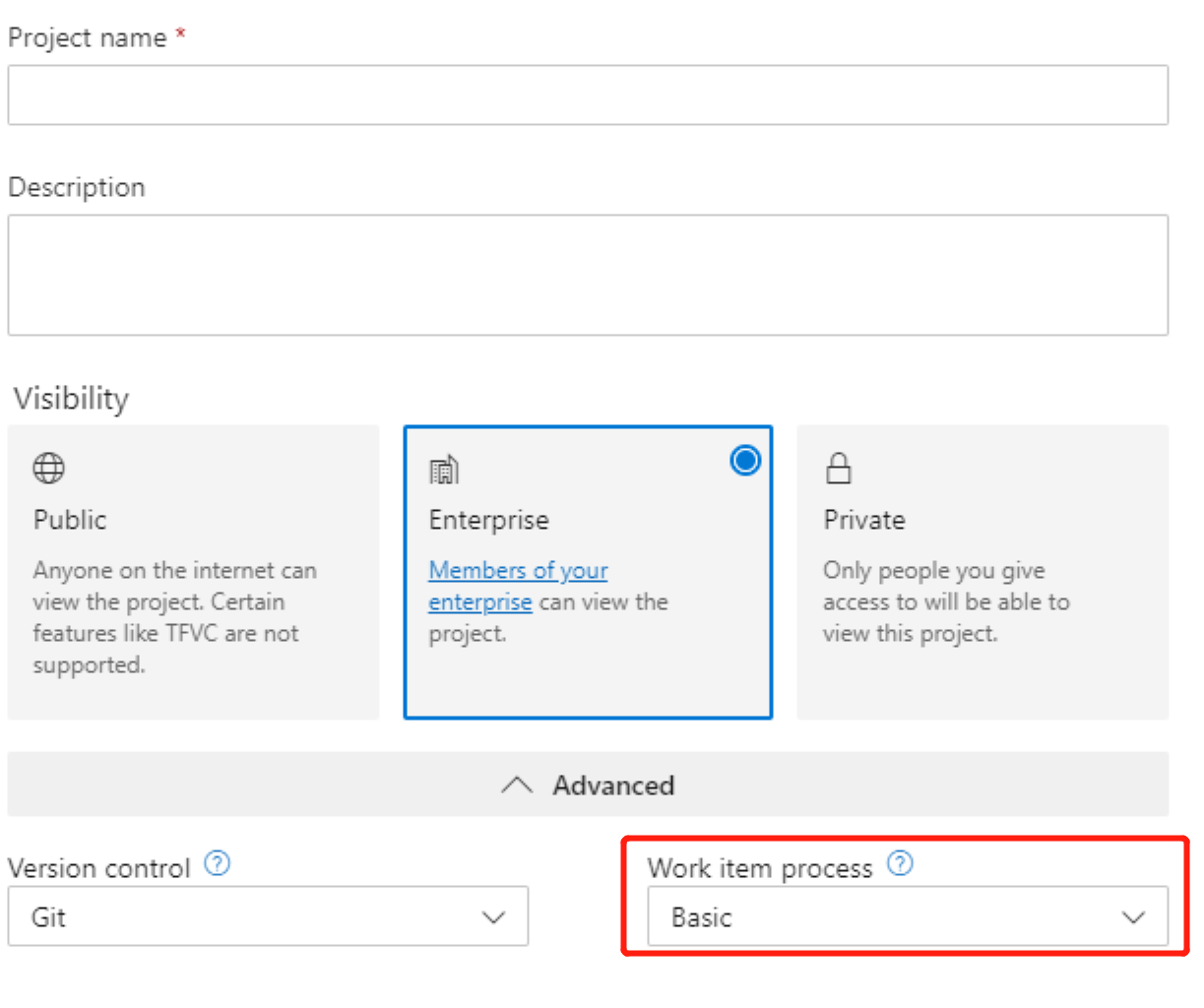

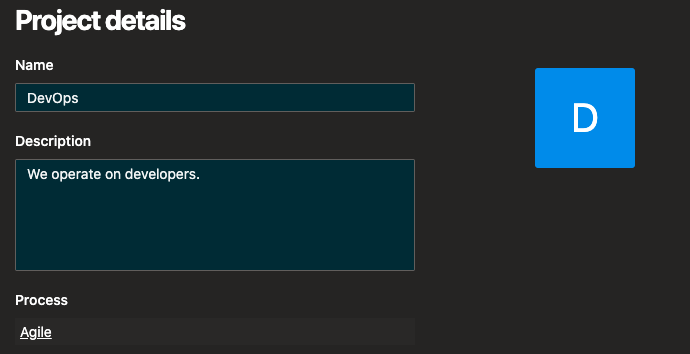
It was created over a year ago it does have the agile process associated to it:

I can send you the actual project if you want to take a look at it?
Can you help using https://dev.azure.com/{orgniazaiton}/_apis/projects/{projectID or projectName}?includeCapabilitie=true&api-version=5.1-preview.1 to get the project properties and check whether capabilities.processTemplate block exist. Normally the response will looks like:
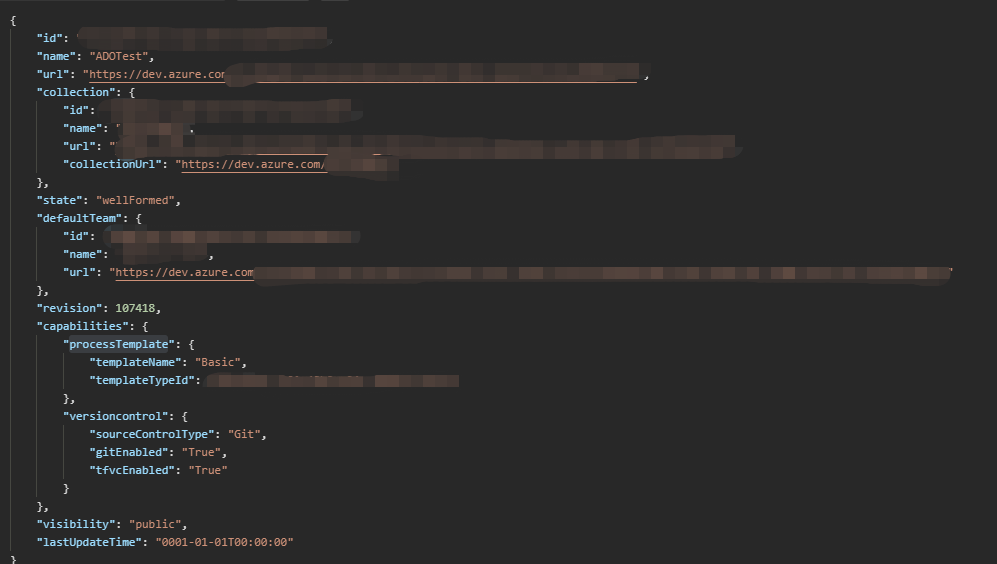
It does not exist:
{
  "id": "c8947a39-47e3-4236-8bc8-51ff42dbda51",
  "name": "DevOps",
  "description": "We operate on developers.",
  "url": "https://dev.azure.com/****",
  "collection": {
    "id": "db4bc40c-5305-4598-800d-0c9710bb202f",
    "name": "hmcts",
    "url": "https://dev.azure.com/****",
    "collectionUrl": "https://dev.azure.com/****"
  },
  "state": "wellFormed",
  "defaultTeam": {
    "id": "a49d7b10-ca04-45f9-b8ef-809b14d3188a",
    "name": "DevOps Team",
    "url": "https://dev.azure.com/****"
  },
  "revision": 218,
  "capabilities": {
    "versioncontrol": {
      "sourceControlType": "Git",
      "gitEnabled": "True",
      "tfvcEnabled": "False"
    }
  },
  "visibility": "private",
  "lastUpdateTime": "0001-01-01T00:00:00"
}

That's strange, seems your account don't have enough permissions, need more investigation.
Try with different API versions to read the project properties, all of them can get the project capabilities.processTemplate, cannot reproduce your error. I would suggest not to use the UI and ADO provider to manage the project the same time, some of the configurations may out of Terraform's control.
We had the same problem in the company I work for. Weird thing: Everything worked last Friday and since today all the pipeline that we use this provider stop with the same error. I run the same version, that run successful in Azure Devops on Friday in the same pipeline and it failed. We confirmed, that nobody changed anything in the configuration over the weekend. I also confirmed that I used the same version of the terraform providers in both runs.
When we call the REST API (no matter what permission), same as result as timja had: No processTemplate in capabilities.
We decided to use a workaround: The projectId as string in the terraform code
So three things:
- I should be able to get for example the projectId with terraform, and the processTemplate should be optional
- It looks like Microsoft changed their REST API over the weekend which is a big no no
- Azure is the Windows ME of the cloud

I have also came across the same error reported here:
│ Error: Error flattening project: Error parsing Work Item Template ID, got : invalid UUID length: 0
I am a project administrator of the project I am querying but when I use https://dev.azure.com/{orgniazaiton}/_apis/projects/{projectID or projectName}?includeCapabilitie=true&api-version=5.1-preview.1 I also do not get capabilities.processTemplate:
capabilities.processTemplate

	"capabilities": {
		"versioncontrol": {
			"sourceControlType": "Git",
			"gitEnabled": "True",
			"tfvcEnabled": "False"
		}
	},
	"visibility": "private",
On other projects in the same organization the property also does get returned, I only seem to get capabilities.processTemplate if the Process is set as "Basic - Kanban".
I am using microsoft/azuredevops v0.1.6.

The code of the provider relies on a property templateTypeId inside the processTemplate structure. If the GUID is not present this error will be hit.



So what I have seen is that none of the projects that I have viewed that are defined as "Agile" return the property. Which means I cannot use this data resource provider for any other these projects. This seems to be a fairly fundamental issue to using the provider when a data resource is needed?
@tonyskidmore can you provide an (anonymized) dump of the JSON data that is returned by https://dev.azure.com/{orgniazaiton}/_apis/projects/{projectID or projectName}?includeCapabilitie=true&api-version=5.1-preview.1 in your environment?
@tmeckel as requested:
{
	"id": "1a92de56-0f30-455a-85f3-65d1a755f4ff",
	"name": "Project",
	"description": "Project descriptions",
	"url": "https://dev.azure.com/orgname/_apis/projects/b7cb37d9-abb8-4d24-9e6c-570ce50efaa4",
	"collection": {
		"id": "850759f7-602a-4299-89c6-95bc7b8316f1",
		"name": "orgname",
		"url": "https://dev.azure.com/orgname/_apis/projectCollections/2752575b-ccae-4b10-a410-b8522d3ad2e1",
		"collectionUrl": "https://dev.azure.com/orgname/"
	},
	"state": "wellFormed",
	"defaultTeam": {
		"id": "12cab1e5-bb3f-448e-9858-88ec36aaee02",
		"name": "Project Team",
		"url": "https://dev.azure.com/orgname/_apis/projects/21ac03ff-a376-48ec-9eed-e7aa1e2f0299/teams/83b2751c-b173-43d7-854f-a5e502eb5949"
	},
	"revision": 128,
	"capabilities": {
		"versioncontrol": {
			"sourceControlType": "Git",
			"gitEnabled": "True",
			"tfvcEnabled": "False"
		}
	},
	"visibility": "private",
	"lastUpdateTime": "0001-01-01T00:00:00"
}
@tonyskidmore this is odd because the processTemplate should be listed for the project inside the capabilities section. See comment above from @xuzhang3
I suspect that the REST API does not return the processTemplate (anymore?) if the project is created using the organizational default process template. Is this the case? Would match your comment I only seem to get capabilities.processTemplate if the Process is set as "Basic - Kanban". from above.
@tmeckel the default process at the organization level is set to "Agile". So what you mention above seems to make sense, that it does not return capabilities.processTemplate if the project process matches the default org process.
Ok then the fix is obvious. The core API provides an endpoint GetProcesses(context.Context, GetProcessesArgs) (*[]Process, error) which returns all defined processes in the organization. The type Process struct contains a field IsDefault which indicates that this particular process is the default inside the organization. The function lookupProcessTemplateName should return the name of the marked process in that case.
@xuzhang3 any chance to get this verified with the product group?
@tmeckel is there any update on this specific issue being resolved?
It still seems to be present in the latest 0.1.8 version of the provider.


We've recently come across this issue, despite nothing changing in our config (was working up until this week), and it's stopping us being able to use this provider. I'm wondering if this is going to start becoming a more widespread issue.
