

 microsoft
Unable to log in to Microsoft account
I built it on a public network server, dotnet and yarn run successfully, but the front end cannot log in, and the click does not respond
My redirection ip in Azure is public IP: https://x.x.x.x:3000
Azure does not support https://x.x.x.x:3000
I set it to http://localhost:3000/https://localhost:3000/https:x.x.x.x:3000 and I can’t log in
Originally posted by @cooptest in https://github.com/microsoft/semantic-kernel/discussions/943


@cooptest and @PolarPeak , make sure you create the .env file for Copilot chat. Check out the Readme here https://github.com/microsoft/semantic-kernel/tree/main/samples/apps/copilot-chat-app#start-the-webapp-frontend-application (step ii.)

I copied the .env file, and edited it like this:
REACT_APP_BACKEND_URI=https//0.0.0.0:40443/
REACT_APP_AAD_AUTHORITY=https://login.microsoftonline.com/common
REACT_APP_AAD_CLIENT_ID=7284df12-1d8f-4b7c-xxxx-xxxxxxxxxxx

Is there a solution for logging in?
Now,can only be used on localhost http://localhost:3000
if use ip:3000,will not be able to log in normally
for example: http://20.34.19.11:3000
error: bundle.js:24299 Uncaught (in promise) BrowserAuthError: pkce_not_created: The PKCE code challenge and verifier could not be generated. Detail:TypeError: Cannot read properties of undefined (reading 'digest')

May I ask how you have setup the AAD app? The PKCE error makes me wonder if maybe you did not configure as an SPA?
https://learn.microsoft.com/en-us/azure/active-directory/develop/scenario-spa-app-registration#redirect-uri-msaljs-20-with-auth-code-flow

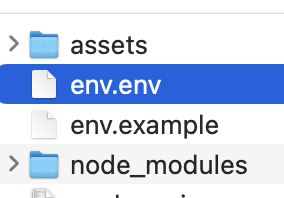
我也有同样的疑惑: 1.我的.env与必须带前缀,不然会报错
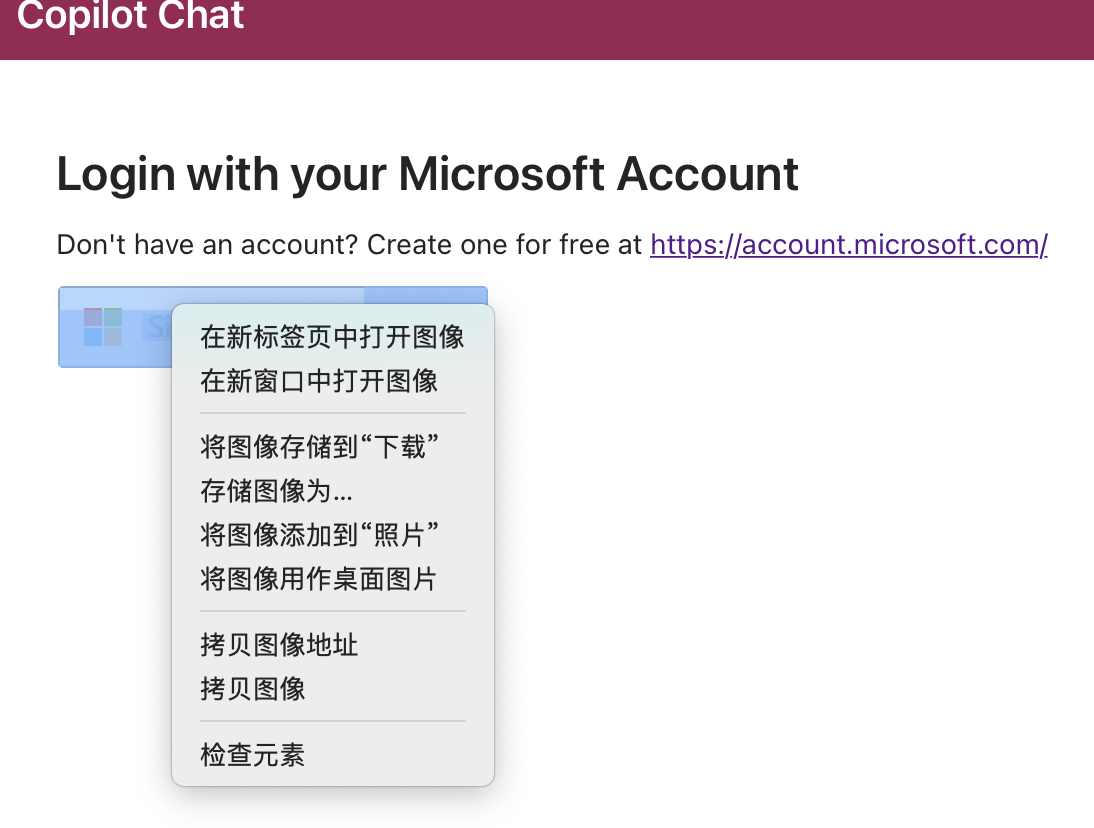
2.我右击登陆会发现是一张图片。。。
@wyz9616 your file should be named just .env not env.env

Hi @cooptest, @PolarPeak , @Suevivian, apologies for a delayed reply.
You'll have to enable the webapp to use HTTPS for local development. I've outlined steps on how to do this in the WebApp's README.md
Since you're using your own public IP address, I would recommend using mkcert to generate the necessary certificates, and then you should be able to add your https://x.x.x.x:3000 as a single page application (SPA) redirect URL in your AAD app registration.
Is there a solution for logging in? Now,can only be used on localhost
http://localhost:3000if use
ip:3000,will not be able to log in normallyfor example: http://20.34.19.11:3000
error: bundle.js:24299 Uncaught (in promise) BrowserAuthError: pkce_not_created: The PKCE code challenge and verifier could not be generated. Detail:TypeError: Cannot read properties of undefined (reading 'digest')

@Suevivian, AAD has a restriction such that redirect URIs must begin with the scheme https. There are some exceptions for localhost redirect URIs, so if you want to use a specific IP address, you have to use https and follow the steps outlined in this README to configure your local environment accordingly.
See more about redirect URL restrictions here: https://learn.microsoft.com/en-us/azure/active-directory/develop/reply-url
@cooptest @PolarPeak @Suevivian closing this as resolved. Feel free to re-open if you continue to run into issues