
pylance-release
 pylance-release copied to clipboard
 microsoft
Intellisense autocomplete hangs at Loading... on Remote-SSH
Possibly related to Remote-SSH Python intellisense stuck at loading... microsoft/vscode-python#9045
Behaviour
Expected vs. Actual
Expected: Intellisense should show suggested code completions when pressing "control"+"space" and should Tab complete. Actual: Intellisense does not show suggestion code completions when pressing "control"+"space". And Tab completion does not work either.
Steps to reproduce:
- Use VS Code to connect remotely via SSH extension.
- Open a .py or .ipynb file
- Type
import numpy as np - Start typing
np.and after the dot, attempt to activate Intellisense via "Ctrl"+"space" to get autocomplete suggestions. - VS Code only shows "Loading..." and hangs indefinitely. No autocompletion is performed, and no function signature information is shown.
VS IntelliCode output shows:
Language server is set to Pylance. Acquiring model Acquiring model 'intellisense-members-lstm-pylance' for python Querying IntelliCode service for available models. vs-intellicode-python was passed a model: {}. Cached model is up to date. Activating Python extension
Diagnostic data
- Python version (& distribution if applicable, e.g. Anaconda): 3.8.13
- Type of virtual environment used (e.g. conda, venv, virtualenv, etc.): Conda
- Value of the
python.languageServersetting: Pylance
Output for Python in the Output panel (View→Output, change the drop-down the upper-right of the Output panel to Python)

does this only happen on remote (SSH extension)? or happen when doing locally as well?

Just on remote SSH. It works fine locally
On Thu, Sep 8, 2022, 1:53 PM Heejae Chang @.***> wrote:
does this only happen on remote (SSH extension)? or happen when doing locally as well?
— Reply to this email directly, view it on GitHub https://github.com/microsoft/pylance-release/issues/3300#issuecomment-1241044709, or unsubscribe https://github.com/notifications/unsubscribe-auth/ABXGFVIUCKYNCYNYVN7IVULV5IRZJANCNFSM6AAAAAAQHHR2RQ . You are receiving this because you authored the thread.Message ID: @.***>
I have the same issue. Bisect cannot find a problem with extensions, and instead says it might be a VSCode problem. Have you managed to fix it @cpoptic?

I just performed a clean install of the SSH server and updated to the latest (insiders) version. I didn't install any extensions in the server other than the recommended python extensions (VSCode prompt).
The issue still persists for me in this setup.
On Tuesday, Nov 29, 2022 at 11:10 PM, Heejae Chang @.*** @.***)> wrote:
I can't repro this now. is this still an issue?
— Reply to this email directly, view it on GitHub (https://github.com/microsoft/pylance-release/issues/3300#issuecomment-1331385189), or unsubscribe (https://github.com/notifications/unsubscribe-auth/AA64JJWTMMW34PJSUJVOSG3WKZ5M5ANCNFSM6AAAAAAQHHR2RQ). You are receiving this because you commented.Message ID: @.***>
Can you provide us some logs as described in the troubleshooting guide?
...
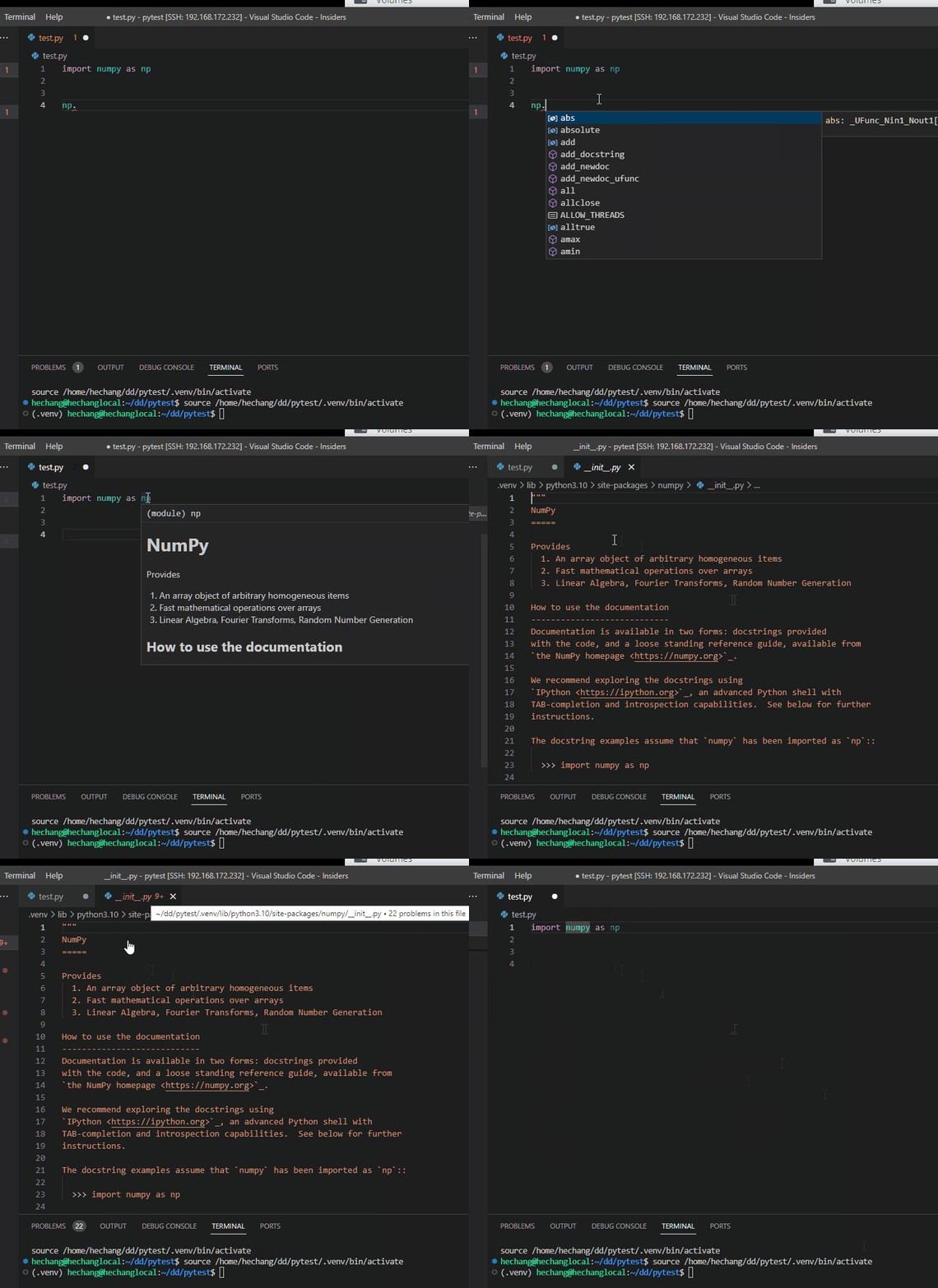
I used ubuntu + OpenSSH server 3.0.2 (on ubuntu) + vscode insider (1.74.0-insider) windows + OpenSSH 3.0.2 client on windows
and everything seems working as expected.
Sorry for the large delay in response. Allowing for a trace level in the errors I saw that the error was very large enumeration of files, suggesting it could not parse the home directory anymore. When navigating to a directory with fewer files, the extension works as intended, nothing wrong with SSH at all.
Would it be wise to add a more descriptive message to the loading bar or a toast in the bottom right warning users of a potentially large directory which can halt the language server?
I believe we already have warning for such case. we would need more detail to know why it didn't work in your case. the log I mentioned above would help us to find out why it didn't work as well.
It's been a while since I had to use remote SSH, and I now notice that the intellisense gets activated after a few minutes. When I had first commented on the issue, the intellisense wouldn't start working for hours.
Here's the logs both before and after intellisense started working.
Logs prior to intellisense working
Logs after intellisense starts working
I use either /bin/python3 or ~/Documents/conda/bin/python for running my code, depending on what I want to do. The hanging of intellisense I used to experience and no longer do was irrespective of the runtime/kernel I had selected.
from your log, I see this
[Error - 11:59:45 AM] (167185) Enumeration of workspace source files is taking longer than 10 seconds.
This may be because:
* You have opened your home directory or entire hard drive as a workspace
* Your workspace contains a very large number of directories and files
* Your workspace contains a symlink to a directory with many files
* Your workspace is remote, and file enumeration is slow
To reduce this time, open a workspace directory with fewer files or add a pyrightconfig.json configuration file with an "exclude" section to exclude subdirectories from your workspace. For more details, refer to https://github.com/microsoft/pyright/blob/main/docs/configuration.md.
[Info  - 12:02:24 PM] (167185) Found 241 source files
which means your workspace root (' /home/ipausers/katsikas/Projects') is pointing to a folder that has a lot more than py files you need (assuming since it only discovered 241 py files)
you should either try changing the root to more specific folder or use exclude to let pylance know which folder it should ignore.
I also see indexing is taking about 14 seconds to index your installed packages. take a look at packageIndexDepth option to control indexing. you can give it depth 0 to skip indexing a package if you don't use them directly.
see https://github.com/microsoft/pylance-release/blob/main/README.md#settings-and-customization for all options we provide.
closed issue since we confirmed it is due to file system walking. our walking perf is leaner to the size of files/folders given to us and os's file walking perf. if user gives us 1 million files to walk, then we will take time to walk 1 million files.
Thanks for the recommendations, this is indeed the conclusion I reached in my earlier comment.
Sorry for the large delay in response. Allowing for a trace level in the errors I saw that the error was very large enumeration of files, suggesting it could not parse the home directory anymore. When navigating to a directory with fewer files, the extension works as intended, nothing wrong with SSH at all.
Would it be wise to add a more descriptive message to the loading bar or a toast in the bottom right warning users of a potentially large directory which can halt the language server?
However, I never received a popup notification that this was happening and had to enable trace logs and look in the output of the extension. I thought the meaning of these logs were to investigate why this notification was never started, as you mention here.
we would need more detail to know why it didn't work in your case. the log I mentioned above would help us to find out why it didn't work as well.
ah, I didn't mean it will show notification. I meant it will show up in the log which it did. currently, we don't have any notification on perf issues. instead, those issue usually show up in the log.
Sorry for the large delay in response. Allowing for a trace level in the errors I saw that the error was very large enumeration of files, suggesting it could not parse the home directory anymore. When navigating to a directory with fewer files, the extension works as intended, nothing wrong with SSH at all.
Would it be wise to add a more descriptive message to the loading bar or a toast in the bottom right warning users of a potentially large directory which can halt the language server?
really helpful!
