
pylance-release

pylance-release copied to clipboard
 microsoft
IntelliSense not works for submodules
Applies To
- [X] Notebooks (.ipynb files)
- [ ] Interactive Window and/or Cell Scripts (.py files with #%% markers)
What happened?
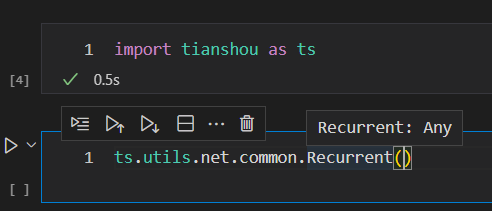
In JupyterLab, I simply import the module, it can show me the parameters of the class which inside submodule.

In VSCode, not work.
VS Code Version
1.69.1
Jupyter Extension Version
v2022.6.1201981810
Jupyter logs
No response
Coding Language and Runtime Version
Python 3.9.13 by MiniConda
Language Extension Version (if applicable)
v2022.10.1
Anaconda Version (if applicable)
MiniConda 4.13.0
Running Jupyter locally or remotely?
Local

try
from tianshou.utils.net import common


common.Recurrent()
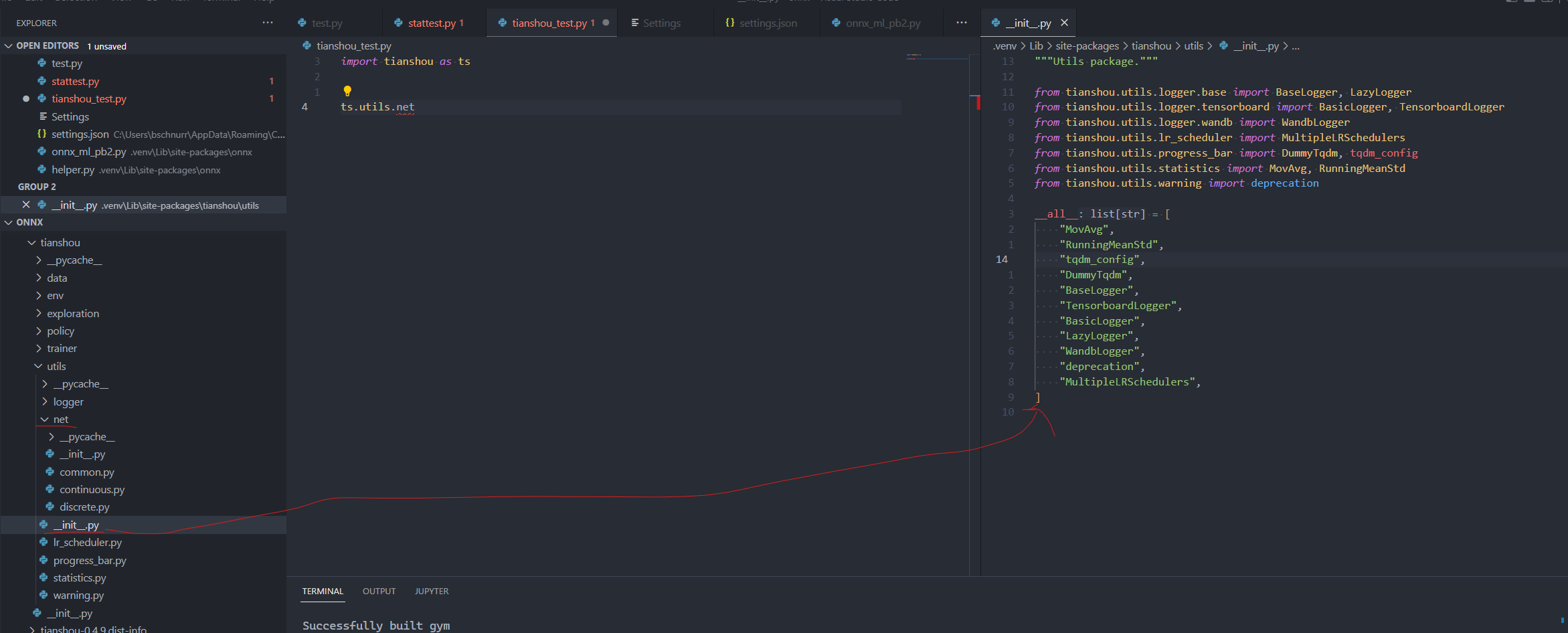
.net is missing from the public types listed in utils_init_.py

Closing old issue. If this is still a problem, please reopen with the information requested. thanks
