
pxt-microbit
 pxt-microbit copied to clipboard
 microsoft
Make it easier to share home page content
Is your feature request related to a problem? Please describe.
It's hard to share what homepage content. Best you can do is point to something and say "go to the homepage, scroll down x rolls, scroll right y columns, click the thing called 'z'".
Pretty much all of the buttons have a corresponding path we can load (e.g. #tutorial: or #pub), so we should have a way to generate that url.
Describe the solution you'd like
It would be nice to give an easy way to share homepage content - e.g. for teachers or users who want to share a project they completed with their friends so they can try as well.
One potential way to implement this would be to add 'share' type buttons in the project detail view that pops up; e.g. on the left near the play video lesson button or below the individual action cards
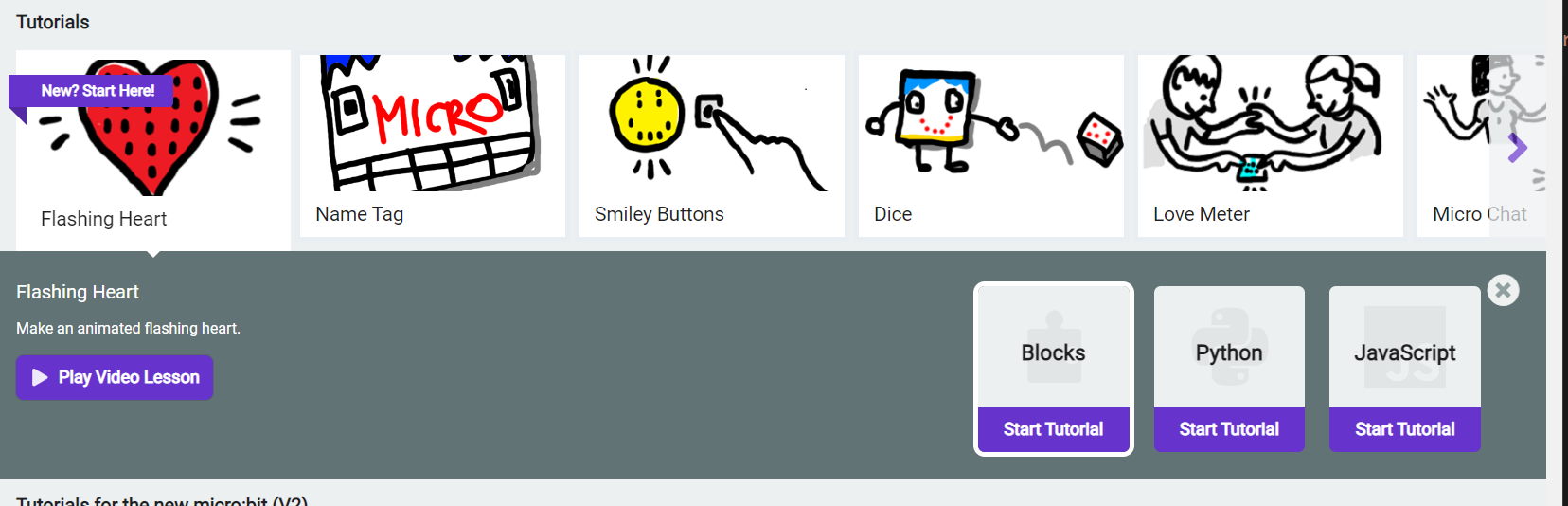
which would just generate the right url & copy to keyboard, could even pop device share where available. This way teachers could cut out the first part of lesson plans of spending a few minutes navigating everyone to the right page.
Describe alternatives you've considered
Button could also go in tutorial view itself


@riknoll Is there a low hanging quick solution here?
Couple of options I can think:
- If we show the tutorial path (like #tuotrial:docs/falshing-heart) in the URL when the tutorial is open, it will help to just copy paste and share for users
- Adding ... -> copy link in each of the card (blocks, python, typescript) which teachers can use to share as well.
I feel like we should just make Tutorials easier to share - https://github.com/microsoft/pxt-microbit/issues/5455

@abchatra @Jaqster preserving the hash in the url bar will probably be too big a change to make for this release.
the primary issue is that this complicates page refresh. for example, if we add the tutorial to the URL and someone clicks refresh, how do we know to reload the project they were working on vs start a brand new tutorial?
the correct way to do this would probably be to put some reference to the header in the url, but that would make the url much uglier. for example:
// 6d6311cd-e21f-447d-a4ce-05995b42dca4 is the header id

makecode.microbit.org/index.html#tutorial:my-repo/my-tutorial/6d6311cd-e21f-447d-a4ce-05995b42dca4
then if someone tries to load that URL in a browser where we don't have a project with that header id, we'd start a new project instead.
@abchatra maybe we should discuss this in standup
When someone refreshes the page, can we just see if they have recent project with the same tutorial and use that. If there are none, start a new one. It is pretty rare someone will go through the same tutorial multiple times in my opinion. We can always start a new one when they come from home page.
After discussion moving out of the release as it is too late to make structural changes. Will address in the next one.