pxt-microbit
 pxt-microbit copied to clipboard
 microsoft
Cannot include text and number blocks in online tutorials
I am writing an online tutorial and am trying to include these blocks in their respective categories:
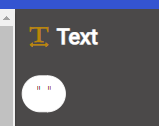
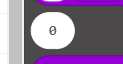
However, as they have no name or id I can find by looking through the files in the Explorer in MakeCode, I don't know how to do it. They are required as the block I have created contains an 'any' field.
@pelikhan @ganicke @abchatra Your assistance would be very much appreciated.

I'm assuming that you're attempting to include the type literals in some snippet for a tutorial page like:
# Test type literals


## A Number

```block
0
```

## A string

```block
"string"
```
... which, when rendered will look like:
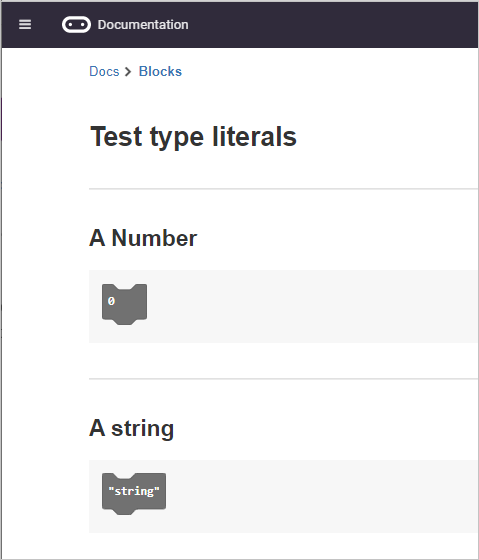
For blocks to show correctly, the snippets must decompile from code inside the ```block section that will first correctly compile. The type objects themselves won't stand as valid code and must be part of a valid expression - let x = 0; let y = "";.
To make something like this work, some additional, new doc mechanism is needed such as:
```block-type
0
""
```

Hi @ganicke, yes, I want to include them like you've shown in the first image (or similar). I tried including them just as a string or a number in the block I wanted, which worked in the sense that there were string or number boxes in my block, however, they were fixed in place and could not be dragged out or changed.
It is key the tutorial that those blocks are free to move. Is the thing you've suggested at the end something which is in place in beta or the live system, or is it just some thinking?
@AlasdairAtKitronik - this is just some idea. I think what you want are ```ghost blocks with pre-assigned values which will cause those type items to appear in the toolbox during the tutorial step?
Thanks for the ```ghost suggestion @ganicke. This has worked for bringing in the blank " " text block:
x = " "
y = 0
However, default 0 number block has not pulled in. This is fine for my tutorial right now, but would be very useful for future ones.
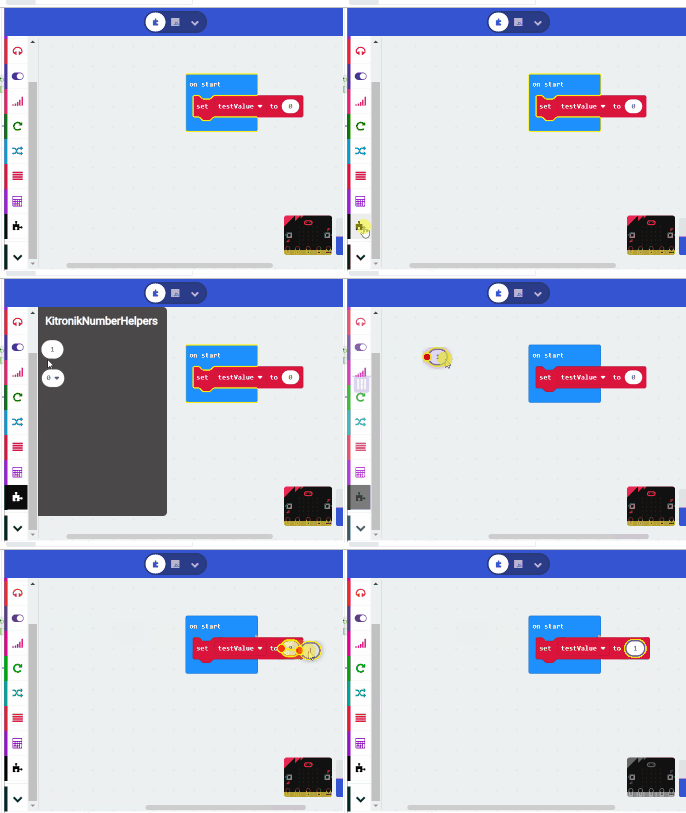
@AlasdairAtKitronik - Another option for you is to create (or add to the one you're currently using if so) an extension that returns a number for an enumval such as noteFrequency does in music.ts. This works if you need just a constrained set of values.
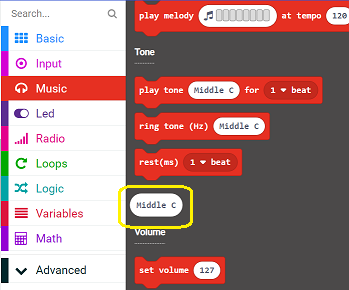
Something like this might work for you too:
namespace KitronikNumberHelpers {
    /**
     * Get a value from a value
     * @param choice number of a number
     */
    //% block="%choice"
    //% shim=TD_ID colorSecondary="#FFFFFF" choice.defl=0
    //% choice.fieldEditor="numberdropdown" choice.fieldOptions.decompileLiterals=true
    //% choice.fieldOptions.data='[["0", 0], ["1", 1], ["2", 2], ["3", 3], ["4", 4], ["5", 5], ["6", 6], ["7", 7], ["8", 8], ["9", 9]]'
    export function pickValue(choice: number): number {
        return choice;
    }
    /*
     * Gets the same number from a number
     * @param x is the number, eg: 1
     */
    //% block="%x"
    //% x.defl=1
    export function numForNum(x: number) : number {
        return x
    }
}