
live-share
 live-share copied to clipboard
 microsoft
`insertSnippet` incorrectly inserts snippet when host and participant in the same file
Describe what happened:
**WProduct and Version [VS/VSCode]: 1.67.0 OS Version[macOS/Windows]: mac Live Share Extension Version: v1.0.5527 Target Platform or Language [e.g. Node.js]: any, js, html
Steps to Reproduce / Scenario:
For 2 cases host and guest must be in the same file, but in different locations.
More Practical Case
(test against this)
Context: There is relatively new HTML feature called Auto Quote Creation (controlled by html.autoCreateQuotes setting, enabled by default).
- Open some html with the following content:
<div ></div> - Type
d=either as guest or host and util someone disable this setting, quotes will twice:
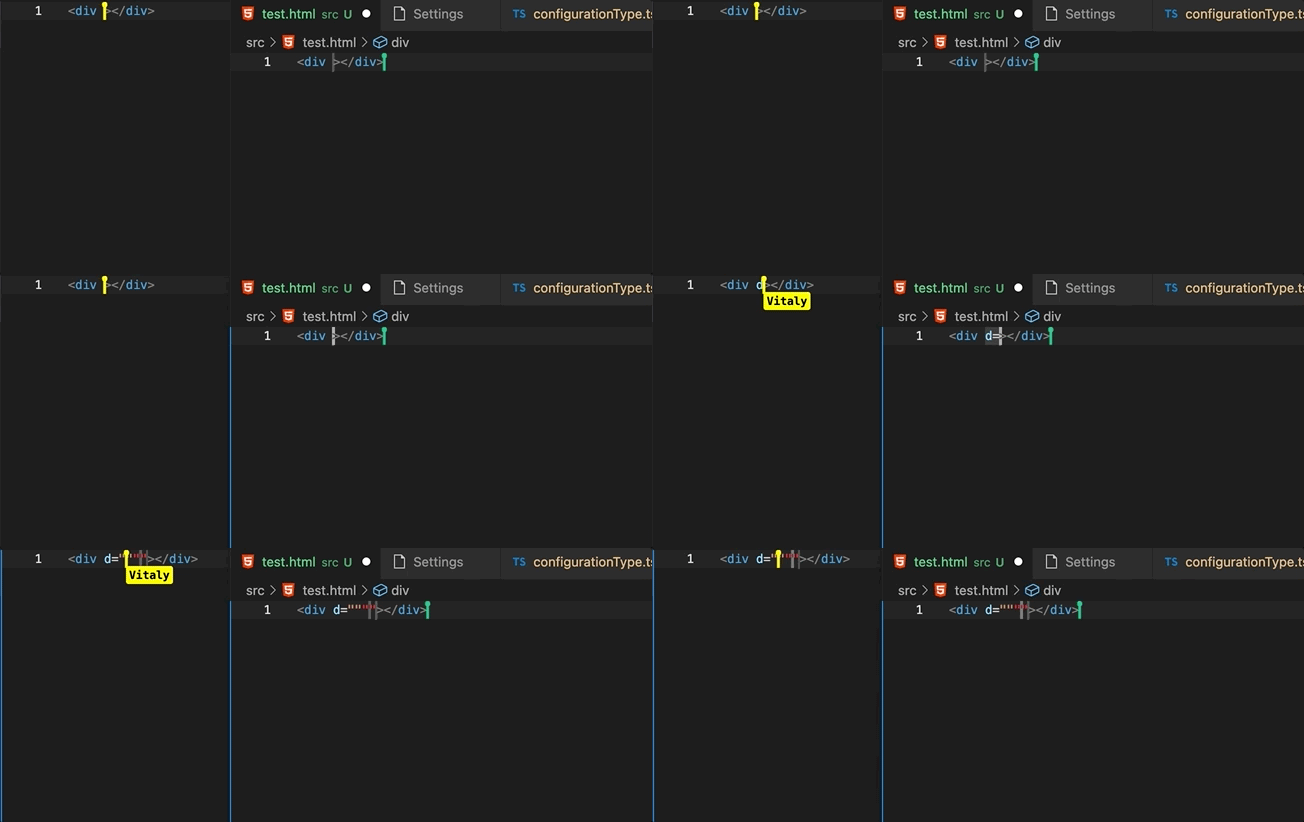
If host or guest disable this feature, it'd would insert quotes properly.
My Case
I have an extension that replaces text by typing some text e.g. if you type cb it will replace it with snippet ($1) => $0. For this I remove text on specific range (using edit which works as I suppose just fine). However, then if guest type cb , insertSnippet is called and the snippet is inserted in host and not guest location.
By the way it isn't clear how can I ignore typing from participants and react to changes made only by the host itself?? I feel lack of any API docs.
Please attach logs to this issue: logz.zip hat was your system configuration?**
**Screens

@alyssajotice Thank you so much for looking into this issue, can you please assign someone to this one or give due date? I don't think it will be hard to fix, or at least it would be nice if you explained this behavior. A lot of people I know can't use some extensions in live share because to this problem.
We’re not able to prioritize this issue over the other higher-impact issues we receive every week, based on the votes and comments from others in the community and our understanding of the issue. We understand this may be disappointing; we've all been there, whether in this project or others we've contributed to. However, rest assured that we love your input. If you feel it deserves to stay open, then clarify your use case and contact us to let us know how severe it’s for you.
