

 microsoft
When in "Keep on Top" mode, results are truncated from the left
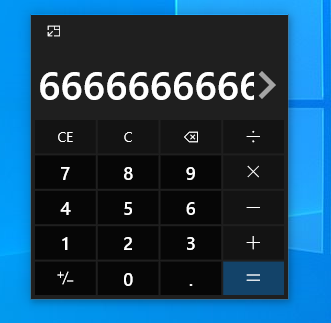
If calculator is set to "always on top", the results appear to be truncated from the left making them unreadable. For example entering 8 / 12 shows "66666666666" instead of "0.6666666666". Note: As soon as you click the '>' button, the '<' appears and you can scroll to the left to see the full value.

This is your friendly Microsoft Issue Bot. I created this issue automatically as requested by a team member.


Thanks! How would any user discover this? And why isn't it available in modes other than "standard"?
And why isn't it available in modes other than "standard"?
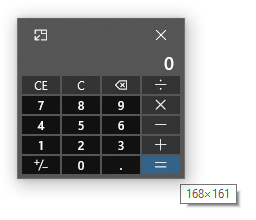
We would love to explore bringing this to other modes! We limited it to Standard at first because the min size of the window is smaller than what we can fit in the functionality of the other modes (e.g., scientific and programmer modes have many more buttons):
If calculator is set to "always on top", the results appear to be truncated from the left making them unreadable. For example entering 8 / 12 shows "66666666666" instead of "0.6666666666". Note: As soon as you click the '>' button, the '<' appears and you can scroll to the left to see the full value.
This issue still exists and can be pretty annoying while I'm trying to use the calculator in the keep-on-top mode.
