

 microsoft
Failed to parse config.json, error= {} while creating Orchetrator
Version
@microsoft/botframework-cli/4.15.0 win32-x64 node-v16.15.0
Describe the bug
This bug is faced when trying to create the Orchestrator from the .lu files already defined in LUIS and using the pretrained model obtained from the base model for the Orchestrator
To Reproduce
Steps to reproduce the behavior:
- bf orchestrator:add -t luis
- bf orchestrator:basemodel:get --out model
- bf orchestrator:create --in . --model model --out generated
Failed to parse LUIS or JSON file on intent/entity labels
Failed to parse config.json, error={}
The error seems to be only with the pretrained model as all the files prior to it are processed as per the command line output. There are token recognition errors, but does not stop the process to proceed at point 3. The content in config.json :
{ "VocabFile": "vocab.txt", "ModelFile": "model.onnx", "Name": "pretrained.20200924.microsoft.dte.00.06.en.onnx", "Framework": "onnx", "Publisher": "Microsoft", "ModelType": "dte_bert", "Layers": 6, "EmbedderVersion": 1, "MinRequiredCoreVersion": "1.0.0" }
How can I solve this to poceed to create Orchestrator?


Hi @tonystark12,
Thank you for reporting this issue.
I was able to reproduce the same error message
after running the command bf orchestrator:create --in . --model model --out generated:
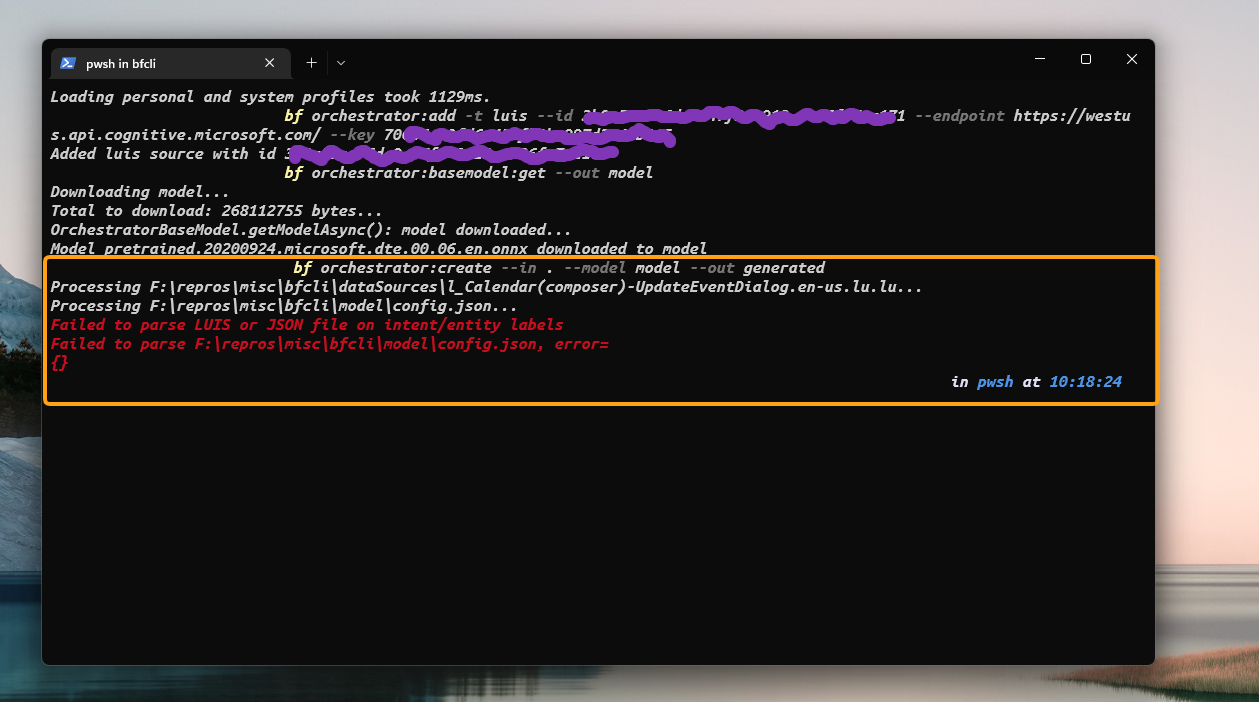
followed the bf cli orchestrator documentation here: https://github.com/microsoft/botframework-cli/blob/main/packages/orchestrator/README.md
@ramfattah thank you. Is there a way to resolve this? What is the reason for this error? I am currently trying to create the orchestrator, to migrate from Dispatch.
@tonystark12, I will follow up with the engineering team regarding this issue to discuss the next steps.
Thank you.
@ramfattah could you please let me know any update? I am waiting on moving my dispatch to orchestrator as I need to recognize multiple intents.
@munozemilio @ramfattah Hey, thank you for the participation so far in resolving this. Any updates? Cuz as mentioned earlier , I am looking to move dspatch to orchestrator in Luis, for multiple intents.
@ceciliaavila Ram will get with you about how to reproduce. We will also have to get you access to the CLI code. You can use Emilio as a resource.

Hi @ceciliaavila
Sharing the steps to reproduce:
- Install BF Command Line Interface.
- In luis portal, Create LUIS app and copy the
App ID,Primary KeyandEndpoint URL.- Note: I imported FlightBooking.json from my local machine to create the app.
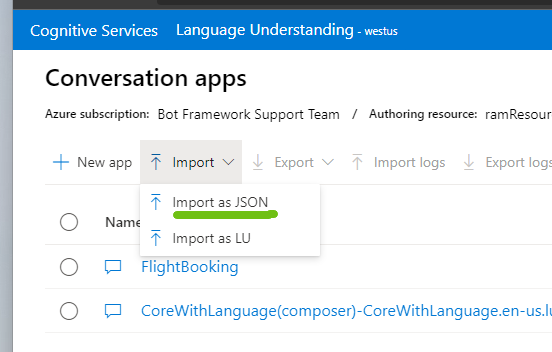
- Note: I imported FlightBooking.json from my local machine to create the app.
- In preferred directory, run the following bf cli command
bf orchestrator:add -t luis --id <Luis App ID> --endpoint <Endpoint URL> --key <Luis Primary Key>
- In same directory, run the following 2 commands:
bf orchestrator:basemodel:get --out modelbf orchestrator:create --in . --model model --out generated<-- error happens here
Sharing the BF CLI commands doc: https://github.com/microsoft/botframework-cli/blob/main/packages/orchestrator/README.md#commands
Let us know if you have any questions. Thanks.
@ramfattah @ceciliaavila Hey guys, can you please let me know if there's an update? Would be great if we can fix/bypass this, as we need the Orchestrator. Thanks!
Hi @tonystark12,
A fix is being addressed in the pull request #1351.
To bypass this issue, provide the --in argument with a different folder path that contains the data sources (.lu, .json, .txt, .qna, etc) to process, rather than the root folder, so folders like model, generated, and other JSON files are not used as data sources.
Another option will be to not provide the --in argument and let the bf-cli use the default dataSources folder (if this is where all the required data sources are located), or either provide the same folder in the --in argument.
Thanks!

@sw-joelmut Thank you for the quick response! Just to get my understanding clear, don't we need the pretrained model to use Orchestratr efficiently? Does not providing the --in give a different result than expected?
@tonystark12, you can still provide the --in argument. Just make sure the folder you pass there doesn't include other files that may cause problems (e.g. some .json files), at least until the PR with the fix is merged.
@sw-joelmut Okay, I understand. The json file causing error is the one that has the pretrained model. Thus, skipping it would mean that I cannot use the pretrained model for now right? But I would still be able to access other features of the Orchestrator?
@sw-joelmut I do not think it is possible to byPass, since the error is from the ORchestrator model, that is created by bf orchestrator:basemodel:get --out model. Could you please confirm this?
By executing the command bf orchestrator:create --in ./dataSources --model model --out generated, you can still provide the --model and the --in arguments (more info).
By looking at the code, the --in argument is intended to be used to search only for files like the FlightBooking.lu or any other data source (not the model). If by chance, these type of files are located under the dataSources folder, provide that folder in the --in argument.
Example in this comment (https://github.com/microsoft/botframework-sdk/issues/6531#issuecomment-1240083243)
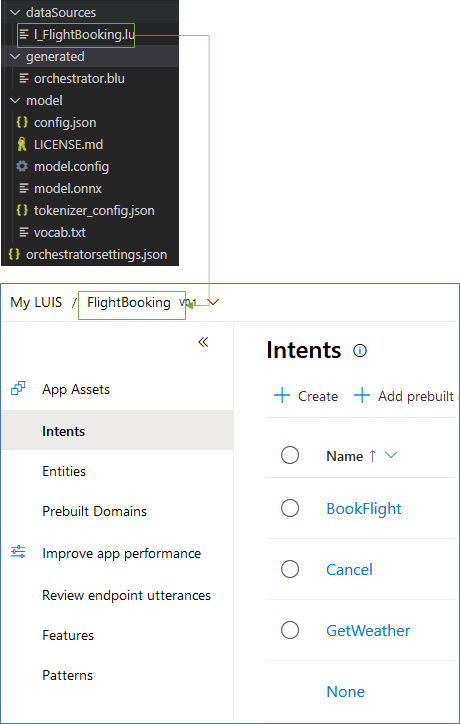
@sw-joelmut Thank you for clarifying. I was able to bypass and not have the error, by changing the '--in' argument to point to the data sources. The Orchestrator Snapshot was created. Could you please let me know how I can take this snapshot into LUIS App interface as we do for Dispatch?
@sw-joelmut To be more clear, I was able to create the Orchestrator Snapshot as shown below
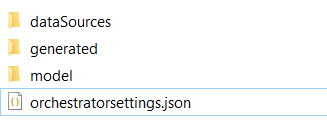
Now, I am trying to import this into Luis, as an instance, to use further features for testing / training, version control and also using in API, as conversation Apps
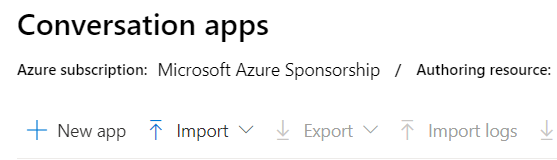
However, while importing, I have the error thrown ,
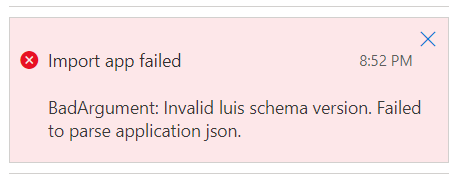
I understand that the Luis Schema in the snapshot file created after
bf orchestrator:create --in ./dataSources --model model --out generated
is not the same as the regular json files we import for Luis App instances, dispatch etc.
So how can I take this snapshot / Orchestrator into Luis?
Thanks!
@ramfattah @tracyboehrer @ceciliaavila @sw-joelmut ,
Dear team,
after having few back and forth with @sw-joelmut , I understood that the error was giving the param value for --in argument as . and not directly pointing to the directory holding the data sources. Thus, I feel the error is one of the commands and not within the model of Orchestrator.
Referencing my above comment, I was able to create the Orchestrator snapshot. Now I need help in using it in Luis and testing it for multiple intents specifically to begin with. Can you please help me with this?
Thanks in Advance
Hi @tonystark12, let us take a look at this and we'll get back to you as soon as possible.

Hi @tonystark12, We've been reading the documentation, and according to this guide, the orchestrator snapshot is not meant to be uploaded to LUIS. Instead, it can be tested and trained using bf cli commands. Then, it's integrated to your bot using Orchestrator as recognizer. More info on how to integrate Orchestrator with your bot: https://github.com/microsoft/botframework-sdk/tree/main/Orchestrator Hope this helps.
thank you @ceciliaavila , I used Query to get multiple intents of the snapshot. Now, I am trying to get the entities for each of the intent recognized , hope the team can help me in this.
For now, I consider this issue closed. Thanks for the help @tracyboehrer @ramfattah @sw-joelmut