

 microsoft
can not luanch the gallery
Describe the bug
after publish the app with win-x64 rid, i can not launch the app.
Steps to reproduce the bug
Steps to reproduce the behavior:
- download the winui gallery sample project
- publish with
win-x64rid - launch the app in file explorer
Expected behavior
launch the app
Actual behavior
nothing happens
Screenshots
Application: WinUIGallery.DesktopWap.exe
CoreCLR Version: 6.0.522.21309
.NET Version: 6.0.5
Description: The process was terminated due to an unhandled exception.
Exception Info: System.DllNotFoundException: Unable to load DLL 'Microsoft.ui.xaml.dll' or one of its dependencies: 找不到指定的模块。 (0x8007007E)
   at AppUIBasics.Program.XamlCheckProcessRequirements()
   at AppUIBasics.Program.Main(String[] args) in C:\Users\User\Desktop\WinUIGallery\obj\WinUIGallery.DesktopWap\x64\Debug\net6.0-windows10.0.18362.0\win10-x64\App.g.i.cs:line 28
Version Info
latest
Gallery version (found on Settings page):
latest


Thank you @liesauer for filing this issue. I recently ran into the same issue and here is what I did to fix it:
- Unload both projects in the solution
- Clean solution
- Rebuild solution
This worked for me so I'll close this issue but feel free to tag me in this thread if the error persists.

@gregwoo-microsoft only WinUIGallery.DesktopWap.Package project can run, the WinUIGallery.DesktopWap project still reporting missing dll.

btw, WinUIGallery.DesktopWap.Package can only run under VS. if i run it via explorer, still fail to run.
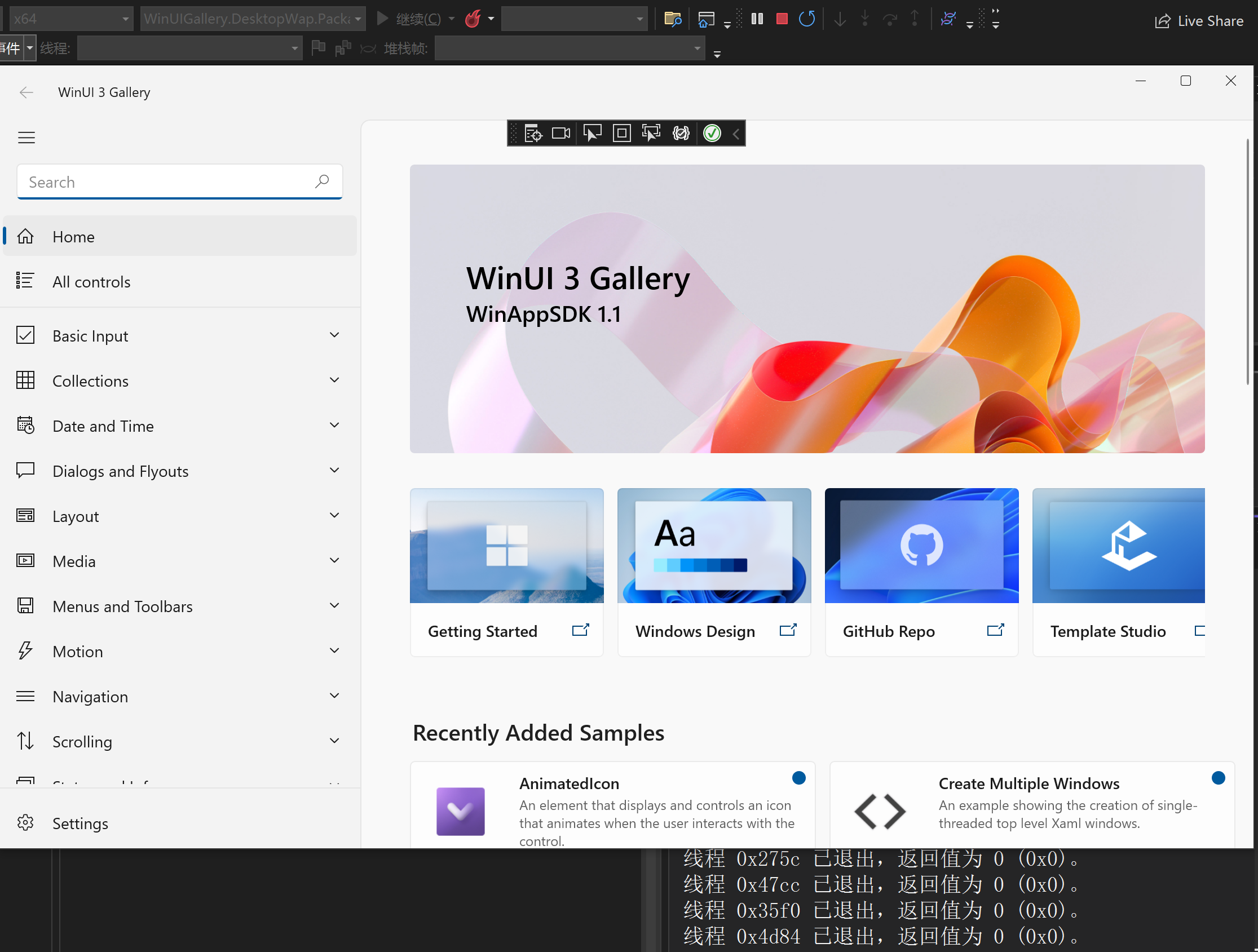
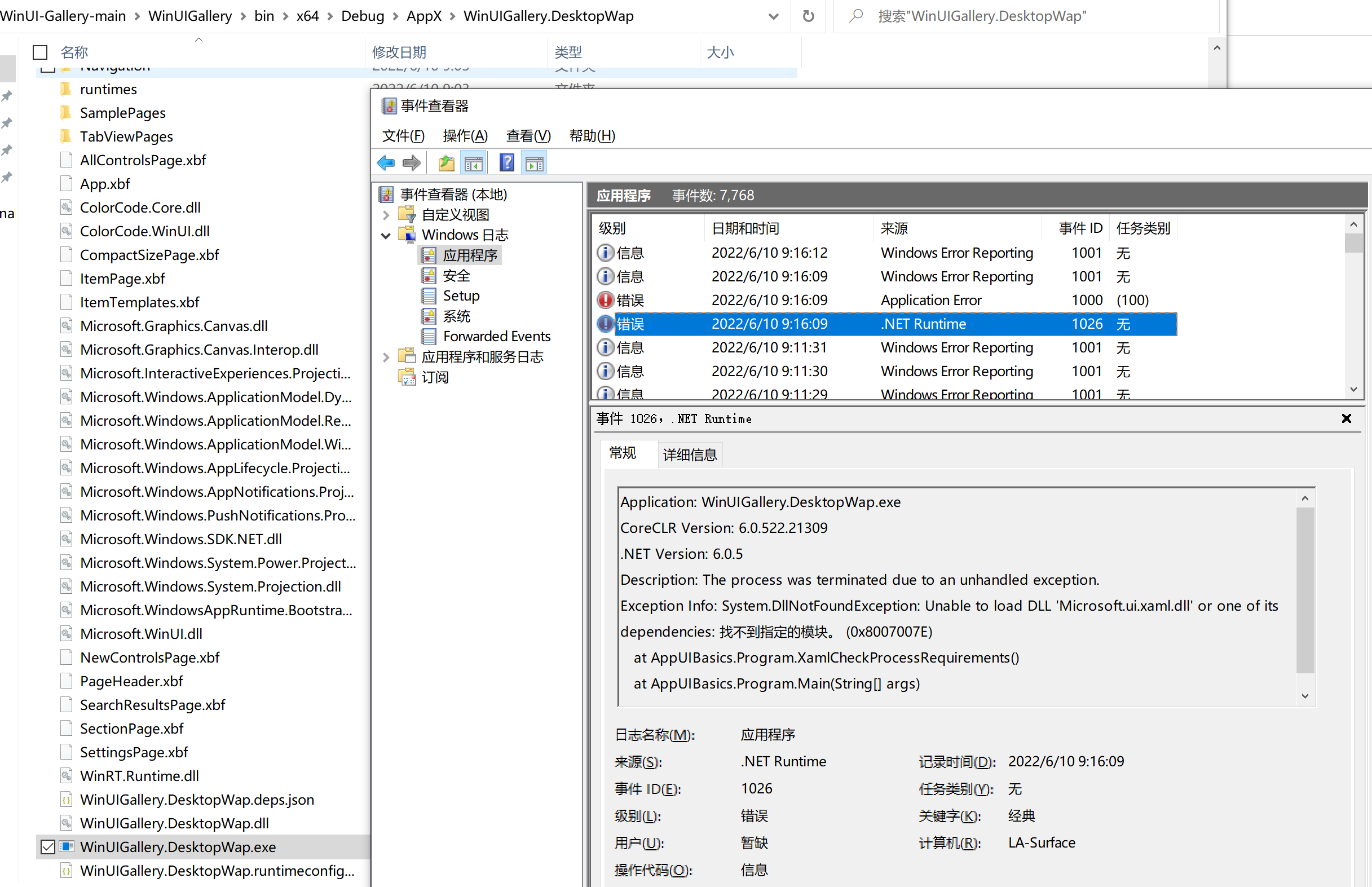
Sorry for the delayed response. It seems like you are missing the WinUI library. Can you check that you have the latest Microsoft.WindowsAppSDK nuget package?
i can comfirm that i have Microsoft.WindowsAppSDK package. it's easy and 100% reproducible.
- a fresh system(Windows Sandbox in my case)
- download latest VS and install all required workloads and components following this article: https://learn.microsoft.com/en-us/windows/apps/windows-app-sdk/set-up-your-development-environment?tabs=vs-2022-17-1-a%2Cvs-2022-17-1-b#required-workloads-and-components
- download and install latest wasdk runtime
- clone WinUI-Gallery
- launch
WinUIGallery.DesktopWap - crash
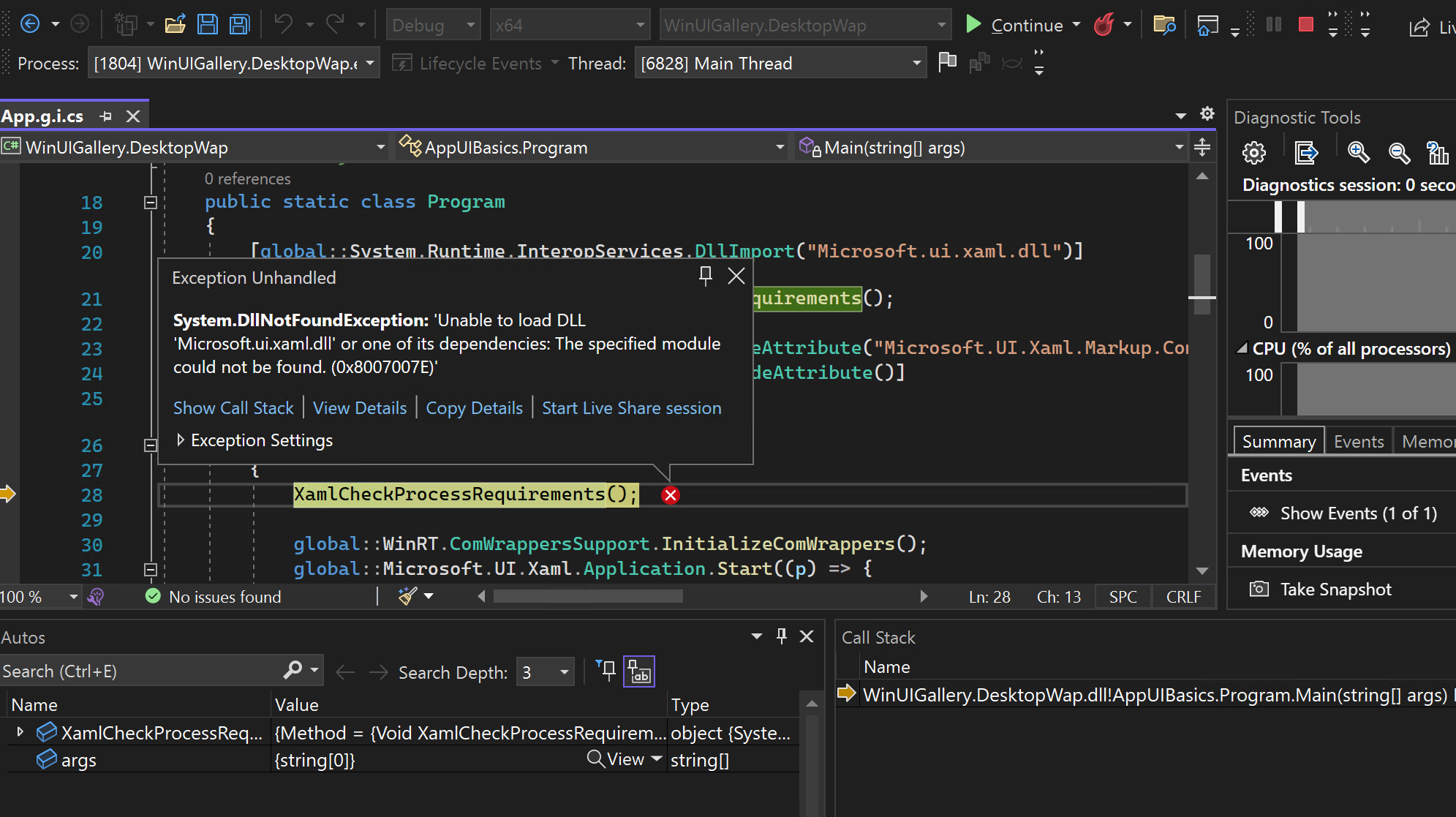
the key problem is VS can load the installed wasdk runtime dlls from some kind of mysterious location, and missing some of the runtime dlls when you build the application and the application seems have no this magical ability to load the Microsoft.ui.xaml.dll.
Clearing the microsoft.ui.xaml folder in the .nuget folder should resolve this issue.
