

 microsoft
How do I get the tooltip text?
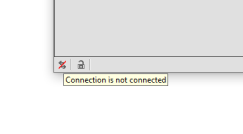
I'm testing a windows desktop application. There is a tooltip text when i hover over an icon of the application that tells me whether a connection is made or not. The icon is not labeled. I need to move over and get the tooltip text. Can someone give me an example?
This is the xpath to the icon "//Pane[@AutomationId="statusBarAdvPanelConnectionStatus"]"
Here's inspect.exe information in tooltip mode.
How found: ToolTip
hwnd=0x00000000000D1792 64bit class="WindowsForms10.tooltips_class32.app.0.19fd5c7" style=0xFFFFFFFF94800003 ex=0x88
Name: "Connection is connected"
ControlType: UIA_ToolTipControlTypeId (0xC366)
LocalizedControlType: "tool tip"
BoundingRectangle: {l:133 t:823 r:271 b:842}
IsEnabled: true
IsOffscreen: false
IsKeyboardFocusable: true
HasKeyboardFocus: false
AccessKey: ""
ProcessId: 7488
RuntimeId: [2A.D1792]
FrameworkId: "WinForm"

This functionality is interesting. So in order to solve this, what you're going to have to do is this:
In order to actually get the text, you're going to have to use the inspect tool in real-time:

For coding sake:
-
Physically have your session move the mouse to that elements location like so in order to get the tool tip to display session.Mouse.MouseMove(element.FindElementByXPath("//Pane[@AutomationId="statusBarAdvPanelConnectionStatus"]").Coordinates);
-
Check if that tooltip is displayed after hovering and then check for the tool tips text value if (element.FindElementByXPath("YOUR TOOLTIPS ATTRIBUTES GO HERE").Displayed) { Create some kind of assertion that checks if the tool tip text contains 'not connected' or 'connected' }

Did the above solution work ? If it is worked, Can you please post the solved code here. Kindly do the needful.

This doesnt work, I would be glad if anyone able to locate the tooltip, share the experience. So far I think the problem is that tooltip is not displayed within the context of main window

public string GetToolTipText(WindowsElement elementToHover, WindowsDriver<WindowsElement> session) { elementToHover.MouseHover(session); SwitchToWindow();
// Verify the Name as per Inspector tool
WindowsElement mouseHoverElements = (WindowsElement)session.FindElementByClassName("Popup").FindElementByClassName("ToolTip");

// Get Tooltip Text
tooltipText = mouseHoverElements.Text;
SwitchToParentWindow();
return tooltipText;
}
Helpers below:
public void MouseHover(WindowsElement elementToHover, WindowsDriver<WindowsElement> session) { Actions action = new Actions(session); action.MoveToElement(elementToHover).Perform(); }
public static void SwitchToWindow(WindowsDriver<WindowsElement> session) { parentWindowHandle = session.CurrentWindowHandle; var windowHandles = session.WindowHandles; foreach (var windowHandle in windowHandles) { if (windowHandle != parentWindowHandle) { session.SwitchTo().Window(windowHandle); break; } } }
public static void SwitchToParentWindow(WindowsDriver<WindowsElement> session) { session.SwitchTo().Window(parentWindowHandle); }

In my case the tooltip is using a class called WindowsForms10.tooltips_class32.app.0.13965fa_r6_ad1
I checked your example, it seem the tooltip is inside the application window context. However in my case, the tooltip is a separate top level window hence this method doesnt work.
Also I have tried being in the "Root" and searching tooltip however tooltip disappear before the xpath search works.
Have you found the solution? I am facing a similar issue like yours's @serhatbolsu . The tooltip appears in a separate top level window. Tried with being in the "Root" but no luck.

It's difficult because you need to wait for them to fully appear. More stable to .GetAttrributes("HelpText") from the element that is spawning the tooltip.
If you must...
//for or while loop until not null tooltip
var toolTipPopup = rootwindowElement.FindElementsByClassName("Popup").FirstOrDefault();
//repeat another loop until TextBlock or Document is not null
//try the .Text property or .GetAttributes("Value.Value") to get the tooltip text
