

 microsoft
Driver found the element but could not click because of the "An element command failed because the referenced element is no longer attached to the DOM." exception
When I tried to click on a hyperlink element, it throws the "An element command failed because the referenced element is no longer attached to the DOM." exception, even though the element is displayed on the window that driver is focusing on.
Here is my code:
var element = driver.FindElementByName("event#LinkId=1");
element.Click();
The exception was thrown at line 2. The same exception was thrown when I tried to use MoveToElement() or element.Location.X.
But it works well if clicking on the parent element:
driver.FindElementByAccessibilityId("linkText").Click();
Another issue, the driver could not find the element if using:
driver.FindElementByXPath("//Document[@AutomationId=\"linkText\"]/Hyperlink[contains(@Name, 'event')]");
Below is some properties of the hyperlink element:
ControlType = Hyperlink(50005)
IsEnabled = True
IsOffscreen = False
IsKeyboardFocusable = False
HasKeyboardFocus = False
Does anyone knows how to fix this issue? Thanks!

Another issue, the driver could not find the element if using: driver.FindElementByXPath("//Document[@AutomationId="linkText"]/Hyperlink[contains(@Name, 'event')]"); => Save PageSource and check that this XPath is working via http://xpather.com/
Here is my code: var element = driver.FindElementByName("event#LinkId=1"); element.Click(); => What if you add some Sleep before it?

Thanks @Shakevg for your answer.
I tried on http://xpather.com/
No elements found if XPath is:
//Document[@AutomationId="linkText"]/Hyperlink[contains(@name, 'event')]
Or
//Document[@AutomationId="linkText"]/Hyperlink[contains(@Name, 'event')]
Or
//Document[@AutomationId="linkText"]//Hyperlink[contains(@Name, 'event')]
Or
//Document[@AutomationId="linkText"]//Hyperlink[contains(@name, 'event')]
Elements found: 1 if XPath is:
//Hyperlink[contains(@Name, 'event')] Or //Document[@AutomationId="linkText"]
But when I applied //Hyperlink[contains(@Name, 'event')] into my code, it throws exception (even though the driver is desktop session)

Here is my code:
var element = driver.FindElementByName("event#LinkId=1");
element.Click();
=> What if you add some Sleep before it?
=> I added some Sleep before it but still get exception:
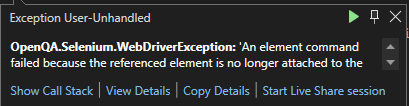
Do you think the property IsKeyboardFocusable = False has something to do with those exceptions?
Does anyone has any idea about this issue?
I used try {} catch {} to debug the code as below:
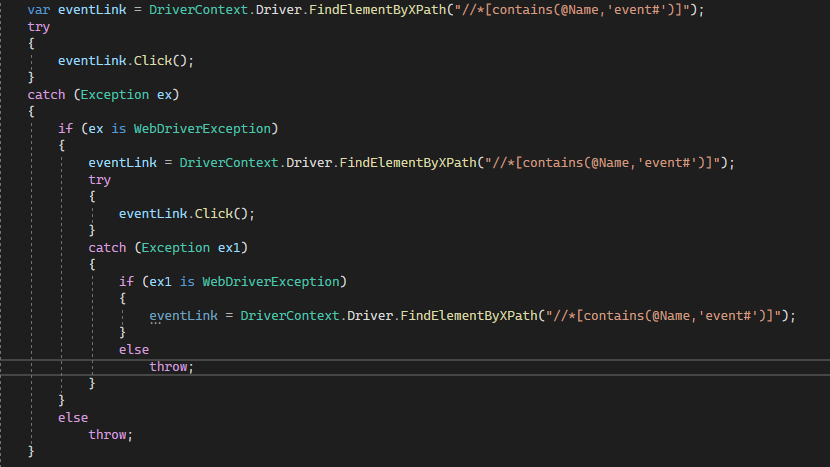
Every DriverContext.Driver.FindElementByXPath("//*[contains(@Name,'event#')]") step has the element found. No error.
But every eventLink.Click(); step, it throws the "An element command failed because the referenced element is no longer attached to the DOM." exception
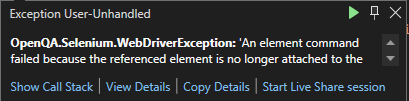
@tienletesting could you provide WinAppDriver logs produced during that code execution?

@pm90pl Here is it: _`========================================== POST /session/<...>/element HTTP/1.1 Accept: application/json, image/png Connection: Keep-Alive Content-Length: 48 Content-Type: application/json;charset=utf-8 Host: User-Agent: selenium/3.141.0 (.net windows) X-Idempotency-Key:
{"using":"accessibility id","value":"linkTexts"} HTTP/1.1 200 OK Content-Length: 97 Content-Type: application/json
{"sessionId":"E107CB4F-8BAA-4E51-9C3F-CA90908A6D84","status":0,"value":{"ELEMENT":"42.27919650"}}
========================================== POST /session/E107CB4F-8BAA-4E51-9C3F-CA90908A6D84/element/42.27919650/click HTTP/1.1 Accept: application/json, image/png Connection: Keep-Alive Content-Length: 2 Content-Type: application/json;charset=utf-8 Host: User-Agent: selenium/3.141.0 (.net windows) X-Idempotency-Key:
{} HTTP/1.1 200 OK Content-Length: 63 Content-Type: application/json
{"sessionId":"E107CB4F-8BAA-4E51-9C3F-CA90908A6D84","status":0}
========================================== POST /session/E107CB4F-8BAA-4E51-9C3F-CA90908A6D84/element HTTP/1.1 Accept: application/json, image/png Connection: Keep-Alive Content-Length: 57 Content-Type: application/json;charset=utf-8 Host: User-Agent: selenium/3.141.0 (.net windows) X-Idempotency-Key:
{"using":"xpath","value":"//*[contains(@Name,'event#')]"} HTTP/1.1 200 OK Content-Length: 101 Content-Type: application/json
{"sessionId":"E107CB4F-8BAA-4E51-9C3F-CA90908A6D84","status":0,"value":{"ELEMENT":"42.27919650.4.0"}}
========================================== POST /session/E107CB4F-8BAA-4E51-9C3F-CA90908A6D84/element/42.27919650.4.0/click HTTP/1.1 Accept: application/json, image/png Connection: Keep-Alive Content-Length: 2 Content-Type: application/json;charset=utf-8 Host: User-Agent: selenium/3.141.0 (.net windows) X-Idempotency-Key:
{} HTTP/1.1 400 Bad Request Content-Length: 160 Content-Type: application/json
{"status":10,"value":{"error":"stale element reference","message":"An element command failed because the referenced element is no longer attached to the DOM."}}
========================================== POST /session/E107CB4F-8BAA-4E51-9C3F-CA90908A6D84/element HTTP/1.1 Accept: application/json, image/png Connection: Keep-Alive Content-Length: 57 Content-Type: application/json;charset=utf-8 Host: User-Agent: selenium/3.141.0 (.net windows) X-Idempotency-Key:
{"using":"xpath","value":"//*[contains(@Name,'event#')]"} HTTP/1.1 200 OK Content-Length: 101 Content-Type: application/json
{"sessionId":"E107CB4F-8BAA-4E51-9C3F-CA90908A6D84","status":0,"value":{"ELEMENT":"42.27919650.4.0"}}
========================================== POST /session/E107CB4F-8BAA-4E51-9C3F-CA90908A6D84/element/42.27919650.4.0/click HTTP/1.1 Accept: application/json, image/png Connection: Keep-Alive Content-Length: 2 Content-Type: application/json;charset=utf-8 Host: User-Agent: selenium/3.141.0 (.net windows) X-Idempotency-Key:
{} HTTP/1.1 400 Bad Request Content-Length: 160 Content-Type: application/json
{"status":10,"value":{"error":"stale element reference","message":"An element command failed because the referenced element is no longer attached to the DOM."}}_ `

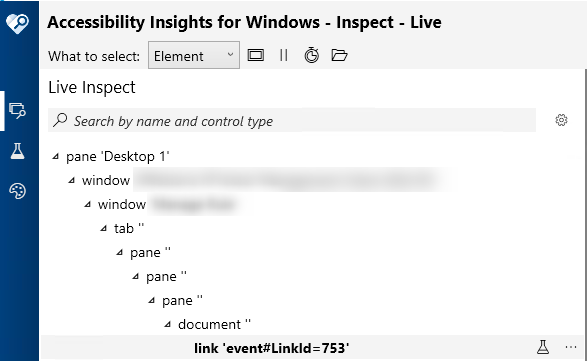
@tienletesting ok, can't say anything right now. Is it the only element that can be found using given XPath? Can you perform any other operation on found element? Could you try to take w screenshot of the element using WinAppDriver?
@pm90pl I am sure it is the only element that can be found using the given XPath. I could not perform any other operation on the found element. All operation likes Click, get Location/Size, MoveToElement... throws ""An element command failed because the referenced element is no longer attached to the DOM." exception".
I could not take screenshot for that specific element because the exception throws when trying to get location of the element.
var linkTexts = DriverContext.Driver.FindElementByAccessibilityId("linkTexts");
var eventLink = linkTexts.FindElementByXPath("//*[contains(@Name,'event#LinkId')]");
TakeScreenshot(DriverContext.Driver, eventLink);


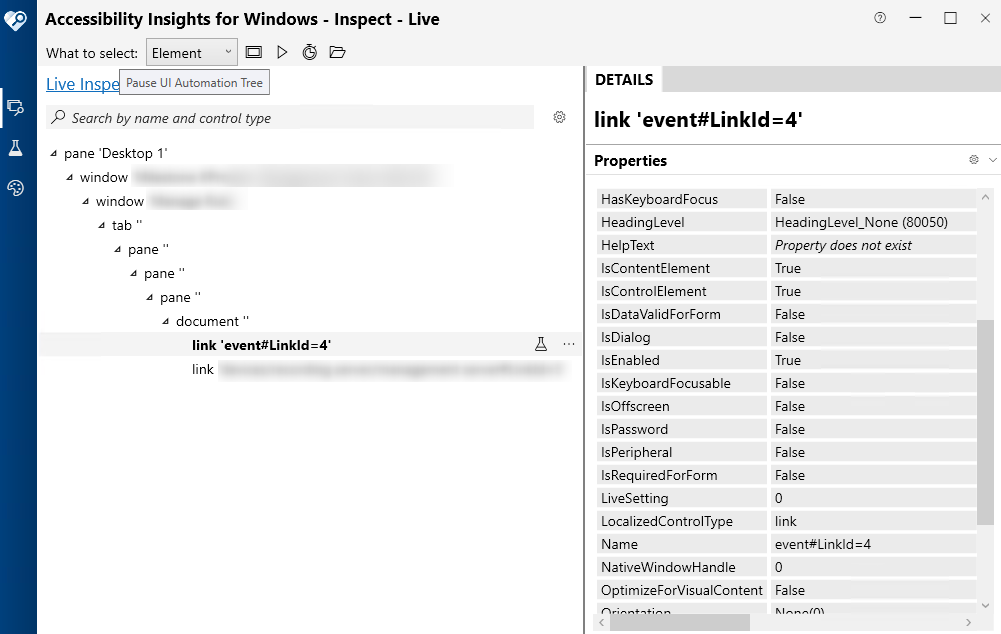
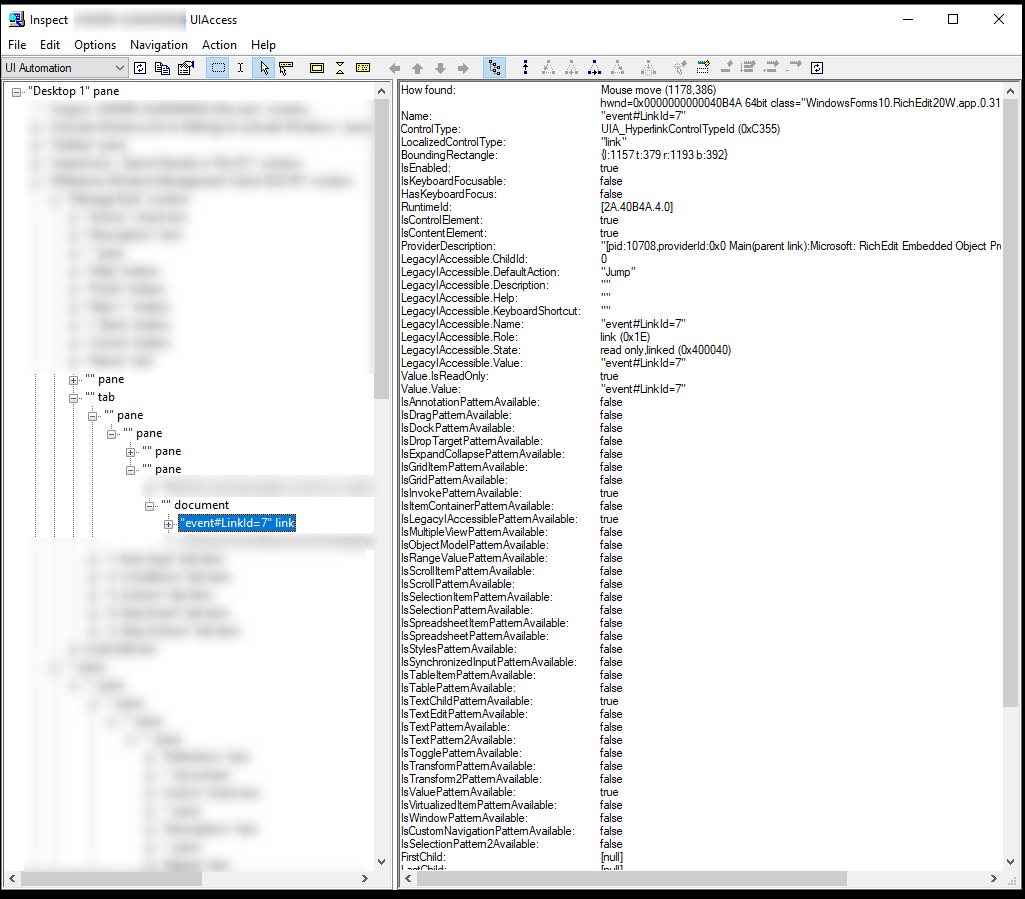
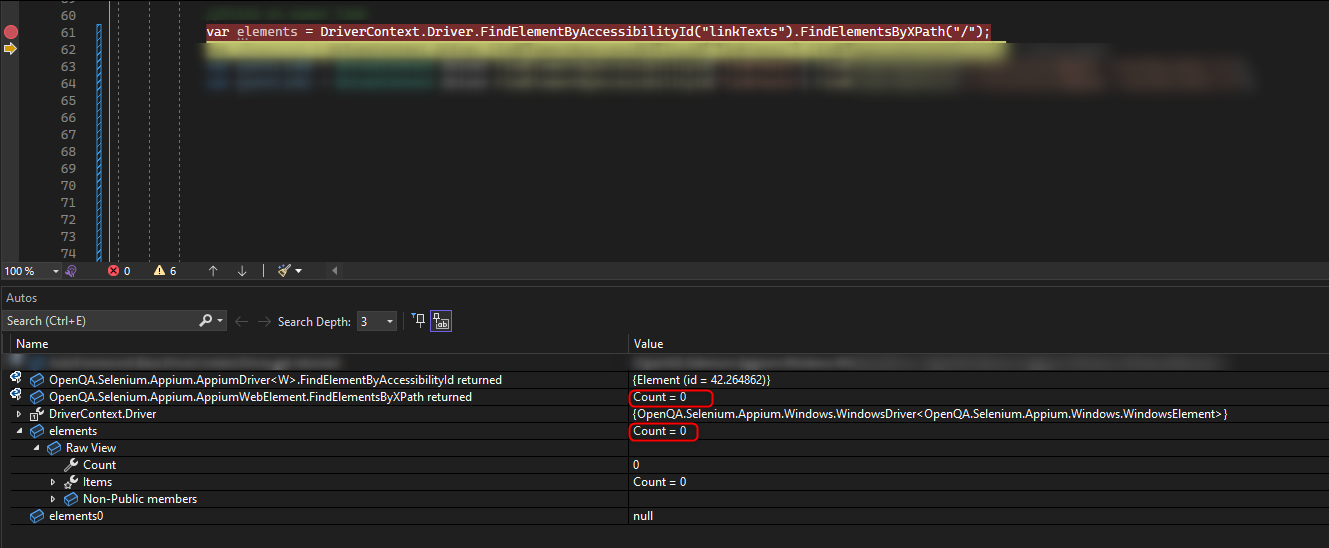
The name is dynamic, with the below code try to get the child elements first: driver.findelementbyname("document").findelementsbyxpth("/")
and check if you get any element.
@anunay1 No, I dont get any element. "linkTexts" is AutomationID of the "document" tag.
If I use FindElementByXPath("//*[contains(@Name,'event#LinkId')]"), then I get one element:
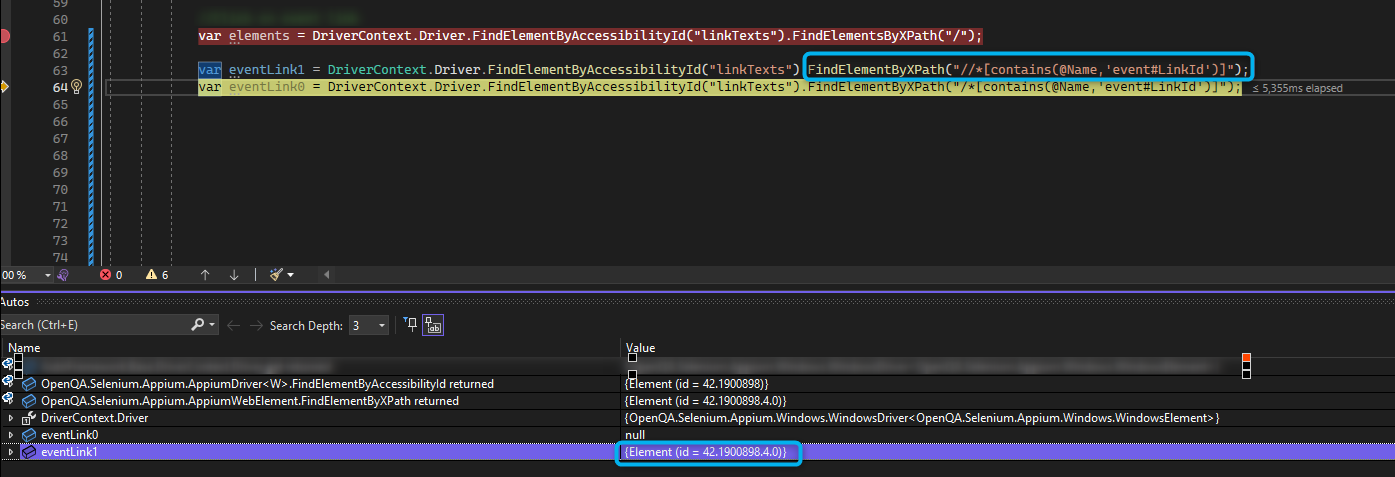
If I use FindElementByXPath("/*[contains(@Name,'event#LinkId')]"), then exception thrown:

Can you try driver.findelementbyautomatioid("linkTexts").findelementsbytagname("Link")
@anunay1 No. No elements found if using driver.findelementbyautomatioid("linkTexts").FindElementsByTagName("Link") or driver.findelementbyautomatioid("linkTexts").FindElementsByTagName("Hyperlink")
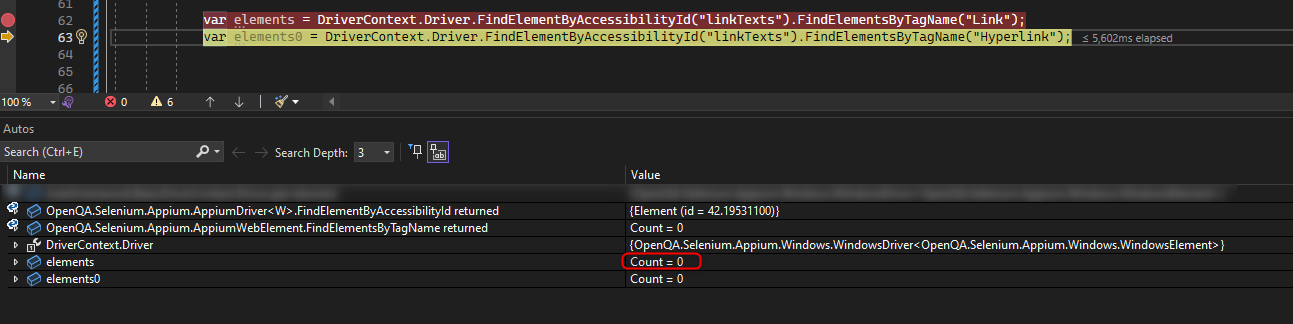
@anunay1 Yes, that's weird. I can't. I am sorry. Do you need any other information?
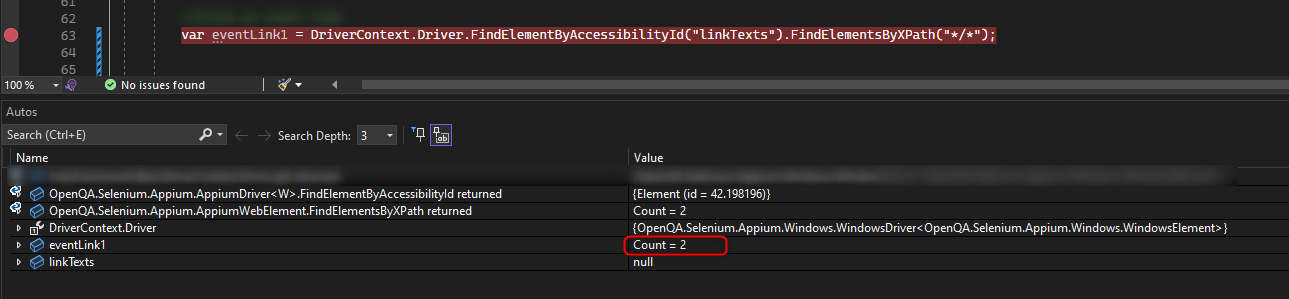
@tienletesting like this?
driver.findelementbyname("document").findelementsbyxpth("*/*")

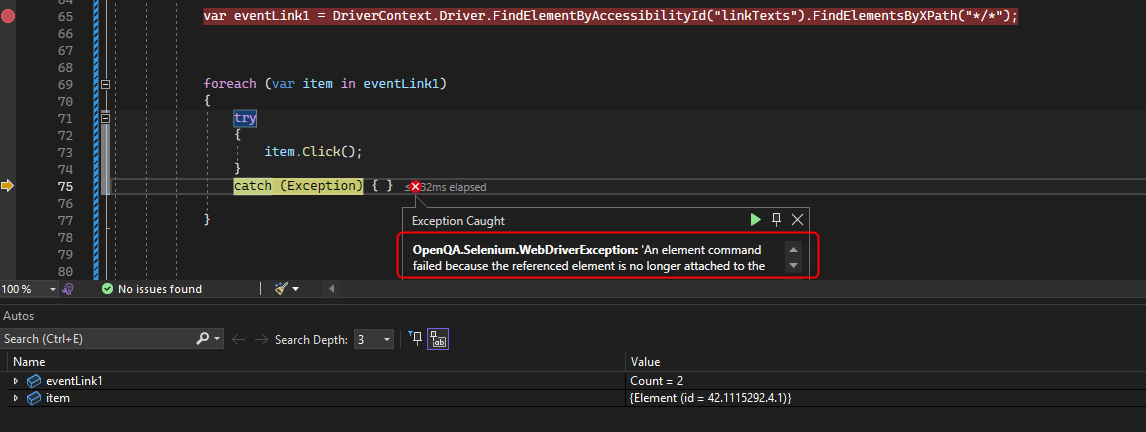
@liljohnak Yes, it found 2 elements as expected. In "document", besides the "eventLink" link, there is another link.
If I tried to click or getLocation of the elements, the "An element command failed because the referenced element is no longer attached to the DOM." exception thrown for both of them:
I am facing the same issue ,using WinAppDriver to automate Excel. Is there any update on this

I am facing the same issue ,using WinAppDriver to automate Excel. Is there any update on this
You need to retry. That's the only way out.