

 microsoft
WinAppDriver Not Finding Certain Elements[Specifically Items under Telerik RabTabControl]
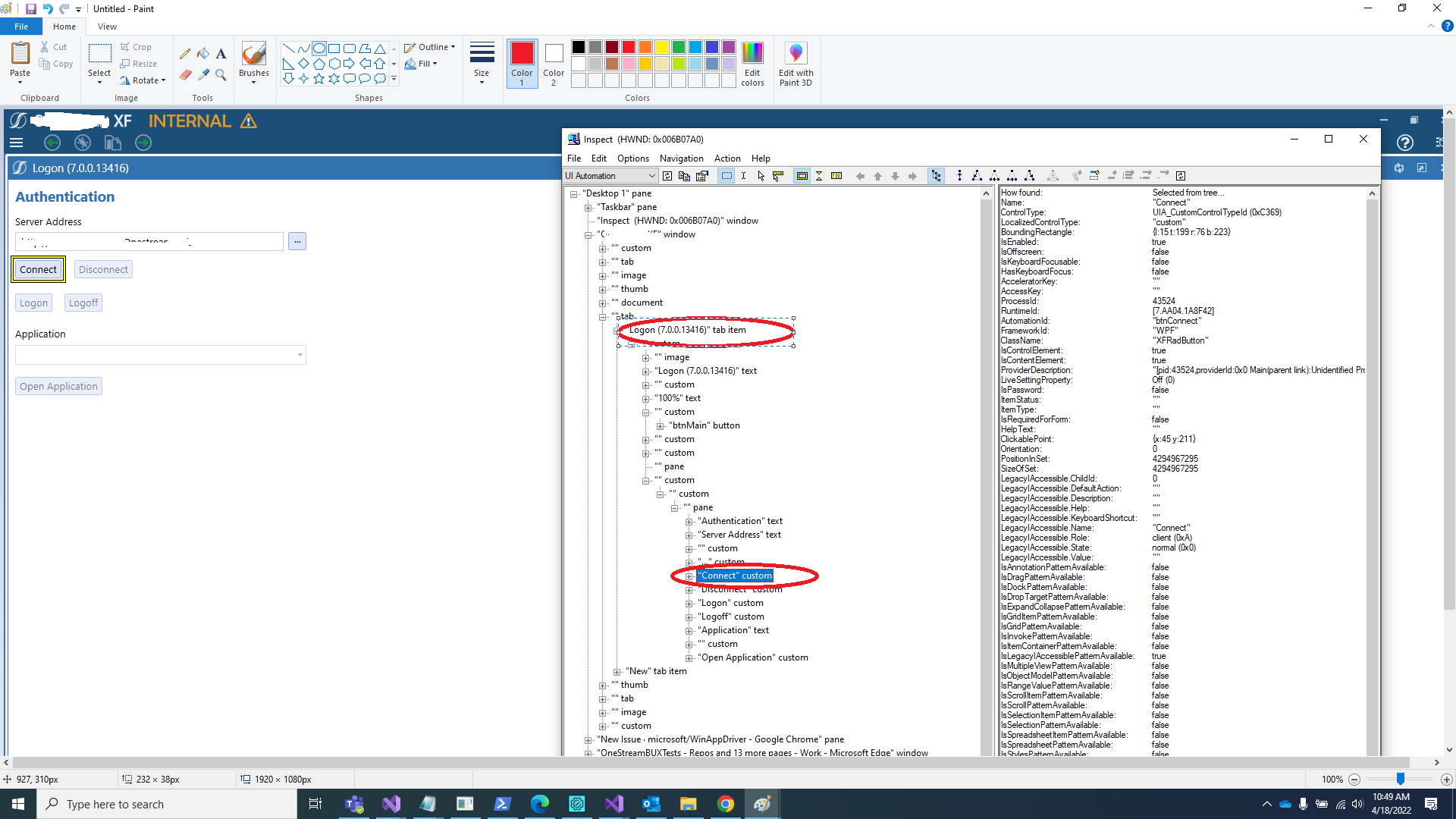
Trying to find the element Connect[attached below] but WinAppDriver ended up not finding the element for some. Upon checking the pagesource found out the pagesource does not have it even though its visible after the app is launched via test. The Logon Tab Item in the screenshot attached[first screenshot] is a Telerik RadTabControl.
Error Message: Message: An element could not be located on the page using the given search parameters. WinAppDriver Version: WinAppDriver v1.2.1 Application: .exe
These are some of the things have tried :
- Checked that there is only one window handle so does not seem like related to multiple handles open and not switching to the correct one is an issue here.
- Have also tried using different locators to find the element[Name and Accessibility ID].
- The element is visible on the screen always when application is launched still tried waiting for an element to see if that resolves the issue.
- appCapabilities.AddAdditionalCapability("ms:waitForAppLaunch", "15"); added this capability to give some time for the application to launch.
Note: Sometimes Inspect.exe the locator tool we are using has the element but sometimes have to refresh it multiple times so that element is visible for us to grab the locator value. The custom node sometimes does not show up during first arrival to the app but then returning back make the custom node appear and so as the items.
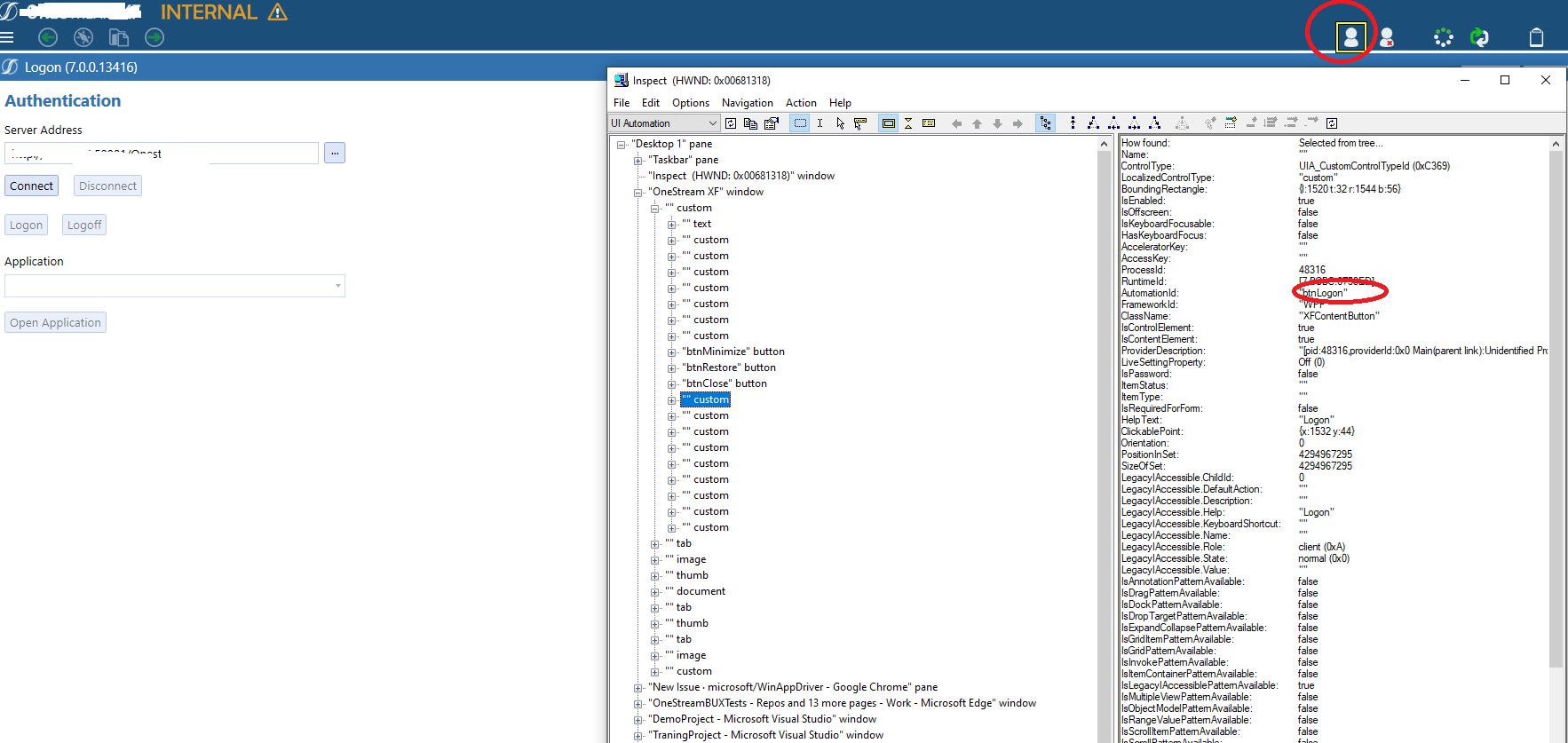
Currently the solution that works for us is to click on the element[ i.e. btnLogon highlighted in the second screenshot ] till we get the btnConnect in the pagesource[use while look to check the pagesource] but not satisfied with this solution(below).
String strPageSource = Session.PageSource;
WindowsElement btnLogon = Session.FindElementByAccessibilityId("btnLogon");
while (!strPageSource.Contains("btnConnect"))
{
btnLogon.Click();
Thread.Sleep(2000);
strPageSource = Session.PageSource;
}
Same issue is seen for Telerik RadGridView specifically when trying to get grid's data.
Any advise on what we are doing wrong. Similar issue like we are facing here had been reported earlier https://github.com/microsoft/WinAppDriver/issues/857 and its closed ,we are wondering if there is any resolution that we need to know.

For the issue have you tried using WinAppDriverUIRecorder? "Note: Sometimes Inspect.exe the locator tool we are using has the element but sometimes have to refresh it multiple times so that element is visible for us to grab the locator value. The custom node sometimes does not show up during first arrival to the app but then returning back make the custom node appear and so as the items."

@Urvika-gola Thanks for the response. I am okay to find the element via inspect even though have to refresh inspect multiple times, actual problem here is the Pagesource does not contain the element and its important the Pagesource to have the element atleast otherwise it would end up element not found exception all the time.
@pavit84 I am not able to figure out the issue, if possible you can send a zoom call invite [email protected].

and I see that you are switching window handle: String strPageSource = Session.SwitchTo().Window(Session.WindowHandles[0]).PageSource;
what's the reason behind it?
yes. With the switch i was trying to refresh the page and then get the Pagesource to see if it helps me getting the full Pagesource(my bad forgot to remove the switch after implemented the wonkie while loop solution).I am able to see the UI but the Pagesource does not contain all the elements even though visible on the screen. I will send you the invite, do you mind letting me what time works for you? The only thing or the solution that works for me is clicking the logon button multiple times till the pagesource contains the connect button(while loop). I am new to Windows App Automation and surely missing something to add in-order to make it work.