

 microsoft
Remove title bar
Disable/toggle titlebar functions
One of the things you cannot do with the current windows settings is the disabling the title bars. To completely disable title bars, one have to run a script which toggles the value of WS_CAPTION for the window.
AFAIK, there is no way to set a "default" value of not showing titlebars in the registry.
This power toy, when enabled, would either have a shortcut to toggle the display of the titlebar or have a permanent running tool which disables the titlebar of a window when a new window is created.
WDYT?
If you'd like to see this feature implemented, add a 👍 reaction to this post.

I would be okay to write the code for it, but I would need some guidance on powertoys innards.

First, there are multiple apps which already don't need a title bar: browser, many electron apps. Some apps already planned this in their UI, some didn't.
Second, people using OLED panels probably don't want permanent bars/icons on their systems, which might cause burn-in after long hours of use.
On my linux with i3, I live with no titlebars for a while without any issue. I think it's a personalisation that's nice enough to warrant including it in powertoys, but not mainstream enough to include it in windows personalization tool directly.
Ok, so disable, you mean remove. Not disable.
This also will be quirky as not all apps have what I'd classify as a normal titlebar. Spotify for example doesn't
Yes, I meant remove, my bad. This doesn't have to be for all apps. We could think of a "whitelist" or a user defined list. I just think we should start somewhere , and increase the coverage based on demand.
Having an allow list will solve some but we'd only be able to hit a subset of apps which is a great idea for this feature but i do think there are large edge cases.
Another group of apps may block critical functionality like pretty much any modern browser.
Love to see what people's interest here is
I would totally use this feature to hide the title bar for legacy games that can only run in windowed mode (to mimic borderless fullscreen). Alternately, being able to use Alt + Spacebar to move the title bar out of view without it snapping back to the top of the monitor would also achieve the desired end-result.

I would love to have such option available in PT. My case scenario would be to have a title less MPV player. I managed to hide its title with AHK script, but it still did not hide the title bar completely.
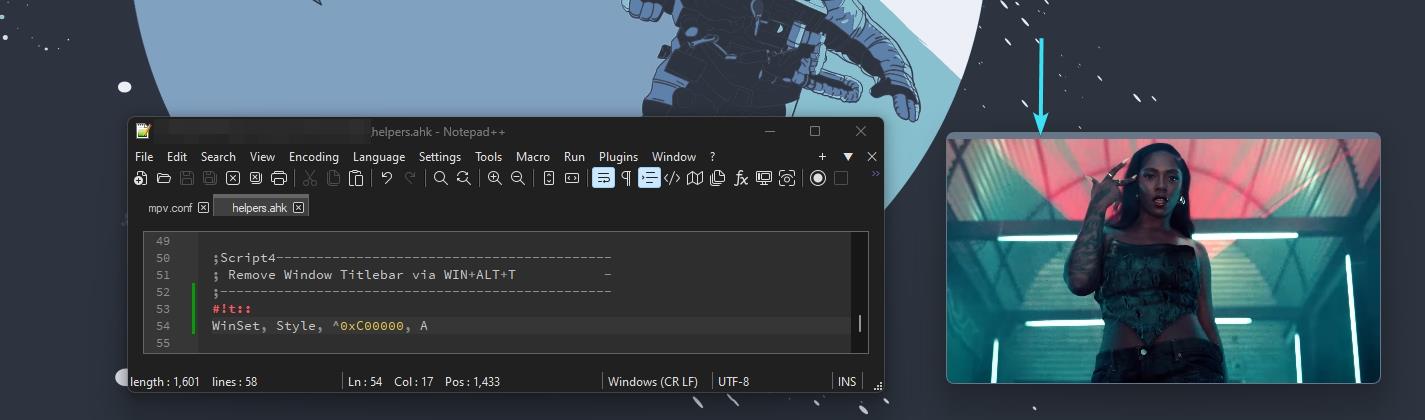
(MPV has an option to draw itself without borders, but then it looses rounded corners)

Ok i wil pinch in here. Hiding it with AHK script with
WinSet, Style, ^0xC00000, A
Is not very good in some apps the content on the bottom of the window is cut after using above one (scenario where You have a window full height of screen). And the content that was previously cut to fit into window with title is still cut and streched to fit it without title - Last Sell was the game that infiurieted me with this.
So i found this: Alternative for full height is moving window position with this AHK script
wingetpos x, y,,, A
	y -= 100
	winmove, A,,%x%, %y%
where You put pixels related to Your resolution instead of 100 (current will just push window 100 pixels up)


I would also love this feature.
Some sort of hot key to get it to appear / disappear would be ideal.


Same here. Was looking to do this for VLC -- but my first idea was to look for it in the PowerToys functions because it feels like a logical fit.

Same here. Was looking to do this for VLC, but my first idea was to look for it in the PowerToys functions because it feels like a logical fit.
Me too, looking for the exact same thing. Another solution to this would be to make a picture-in-picture player for Windows entirely (like how we have a picture-in-picture extension for Chrome)

MPV player actually started to support this feature under Windows11 somehow:
(the window renders only thin frame with rounded corners and it looks sleek on a modern desktop)
Power Toys devs may want to check it's code to see how it was achieved.
Command to enable it from mpv.conf file:
--window-corners=round
the scenario is not having 20% of my screen space used by something that has only a function that is for 0 reason, not keybind only. (win + left mouse move) (win + rightclick drag window) it is better in every way please implement this in windows.

