

 microsoft
Install without Admin Rights?


Hi @cosminpolifronie this is in the pipeline but there were more urgent matters, so it got behind. Making PT run without admin rights is simple (just a flag in the VS solution), but we want to add the ability to restarted with admin rights. We need to add a menu item "Restart elevated" and add the code to restart with elevated privileges. If you want to help, we would be happy to have your contribution! Thanks.
For the installer without admin rights we are considering to use MSIX and the Windows Store. That requires some work in order to be able to register the PowerRename shell extension.
I don't want to clutter this conversation or waste anyone's time with chatter, but I'm curious what the use case for restarting PT as elevated would be.
@LtCmdrKeene to allow PowerToys modules to interact with windows that are running with elevated privileges.
Hi @cosminpolifronie this is in the pipeline but there were more urgent matters, so it got behind. Making PT run without admin rights is simple (just a flag in the VS solution), but we want to add the ability to restarted with admin rights. We need to add a menu item "Restart elevated" and add the code to restart with elevated privileges. If you want to help, we would be happy to have your contribution! Thanks.
I might be able to help with that but I'll have to look into the code to say for sure.
For the installer without admin rights we are considering to use MSIX and the Windows Store. That requires some work in order to be able to register the PowerRename shell extension
I have no idea how to make such an installer, though.

@crutkas when installing with MSIX yes. Not with MSI since it still requires admin to write to C:/Program Files and to register the shell extension.

Fix available in v0.15.1 using the MSIX experimental installer https://github.com/microsoft/PowerToys/releases
Hi, this was closed with 0.15 but then MSIX installer was discontinued. This should be opened again.

Note: at present there is a security issue if PT is installed as a user. The workaround would require to prevent PT from running elevated, but that would be acceptable only for non-admin users.
Not sure if you want to open a separate issue for this but I'm having a related issue.
I'm using an administrator account, but when using the installer (.exe or .msi) there's a step which looks like it should create a User Account Control prompt to obtain elevation.
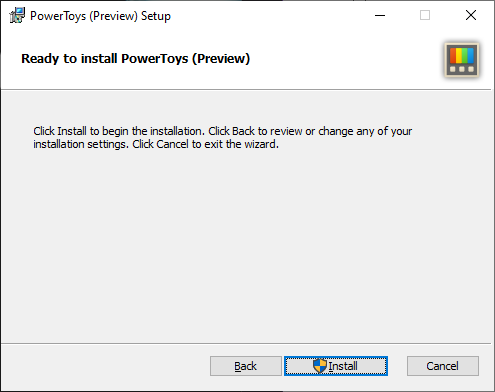
Clicking this doesn't create a UAC prompt and you shortly get an error (presumably trying to access something requiring elevation.

If elevating the installer isn't possible, can you look into checking if the installer is running with privileges and warning the user if not?
This is a particular issue with the .msi as to elevate it I have to run a command prompt as admin and run it from in there.
Note: I've seen this with previous versions but on this occasion I was using 0.20.1

@Xeozim there is this issue reporting the same problem https://github.com/microsoft/PowerToys/issues/5385
Any news on re enabling install as local user? Would really appreciate to be able to upgrade from 0.15.

Push :) I would love to be able to install without admin rights. I use systems where I have no admin rights.


it would be really great if this could work without admin rights, I also have some system without admin rights and would love to be able to use it there.

This will require installer and startup adjustments. We’ve discussed areas of impact but right now we are focusing on what is on the roadmap.
The upgrade cycle will be impacted so this is a large dev and test cost.
Please consider prioritizing this. MANY people want to use this tool at work, but can't due to administrator restrictions on their machines.

For us, Fancy Zones (34" ultrawide screens) and the Resize tool (we often have to deal with a lot of photos) are the most useful tools in PowerToys. But the required admin rights really hold us back from installing this.

Any news regarding to this issue? It's really important to us, but lack of non-admin install holds me from recommending this fully to my colleagues at work

This is being improved with https://github.com/microsoft/PowerToys/issues/10126 but can't promise it will fully remove the need for UAC.
There are parts of the application that need elevation to be installed properly. The thought is right now is those parts just won't work i believe