

 microsoft
PowerToys uses the wrong UI language on many places
Microsoft PowerToys version
0.69.1
Installation method
GitHub
Running as admin
No
Area(s) with issue?
General
Steps to reproduce
My system uses English as UI language and German regional settings. A lot of things are shown in German, should be English because that is the chosen UI language.
My concrete settings are:
- Windows display language = English (United States)
- Preferred languages
- German (Germany) (basic typing)
- English (Germany) (basic typing)
- English (United States) (language pack, basic typing and more)
- Region
- Country or region: Germany
- Regional format: English (Germany)
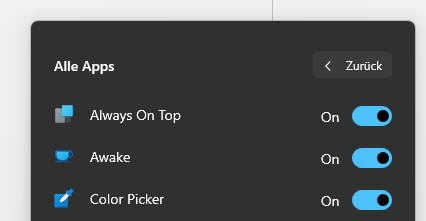
Runner languages: Actions/Apps are shown correctly in English, but labels and buttons are German:
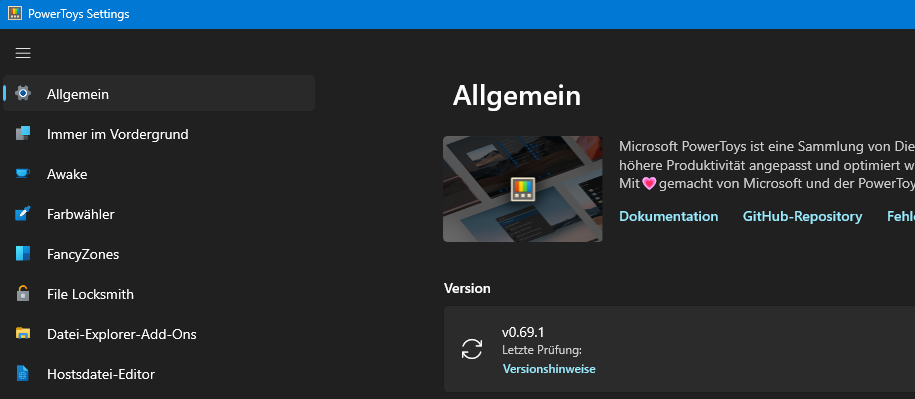
Settings language: Everything is German, should be English:
✔️ Expected Behavior
Every text is displayed in the System UI language
❌ Actual Behavior
Some text (correctly) is displayed the system UI language, some other text (wrongly) is displayed in the Language specified as regional settings.
Other Software
No response

Note: "regional settings" applies to numbers and such. What does the settings for Language > Language > Apps say?
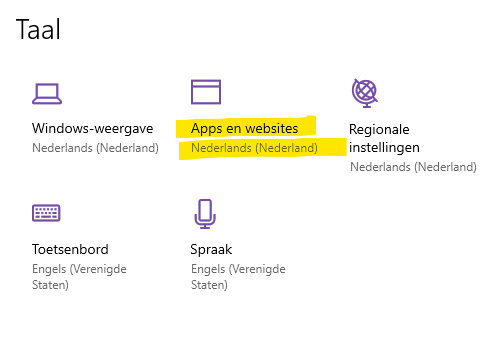

I can't find such a settings. On Windows 11, I have Time & language > Language and Region.
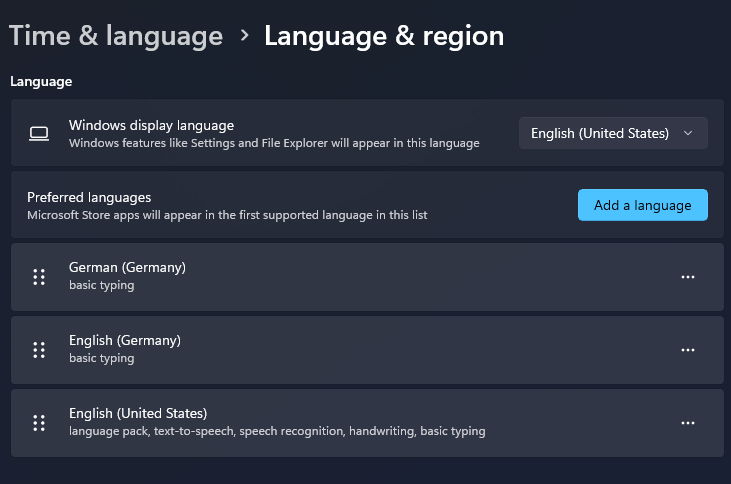
But you are right, it has something to do with the order of "preferred languages". I had put German (basic typing) on top, because I thought it would only be used for keyboard layout and spell checking, not for UI. Didn't read the part about "Microsoft Store Apps will appear in the first supported language". That was unexpected to me, I thought all programs would use the Windows display language and not that there is special handling for Store apps. And actually PowerToys is the first app where I stumble over this.
So it seems the issue is not an issue, my fault, sorry :)
But maybe it should be considered whether or not the Language pack must be installed to be considered as a language to use?
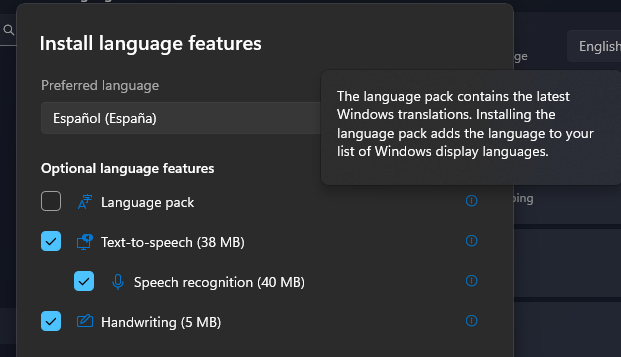
If the language pack is not installed, it seems unlikely that the language is wanted as an UI language. This could result in a language mix if some strings or elements are not coming from the app but from the system.
True. It's a complicated situation. And PowerToys is a package of different modules, built in different (programming) languages and that's not really helping either. In my personal opinion, there's a responsibility for a user to have a look around the settings. And maybe a bit of the OS (settings) to be clear of what setting does what. And then there's the thng about building a complicated app that deals with it...
Seems switching the order from having German on top to English on top has a very negative impact: Now every newly opened window or shell switches my input language (the keyboard layout) to English. I guess this is broken by design in the Windows settings. Why should I have separate languages for Windows UI and Store apps UI at all? And if so, Windows would need to provide a default input language to avoid the conflict that I have here now...
PowerToysSetup-0.56.2-x64 doesn't have this issue. It displays everything in english by default, no settings need changing. It's a shame the program doesn't allow us to manually choose the language.

Even with the workaround applied in version 0.84 I get mixed German and English text. Give us a way to manually set the language.


with the latest version I can manually change the language. this can be closed, thanks!