

 microsoft
Settings backup and restore
Summary of the Pull Request
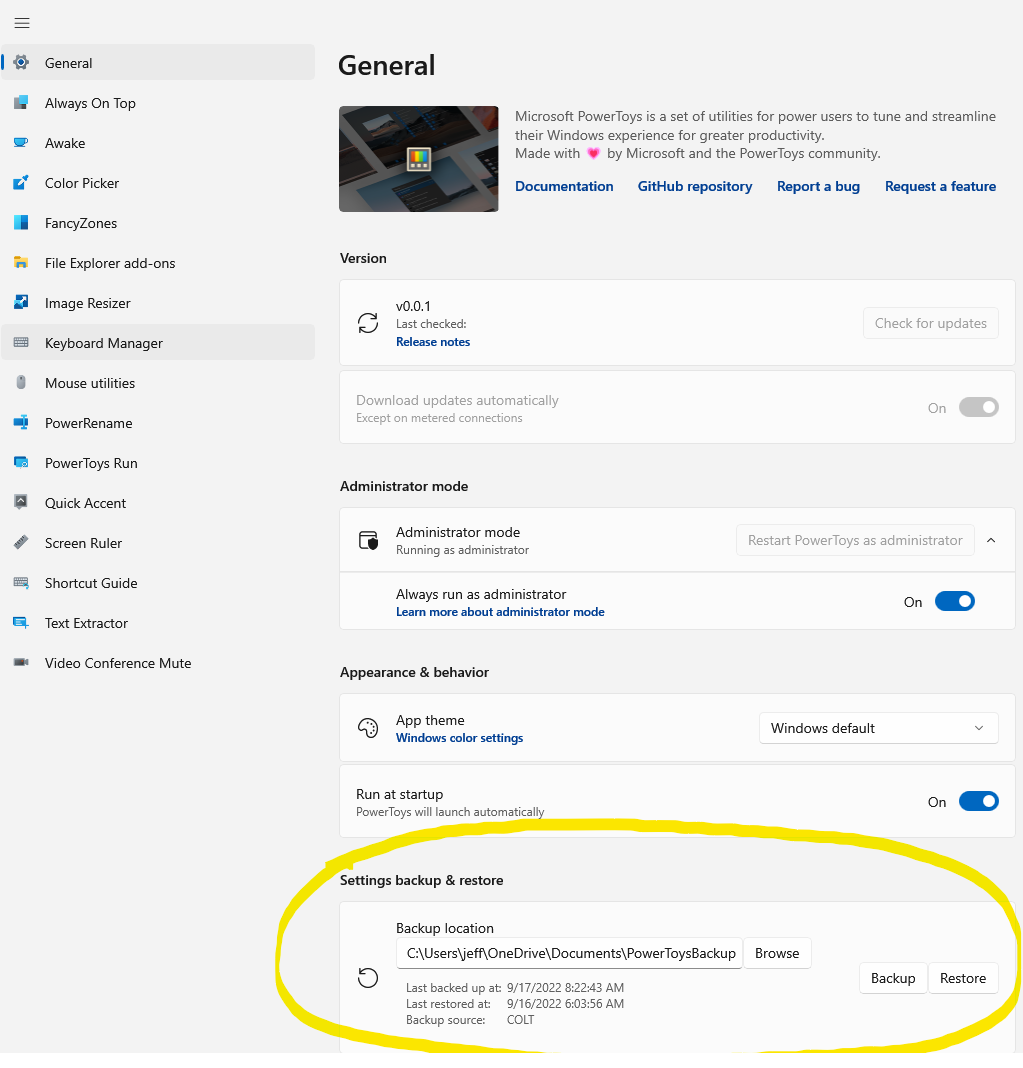
A method to backup and restore all possible settings. The new feature will be presented on the "General" setting page.
PR Checklist
- [X] Closes: #586
- [ ] Communication: I've discussed this with core contributors already. If work hasn't been agreed, this work might be rejected
- [ ] Tests: Added/updated and all pass
- [ ] Localization: All end user facing strings can be localized
- [ ] Dev docs: Added/updated
- [ ] New binaries: Added on the required places
- [ ] JSON for signing for new binaries
- [ ] WXS for installer for new binaries and localization folder
- [ ] YML for CI pipeline for new test projects
- [ ] YML for signed pipeline
- [ ] Documentation updated: If checked, please file a pull request on our docs repo and link it here: #xxx
Detailed Description of the Pull Request / Additional comments
Here is the current outline for the process:
Backup
- Enumerate all current settings files in use, excluding certain entire settings files (FancyZones...)
- For each included settings file... -- Create a copy of the setting file. -- Create a "clean version" of the setting file by removing specific settings from copy which are not to be backed up.
- If there is no previous backup for this setting file, save the "clean version" in the backup.
- If there IS a previous backup for this setting file... -- Create a normalized version of that backup for comparison. -- Create a normalized version of the "clean version" of the setting file for comparison. -- Compare the normalized versions. If they are not exactly the same, save the "clean version" in the backup.
Restore
- Enumerate all backup files...
- If the there is no current version of this in the setting location, copy the backup there - done.
- If there IS a current version of this setting file. -- Create a normalized version of that backup for comparison. -- Create a "clean version" of the setting file by removing specific settings from copy which are not to be backed up. -- Create a normalized version of the "clean version" of the setting file for comparison. -- Compare the normalized versions.
- If they are exactly the same, go to next backup file -- If they are NOT exactly the same, merge the non-normalized backup file into the original settings file on disk -- If ANY settings files were not exactly the same, restart PowerToys
Maintenance
For this to work, some maintenance is required. A settings file called "backup_restore_settings.json" is used for four things:
- Identify what files are included. "IncludeFiles" has list of wildcard expressions that match most settings files. If a new settings file is used that does not match, a new pattern that matches the new file can be added.
- Identify what files are NOT included. If we find that other/new settings files cannot be property backed up or restored we will have to exclude them by adding them to the "IgnoreFiles" list.
- Identify some specific "top level" settings inside of individual settings files that we want to exclude from backup. These are stored in "IgnoredSettings". These are settings that are problematic. An example of this is "PowerToysRunSettings.json" ,-> "ActivateTimes".
- Identify some specific settings inside of individual PowerToys Run Plugins that are problematic. For example, the "Time and Date" plug changes it "Description" frequently, and it's stored in the settings file. We want to exclude that since it's generated/updated by the plug, and backup/restore does not make sense.
I expect to find only a handful of changes will be need to the backup_restore_settings.json file.
To Do
- [x] Localize other text
- [x] Disable buttons when not usable.
Future features
- [ ] Auto settings backup
- [ ] Auto settings restore
- [ ] Restore modes, merge or overwrite.
- [ ] Option to also backup "selected" results from PowerToys run. This would need to merge so the backup is cumulative.
Validation Steps Performed
- [ ] Same machine backup and restore.
- [ ] Second machine restore.
- [ ] Proper detection of existing backup. Clicking "Backup" more than once should not perform another backup. It should tell the user the backup would not have any new things to backup and NOT do another backup (until at least one setting has changed.)
- [ ] Proper detection/usage of existing backup for restore. Clicking "Restore" more than once should not perform another restore (and restart). It should detect that no settings are modified, tell the user this, and NOT restart.
- [ ] Ideally settings would be validated in detail after a restore to...
- [ ] Very each settings is actually updated as it should be. (Excluding some, like some FancyZones settings.)
- [ ] Verify no corruption of the setting files happens. E.g., data loss, or data duplication, including settings that are arrays.

Finally, I was able to download the new test version and run the install.
No luck ... a more recent version is already installed - Should I uninstall the current normal version ?
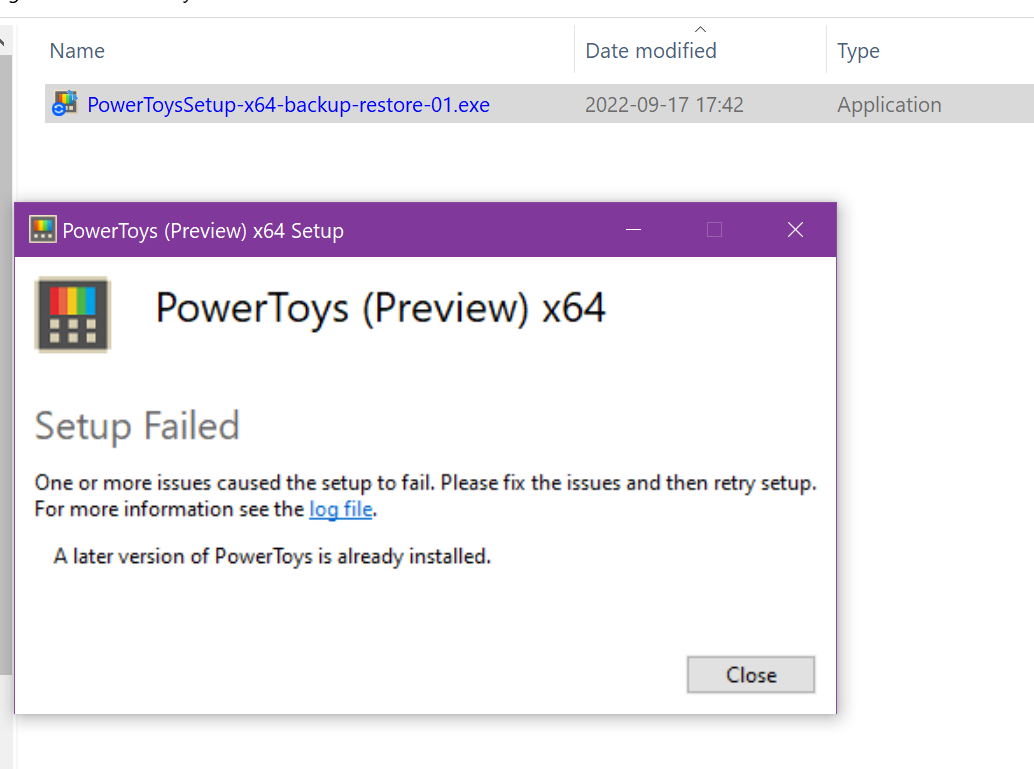
No idea where the LOG file is located... choosing a creative way to upload it
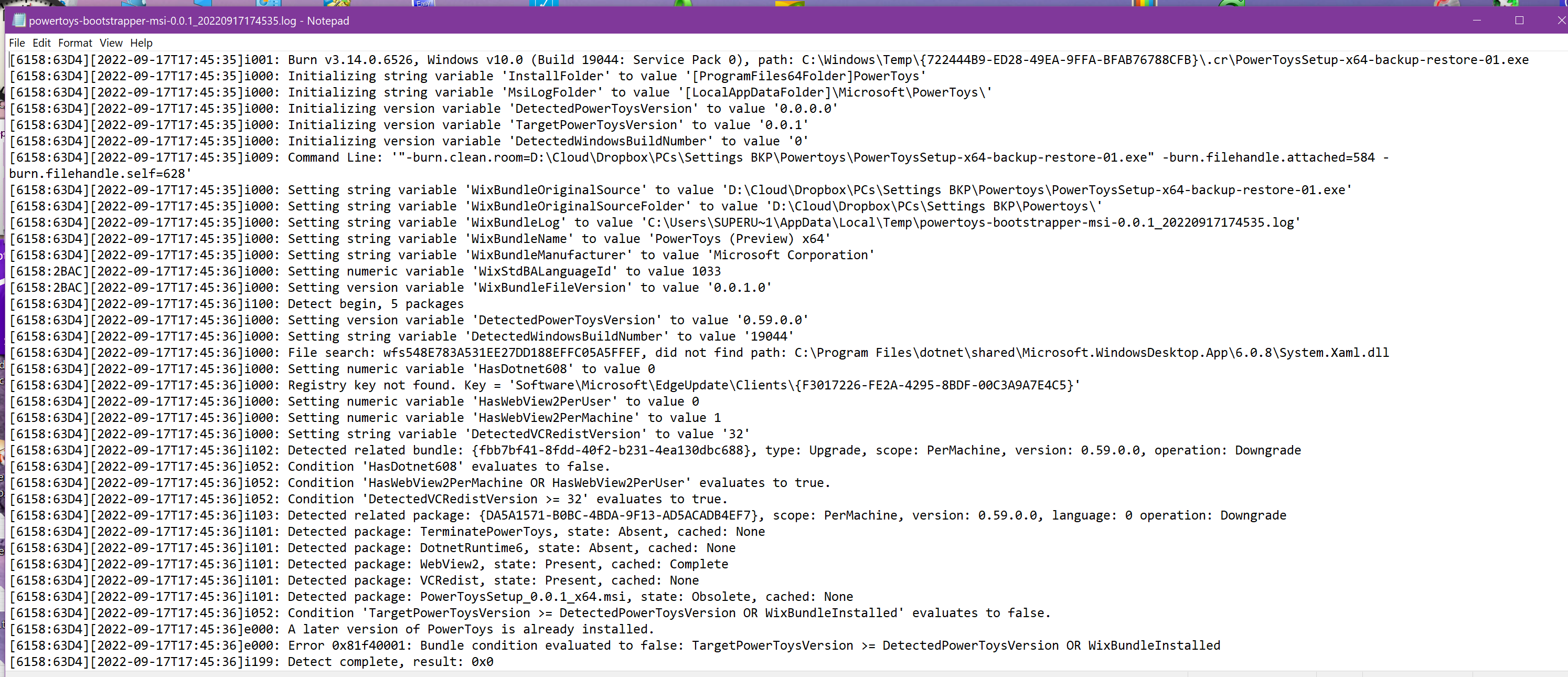

Finally, I was able to download the new test version and run the install.
No luck ... a more recent version is already installed - Should I uninstall the current normal version ?
No idea where the LOG file is located... choosing a creative way to upload it
Yes you have to uninstall the current one.

Finally, I was able to download the new test version and run the install.
No luck ... a more recent version is already installed - Should I uninstall the current normal version ?
No idea where the LOG file is located... choosing a creative way to upload it
@AlainCh2 Uninstall previous version is a must. Otherwise, the PT installation progress will fail. I met the same issue as the snapshot you given and has been solved by this method. I recommend manually backup your PT settings first before installing. (Just Ctrl+A, Ctrl+C, Ctrl+V)

@AlainCh2 ... manually backup your PT settings first before installing. (Just Ctrl+A, Ctrl+C, Ctrl+V) Thanks !
What's not clear to me: When to do Ctrl---- and where from ?
From inside the normal PT release, before uninstalling ??
From inside the normal PT release, before uninstalling ??
@AlainCh2 XD, I just highly summarized the backup process.
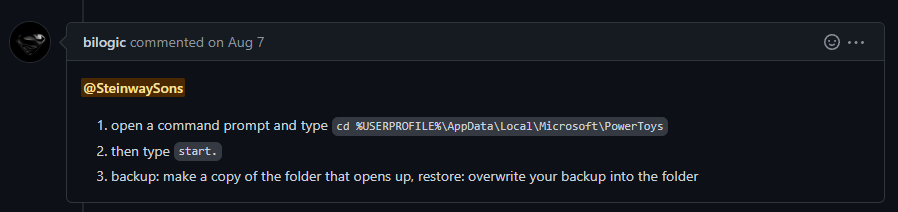
In order to make our communication more efficiently, some info you should know in advance.
- PT settings locate at
%userprofile%\AppData\LocalLow\Microsoft\PowerToys - While install this PT application, former version must be uninstall.
So with that in mind, we can continue.
- In short, backup all the things that you have seen in the directory(
%userprofile%\AppData\LocalLow\Microsoft\PowerToys). ~ Ctrl+A, Ctrl+C - Paste them in other place wherever you like. ~Ctrl+V
- That's all.
It is quite easy indeed. So, don't worried about it!
From inside the normal PT release, before uninstalling ??
- PT settings locate at
%userprofile%\AppData\LocalLow\Microsoft\PowerToys
- While install this PT application, former version must be uninstall.
It is quite easy indeed. So, don't worried about it!
- I didnt knew and care the less about that... but I needed to know to do the test
- I asked to be sure
- not worried but was missing some basics
Not much in that directory. I copied it. Here a pic for you to check:
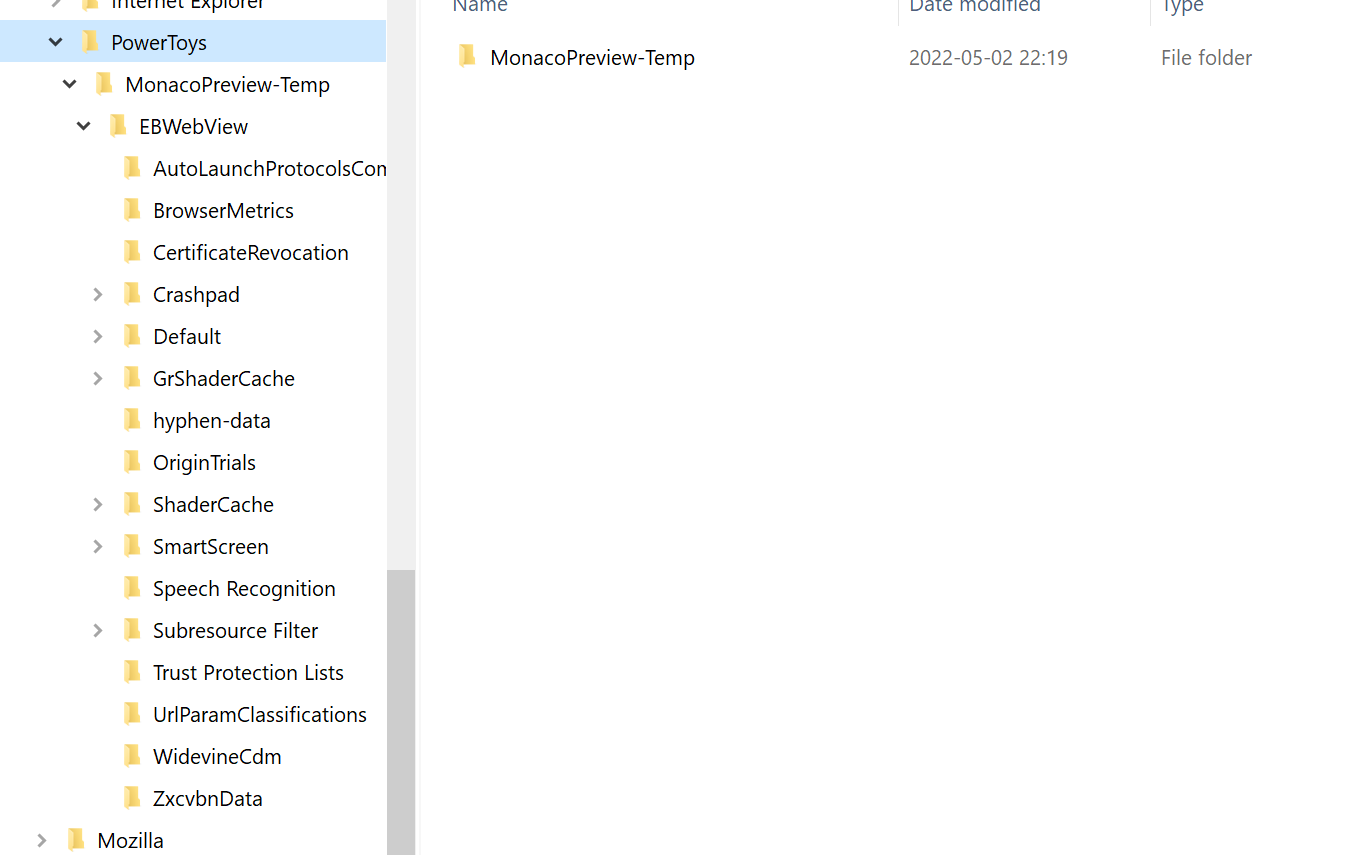
_________________________ Check on what I have understood__________________________ Now I uninstall Current PT - Then Install PT Test version
- -> Then copy back the PT settings same location?
@AlainCh2 Sorry for late reply.
I see. A thing I must tell you, I'm just a common user of PT, not R&D team members. So, I can't answer your question whether move the copied files back can retore your settings. I'm very sorry about this. You may ask R&D team of PT R&D. As regard I tell you to copy the file out for backup, that is what I have been told.
I just tell you all he had seen and heard in my operation. I didn't do any backup operations. Just uninstall previous and install the test-version of PT. Result is, I hardly find out that my settings is drop or gone. Here me show you some snapshots.
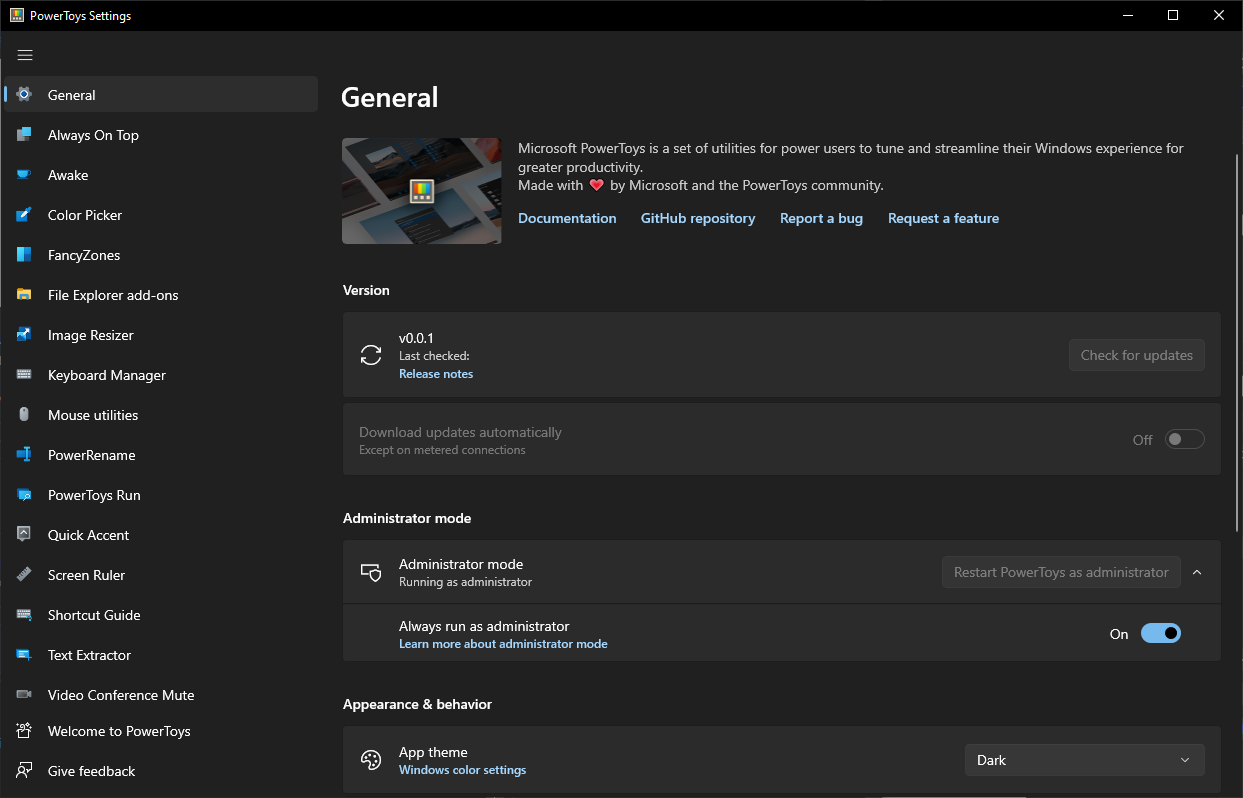
See? The version, v0.0.1. It is the test version. And my settings may not be expunged. For instance,FancyZones.
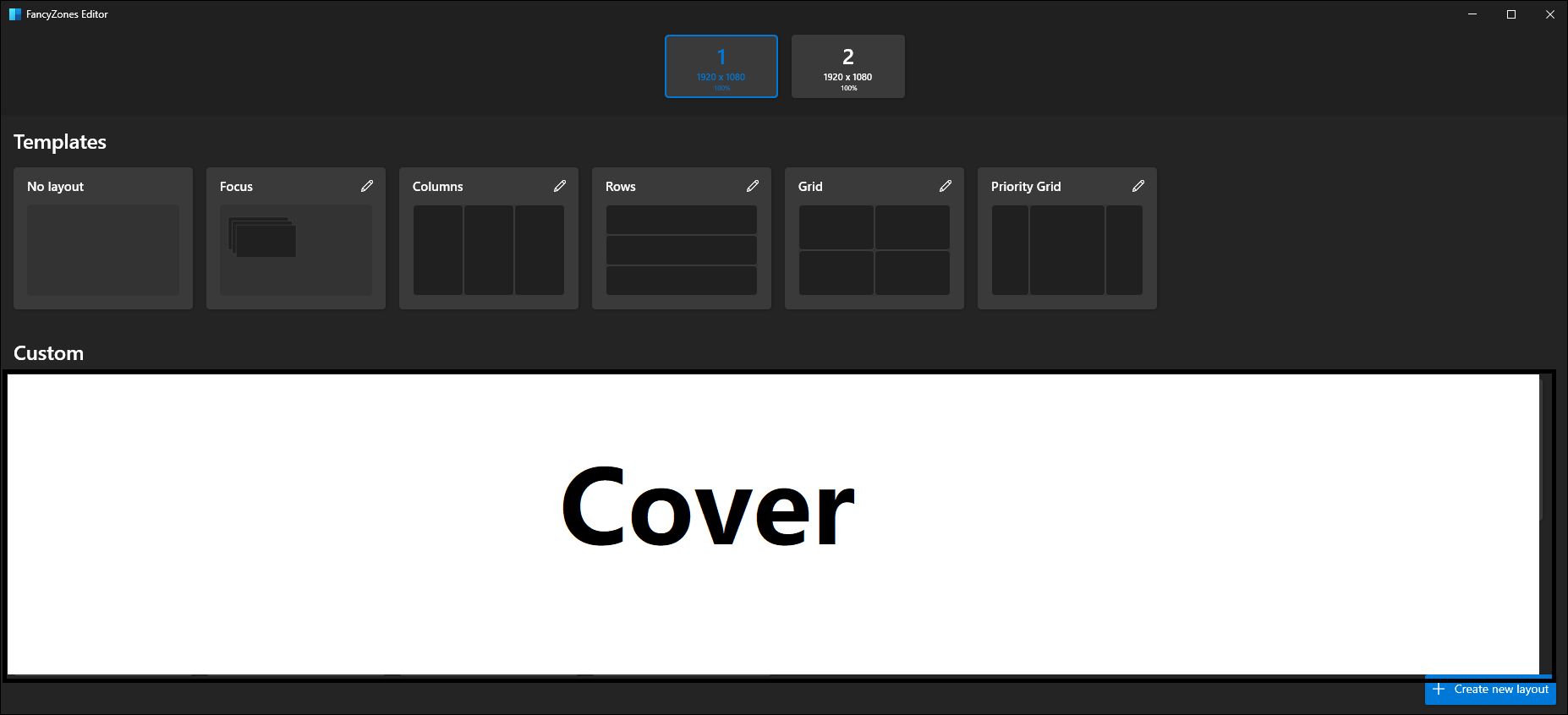
I compare it. "Still there", all my settings are good~
So, as I said at the beginning, we don't have to worry about settings problem. In case, you find anything wrong with your settings, function or operation etc, you may hold back trick - roll back. Reinstall release version of PT and put them back.(How you took it out, how you put it back in.)
Hope I could "help" you, my friend.
Sorry for late reply.
I see. A thing I must tell you, I'm just a common user of PT, not R&D team members. ...
See? The version, v0.0.1. It is the test version. And my settings may not be expunged. ...
I compare it. "Still there", all my settings are good~
...
- Hope I could "help" you, my friend.
-
nobody pays us !!! So don't be sorry, we are here to help each other from different sides of the planet and different time zone as well.
-
I know. Thanks for helping
-
Nice you gave me a guideline - I didn't knew out to check that
-
Ok, I do the same > Keyboard manager for me ---> never used Fancy zone
-
You help a lot.. !!!! Thanks Again !!! ____________ install success_____________
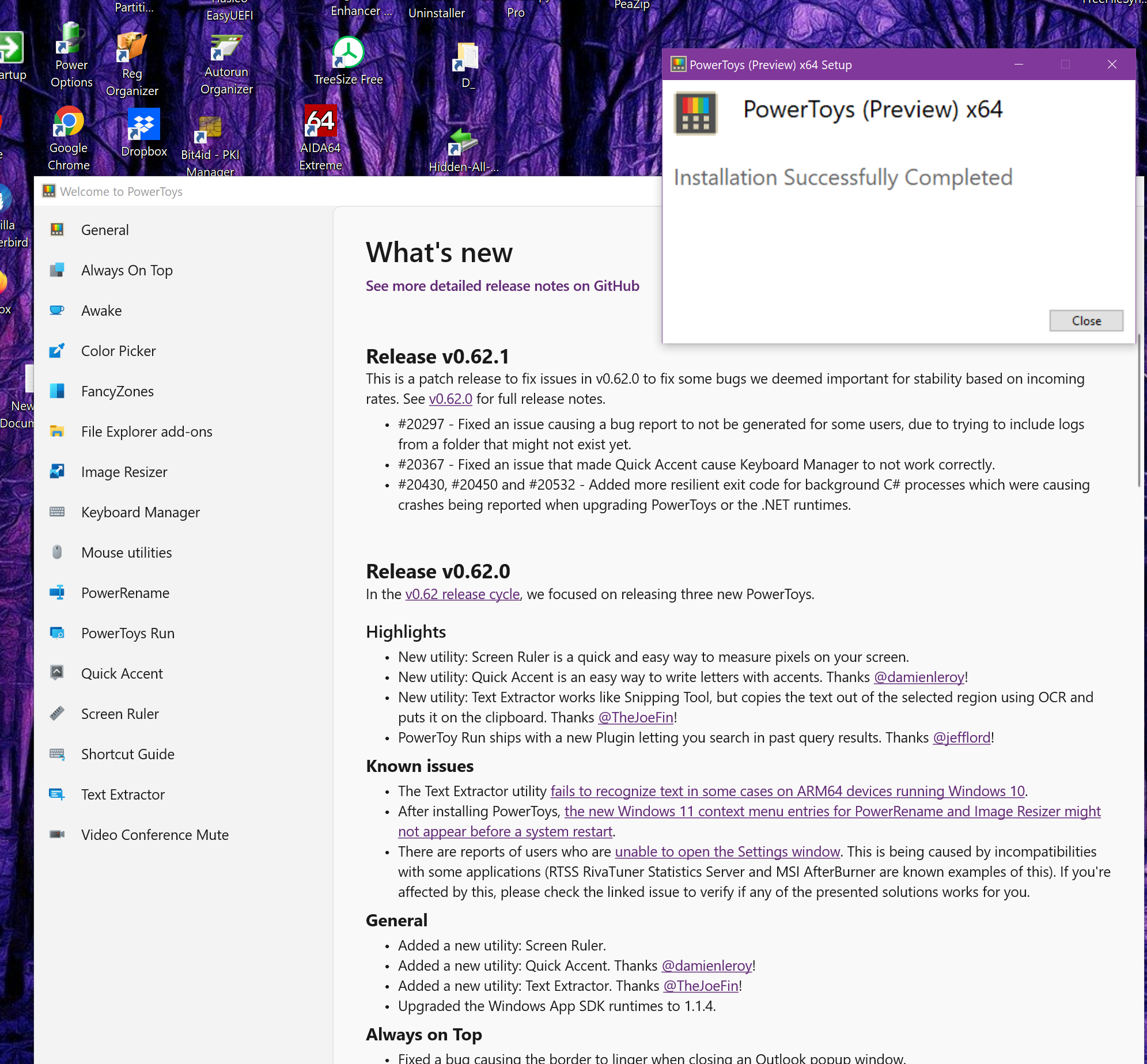
And yes I have .01 > creative checking here :
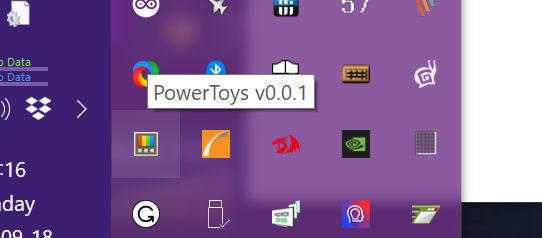
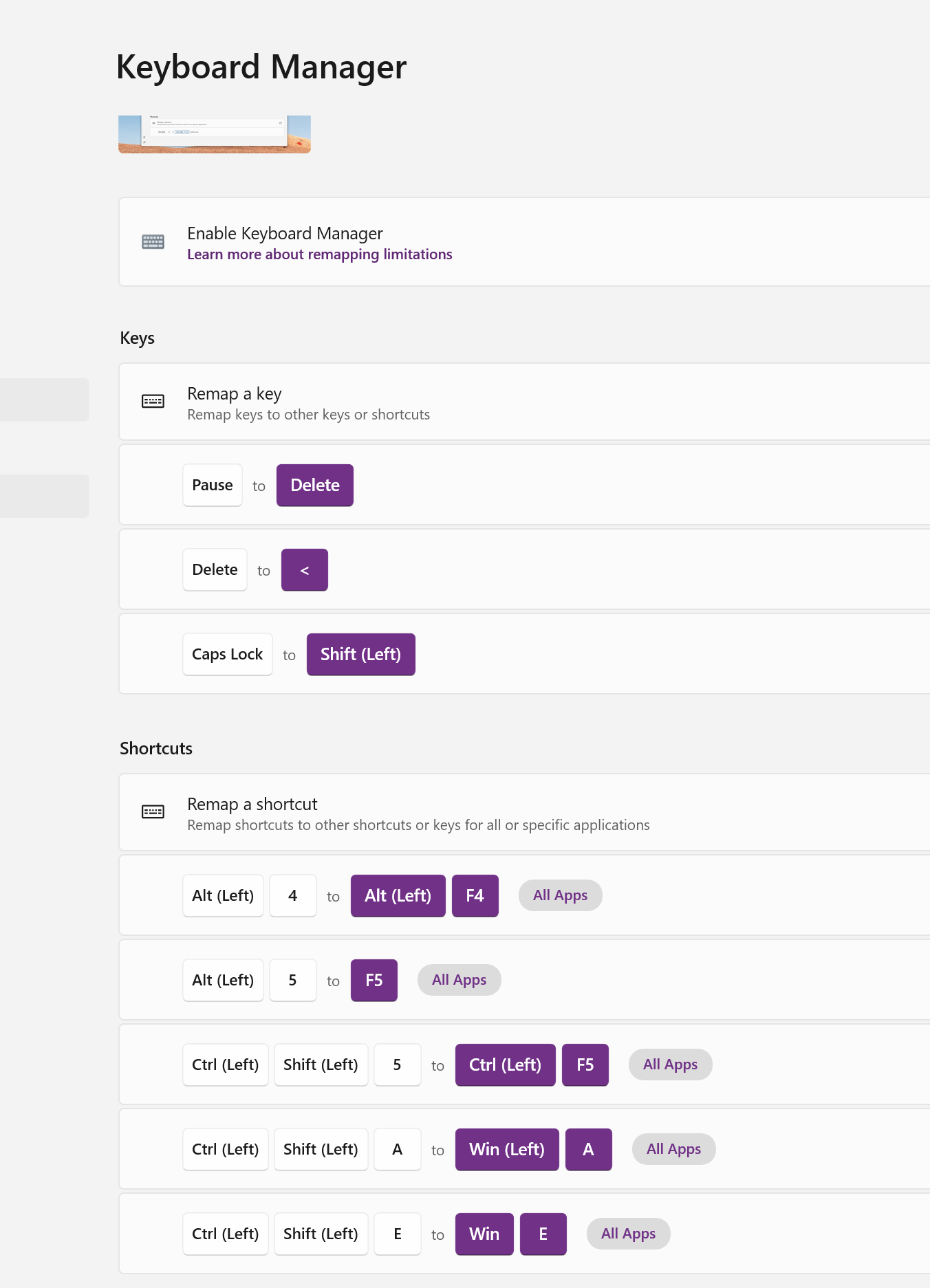
All my settings are in place on "Purple PC"
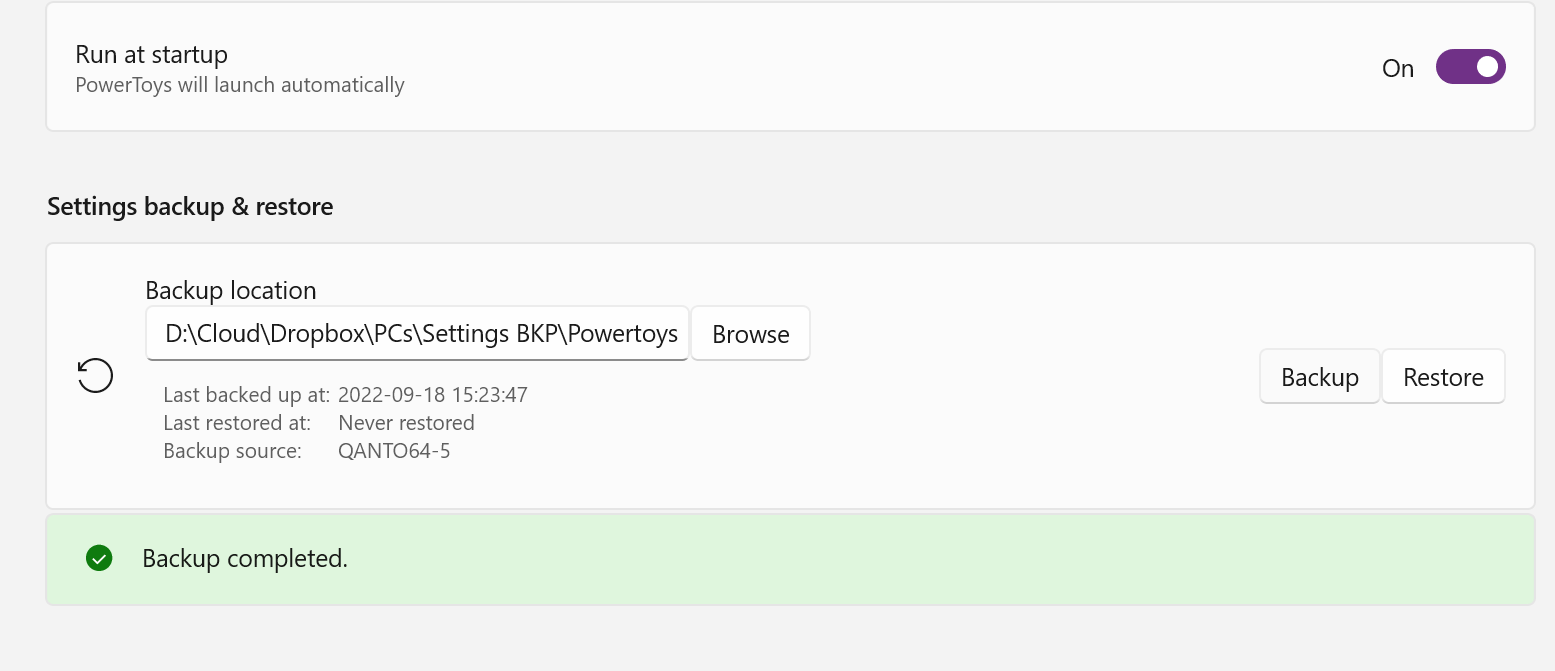
Now I can install PT.01 in "Pain PC" and get there the same settings.... ... how to do backup -> there is a specific task under General set the directory where you want the backup to be located and click the button.
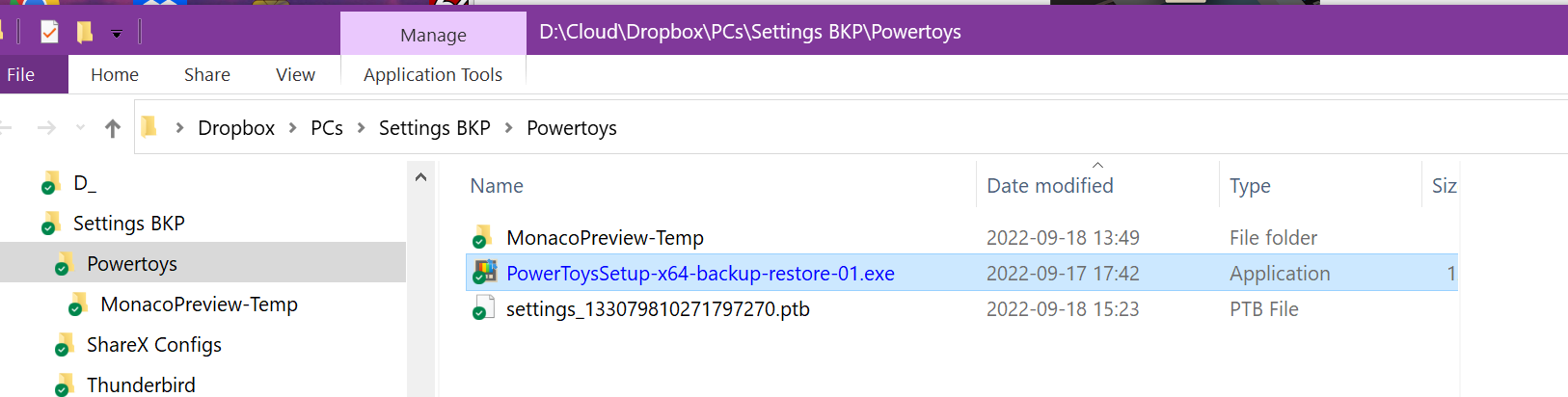
Directory Check
_________________________next step in 2 hours >>
install anew PT in "Pain PC" and restore setting from "Purple PC" backed on cloud
Missing info so far_________________________
- You have to uninstall the Normal version to install PT.0x
- For safety sake copy the PT directory under User
- Backup options are under the General tab
___________________ End on findings so far __________________________
Reasons: I use a physical - ANSI USA Keyboard layout ->SIXTY ONE KEYS<- ---- as if it is an ISO IT >71 keys< I keep it raised from the bed with my left hand, while I tap with my right hand. So I usually I cannot see what I tap !!!
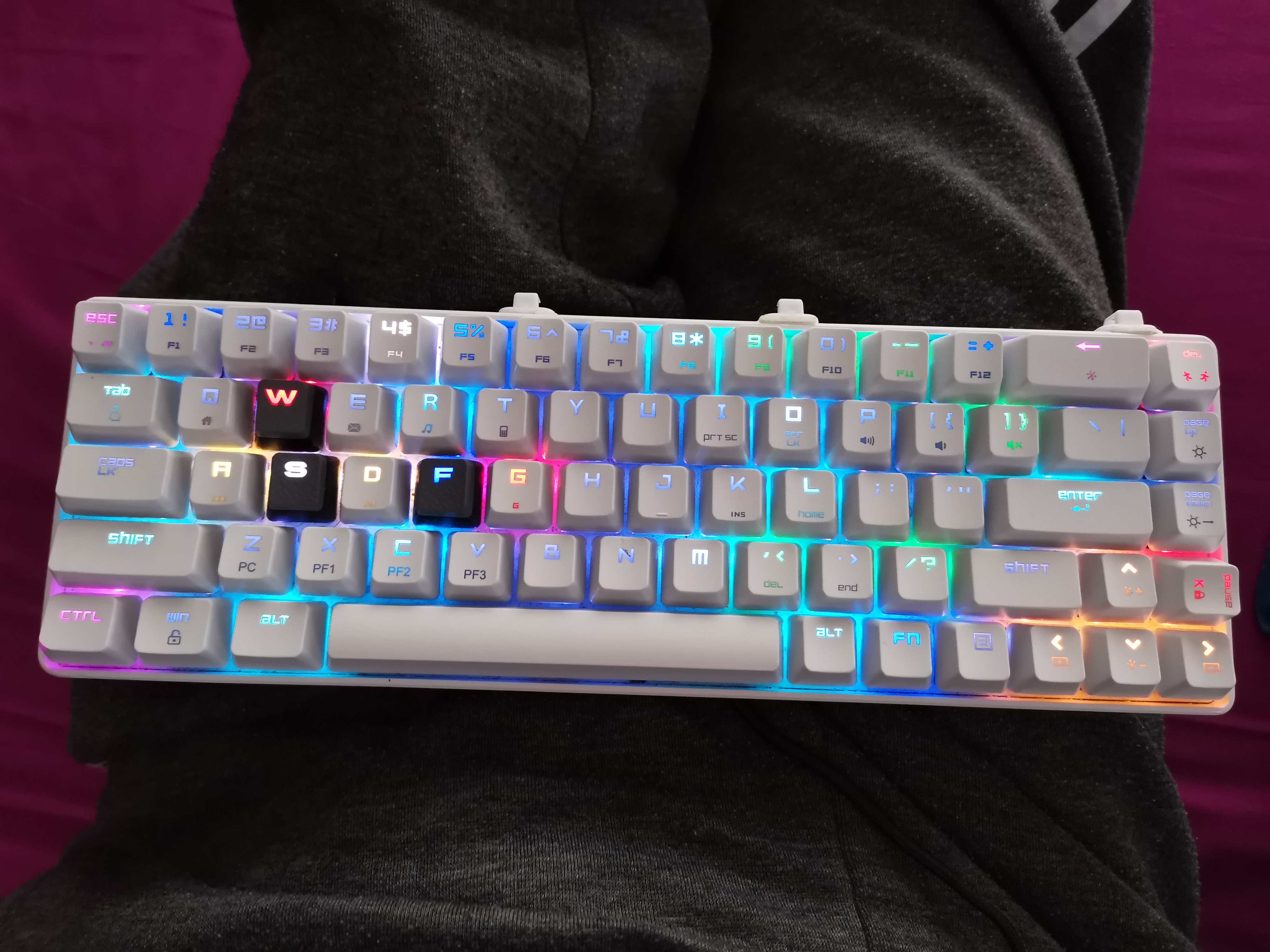
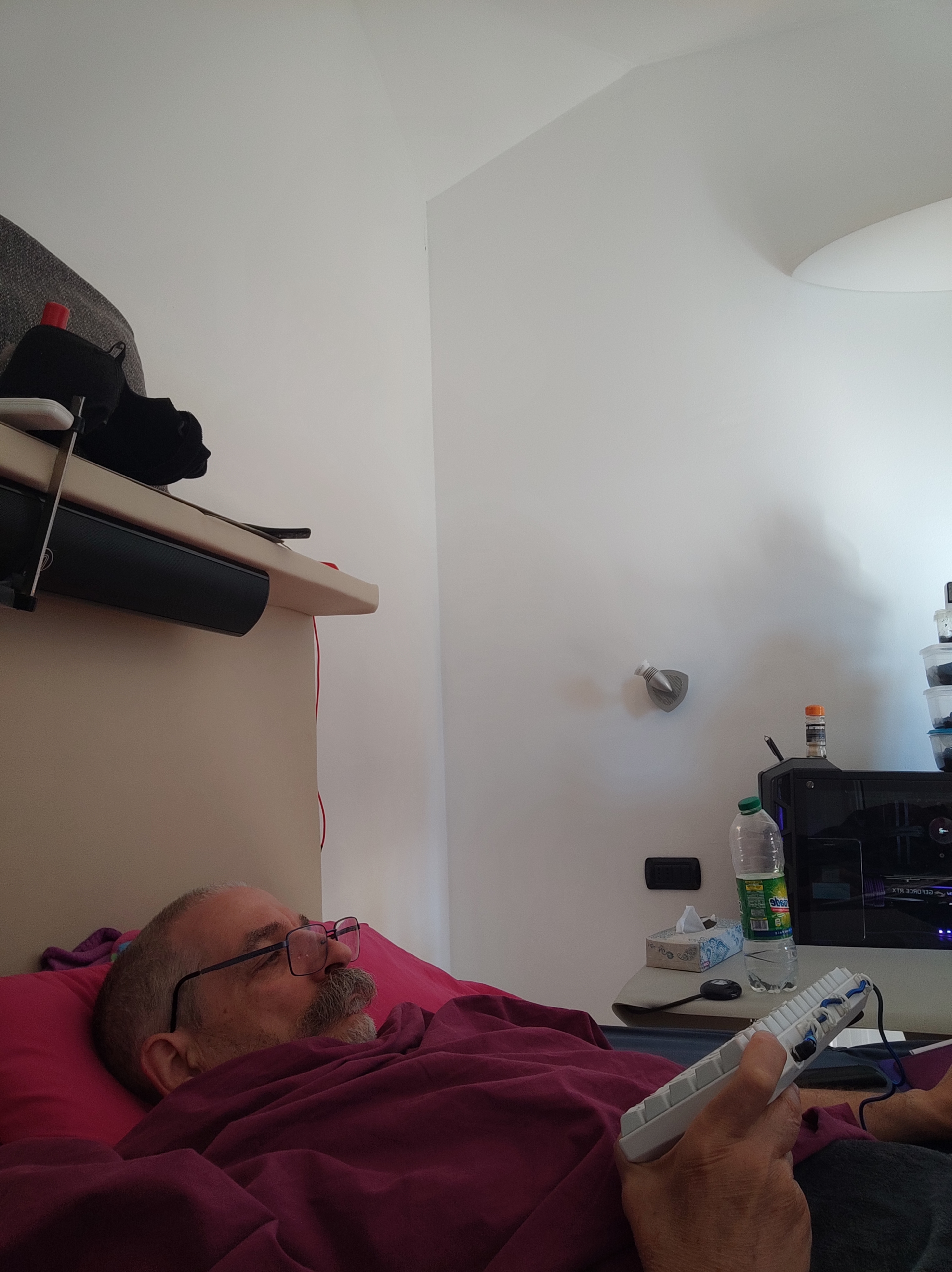
- Sorry for late reply.
- I see. A thing I must tell you, I'm just a common user of PT, not R&D team members. ...
- See? The version, v0.0.1. It is the test version. And my settings may not be expunged. ...
- I compare it. "Still there", all my settings are good~
...
- Hope I could "help" you, my friend.
- nobody pay us !!! So dont be sorry, we are here tyo help each other from different side of the planet and diiferent time zone as well.
- I know. Thanks for helping
- Nice you gave me a guideline - I didnt knew out to check that
- Ok, I do the same > Keyboard manager for me ---> never used Fancy zone
- You help a lot.. !!!! Thanks Again !!! ____________ install success_____________
And yes I have .01 > creative checking here :
@AlainCh2 I'm glad to hear you say that.
In conclusion, this v0.0.1 is just a demo for graphic backup and restore settings, just stand for functional validation use. For stablization user experience, we should wait R&D team to publish the release version.
And, for further information about "Backup and Restore PT Settings (import/export) ", you can access this link - #586.
"Pain PC" install:
Please NOTE that I don't have, and don't want, Edge or <Internet Explore>

You can guess by the picture how this PC got its name.
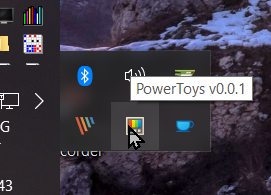
Loaded settings - everythings as expected BUT KEBOARD
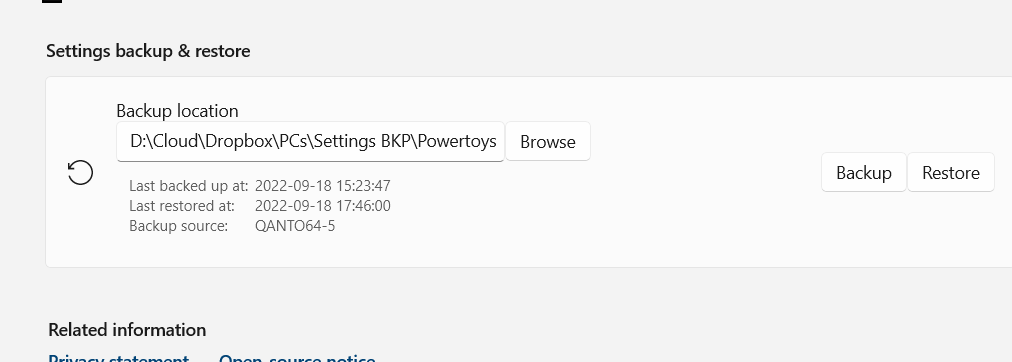
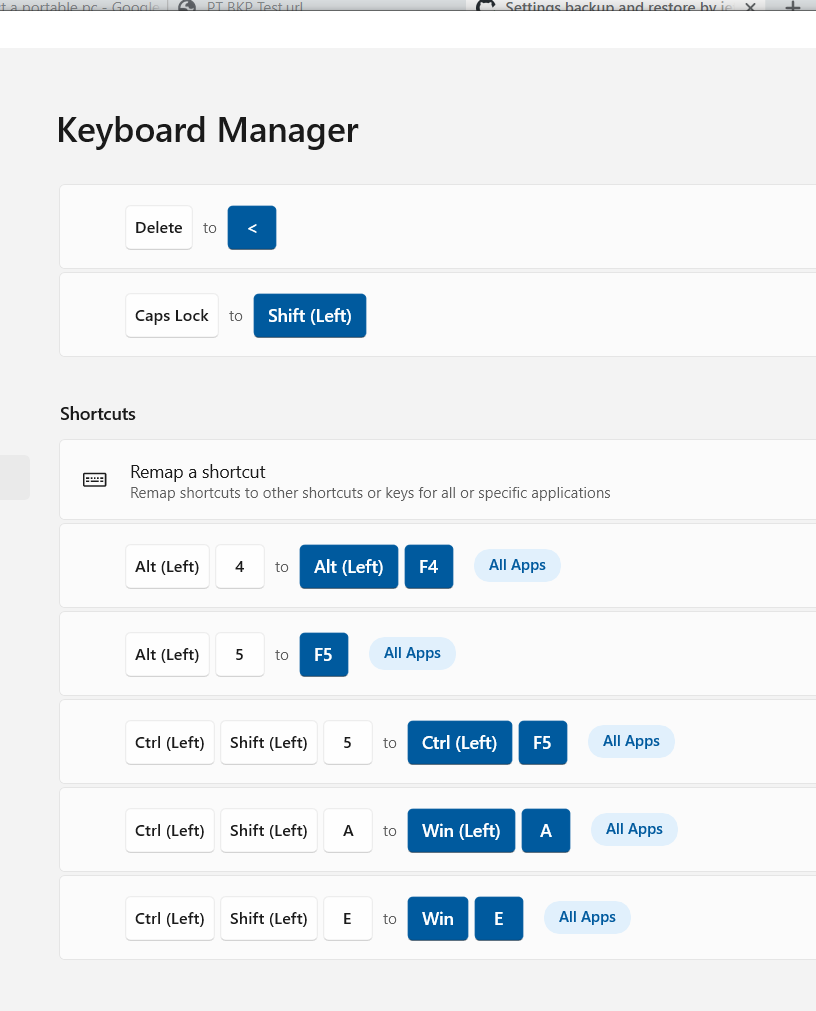
-------------------------------First part of PT01 test ----- SUCCESS -------------------------------------
Pain's Keyboard layout is ISO IT <<<<<Now I have to find where I remapped "DELETE" >>>>>
HAHAHAHAHAH !!! ...
I am marking this "ready to review" now but I am sure things will need to be change, maybe a lot.
I am marking this "ready to review" now but I am sure things will need to be change, maybe a lot.
@jefflord Ok, many thanks! And wish PT will have a wonderful future!
Some ui suggestions:
- Stretch Folderpath and browse button to use complete space.
- Moving the the restore and backup button side-by-side under the file path edit.
- Move infos (dates, sorce) into collapsed expander.
[........................] <Browse>
<Backup> <Restore>
-----------------------
Last backup:
Last restore:
Last source:

Some ui suggestions
Grrrr, xaml updates... my evil nemesis. I did try doing it just about how you suggested, and it did not go well. But you're right, and I will try again instead of being lazy.
@htcfreek
-
What's the point of the expander. Most places it defaults to open and it does not remember the open/close state.
-
the
controls:SettingExpanderforces some layout, and seems be geared to have just some text on the majority of the left and one control on the far right.
Clearly I also already look at the other existing code. I would not get far otherwise. However, I don't see anything that is exactly what I think we need though.
Because it's takes (me) so long to work with WPF/XAML, I don't want to make many changes without a specific mock.
For now, what do you think about these options what use the "expander"?
Option A

Option B
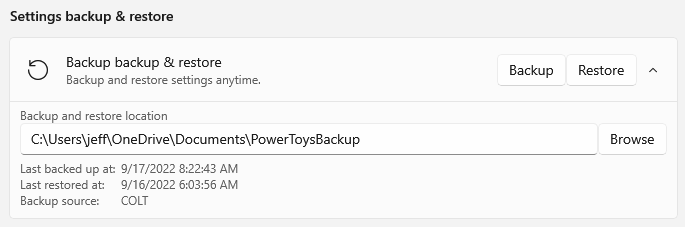
Some ui suggestions
Grrrr, xaml updates... my evil nemesis. I did try doing it just about how you suggested, and it did not go well. But you're right, and I will try again instead of being lazy.
If you need additional help you can look at the other existing code. 😉 And feel free to ask us for help. I am sure @niels9001 or someone else of us can help you. I am definitely the wrong person to ask about xaml stuff because I can only do copy-paste implemention. 😅
Some ui suggestions
Grrrr, xaml updates... my evil nemesis. I did try doing it just about how you suggested, and it did not go well. But you're right, and I will try again instead of being lazy.
@htcfreek
What's the point of the expander. Most places it defaults to open and it does not remember the open/close state.
the
controls:SettingExpanderforces some layout, and seems be geared to have just some text on the majority of the left and one control on the far right.Clearly I also already look at the other existing code. I would not get far otherwise. However, I don't see anything that is exactly what I think we need though.
Because it's takes (me) so long to work with WPF/XAML, I don't want to make many changes without a specific mock.
For now, what do you think about these options what use the "expander"?
Option A
Option B
@jefflord I like Option B.
@niels9001 Any thoughts?
Visually I'd preffer option B, but also I'd say that backup/restore location should be always visible, not hidden by expander

OK, I think the expander just won't work in this case because of how restrictive it is. We have too much that needs to always be there. I will go back to the non-expander version, and give it another shot.
OK, I think the expander just won't work in this case because of how restrictive it is. We have too much that needs to always be there. I will go back to the non-expander version, and give it another shot.
I'm fine with this

being hidden by the expander as I don't think this data is crucial for backup/restore functionality. It's additional info that will be useful for the user in some cases
OK, how about this:
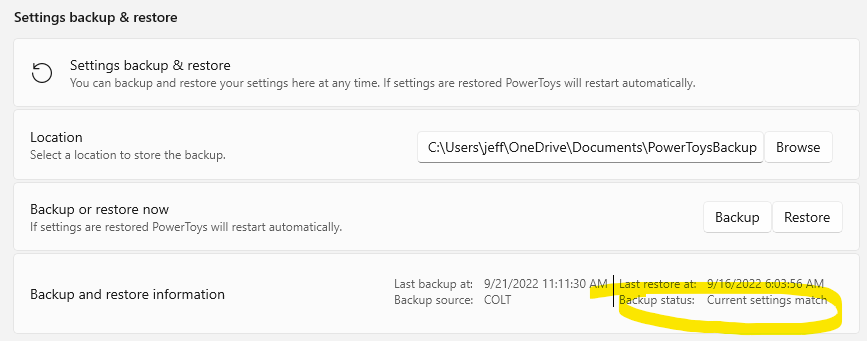
Update: small format change and added "status" to help user's know if a backup/restore would be neeed.
@htcfreek
@jefflord Do we ask for restore source or do we use backup location?
Great question. Currently the model is that there is a single folder that is the "backup and restore" location. That is to say, we will only write the backup there and restore it from there.
The primary reason for this is that it's simple and works well when that one location is shared (usually via some cloud FS like OneDrive).
In that folder we store the backup as a zipped file and we do keep some older copies. However, we do NOT currently allow you to use any of the older backups OR use a different one other than the latest in that folder.
In the future we might allow/add an interface to pick a PowerToysBackup file (*.ptb) from an arbitrary location, but we don't as of now for simplicity.
@stefansjfw should we discuss the remaining items from the review?
- The folder browser.
- Unconventional access to a ResourceLoader
I suggest the following state information and ui layout:
Last backup time:
Last backup file:
Backup state: up to date/outdated

Last restore time:
Last restore file:
Last restore source:
Last restore state: success/failed
Notes:
- I am unsure what the current ui is. But we should keep it useful and simple.
- What means
Backup source: COLT?
- What means
Backup source: COLT?
For me knowing what machine the backup came from was/is important. I understand it's much less important for many others. Here, "COLT" is the name of my computer which created the backup.
Am fine with hiding this.
@htcfreek I see there is/was a conflict on "installer/PowerToysSetup/Product.wxs" and I think I have that updated so it should not be a conflict or is very simple to resolve now. I see there was some other updates to the same line that file but I merged that in and reapplied my change. I feel like it should be a conflict for main, at this point.
@htcfreek I see there is/was a conflict on "installer/PowerToysSetup/Product.wxs" and I think I have that updated so it should not be a conflict or is very simple to resolve now. I see there was some other updates to the same line that file but I merged that in and reapplied my change. I feel like it should be a conflict for main, at this point.
If you merged main in and did your changes on top there is no conflict on main as your code is newer.
If you merged main in and did your changes on top there is no conflict on main as your code is newer
That is my understanding also.
Update, I can see there seems to be more changes going on in the same file in main...