

 microsoft
Forgetting Fancy Zone Layout with Dual Monitors
Microsoft PowerToys version
0.61.1
Running as admin
- [X] Yes
Area(s) with issue?
FancyZones
Steps to reproduce
Setup:
- Dual monitors: 34 in (Landscape) and 27 in (Portrait)
- Layout:
- Priority Grid for 34 in monitor:
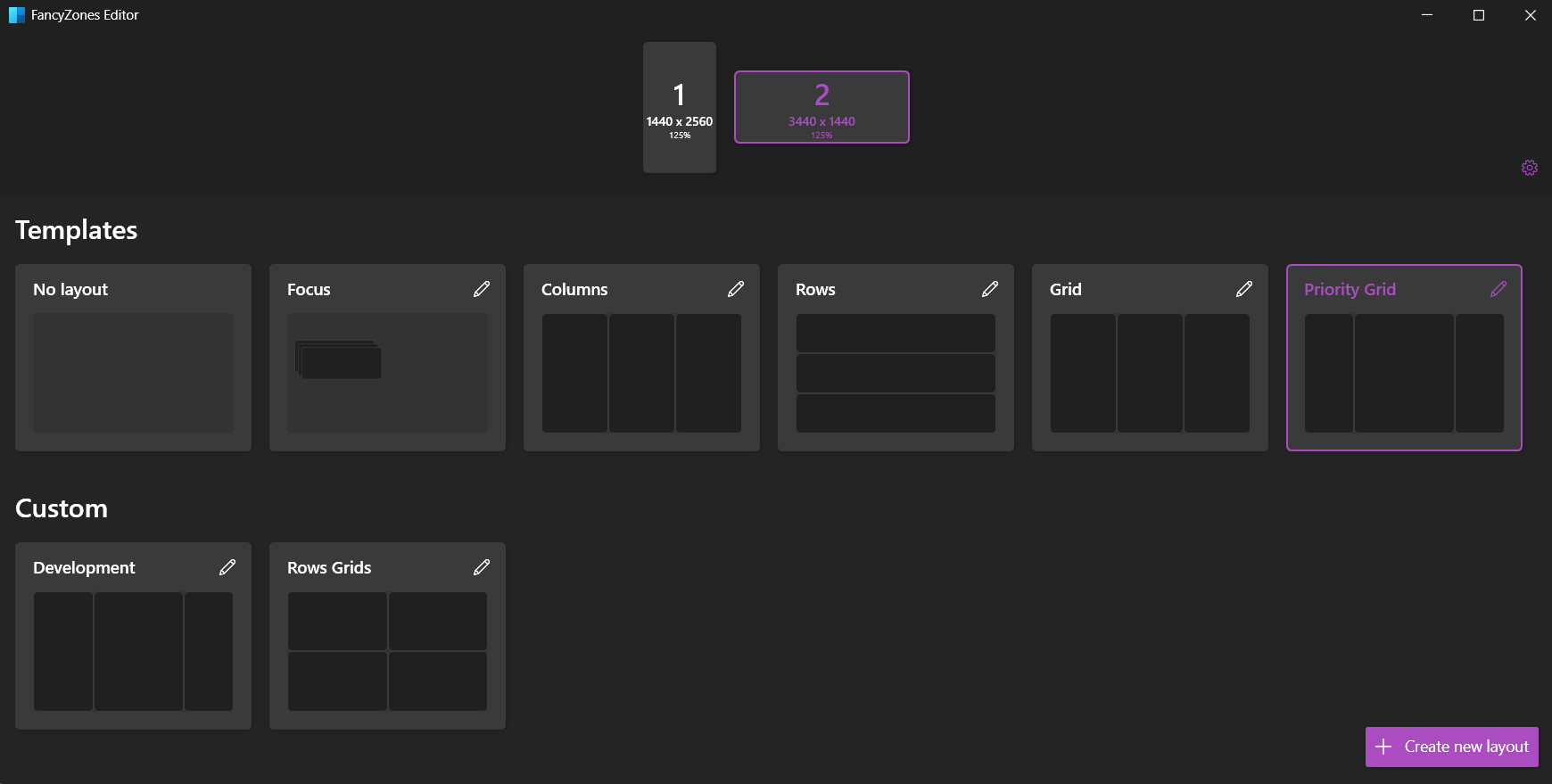
- Custom Layout for 27 in monitor:
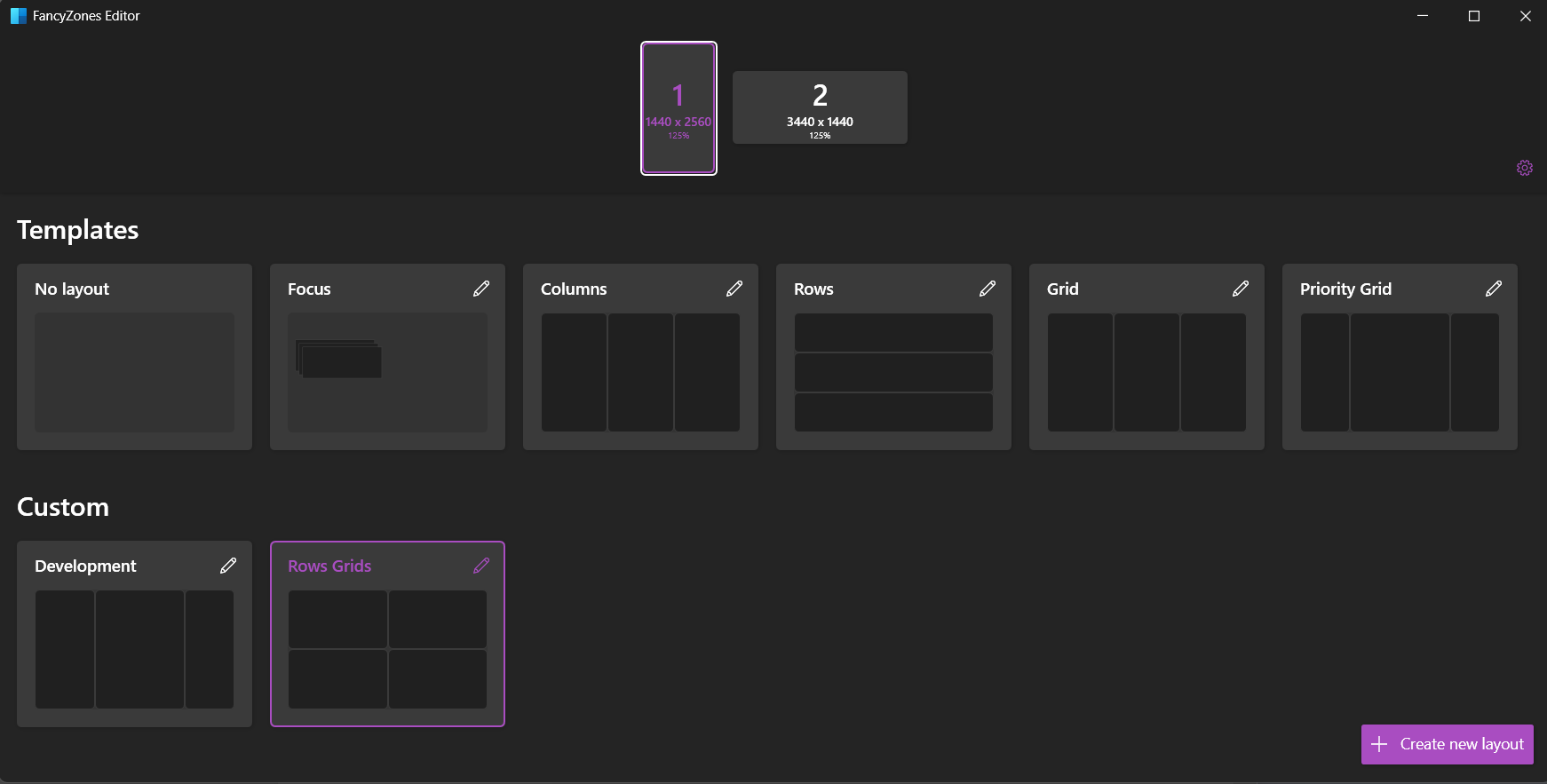
- Priority Grid for 34 in monitor:
Steps to reproduce the bug
Scenario 1
Restarting the system will auto-set the layout for 27 in monitor to Priority Grid.
Scenario 2
Sometimes, dragging a window from 34 in monitor to 27 in monitor will reset the layout for 27 in laptop to priority grid.
✔️ Expected Behavior
Fancy Zones should retain the set-up
❌ Actual Behavior
Fancy Zones forgets the layout set for 2nd monitor
Other Software
No response

Can you attach /bugreport? Thanks
@SeraphimaZykova at least one portrait mode monitor is in common with https://github.com/microsoft/PowerToys/issues/20212 . That could make it easier to repro

Hi there!
We need a bit more information to really debug this issue. Can you add a "Report Bug" zip file here? You right click on our system tray icon and just go to report bug. Then drag the zipfile from your desktop onto the GitHub comment box in this issue. Thanks! 

Same problem here. I'm curious why even bother asking for more bug reports as this issue has been reported for ~~over a year~~ 2 years now.
FanzyZone template selections keep resetting after every restart.
https://github.com/microsoft/PowerToys/issues/7790 https://github.com/microsoft/PowerToys/issues/13069 https://github.com/microsoft/PowerToys/issues/12980 https://github.com/microsoft/PowerToys/issues/13432
Maybe it's required to rework how monitors are identified as device ID guid doesn't seem to be reliable way in Windows. Should be possible to recognize monitor name and resolution and use that instead.

This issue has been automatically marked as stale because it has been marked as requiring author feedback but has not had any activity for 5 days. It will be closed if no further activity occurs within 5 days of this comment.
I'm having the exact same issue, I have 2 ultrawide displays, the issue started happening after I moved my desktop for some rennovations, I plugged the monitors into different display ports and have no idea which ones they were originally plugged into. Edit: They're both GW34C monitors.
Marking it as stale seems like a bad idea since a few other people have listed having the same issue too. Edit: Seems like autobot is op lol.
Edit: I tried making the bug report thing, says a bug report file was made on my desktop but theres nothing to be found.

So I've been testing and experimenting, First I tried turning off run at startup, which worked once. Then it lost it again, I turned off run as administrator and it remembered it after a restart and a shutdown.
In conclusion my tentative assessment is that run as administrator is the cause.
I will post again if it loses it over the next couple of days.
Edit: I ended up reinstalling windows but it worked fine for another day after that without admin on, after updating windows I haven't had any issues even with run as admin ticked.
This issue has been automatically marked as stale because it has been marked as requiring author feedback but has not had any activity for 5 days. It will be closed if no further activity occurs within 5 days of this comment.