
MixedRealityToolkit-Unity
 MixedRealityToolkit-Unity copied to clipboard
 microsoft
Standard material has flat shading when loading GLTF at runtime
Describe the bug
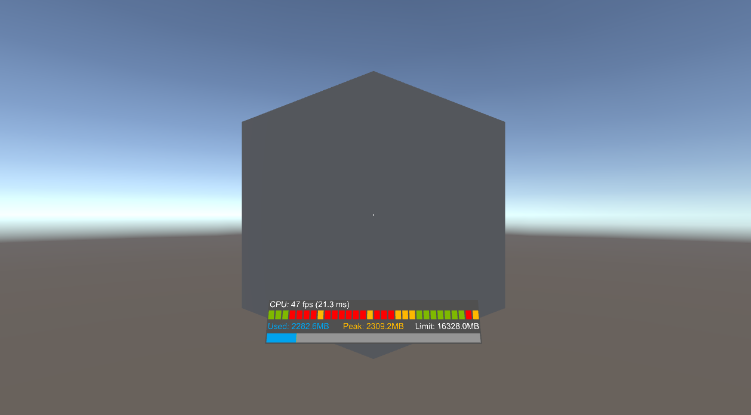
Shading appears flat, no lighting effects, when using the MRTK/Standard material with meshes that have had normals calculated at run time.
To reproduce
- Load the attached GLB using the
TestGltfLoadingscript - Note that the shading appears flat. This is because the model has no normals.
- Update the
TestGltfLoadingto calculate normals and tangents
if (gltfObject != null)
{
    foreach (GltfMesh gltfMesh in gltfObject.meshes)
    {
        foreach (GltfMeshPrimitive gltfMeshPrimitive in gltfMesh.primitives)
        {
            gltfMeshPrimitive.SubMesh.RecalculateNormals();
            gltfMeshPrimitive.SubMesh.RecalculateTangents();
        }
    }
    Debug.Log("Import successful");
}
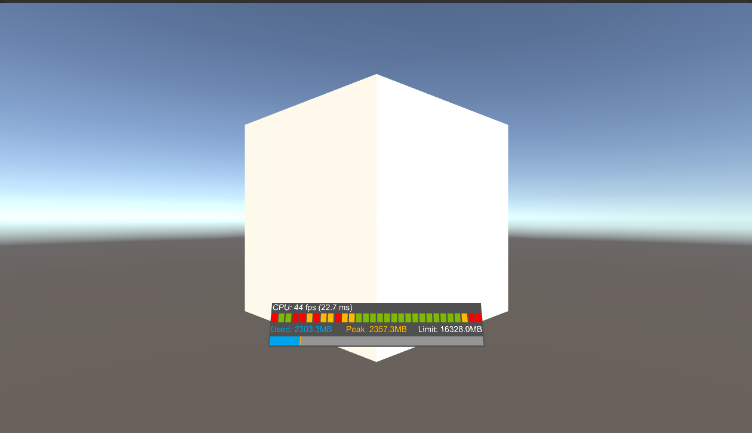
- Re-run the scene and note the the cube now receives lighting. One side of the cube is darker than the other, etc.
- Finally, build and deploy this scene to the hololens.
- Note that the cube does not receive lighting
Expected behavior
I would expect the version running on the HoloLens to look like the second picture.
Screenshots
Before calculating normals
After calculating normals
Your Setup (please complete the following information)
- Unity Version 2018.3.12f1
- MRTK Version v2.0.0-RC2.1
Target Platform (please complete the following information)
- HoloLens

I'm finding that regardless of whether the normals are baked or calculated at run time, the same shader issue appears. Perhaps the normals were a red herring. It appears models loaded at run time have this issue.
I wonder if this is a side effect of Unity not including all shader variants in the build.
Under section 2. You must make sure Unity includes your required shader variants in the build:
https://docs.unity3d.com/Manual/MaterialsAccessingViaScript.html

@keveleigh that's a good theory. I'll look into it. It would make sense, as I've had similar issues with UnitGLTF's shader. The difference was that nothing rendered - perhaps its the same problems revealing itself in a different way.
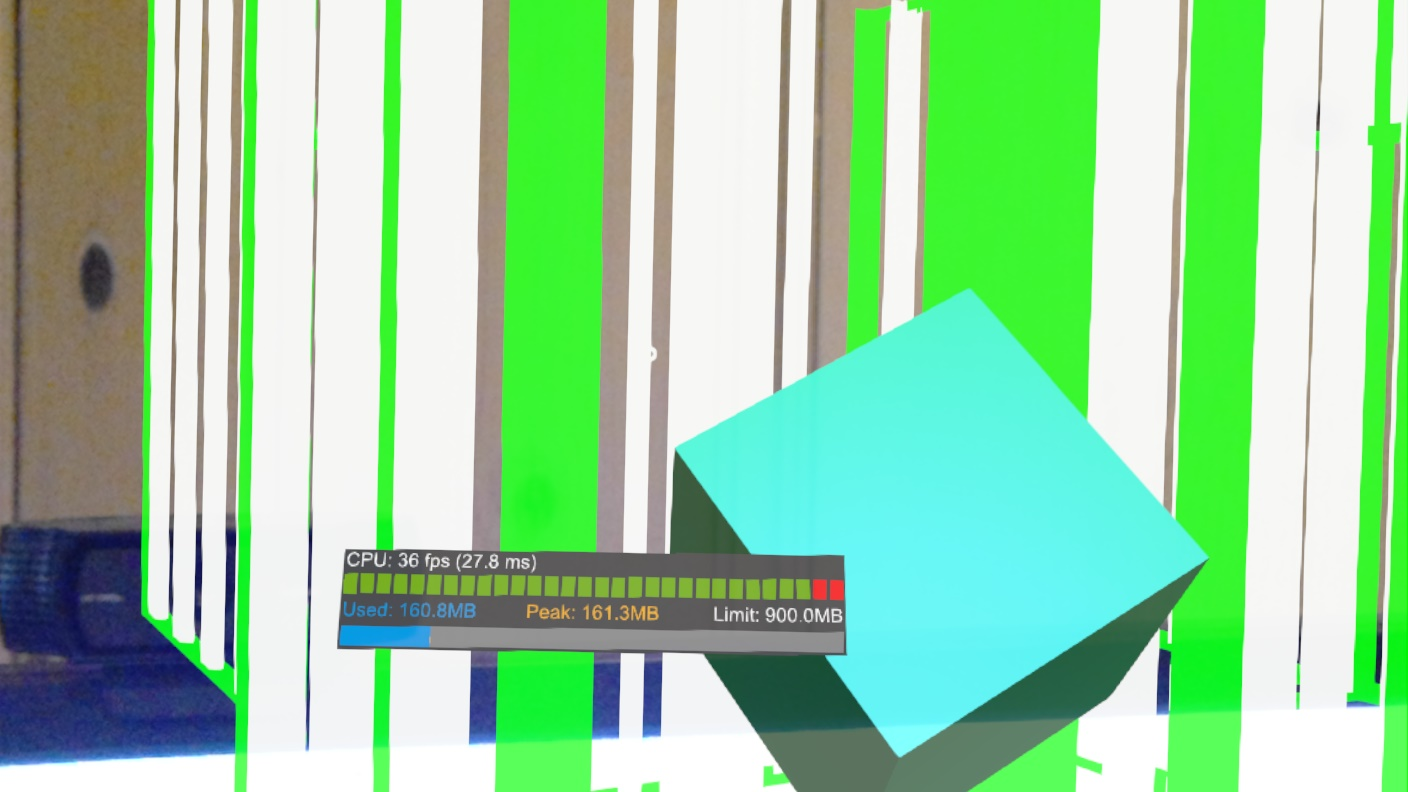
@keveleigh unfortunately this doesn't seem to fix this issue. The cube in the foreground has the MRTKStandard shader and is in the scene at build time. The models in the background are loaded at runtime.
The issue can be easily replicated using the GLTF models shipped with MRTK. Here's the boom box. You can see that even though it has the MRTKStandard material its rendered with flat shading.
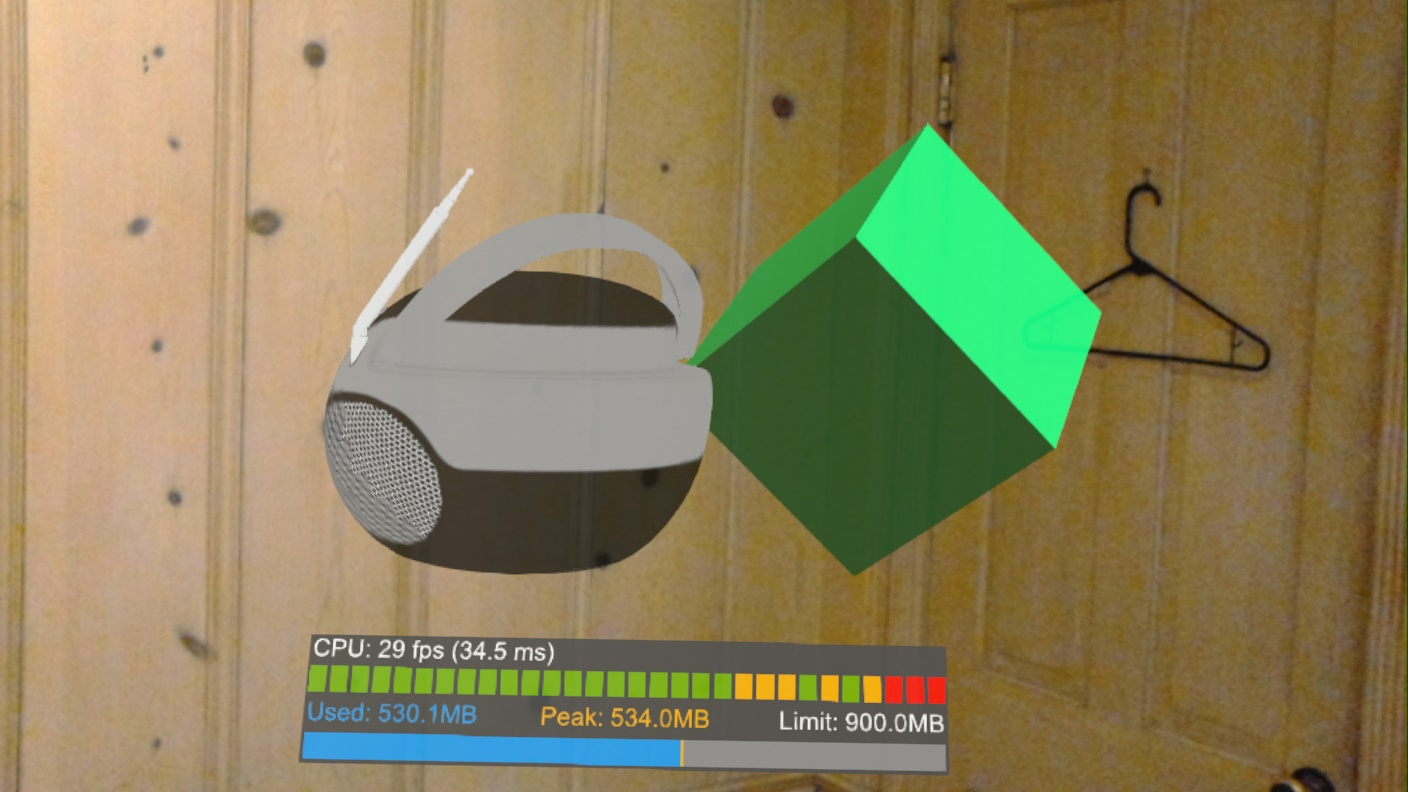
And in the editor it looks like this:
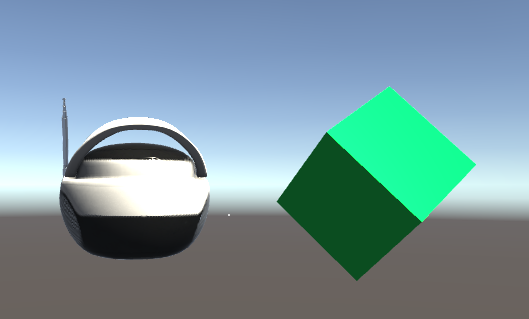
Hi. Having the same issue on Hololens. Is there any news on if this is going to be fixed soon? Or some suggestion of what the issue might be? (e.g. where is the shader assigned at runtime, maybe the DirectionalLight shader param is not set?). The weird thing is that it works on the editor but not on Hololens...
Thanks

@FreakTheMighty Not really but we implemented the following workaround:
- Have a cube with a MRTK2 shader material in the scene
- At runtime, when gltf is loaded, I go to each mesh and replace the material for a copy of the cube material and set some params (like texture) based on the original material.
This works fine but is, of course, very limited. For our scenarios it is enough but we're waiting for this to be fixed too as this is a hacky workaround.

@edgar-rodrigo-santos thanks for that info, I wonder if your work around might point us towards the root problem. A couple questions:
- How do you "copy" the material from the cube onto the new mesh?
- Have you tried creating the material yourself at run-time via
new Material(shader)rather than copying it?
Your work around makes me wonder if replacing this line https://github.com/microsoft/MixedRealityToolkit-Unity/blob/27a14fd841b42a50ea7dd74149bf48f444bf34c4/Assets/MixedRealityToolkit/Utilities/Gltf/Serialization/ConstructGltf.cs#L239
with something like Resource.Load<Material>("GltfMaterial") (Some pre-defined material), might fix the problem. If it does, it still seems like a work-around, but perhaps a more robust work around. Also, it may give us another hint about the underlying issue.
@FreakTheMighty I believe I had to explicitly use the "copy-constructor" of the material. e.g. Material newMaterial = new Material(cubeMaterial);
I might have tried the "new Material(shader)" (without success) but I'm not positive.
I am sure I didn't try the "Resource.Load<Material>("GltfMaterial")" way though.
I'm gonna try adding these lines here. Not sure why I didn't think of this before, but it looks like the directional light feature is just disabled. Its odd, cause it is not disabled in the editor. Still, seems possible that it behaves differently when built and instantiated via new Material.
material.EnableKeyword("_DIRECTIONAL_LIGHT");
material.EnableKeyword("_SPECULAR_HIGHLIGHTS");
...
Now I just need access to my HoloLens which is in a room with my napping son. Never wake a 👶.
I also tried something like that with no success (instantiating new material with the mrtk shader and enabling those keywords).
Yeah, we just confirmed this doesn’t work. My next step is going to be trying to use resource load in place of “new Material”.
I’m suspicious that the directives used in the shader to enable directional lighting don’t work correctly when the material is created at runtime.
Things to consider:
- Make presumptions on what should be included in the build for gltf import
- Write a new shader for gltf materials

@davidkline-ms I would like to point out that the original issue is not specific to the gltf loader. I'm using a completely separate loader and this issue still occurs. I would say it's a "MRTK shader" issue but none of the workarounds mentioned here worked. Just wanted to clarify this. Thank you.
This issue has been marked as stale by an automated process because it has not had any recent activity. It will be automatically closed in 30 days if no further activity occurs. If this is still an issue please add a new comment with more recent details and repro steps.
![stale[bot] avatar](https://avatars.githubusercontent.com/in/1724?v=4 "Published by a pub.dev verified publisher")
Any news? I'm also facing this issue in 2.7.3...
for those who have ability to change the gltf model: this problem is because the gltf mesh attributes does not contains "NORMAL" information. If you can edit the model to add this information, importing will be no problem.

A possible solution for MRTK 2.x.x is to make a change inside MixedRealityStandard.shader from
#pragma shader_feature _DIRECTIONAL_LIGHT
#pragma shader_feature _SPECULAR_HIGHLIGHTS
to
#pragma multi_compile _DIRECTIONAL_LIGHT
#pragma multi_compile _SPECULAR_HIGHLIGHTS
For MRTK 3 GraphicsToolsStandardProgram.hlsl would require changes
#pragma shader_feature_local _DIRECTIONAL_LIGHT
#pragma shader_feature_local_fragment _SPECULAR_HIGHLIGHTS
to
#pragma multi_compile_local _DIRECTIONAL_LIGHT
#pragma multi_compile_local_fragment _SPECULAR_HIGHLIGHTS
You would have to keep in mind that these changes will increase the build time by a bit as more shader variants have to be added.

@Cangi, please feel free to submit a PR targeting the MRTK v2.x standard shader here. For the standard shader used by MRTK3, PRs can be opened at https://github.com/microsoft/MixedReality-GraphicsTools-Unity.
Thanks!
We appreciate your feedback and thank you for reporting this issue.
Microsoft Mixed Reality Toolkit version 2 (MRTK2) is currently in limited support. This means that Microsoft is only fixing high priority security issues. Unfortunately, this issue does not meet the necessary priority and will be closed. If you strongly feel that this issue deserves more attention, please open a new issue and explain why it is important.
Microsoft recommends that all new HoloLens 2 Unity applications use MRTK3 instead of MRTK2.
Please note that MRTK3 was released in August 2023. It features an all new architecture for developing rich mixed reality experiences and has a minimum requirement of Unity 2021.3 LTS. For more information about MRTK3, please visithttps://www.mixedrealitytoolkit.org.
Thank you for your continued support of the Mixed Reality Toolkit!
