
MixedRealityToolkit-Unity
 MixedRealityToolkit-Unity copied to clipboard
 microsoft
[MRTK3] Inconsistent BoundsControl handle sizes
Describe the bug
With the "Maintain Global Size" handle disabled, I would expect the handles to always be consistent for two BoundsControl having similar scale and similar collider dimensions. However I'm getting some weird issue with the handles, and they always seems to be inconsistent. Sometimes the handle scale would be so small that they are not even visible.
It also seems like the initial scale of an asset also determines the size of handles. Later on when the scales are changed at runtime, they seem to make no effect on the handle.
Like, when the asset is too big initially, the handles are not even visible. Then later when the asset is scaled down at runtime, the handles are still not visiblr.
But when the asset is small initially, the handles are visible. And scaling them up at runtime to the scale mentioned above doesnt seem to make the handle go invisible.
To reproduce
Tested with Quads and TextMeshPro with a box collider of certain noticeable thickness.
It just happens all the time to me. What I did is: i) Create a prefab variant of BoundingBoxWithTraditionalHandles in the project ii) Turn off "Maintain Global Scale" for all the handles in the new prefab. iii) Use that prefab variant as reference to to the prefab which contains BoundsControl. iv) Instantiate BoundsControl prefab at runtime. v) On selecting the new spawned gameobject, this just happens all the time.
Expected behavior
I would expect the local scale manipulation handles to always be consistent and fixed (when enabled). So that they maintain a consistent worldspace bounding box to manipulation handle ratio.
Additionally it would also be nice if the user has control over the scale of those handles. Maybe a multiplier.
Screenshots
Test 1
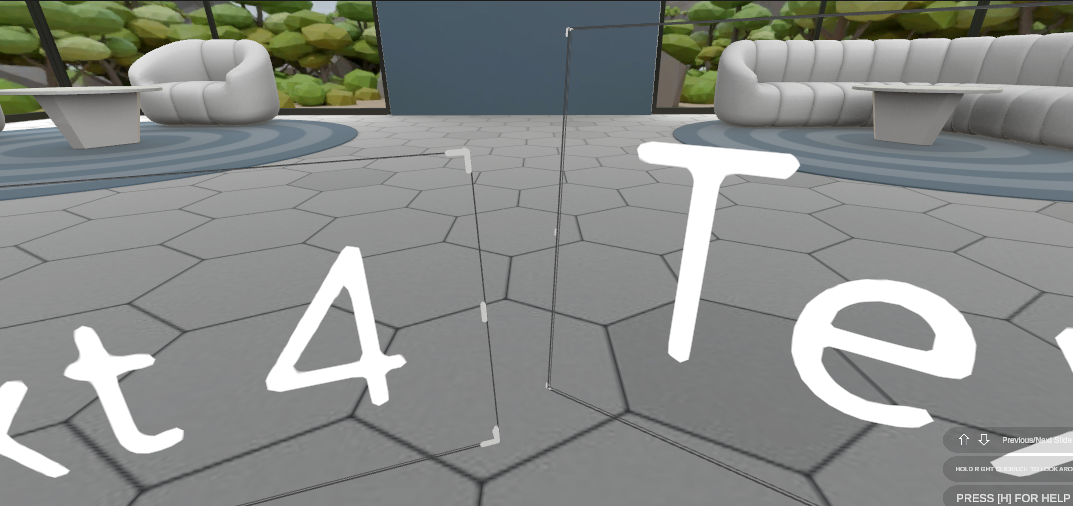
Test 2

Test 3 with a larger scale object (the BoxCollider component is activated, meaning the BoundsControl is selected and handles should be active. But they are just too small to even be visible)

Your setup (please complete the following information)
- Unity 2021.3.8f1
- MRTK3 Repo (as of commit 87ae775470952d28f0d459e9abeb6b95102505ff)
Target platform (please complete the following information)
Just tested it on editor.
Additional note
Flatten mode is set to Always.

Thanks for this! I'll be taking a look as part of a larger effort to simplify the BC workflow.
