
MixedRealityToolkit-Unity
 MixedRealityToolkit-Unity copied to clipboard
 microsoft
Add option to disable masking from RectTransformColliderFitter
Overview
This PR adds an option to disable the masking behaviour of RectTransformColliderFitter. This is useful when a component needs to extend beyond a masked region (i.e. pop out of a ScrollRect.)
Changes
- Fixes this issue where components that pop out of a
ScrollRecthave their colliders disabled.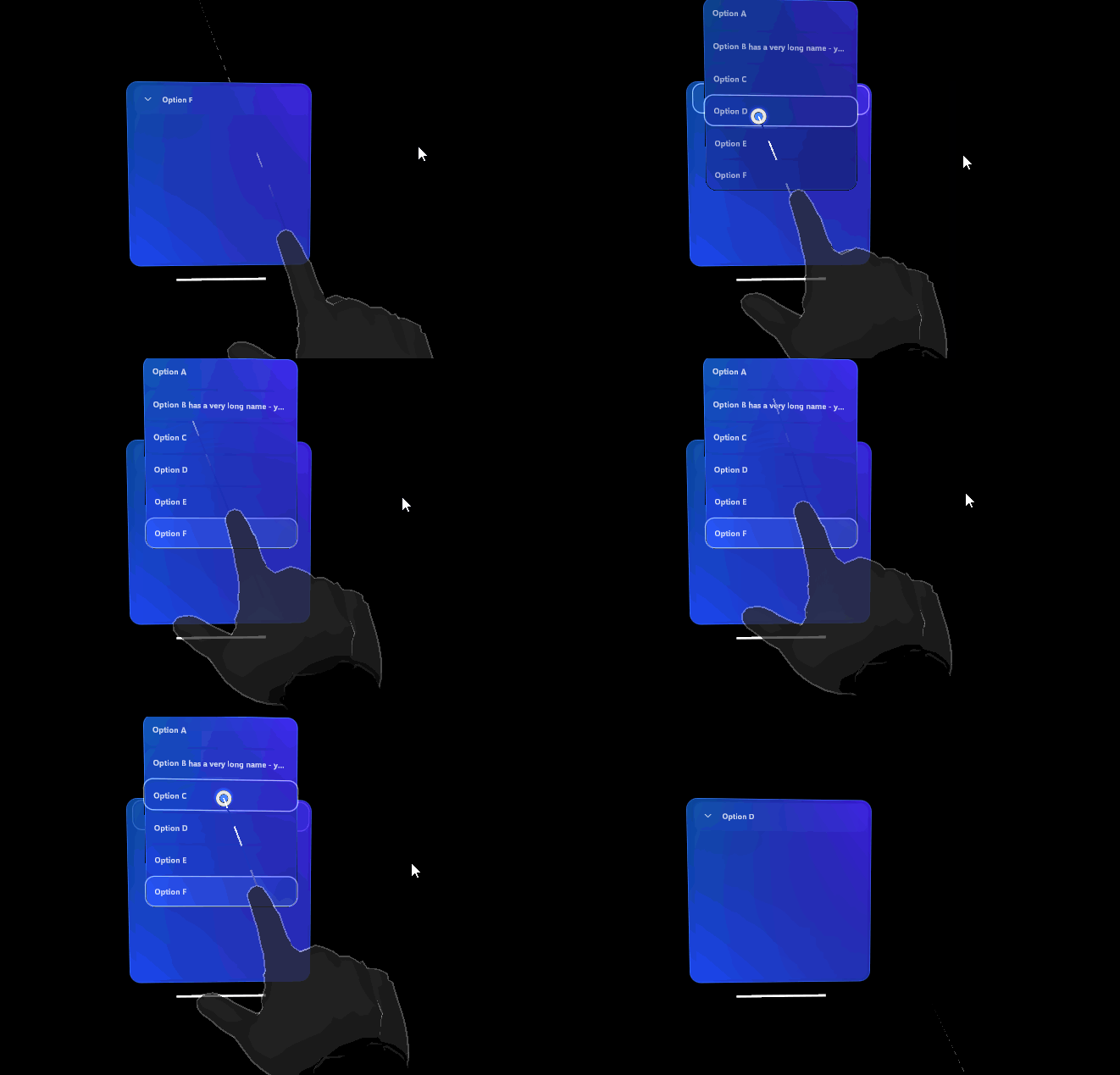
:)

Your popup menu looks fantastic, by the way! Feel free to open a PR for that too if you'd like!
I'm working on my own dropdown in another branch, but I'd love to take a look at yours as well.

I'm working on my own dropdown in another branch, but I'd love to take a look at yours as well.
I'd be happy to - though there are a couple of things to resolve before it'd be flexible enough and suitable for general consumption:
- https://github.com/microsoft/MixedRealityToolkit-Unity/pull/10795
- It's very easy to accidentally press through a popup and trigger the button or another piece of UI behind - can you suggest a strategy to work around this?
- It needs the equivalent of a "clickaway" listener - any suggestions?
@camnewnham
It's very easy to accidentally press through a popup and trigger the button or another piece of UI behind - can you suggest a strategy to work around this? It needs the equivalent of a "clickaway" listener - any suggestions?
XRI doesn't really do "modality"; i.e., there's no way to push or pop layers of UI modally, so neither of these are really that easy to do with XRI. For the first one, I would suggest literally bringing the popup towards the user and increase the Z separation between the foreground popup and background.
Clickaway events are similarly tricky... clicking "away" implies that the thing itself has some sort of modal focus. In the future, we may ask XRI folks to either implement this sort of modality, or perhaps implement our own support for it as a subclass of the XRInteractionManager (or at least add "clickaway" event handling to the XRInteractionManager).
https://docs.unity3d.com/Packages/[email protected]/api/UnityEngine.XR.Interaction.Toolkit.XRInteractionManager.html
![azure-pipelines[bot] avatar](https://avatars.githubusercontent.com/in/9426?v=4 "Published by a pub.dev verified publisher")
I've updated this to add some clarity. The previous approach using a setter was slightly confusing because runtime changes in editor (toggling useMask) wouldn't be triggered, which made the logic harder to read.
Instead:
- Use the serialized editor-friendly property
useMaskto determine the intent (should mask be applied or not) - Cache value
maskAppliedto know the current state of the mask (is the mask currently applied) - During a
Fit()operation, ensure that the mask is applied or removed as required
