

 microsoft
Pictures made with HoloLens show very dark background when using OpenXR
Describe the bug
When you take a picture with HoloLens, the background (reality) is very dark:

It used to be like this:
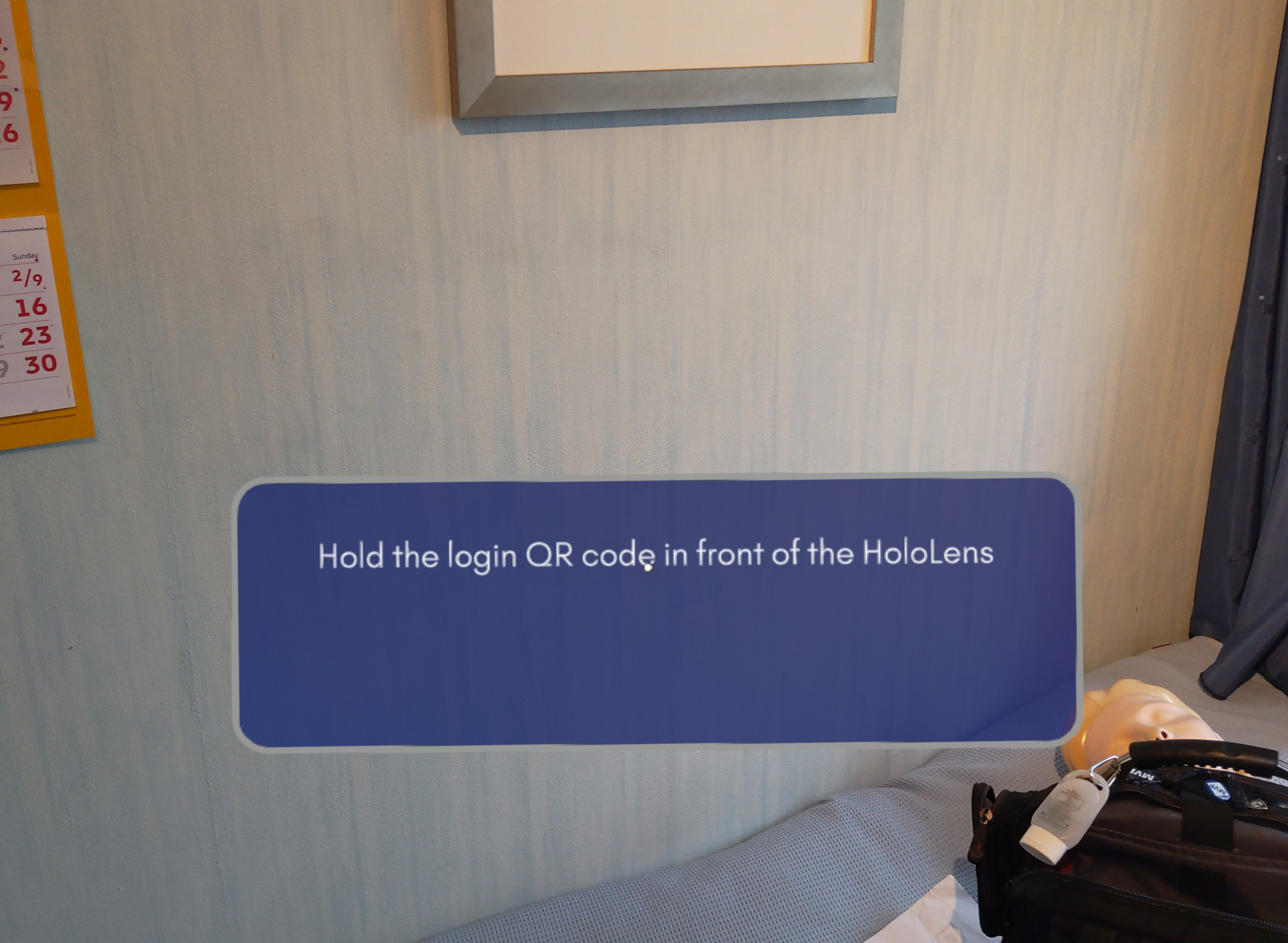
The weird thing is, this happened before, and was fixed. I blogged about this here: https://localjoost.github.io/Fix-Dark-background-when-taking-pictures-or-making-movies-with-HoloLens-2-and-OpenXR/
Now this problem seems to be back again.
Expected behavior
Your setup (please complete the following information)
- Unity Version 2020.3.27f1
- MRTK Version 2.7.3
- Mixed Reality OpenXR plugin 1.2.1 / 1.4.3 (upgrading did not fix it this time)
Target platform (please complete the following information)
- HoloLens 2

I have the same issue when using post processing on the camera. And it also affects video capturing (mixed reality capture). When disabling post processing on the camera (Camera->Rendering->Post Processing), it doesn't add the dark background. By the way, I am using the URP render pipeline - it might be related to that as well.

Hey @LocalJoost, this is definitely unexpected behavior! Would it be possible to try to repro with the sample project at https://github.com/microsoft/OpenXR-Unity-MixedReality-Samples/#welcome? Preferably by taking a screenshot with the "debug data board" in view, so we can try to investigate with the exact versions of the runtime and whatnot. Thanks!

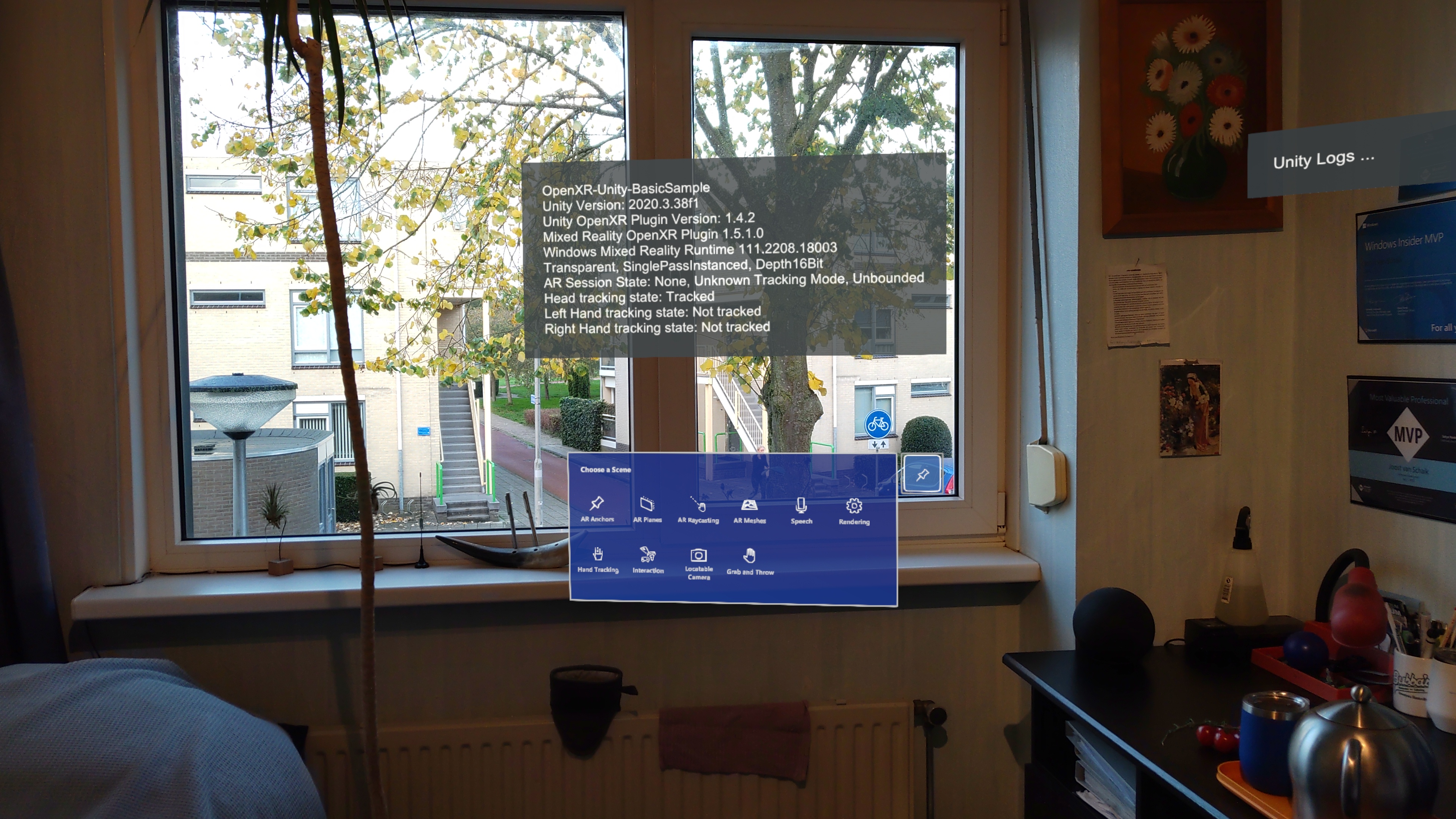
Hrm yeah...I'm also unable to repro in a couple of local projects. Any chance you might be able to put together a min repro? Or any specific project settings you might have changed recently?
@LocalJoost Do you have postprocessing active in your project? And what render pipeline are you using (built in, URP, ...) ? In our project, the dark background only appears when we have postprocessing active. When we disable it, the dark background disappears.
@LocalJoost , we cannot observe this issue using a few projects in our hands. Could you please find a Unity project with this issue and send to us to diagnose?

Hi, I have demolished the project we observe this in to the point it does nearly nothing but show a floating window from the MRTK. You can find it here. The effect can be clearly seen
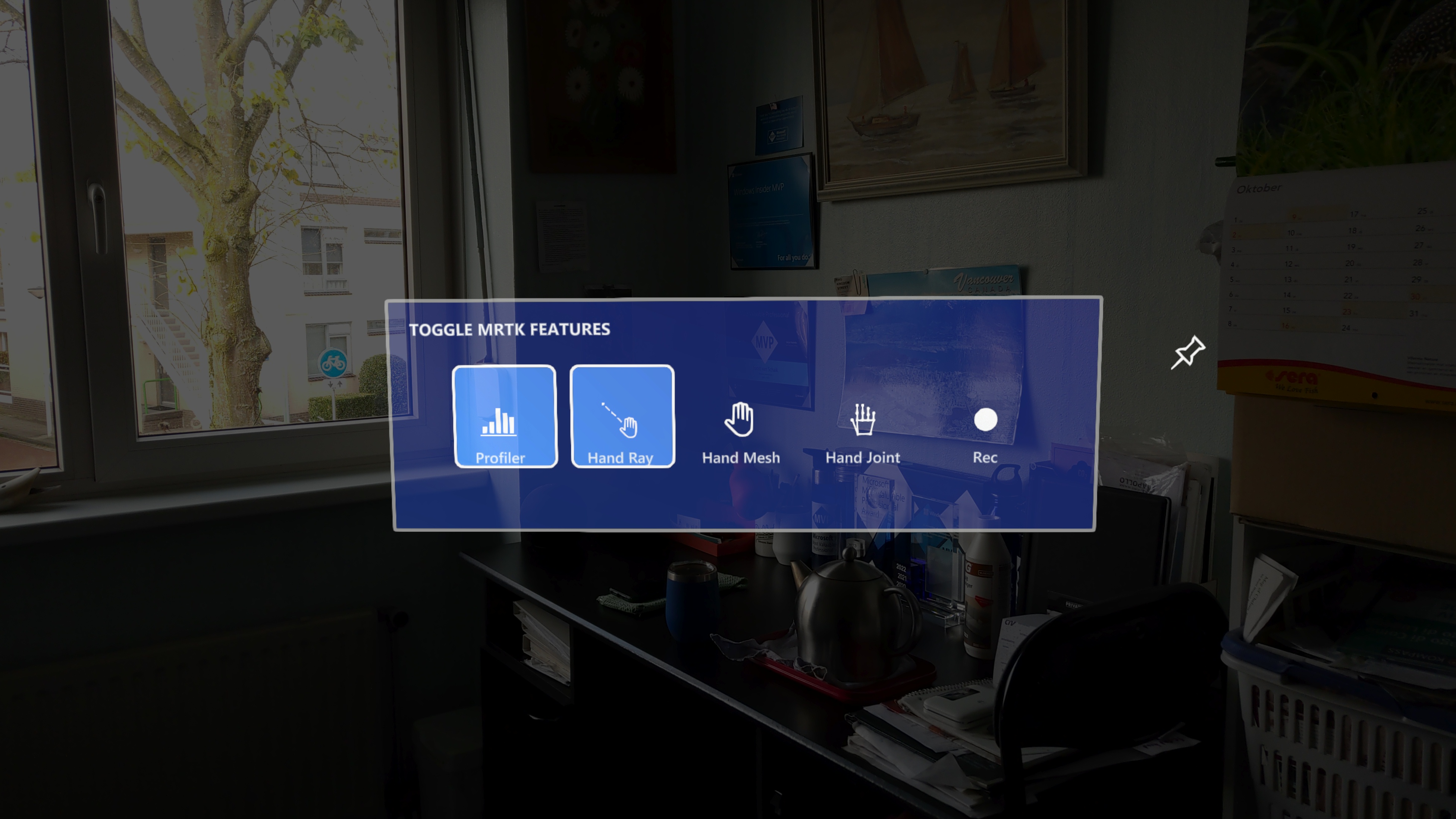
@LocalJoost Hi, I've been encountering the same problem. What was surprising, was that every now and then the problem was disappearing and appearing again. I've managed to track down the issue to Unity Splash Screen setting.
 If you untick this setting and disable splash screen - photos will get the dark background. Keeping it in the app fixed the issue on my side.

Hi, I'm also running into this issue since changing the render pipeline to URP. I don't know if it is directly connected to that, but suddenly I have these dark backgrounds in the mixed reality capture. I already made sure that the splash screen is enabled and post-processing disabled. They were already correctly set. Still, the issue remains. Is there anything else I could try?
Edit: After some testing, I captured the following screenshot:
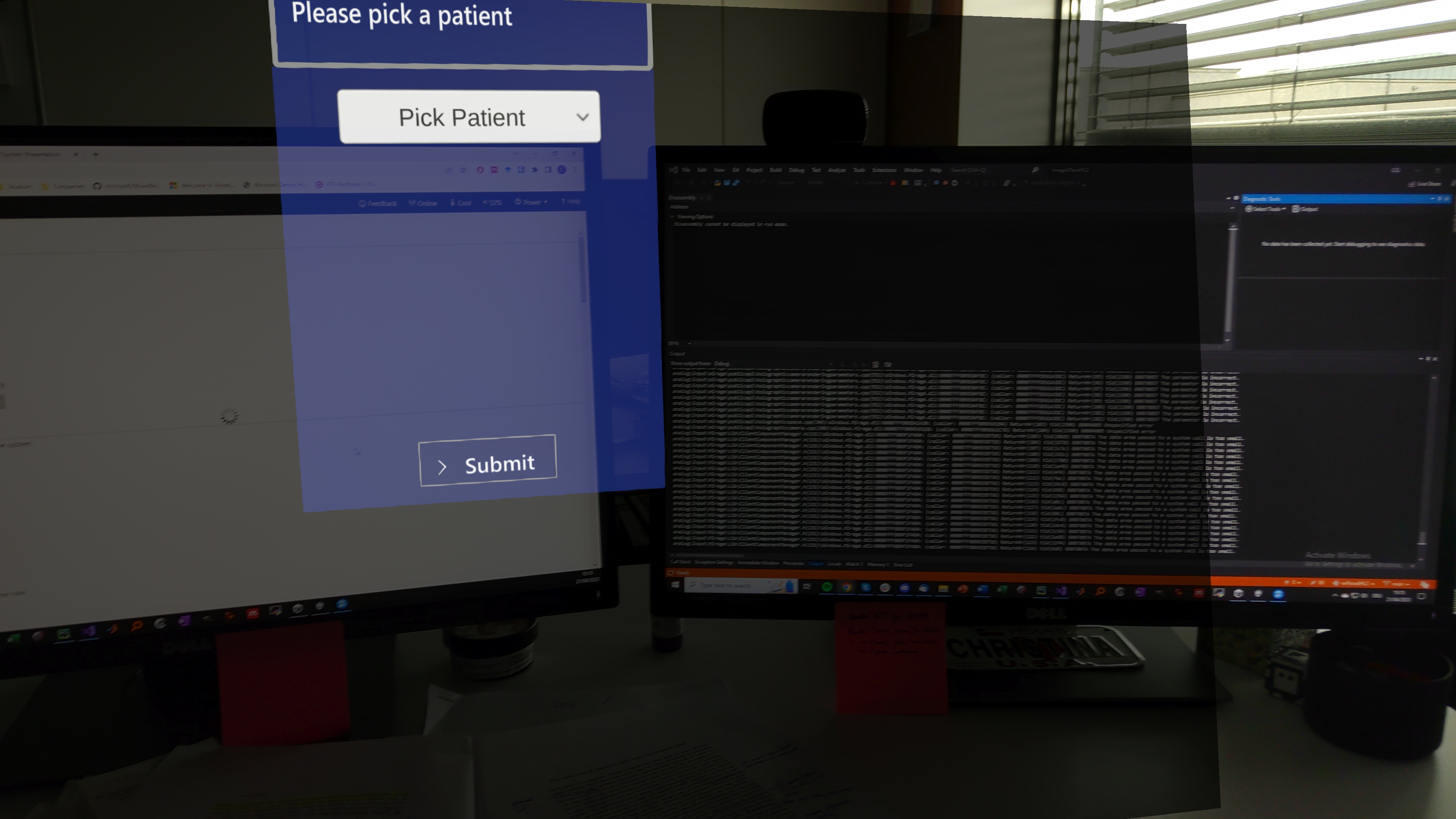
To the right, the capture looks correct. It looks as if there is some sort of black canvas rendered behind the virtual objects, which does not clear to transparent black in the mixed reality capture. However, i have no clue where this comes from and how I can get rid of it.

I'm also experiencing this with OpenXR and URP in Unity 2022 (MRTK3).
Maybe related: prior to switching to Unity 2022 and URP, transparent splash image was transparent - now it has a solid color background.

For those using URP: can you try turning HDR off on your main camera (under Output) and see if the issue goes away? I narrowed down that setting to a similar, but not identical, rendering issue and I'm curious if that affects anything here.
Thanks for the tip @keveleigh - turning off HDR in the rendering pipeline settings has resolved the issue for me. 👍
Thanks for the tip @keveleigh - turning off HDR in the rendering pipeline settings has resolved the issue for me. 👍
Apologies, @keveleigh - I was either mistaken or it intermittently doesn't occur - with HDR disabled this is still happening, at least in recorded video.
I have the same issue, I have an empty app with just a single cube. In HoloLens it looks fine, Mixed Reality Capture has dark background. I tried enabling/disabling splash screen (bought Unity Pro trial just for this), disabled HDR, still the same. Any other ideas what could help ? Unity : 2021.3.30f1 MRTK : 3.0.0 HoloLens 2 Windows version : 22621.1133 HoloLens 2 OpenXR Runtime Version : 112.2211.2002.0

I also have the same error occurring - I am incorporating QR code tracking from @LocalJoost and running into the same black background overlay. Has anyone found a solution yet?

This recently came up again for us during a Unity/dependency update. - I think from going from MRTK 3 pre-16 to 3.0. It seems the MRTK rig sets a solid clear color for the main camera, whereas it should have alpha=0.
This resolved the issue.
The splash screen still doesn't support transparent backgrounds, but that's much less of an issue.
We appreciate your feedback and thank you for reporting this issue.
Microsoft Mixed Reality Toolkit version 2 (MRTK2) is currently in limited support. This means that Microsoft is only fixing high priority security issues. Unfortunately, this issue does not meet the necessary priority and will be closed. If you strongly feel that this issue deserves more attention, please open a new issue and explain why it is important.
Microsoft recommends that all new HoloLens 2 Unity applications use MRTK3 instead of MRTK2.
Please note that MRTK3 was released in August 2023. It features an all-new architecture for developing rich mixed reality experiences and has a minimum requirement of Unity 2021.3 LTS. For more information about MRTK3, please visit https://www.mixedrealitytoolkit.org.
Thank you for your continued support of the Mixed Reality Toolkit!
