microsoft
Quest 2 Hand rays are not aligned with the user/controllers in the VitualizedListExample scene
Describe the bug
When entering the Virtualized List Example scene, the hand-rays on both hands were very off, left and above where they should be located. The hand-rays functionality is working as intended, user can still select, and drag objects, just not centered with the controllers
To reproduce
- Launch Virtualized List Example scene
- See issue right away, have not had it persist into other scenes
Expected behavior
Hand-Rays track with the user/controllers
Video
https://user-images.githubusercontent.com/110259320/183745863-01db23d0-6050-48aa-9694-4e51737ee82c.mp4
Your setup (please complete the following information)
- Unity Version 2020.3.37f1
- MRTK Version 3.0
- Commit Version 6a6b51b19ab81a90d9e9c4cb80452dfebf47d567
Target platform (please complete the following information)
- Quest 2

I've seen this sporadically reproduce in other scenes, too. I'm going to guess this a race condition of some kind, and perhaps scene loading makes it worse? I'll take a look.

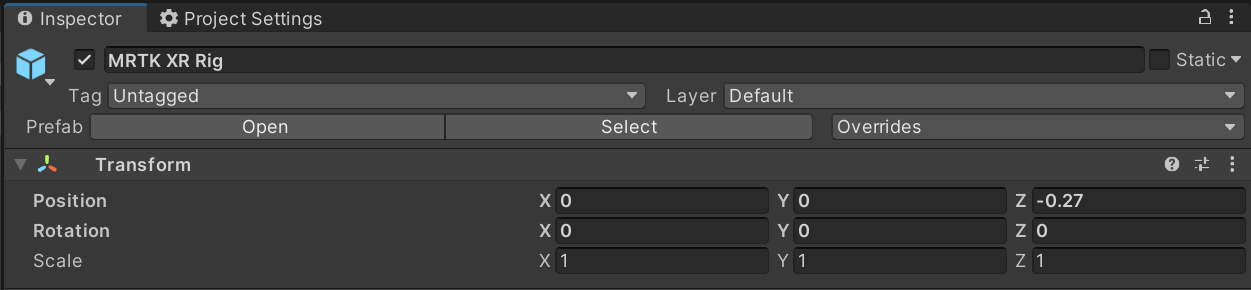
I wonder if this is due to a non-origin Playspace/XROrigin? We adjust the hand joints ourselves, but I'm not sure we apply any adjustments for the rays.

Looks like the rig in the VirtualizedScrollRectList scene does have an origin offset by default: