

 microsoft
Implementing CI CD for SPO Sharing settings (SharePoint online)
Please provide me high level steps to perform CI CD testing for the following use case https://github.com/microsoft/Microsoft365DSC/wiki/SPOSharingSettings , Here one of the parameter "SharingCapability" want to set to NO and perform a CI CD test. I have office 365 tenant with SharePoint admin centre &, DevOps tools to do it. But not sure where to begin. Please help. Thank you . I have already gone through basic DSC training but not certain where to begin for this use case.

We have a whitepaper with this exact scenario on the microsoft365dsc.com website: https://office365dsc.azurewebsites.net/Pages/Resources/Whitepapers/Managing%20Microsoft%20365%20with%20Microsoft365Dsc%20and%20Azure%20DevOps.pdf

Hi Ykujis,
Thank you very much for sharing it.
I will implement it in azure devops and in other devops tools as well.
I believe I have to follow same procedure and steps when I execute in bitbucket + TeamCity? I mean TeamCity, does it require any additional dependencies or Softwares to achieve this task?
Please confirm. Thank you.
Sorry, I do not have any experience with Bitbucket and Teamcity, so can't provide you with an answer here. We have focused on DevOps only here.
Hi Yorick,
I got it, I will have to create azure VM. I realised later when I was going through document.
Hello Ykujis,
2 questions:
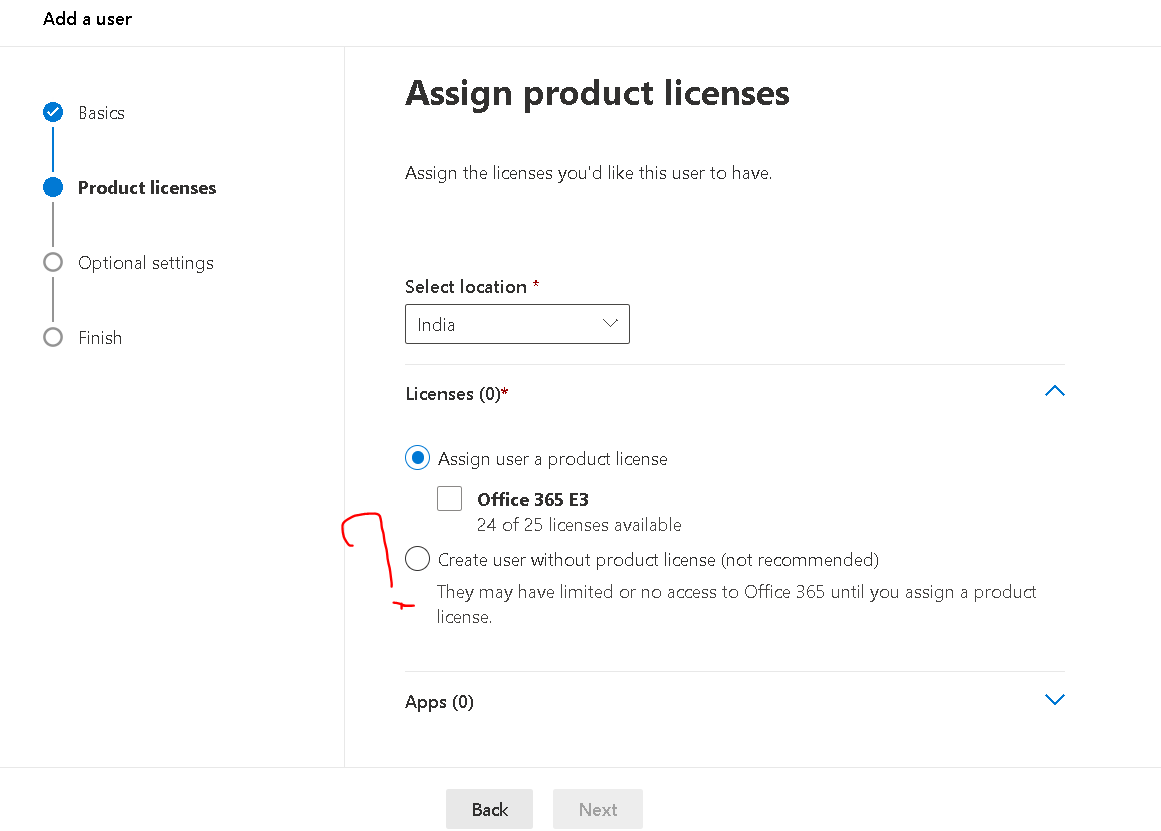
I was trying to create account in office 365 admin centre with name "DSConfigAdmin" which one I need to select, I believe it is second option as per the document from below screenshot, can you please confirm?
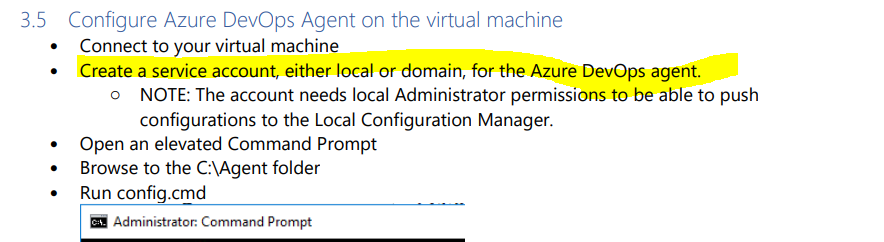
- I am not clear on service account like where it need to be created is it from azure ad or azure VM? Please provide me clear steps here. Thank you.
That is correct, the user does not need any license.
The service accounts needs to get created either on the local VM or in the domain of which the VM is a member (only when it is a domain joined machine).
Hi Ykujis,
Agent was registered successfully on the VM. Now I am stuck at the following step.
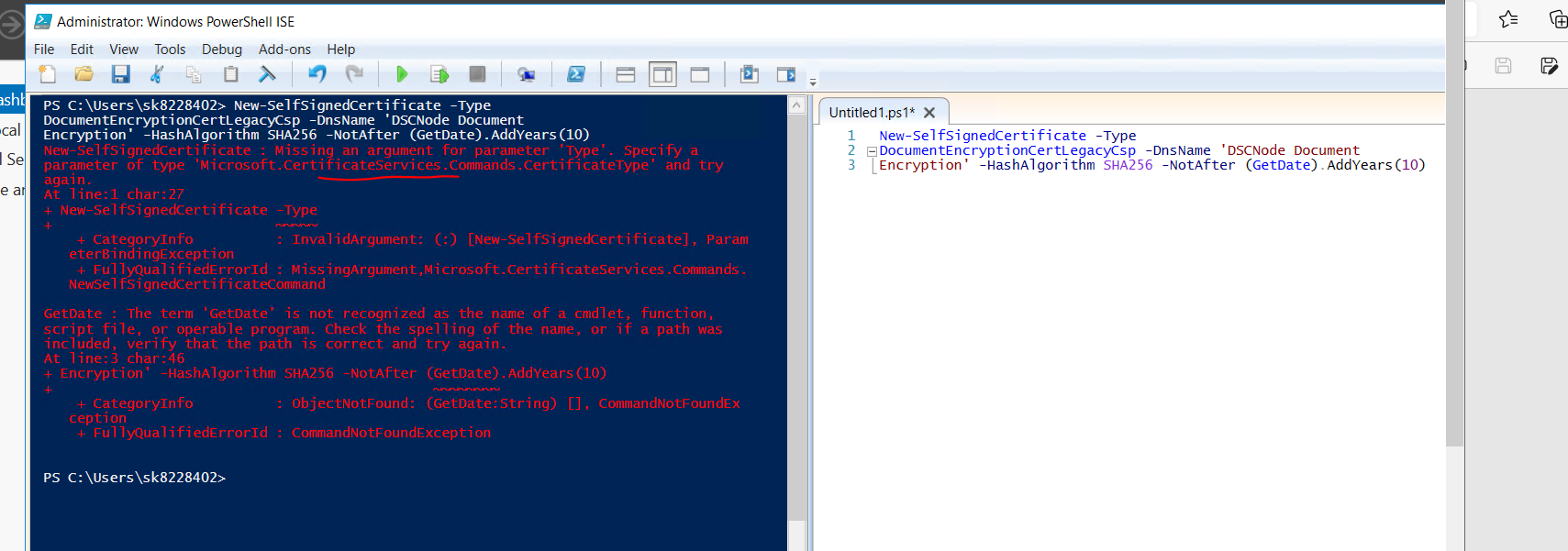
To create a cert in VM , I have tried to execute the command you have provided in the document, however it is coming up with following error. Do you want to me use the type mentioned in the error. Please suggest
Hi Ykujis,
Just want to check, did you have a chance to look in to my above thread?
Hi @soundd2, you have two issues here: First: You have to specify the entire command on one line. As you can see in the right part of the screenshot, right now you have the command on three lines, indicated by the 1,2,3 numbering on front of the lines. Second: You have typed the Get-Date command correctly, it is missing the dash ("-") between Get and Date.
Hello YKuji,
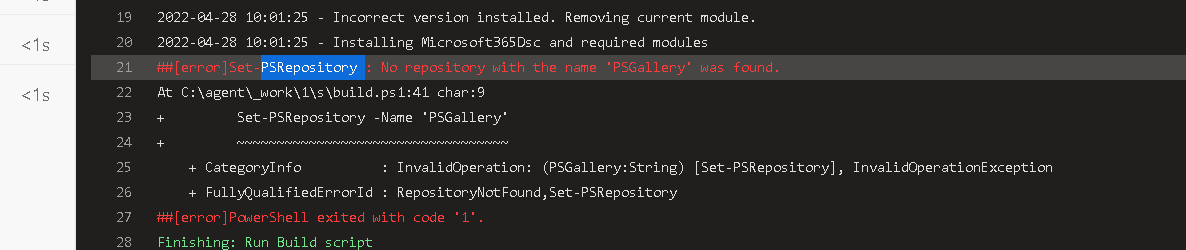
I have installed all the necessary softwares and module in the agent machine, However I am still seeig below error in the build pipeline task:
Awaiting for your response.
I think your PowerShell installation doesn't have the galleries configured correctly. Is Get-PSRepository returning the PSGallery?
If not, please run the command Register-PSRepository -Default to register all the default PSGallery repository.
HI Ykujis,
I tried that step but still some error and build is failing at that step with same error
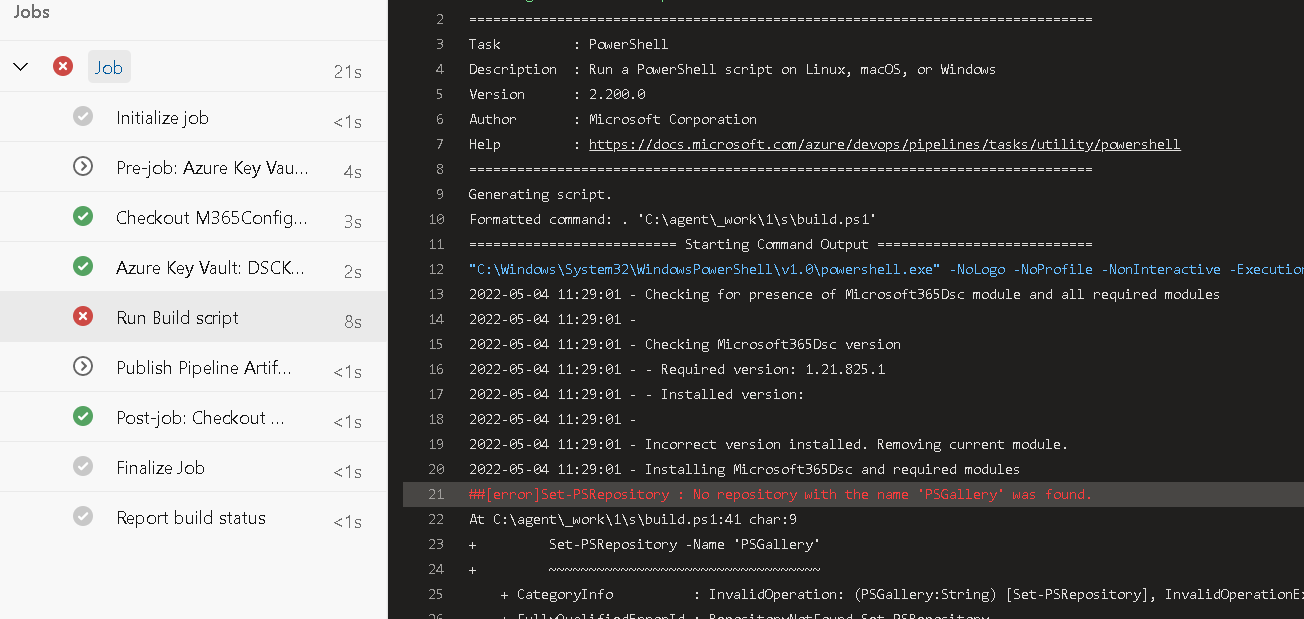

Did you run the Register-PSRepository under the same account as the DevOps agent?
Hi Ykujis,
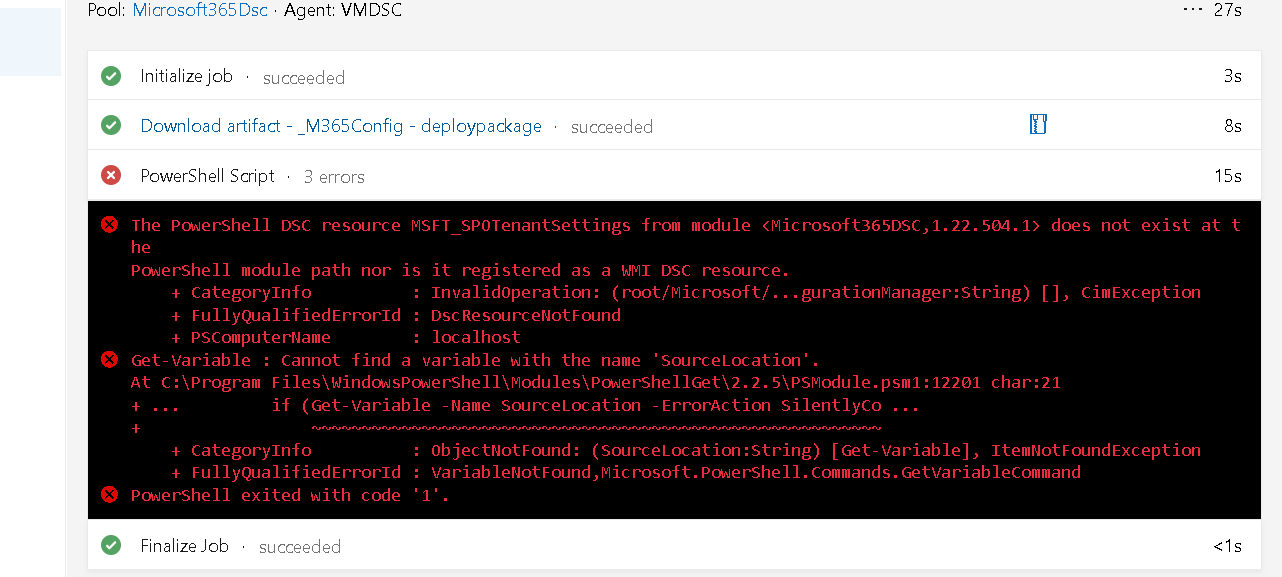
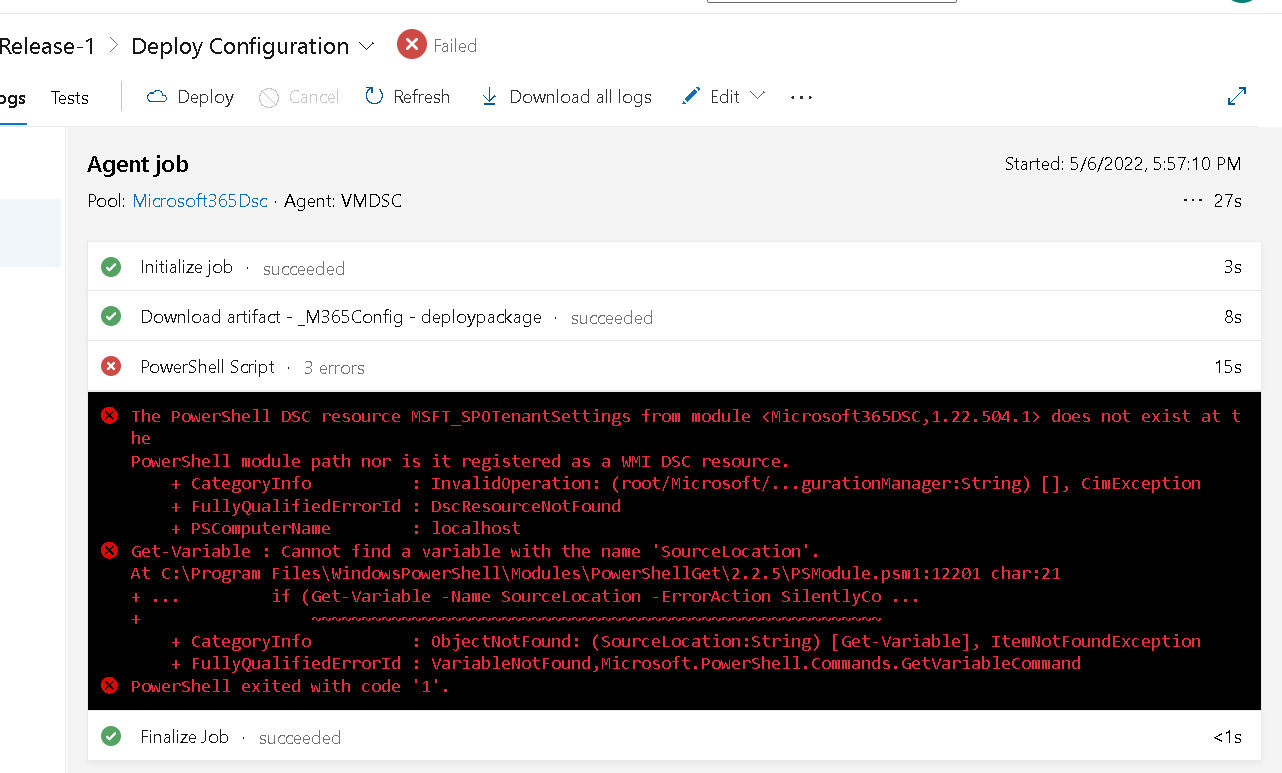
After installing beta version for PSGallery with DevOps Agent account, I could resolve the issue now build pipeline is successful However, created release pipeline and it is failing with 3 error after I ran it, please suggest, I have implemented each and every step but still not sure what is causing to fail release pipeline
Hi Ykuji,
Please let me know why errors in the release pipeline? Here are respective logs and my DS configuration details in the VM
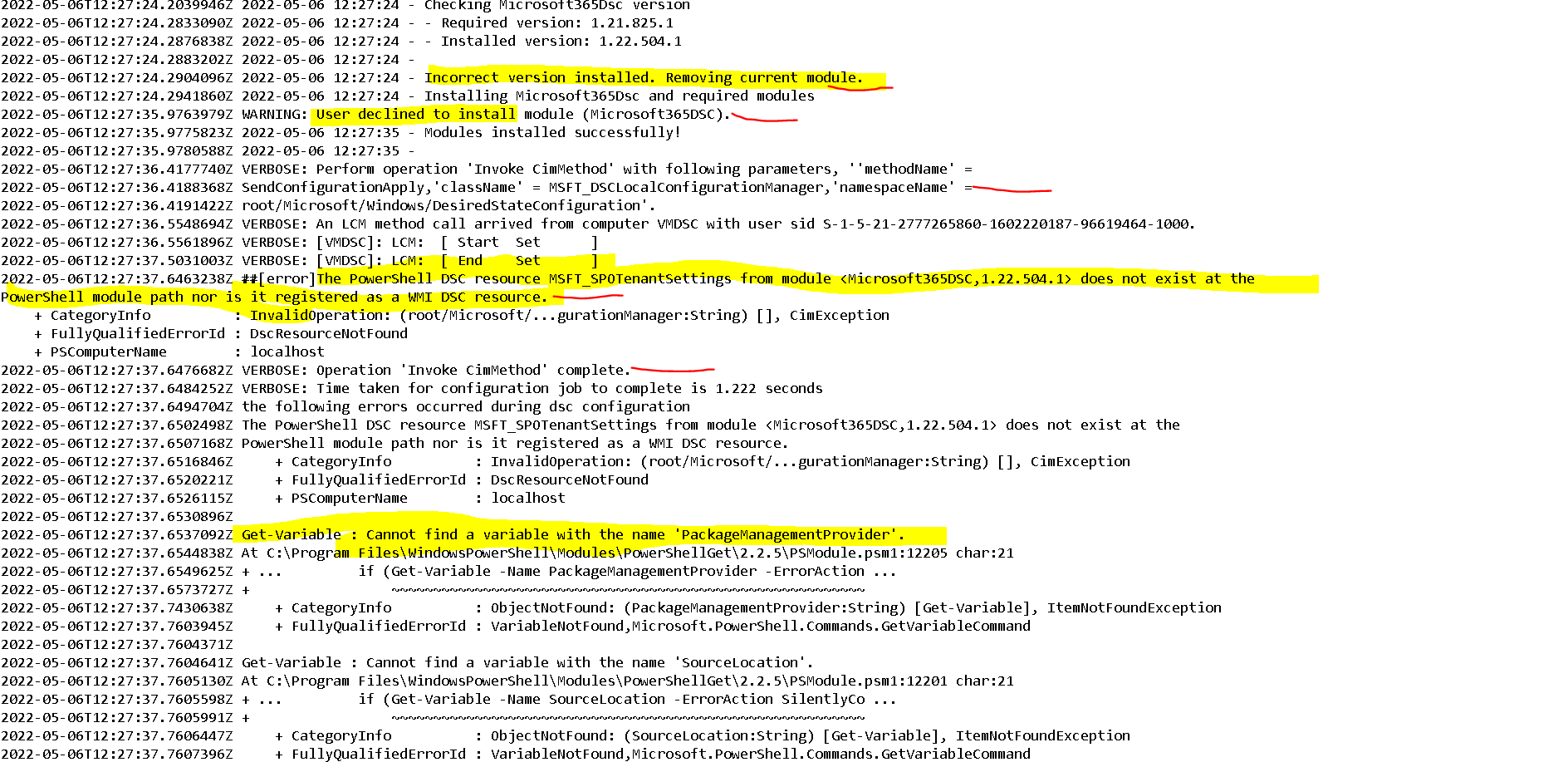
Please find the log screenshot here:

Below is the coniguration of details on my respective VM (self agent)
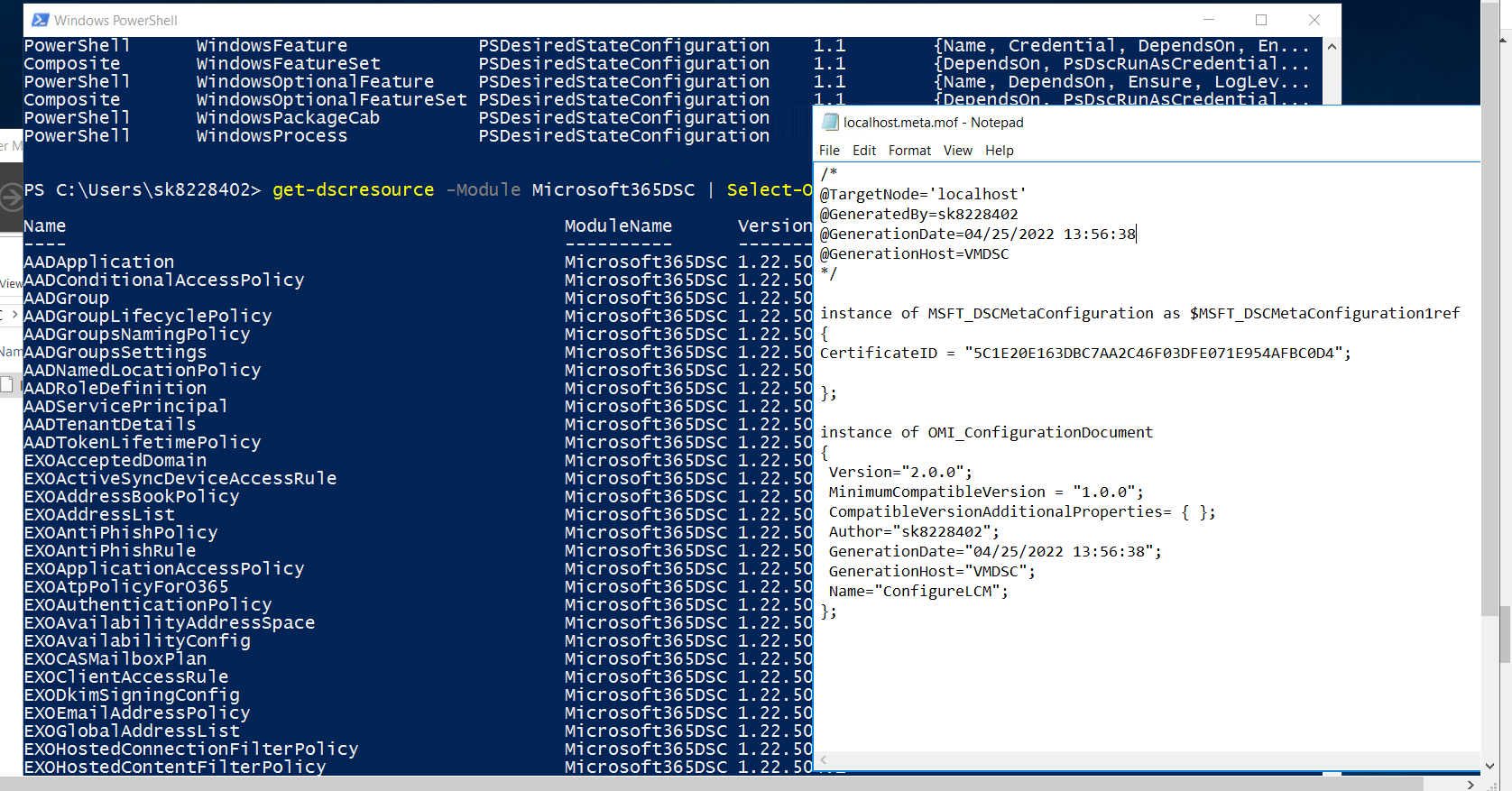
Please help on this.
My guess is that your PowerShell installation has some old modules installed of the Package Manager. When you update these, I think the issue will be solved. Please do the following:
Login with the service account of the DevOps agents and run the following commands:
[Net.ServicePointManager]::SecurityProtocol = [Net.SecurityProtocolType]::Tls12
Install-Module PowerShellGet -RequiredVersion 2.2.4 -SkipPublisherCheck
Hi Ykuji,
I executed the steps you have provided, but still same error again.

Hi Ykuji,
PFA logs
Regards Shyam(Soundd2)
On Tue, May 10, 2022 at 12:57 PM Yorick Kuijs @.***> wrote:
I need more information here. Can you upload the full log?
— Reply to this email directly, view it on GitHub https://github.com/microsoft/Microsoft365DSC/issues/1874#issuecomment-1122027419, or unsubscribe https://github.com/notifications/unsubscribe-auth/AWTOEL3PI44U4SG2IGCHR5TVJIFUPANCNFSM5TAKGQNA . You are receiving this because you were mentioned.Message ID: @.***>
Hi Ykuji,
Just want to check, Did you get chance to check my previous thread?
Hi @soundd2, there are no logs attached in your previous reply. Not sure if attachments added to mails are added to replies. Please use the GitHub page to add the attachment instead.
Hi @soundd2, the log shows this warning:
2022-05-12T12:43:36.3727728Z WARNING: User declined to install module (Microsoft365DSC).
This means the module wasn't installed and therefore the deployment can't run properly. The logging also shows you are trying to install v1.21.825.1 and when I try to install that locally, it also does not install because it is missing a dependent module: MicrosoftTeams. This is caused by the fact that that version of the Teams module has been pulled by the Teams product group.
Please update the version number in the DscResources.psd1 file in the repository to 1.22.518.1 and try again.
The log shows this:
2022-05-12T12:43:06.1390354Z 2022-05-12 12:43:06 - Checking Microsoft365Dsc version
2022-05-12T12:43:06.3800993Z 2022-05-12 12:43:06 - - Required version: 1.21.825.1
2022-05-12T12:43:06.3846754Z 2022-05-12 12:43:06 - - Installed version: 1.22.504.1
2022-05-12T12:43:06.3855763Z 2022-05-12 12:43:06 -
2022-05-12T12:43:06.3876339Z 2022-05-12 12:43:06 - Incorrect version installed. Removing current module.
2022-05-12T12:43:06.3914608Z 2022-05-12 12:43:06 - Installing Microsoft365Dsc and required modules
2022-05-12T12:43:36.3727728Z WARNING: User declined to install module (Microsoft365DSC).
Installing v1.21.825.1 locally gives this error:

Hi Ykuji,
I updated the version number in the DscResources.psd1 file in the repository to 1.22.518.1 and ran the release pipeline. But failed again, looks like same error again. PFA logs. ReleaseLogs_3.zip
Did you review the logs yourself? I see the exact same error and still a reference is made to the old version:
2022-05-24T07:55:29.4974946Z 2022-05-24 07:55:29 - - Required version: 1.21.825.1
2022-05-24T07:55:29.4994978Z 2022-05-24 07:55:29 - - Installed version: 1.22.504.1
2022-05-24T07:55:29.5033967Z 2022-05-24 07:55:29 -
2022-05-24T07:55:29.5044388Z 2022-05-24 07:55:29 - Incorrect version installed. Removing current module.
2022-05-24T07:55:29.5046755Z 2022-05-24 07:55:29 - Installing Microsoft365Dsc and required modules
2022-05-24T07:55:49.6606023Z WARNING: User declined to install module (Microsoft365DSC).