

 microsoft
Adaptive card doesn't trigger topic in PVA
Describe the bug
Adaptive card doesn't trigger topic in PVA when data value intent is set
Version
Version: 2.1.2 Electron: 8.2.4 Chrome: 80.0.3987.165 NodeJS: 12.13.0 V8: 8.0.426.27-electron.0
Browser
- [x] Electron distribution
- [x] Chrome
- [x] Safari
- [ ] Firefox
- [x] Edge
OS
- [x] macOS
- [ ] Windows
- [ ] Ubuntu
To Reproduce
Steps to reproduce the behavior:
- Create a PVA bot and reuse the Enterprise Assistant Bot 'Bot Tour' dialog
- It sends the initial card
- Click on 'Calendar' or 'People' button.
- The bot is not able to understand the intent in PVA.
Expected behavior
The PVA should be able to handle the Action.Submit with 'intent' name in data and invoke the respective topic.
Screenshots
This is the place where we inform what intent to be invoked. But it doesn't work for PVAs.
Also, where is the documentation for the data attribute the the supported values for Composer or PVAs?
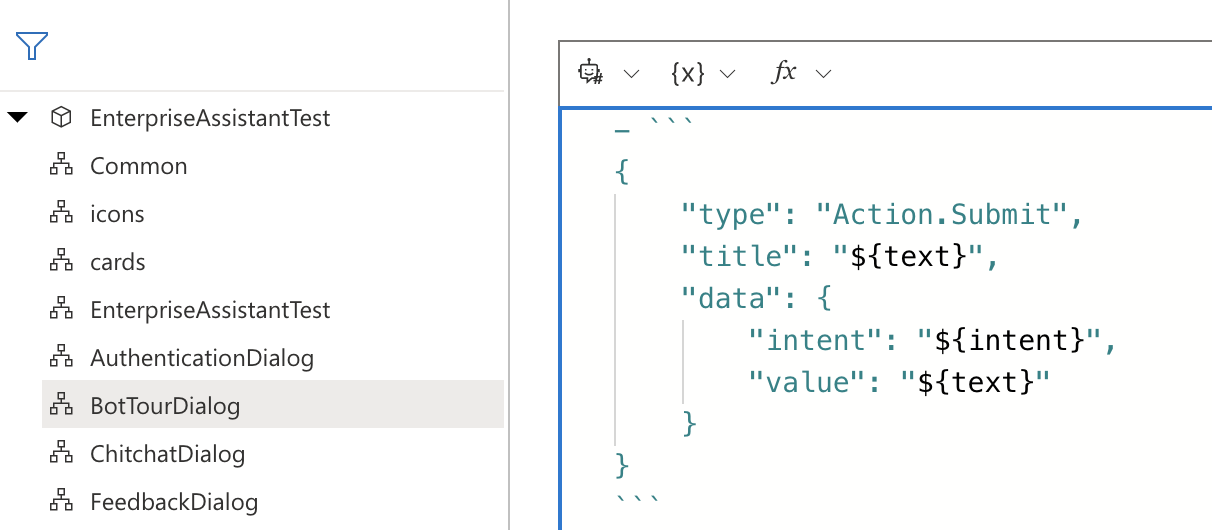
In PVA, even if I have a topic 'CalendarTour' it doesn't get invoked.
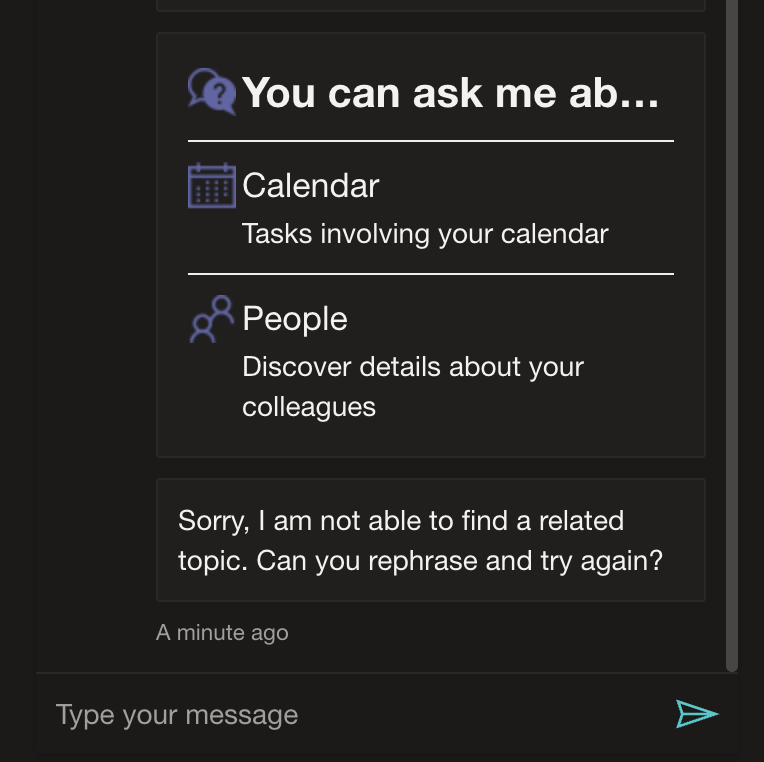


@ryub3n to clarify, are you experiencing this issue specifically when reusing BotTourDialog.dialog or just in general Adaptive Cards doesn't trigger topics in PVA?
Hi @ryub3n, we are working on this. We will report back once we have updates.
Thanks for your patience.
Hi @ryub3n.
I'm not able to reproduce this issue in PVA after clicking on the Adaptive card 'Calendar' or 'People' buttons.
Sharing steps I took:
- Opened PVA bot in Composer
+ Add a dialog, named it BotTourDialog- In the new dialog, I reused Enterprise BotTourDialog.dialog line 1 - 95
- In Composer,
Bot Responses -> BotTourDialog -> Show codeand added the LG code from BotTourDialog.en-us.lg - Then added the LG code from cards.en-us.lg & icons.en-us.lg into BotTourDialog.en-us.lg
- Attached is a zip containing final example of BotTourDialog.en-us.zip file
- Published the bot in Composer
- Tested the Adaptive Card in PVA
Screenshot
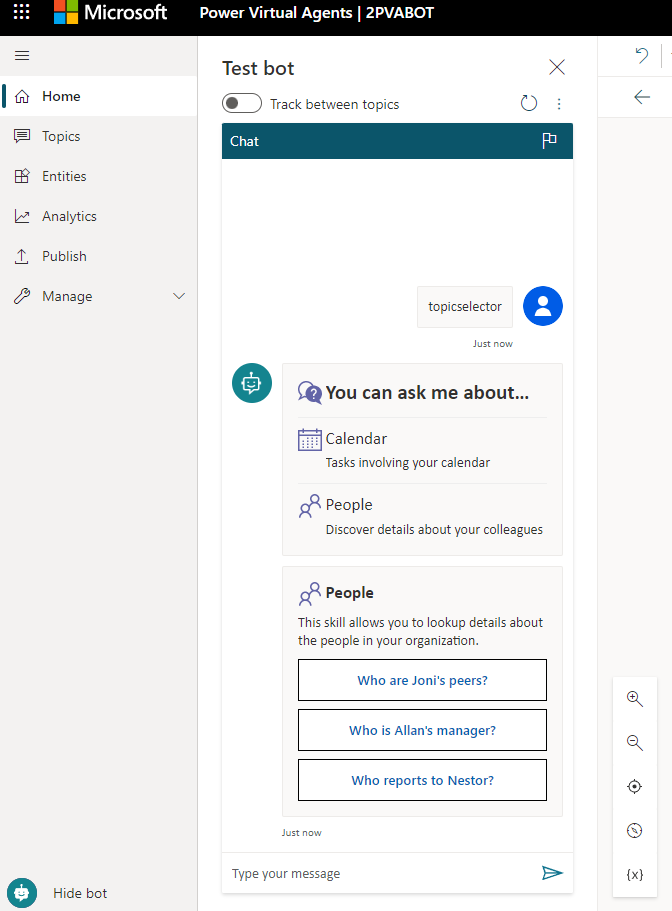
Hope this helps, let me know if you have any questions. Thanks.
@ramfattah, you're half way there. I meant that adaptive cards don't trigger Topics.
Continue with the below steps:
- Remove the PeopleTour and CalendarTour intents in Composer and add them as topics in PVA.
DELETE:
ADD IN PVA:

- The expectation is that a PVA topic can be triggered from an adaptive card as it's basically an intent.
@ryub3n,
Thanks for providing the detailed steps.
I was able to reproduce this issue after removing PeopleTour and CalendarTour intents and adding them as Topics in PVA.
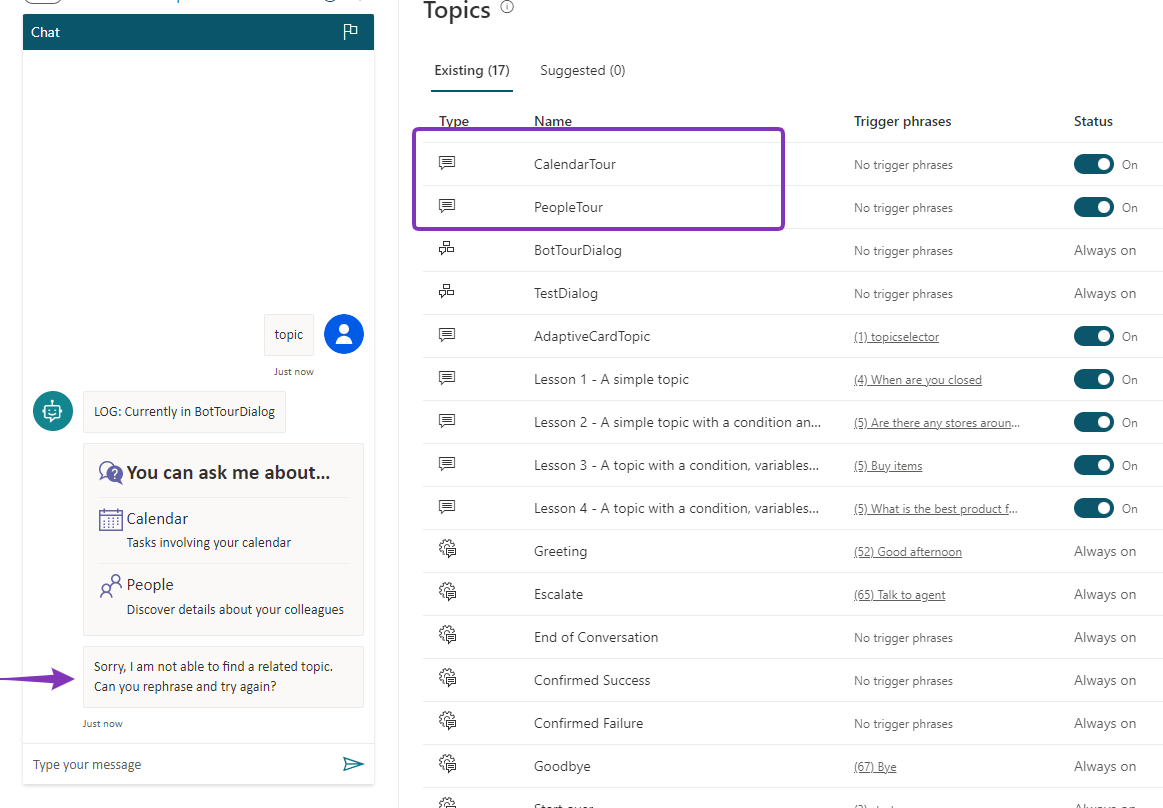
Hi @ryub3n,
Looks like triggering a topic with an adaptive card may not be supported in PVA.
we found a workaround to redirect to a PVA topic without using adaptive cards. I was able to set up a dialog and redirect to PVA topic using "Begin a Power Virtual Agents Topic" action. Documentation here