

 microsoft
What is the correct method to create a CloudAdapter instance?
All Typescript samples follow the following pattern to instantiate a CloudAdapter where the mandatory parameter of type "Configuration" is passed a null value:
- Create a "credentialsFactory with ConfigurationServiceClientCredentialFactory;
- Creates a botFrameworkAuthentication with createBotFrameworkAuthenticationFromConfiguration passing as parameter "null" and the "credentialsFactory";
- Create an "adapter" with CloudAdapter passing as a parameter the "botFrameworkAuthentication";
What is the correct method to create a CloudAdapter instance?
Sample information
**1. Sample type: ** samples 2. Sample language: typescript 3. Sample name:
- 00.empty-bot
- 02.echo-bot
- 03.welcome-users
- 05.multi-turn-prompt
- 06.using-cards
- 16.proactive-messages
- 50.teams-messaging-extensions-search
- 51.teams-messaging-extensions-action
- 57.teams-conversation-bot
- 58.teams-start-new-thread-in-channel
To Reproduce
Steps to reproduce the behavior:
- Clone and install de solution according to instructions in the README
- Configure tsconfig.json with compiler options strict, noImplicitOverride, emitDecoratorMetadata and experimentalDecorators as true
- Build and run application
Expected behavior
Normal build and started application
Screenshots
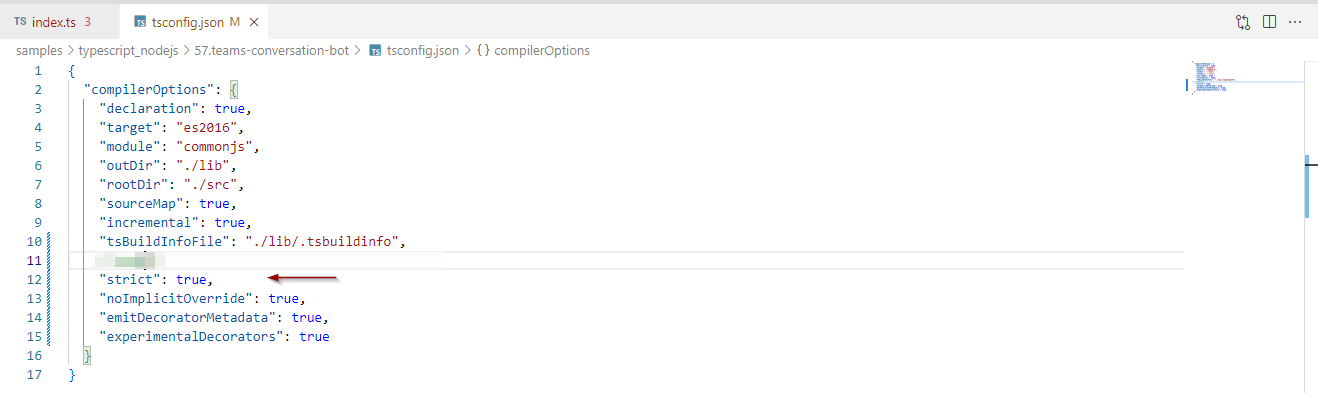
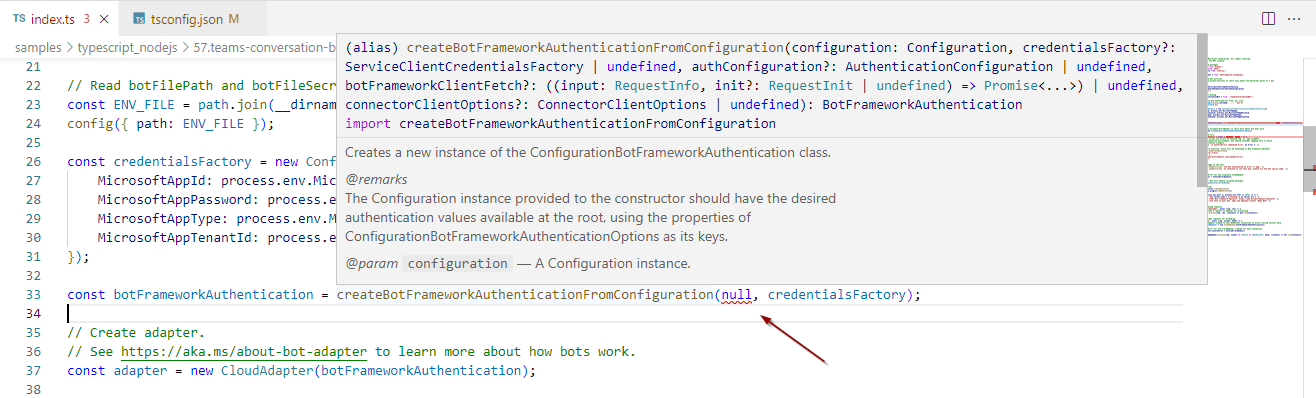
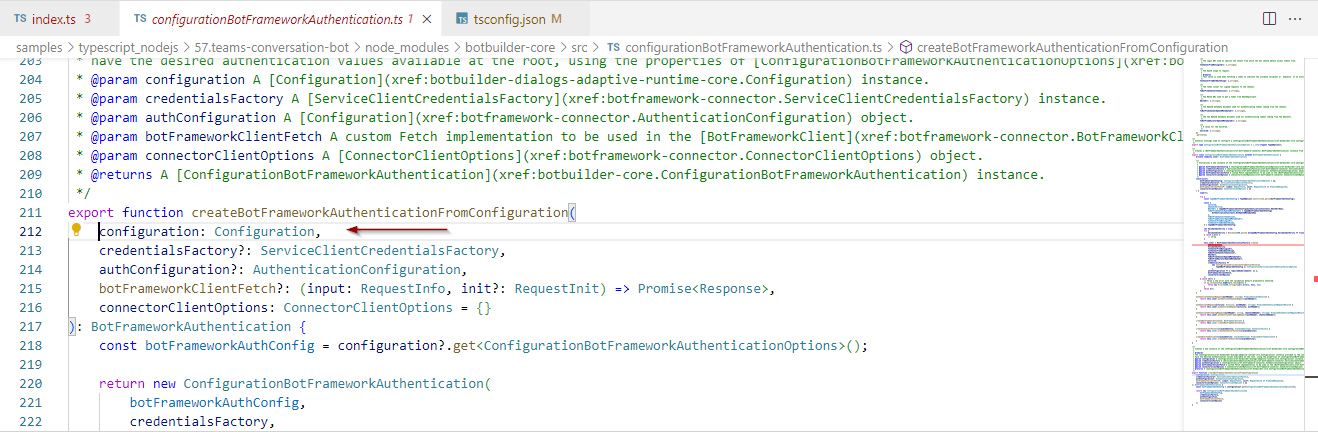

Hi @gleysonlf,
This is probably related to #3792. You can take a look at that one for inspiration for the moment, and I will see about having the TypeScript samples updated as well.

Hi @anishprasad01, thanks for your reply.
I've seen this commit with tweaks, but the parameter applied to the ConfigurationBotFrameworkAuthentication class constructor required BotOpenIdMetadata, OAuthApiEndpoint, ValidateAuthority, or even a ToChannelFromBotLoginUrl.
Once the ProcessEnv has been sent, I receive:
Type 'ProcessEnv' has no properties in common with type '{ BotOpenIdMetadata?: string | undefined; ChannelService?: string | undefined; OAuthApiEndpoint?: string | undefined; ValidateAuthority?: string | boolean | undefined; ToChannelFromBotLoginUrl?: string | undefined; ... 5 more ...; CallerId?: string | undefined; }'.
I tried to directly send an object like ConfigurationBotFrameworkAuthenticationOptions but no success. The app runs but does not connect.
index.ts
const botFrameworkAuthentication = new ConfigurationBotFrameworkAuthentication(
  {
    MicrosoftAppId: 'myString';
    MicrosoftAppPassword: 'myString';
    MicrosoftAppType: 'myString';
    MicrosoftAppTenantId: 'myString';
  } as ConfigurationBotFrameworkAuthenticationOptions
);
Bot Emulator:
POST 400 directline/conversations/<conversationId>/activities
Sending an empty object, I have the same result.
Hello @gleysonlf the PR that addresses this issue has been merged. Could you please try the samples again?

import {
    CloudAdapter,
    ConfigurationBotFrameworkAuthentication,
    ConfigurationBotFrameworkAuthenticationOptions
} from 'botbuilder';

const botFrameworkAuthentication = new ConfigurationBotFrameworkAuthentication(process.env as ConfigurationBotFrameworkAuthenticationOptions);
const adapter = new CloudAdapter(botFrameworkAuthentication);