
AzureStorageExplorer
 AzureStorageExplorer copied to clipboard
 microsoft
Adding a SAS URL with api-version
Storage Explorer Version: 1.10.1 Build Number: 20190919.2 Platform/OS: Windows Architecture: ia32 Regression From: Not sure
Bug Description
Infinite loading icon on Blob Containers treeview item if you add an account with an SAS Url that contains api-version.
Steps to Reproduce
Add an account with an SAS Url that contains api-version. Account gets added successfully, but when you try to browse Blob Containers you get an infinite loading icon. The only way to find out what's going on is to F12 and see in the console the "Uncaught SyntaxError: the SAS token should not contain api-version".
Expected Experience
Either it should just work or Storage Explorer should display an error
Actual Experience
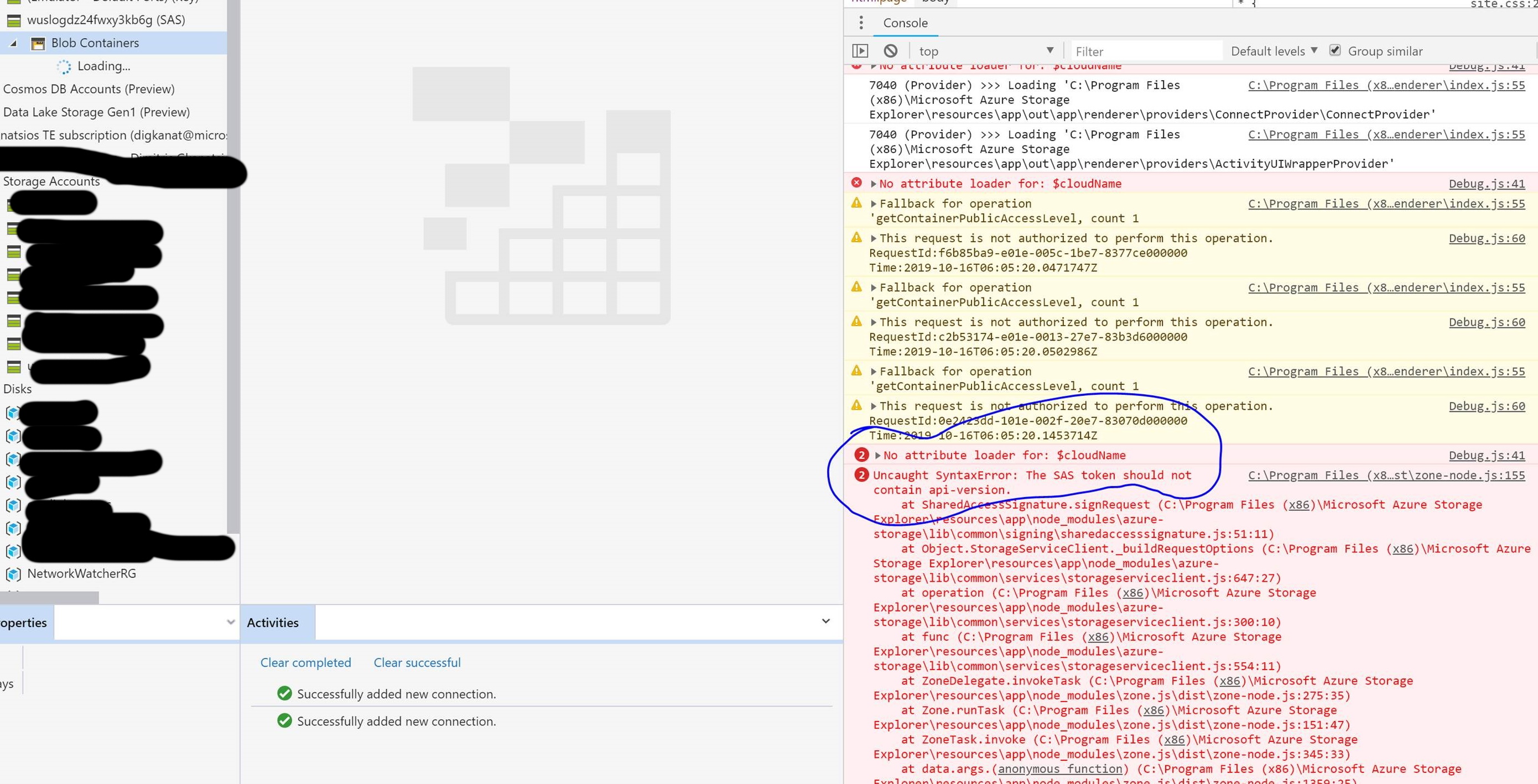
Thank you!

also forgot to write the SAS URL I'm using
https://wuslogdz24fwxy3kb6g.blob.core.windows.net/vmmetrics?sv=2015-04-05&ss=b&srt=sco&sp=racwdl&st=2019-10-16T17%3A08%3A17.5341813Z&se=2019-11-15T19%3A08%3A17.5341813Z&spr=https&sig=REDACTED&api-version=2018-03-28
I have gone through the documentation and did some experiments. The service does support SAS parameter api-version and this error seems to be an issue of the V2 SDK we were using. For blobs and queues, which we already migrated to v12 SDK, the SAS url works just fine.

We are moving our features depending on V2 to V12 SDK. When all are moved, this will be supported.
We have moved all four services to V12 SDK so we just need to verify this scenario now.
By allow people to specify SAS version in the SAS tokens we generate, it would help mitigate this issue https://github.com/microsoft/AzureStorageExplorer/issues/6314.
Confirmed support of api-version in SAS url when attaching accounts. Shipping with 1.29.0 is also the ability to configure api-version as an optional parameter in the SAS generator dialog for accounts and services.
