

 microsoft
[BUG] Legacy/Backup URL Certificate has expired
Description/Screenshot
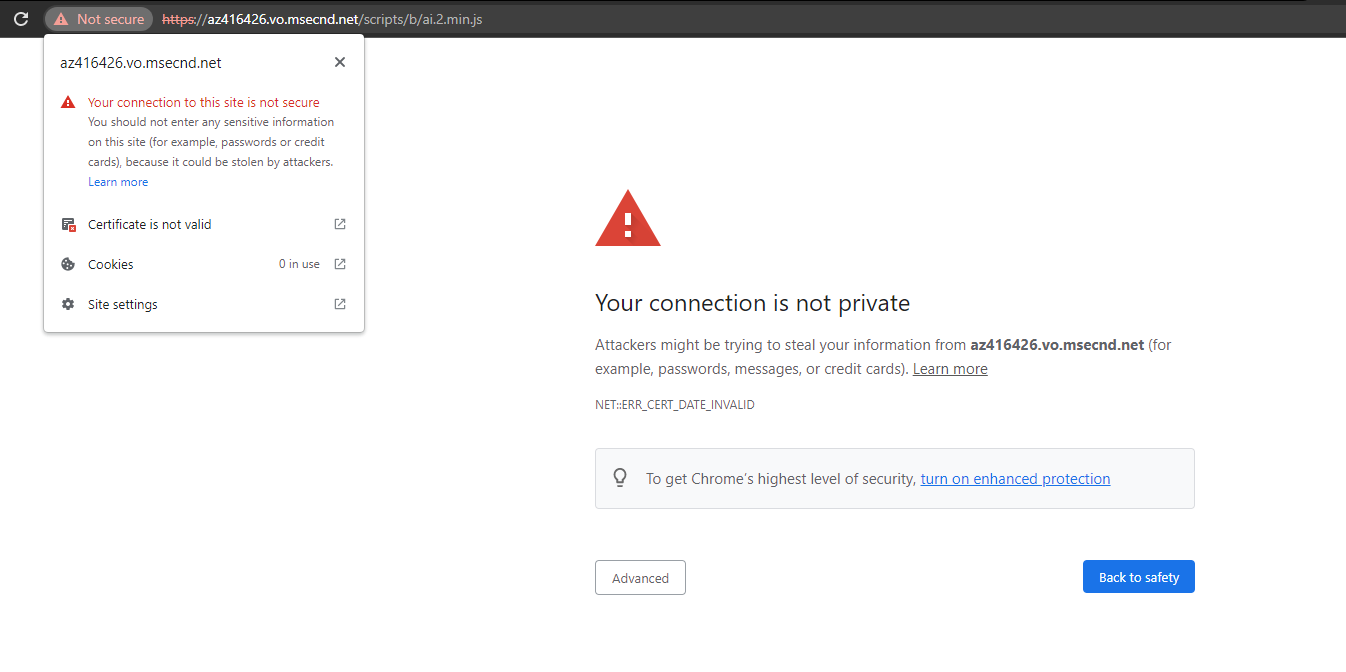
The Legacy/Backup URL for the SDK has a certificate that expired today (21st April 2022).
Steps to Reproduce
Basic
- Launch the App Insights JS SDK URL in Chrome browser, https://az416426.vo.msecnd.net/scripts/b/ai.2.min.js
- Note that Privacy / Security warning is displayed.
Integration
- Load a page that uses the App Insights JavaScript SDK with the legacy URL path
- Note that the snippet fails to download the ai.2.min.js file
- Note that the Browser events are no longer appearing on the App Insighs dashboard
Expected behavior
The file should have a valid certificate so the browser trusts it at downloads it, restoring the logs.
Additional context
While I am aware that the legacy URL is no longer supported I wasn't aware that the the certificates were going to expire. Any chance it could be renewed giving us time to safely update to the new URL?

Hi All, we are aware of the issue and we are working with the CDN provide (verizon) to roll the certificate -- no timeframe yet.
The only workaround is to use the new domain name (both point to the same set sources) and MS fully control the new domain (we don't directly control the legacy one).

Verizon have notified that the certificate should be rolled within the next hour
The updated certificate should now be fully deployed (according to Verizon), we have noticed that in some cases the browser is caching the older certificate and closing all open browser and reloading resolves as the browser then fetches the current cert.