

 microsoft
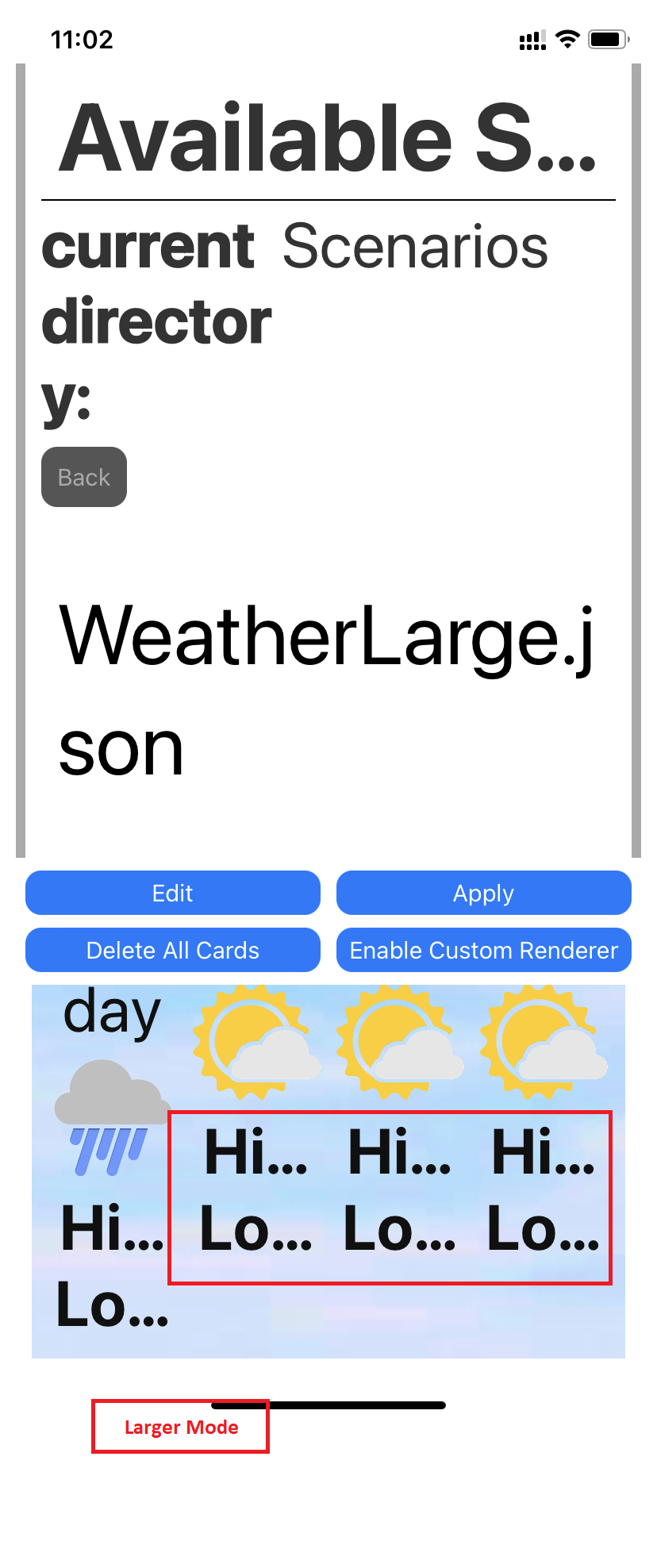
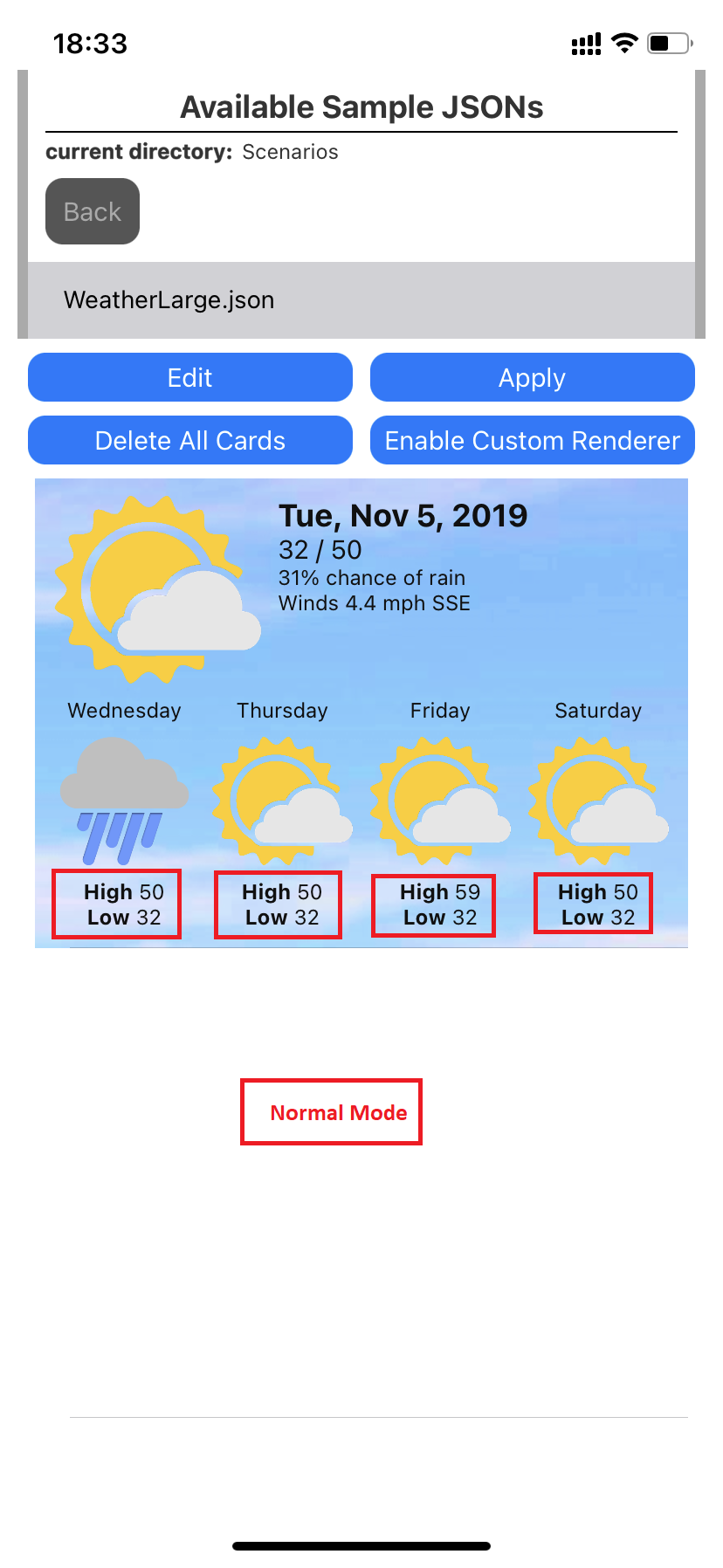
[Weather Card]: 'Weather card' is not properly visible after resizing the application under 'Weather' pane.
Target Platforms
iOS
SDK Version
Version 1.0(2.4.0-beta.22.9.4.1)
Application Name
Adaptive Cards
Problem Description
Test Environment: Device: iPhone 11 iOS: 15.6.1 Application: Adaptive Cards App Version: Version 1.0(2.4.0-beta.22.9.4.1) Screen Reader: Voice Over
Repro Steps:
- Launch Adaptive Cards iOS application.
- Home screen will appear.
- Activate voice over
- Navigate to "V1.0" control and select it.
- Navigate to 'Scenarios' control and activate it.
- Navigate to 'Weatherlarge.Json' under 'Scenario' list item and activate it.
- Card will be appear.
- Observe the issue after resizing the screen.
Actual Result: After applying larger text setting, Temperature under weather card is getting cropped and not visible properly.
Expected Result: After applying larger text setting temperature under weather card should be visible properly.
Notes:
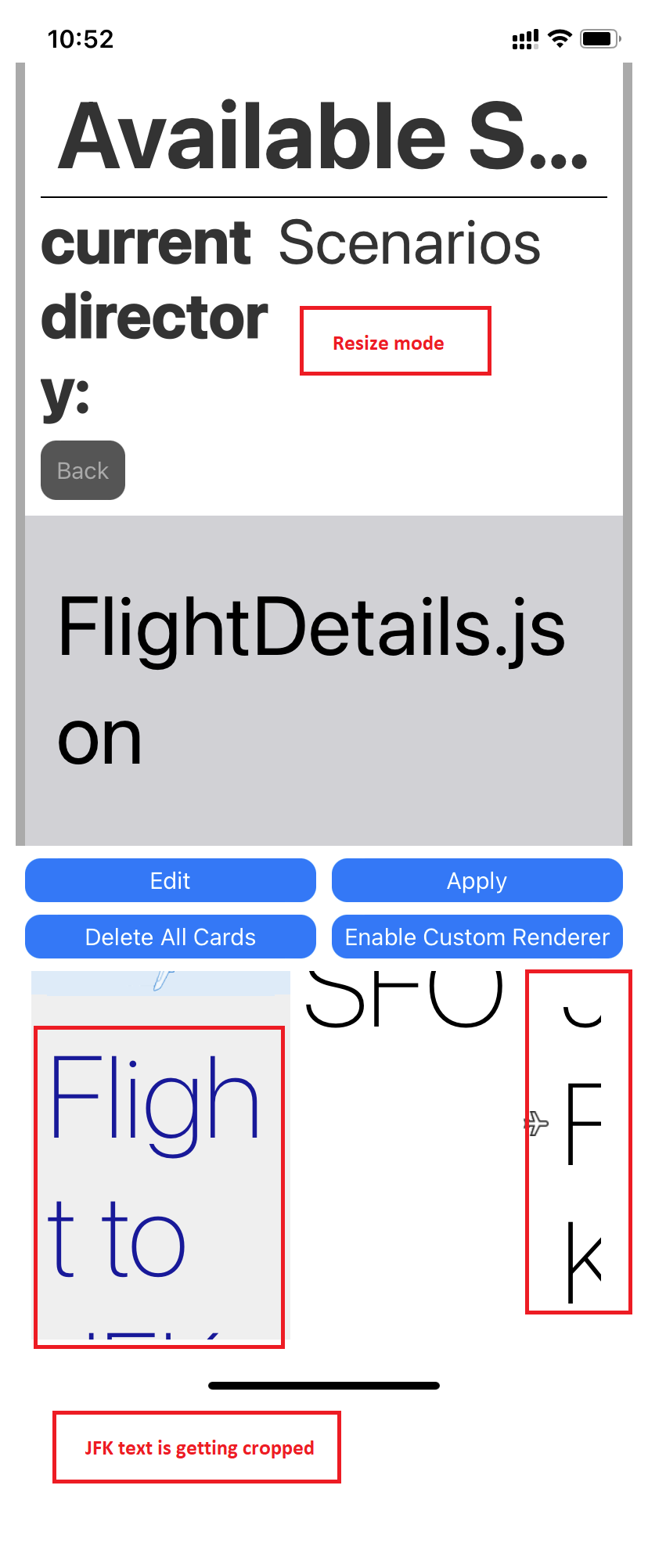
- Same issue is repro under 'Flight Details' screen. Attachment is added for the reference. (Note- Destination text is getting cropped).
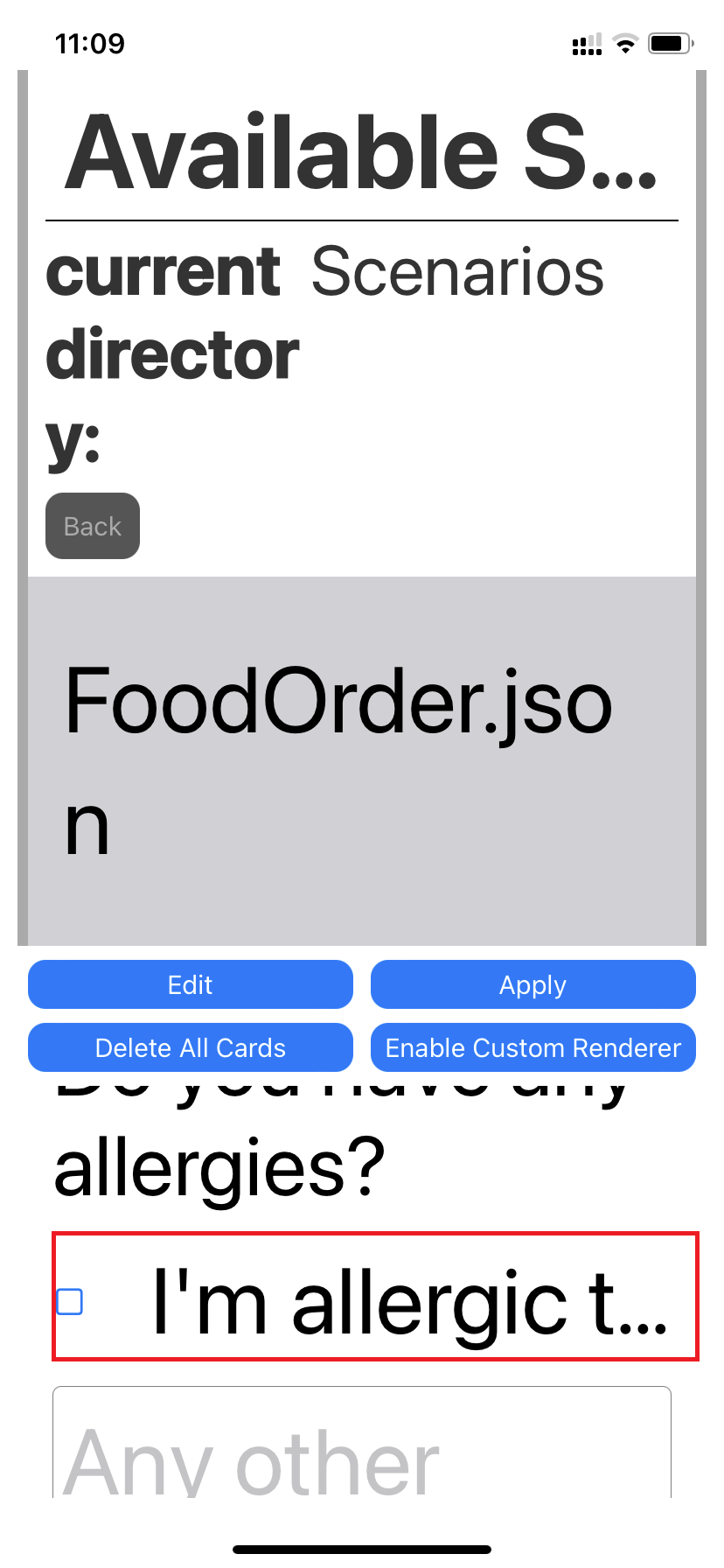
- Same issue is repro under 'Food Order' screen for the 'I am allergic to...' text. Attachment is added (Note - Text under Food Order).
User Experience: If after enlarging the text size of application, some content or controls are not properly appearing, then it would impact the low vision users.
Mas Reference: MAS 1.4.4 - Resize Text
"Have feedback to share on Bugs ? Please help fill Trusted Tester Bug Feedback (office.com) “
Screenshots
Card JSON
NA
Sample Code Language
No response
Sample Code
No response
