

 microsoft
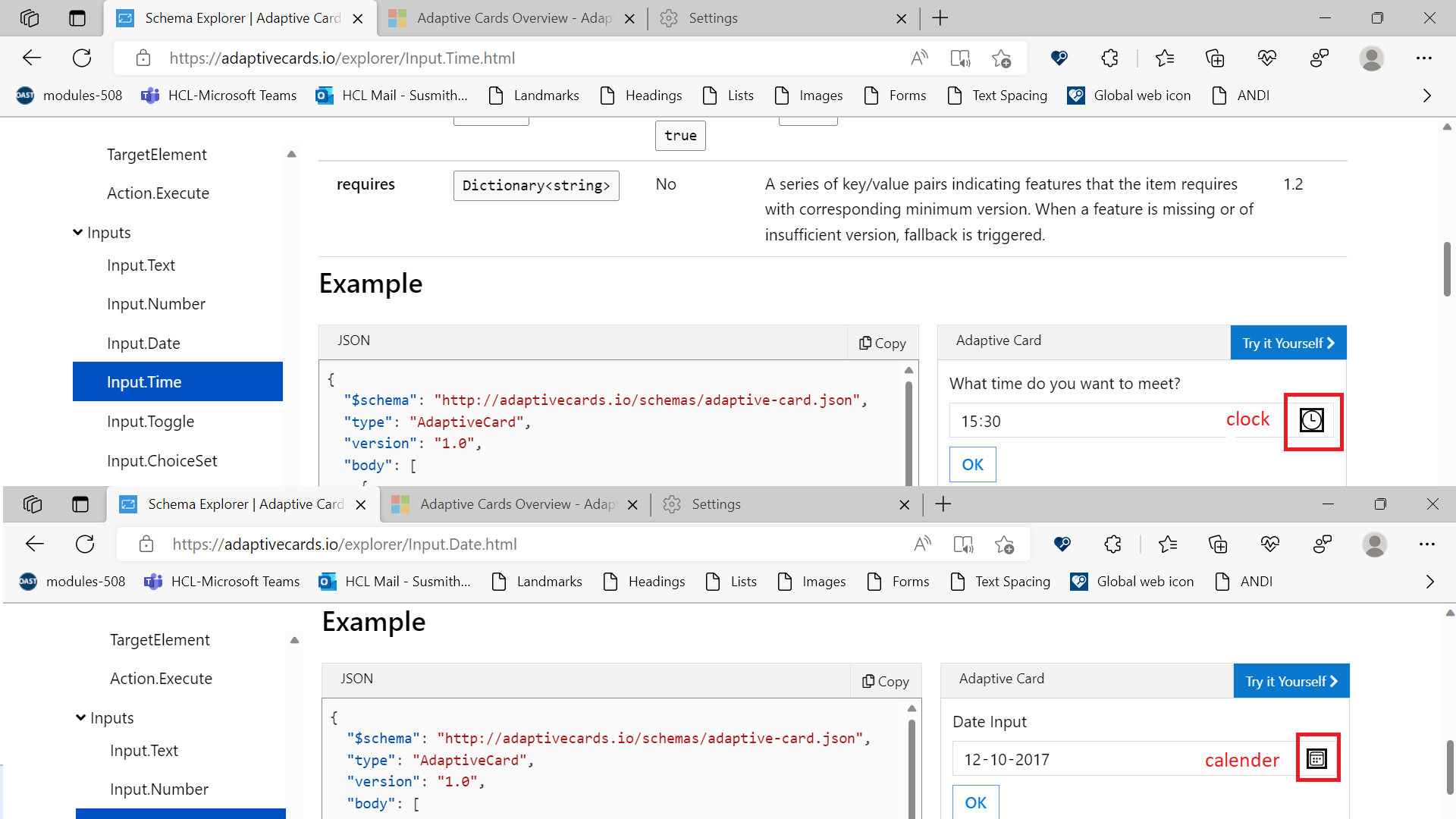
[Adapter Cards-Schema Explorer]: Tool tip is missing for Date and Time icons present under the adaptive cards.
Target Platforms
Other
SDK Version
1.5
Application Name
Adaptive Cards
Problem Description
Test Environment: OS: Version 22H2 (OS Build 25197.1000) Edge Dev: version 107.0.1379.1 (Official build) dev (64-bit) Screen Reader: Narrator Application URL: [[https://adaptivecards.io/](https://adaptivecards.io/explorer/)
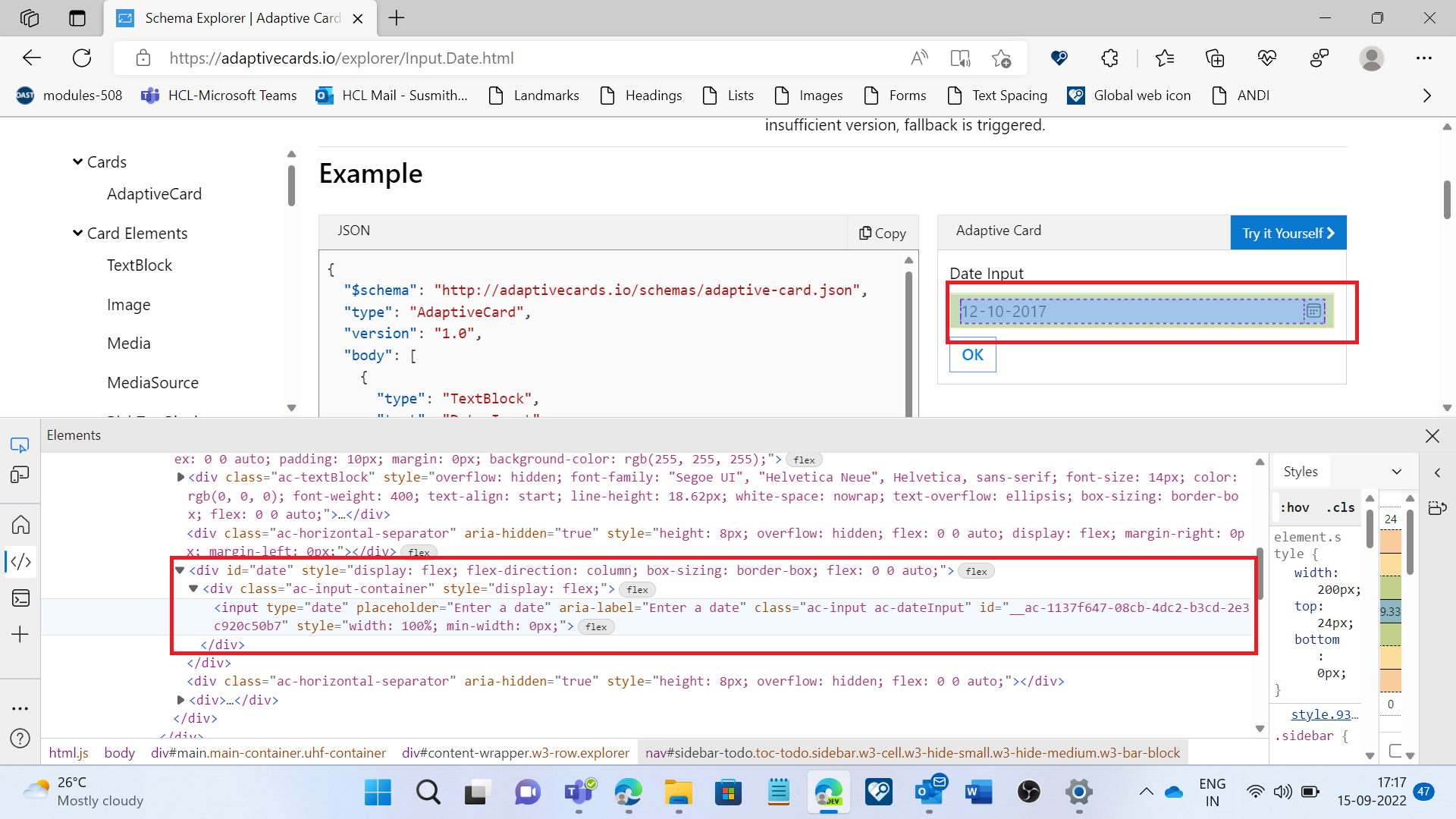
Repro Steps: 1.Open above URL with V- credential. 2.Navigate to 'Schema Explorer' link using tab key and press enter key to activate it. 3.Navigate to 'Input.Date" link present under Input from the left navigation using the tab key and activate it using Enter key. 4. Navigate to the adaptive cards present under it using the Tab key. 5. Navigate to the "Date Input" heading under Adaptive Card using Tab key. 6. Navigate using Tab key to the Date Picker. 7. Observe the issue here.
Actual Result: Tool tip is not present on the Date Picker icon.
Expected Result: Tool tip should be given for the date picker as "Calender".
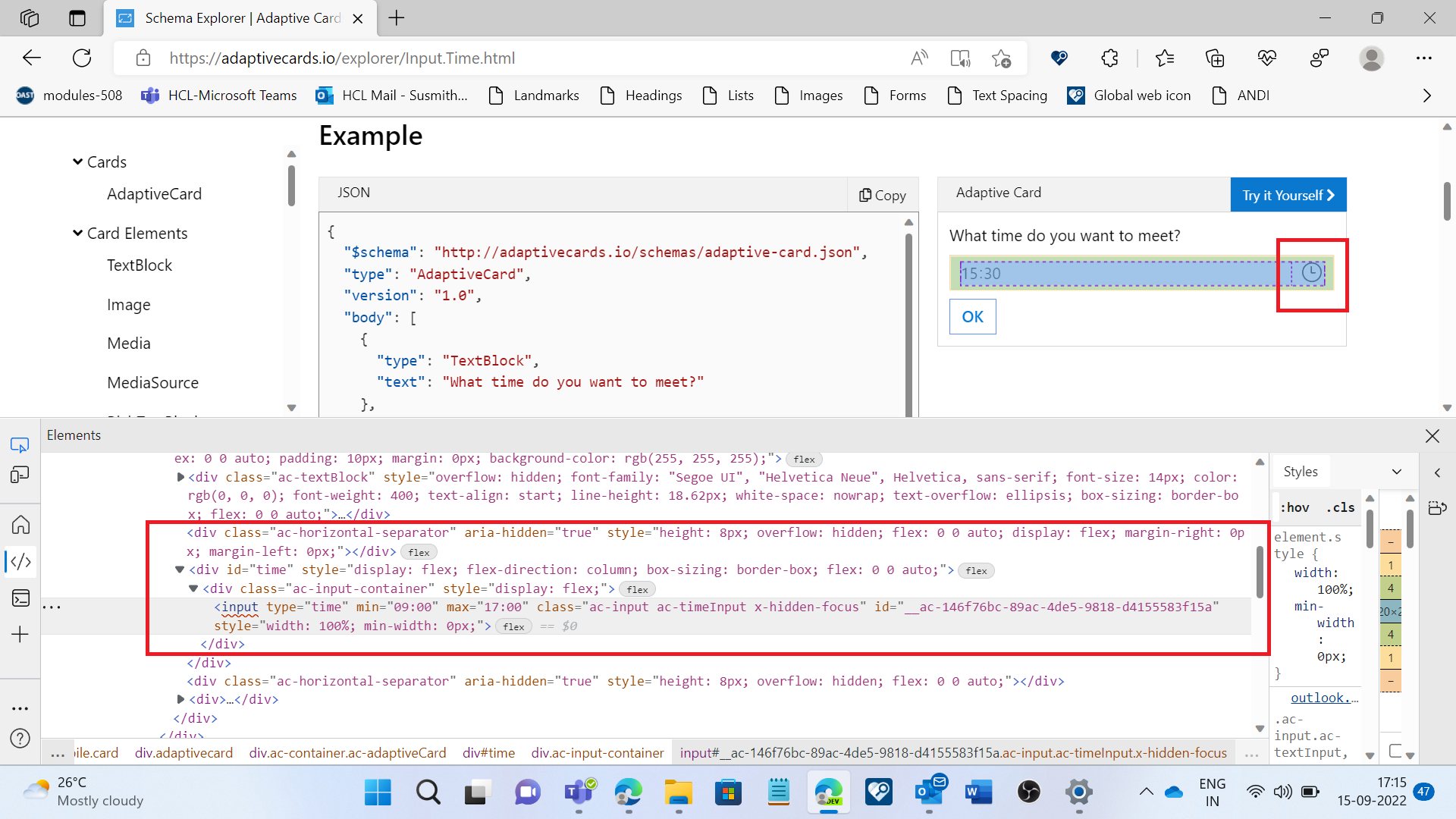
Observation: Same issue exists for the Time picker icon present under the "Input.Time" link under the input. Navigate to the "What time do you want to meet" heading under Adaptive Card using Tab key.
User Experience: Keyboard users and cognitive users will get impacted if Tool tip is not given for the Date and Time Icons.
MAS Reference: https://liquid.microsoft.com/Web/Object/Read/MS.Accessibility/Requirements/01.03.03
"Have feedback to share on Bugs ? Please help fill Trusted Tester Bug Feedback (office.com) “.
Screenshots
Card JSON
NA
Sample Code Language
NA
Sample Code
NA
