

 microsoft
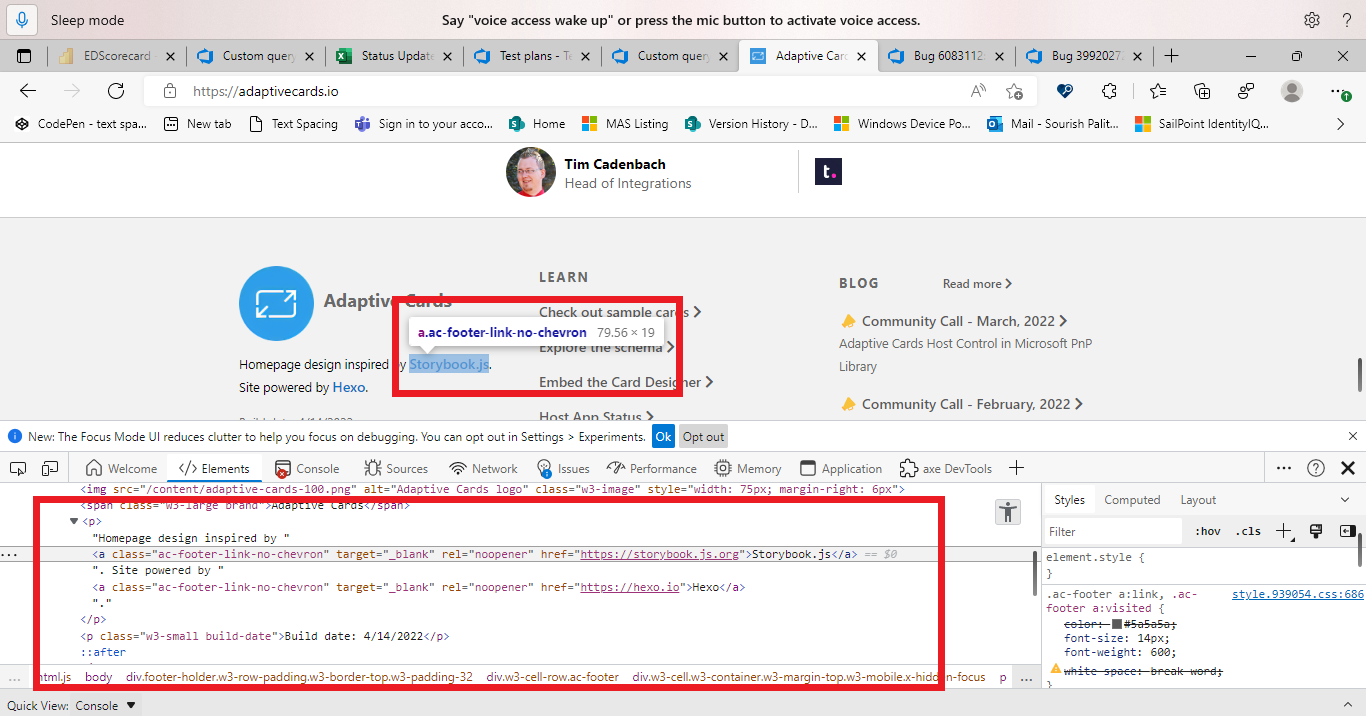
[Navigate to Main Body content of "Adaptive cards" tab]: Voice Access is not able to click 'Privacy & Cookies' and 'Storybook.js' from the footer section of Adaptive Cards
Target Platforms
Other
SDK Version
103.0.1255.0
Application Name
Adaptive Cards
Problem Description
https://microsoft.visualstudio.com/OS/_queries/edit/39920440/?triage=true
Test Environment: OS: 22H2 (OS Build 25120.1000) Browser: Edge Dev Browser Version: Version 103.0.1255.0 (Official build) dev (64-bit) URL: Adaptive Cards Tool: Voice Access
Repro Steps: Launch the above URL. Command: "Voice access wake up" Navigate to the footer section of the website. Command: 'Click Privacy & Cookies' or 'Click Storybook.js' from 'Footer Section' Observe the issue. Actual Result: Voice Access is not able to click 'Privacy & Cookies' and 'Storybook.js' from the footer section of Adaptive Cards. However, we are able to click 'Privacy & Cookies' and 'Storybook.js' links using Grid view.
Expected Result: Voice Access users should be able to click 'Privacy & Cookies' and 'Storybook.js' from the footer section of Adaptive Cards.
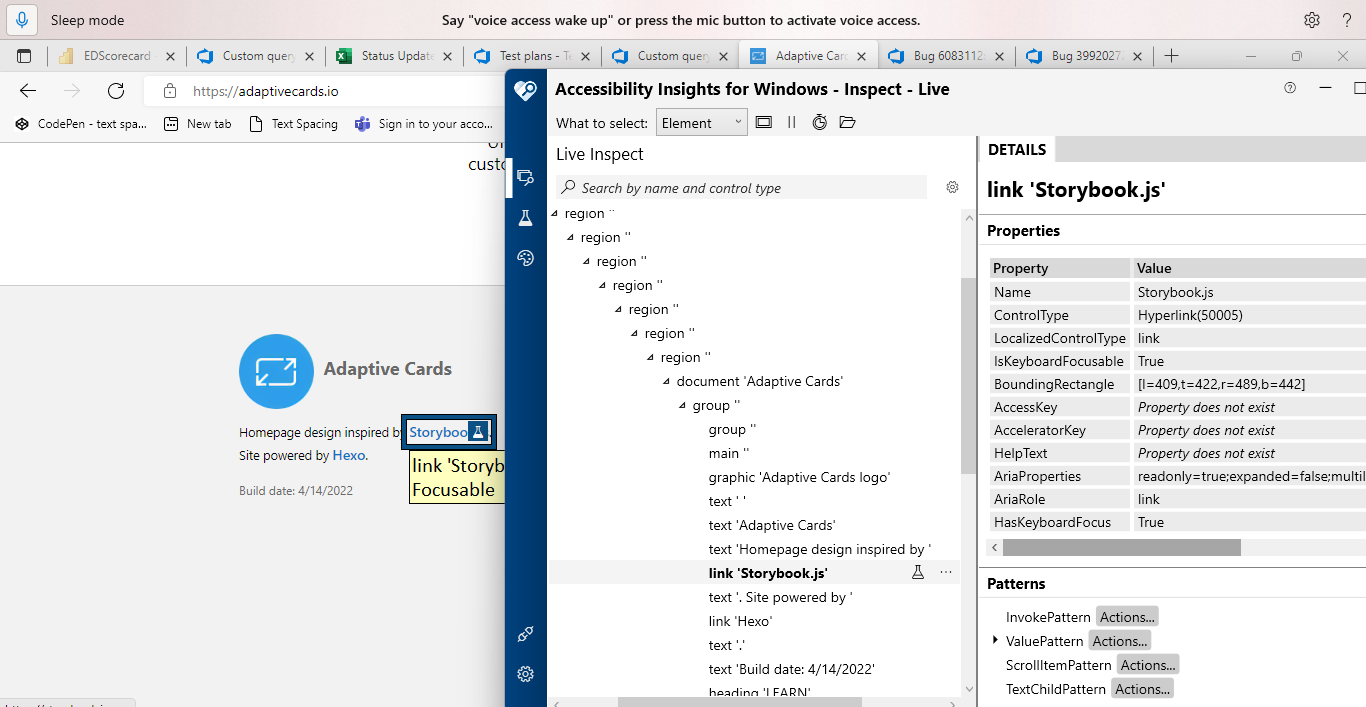
Observation: 'IsKeyboardFocusable' property is set as 'True' for both 'Privacy & Cookies' and'Storybook.js'.
User Experience:
People with limited mobility (cerebral palsy, quadriplegia) who use Voice Access to use OneNote may not be able edit or type they will find difficulty in accessing 'Canvas area' and 'Canvas Title' edit field. Voice access users will get impact and will not able to interact with controls with pre-defined Voice access commands.
MAS Reference: No Disruption of Accessibility Features - Liquid (microsoft.com)
Have feedback to share on Bugs? Please help fill Trusted Tester Bug Feedback (office.com)"
To learn more about Voice Access and how an application can support its different modes, Refer: VoiceAccess Testing - OSGWiki
Screenshots
No response
Card JSON
NA
Sample Code Language
No response
Sample Code
No response

https://user-images.githubusercontent.com/96283152/173514607-a47bd663-f434-4f4d-851c-a8dc022663d8.mp4
Hi @Shireen2000! I believe this should be a bug on the Voice Access team because it should be able to recognize special characters.
The Voice Access documentation also recommends using a partial name when the name contains a special character (see this documentation). Following this recommendation, both items can be clicked using Voice Access.
For Privacy & Cookies specifically, we pull this content from the Universal Header and Footer service. The most recent update changed Privacy & Cookies to only say Privacy, so this is a non-issue altogether.
Let me know if you have any questions!
