

 microsoft
[Designer] Style changes required for berlin config
Details
-
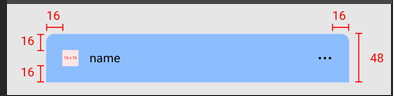
Attribution area: Should look like this. The green dotted box that contains the attribution should be invisible.

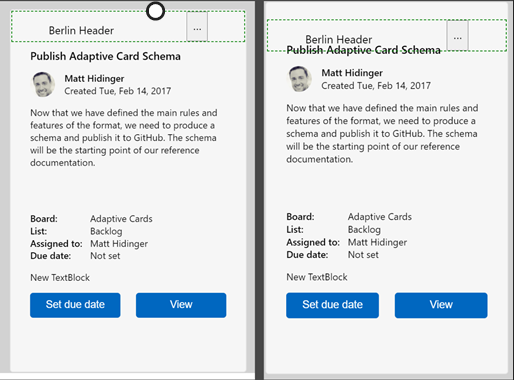
for the light theme large card, The attribution area is not stationary/sticky to the top of the card. when I scroll up and down in the designer, the attribution overlaps the content area
- Berlin card style
A few things to change and double check on
- The dark theme card color is 2C2C2C, and light theme is F6F6F6
- Corner radius 8px
- card stroke is 000000 at 10% opacity for dark theme, 5.78% opacity for light theme. The stroke is transparent.
- Both themes need a card shadow: position x=0, y=2, blur=4, color 000000 at 6.5% opacity for light theme and color 000000 at 8% opacity for dark theme


more than that. that PR only covers margin and padding. still have a bunch of things
@anna-dingler fyi @licanhua I think item 3 on the list has been fixed. Are there any others that were fixed as well?
I think item 1 covers fixing this:
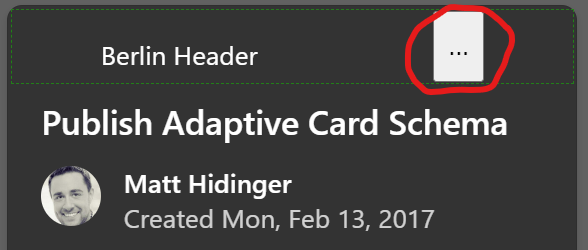

@licanhua @JeanRoca Number 3 (stationary header) is only fixed on small and medium cards. The issue still occurs on light theme, large cards
