

 microsoft
Renaming a transitive dependency causes a suggestion to update dependent `app.json`, but doing so gives `MissingTypeSymbol` errors
I have not 100% narrowed down the conditions that cause this, but it seems to be caused by
- having a top-level dependency that changes its name at some point
- but having another dependency (which itself depends on the above) that was built with the old name of the former
If you need a zip or more info, etc. - to help resolve this - please just let me know :-) Thanks for reading.
Given these two depended-upon apps:
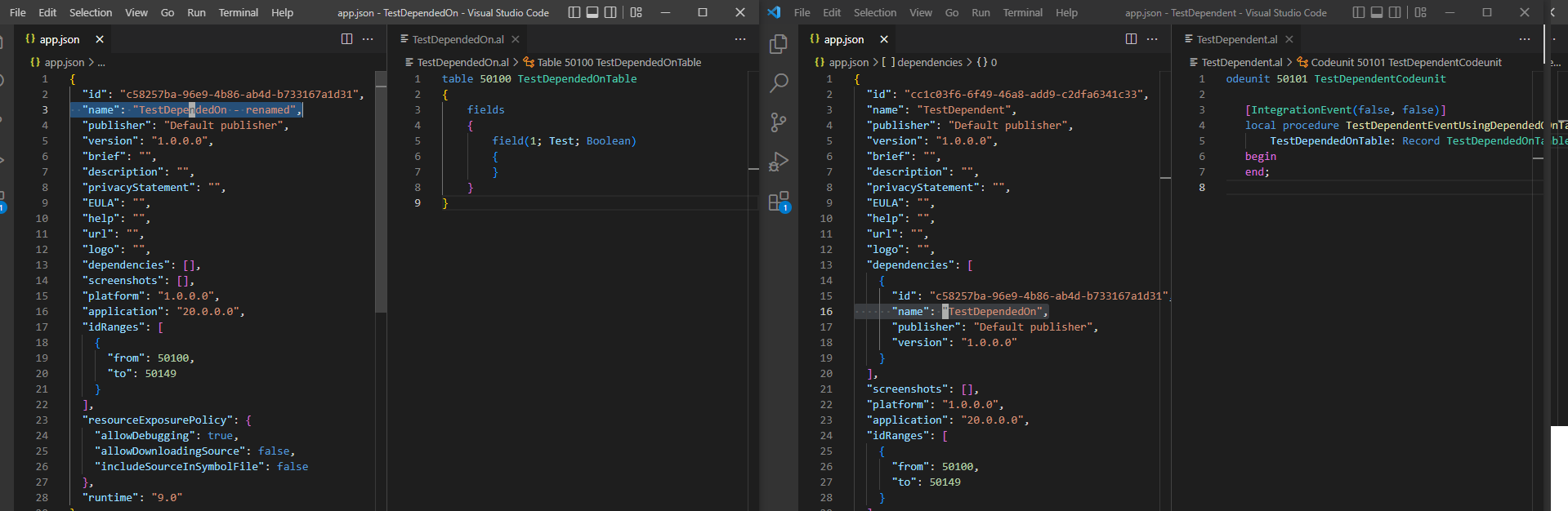
This dependent app, subscribing to an event from the intermediate dependency, which uses a table from the ultimate dependency...
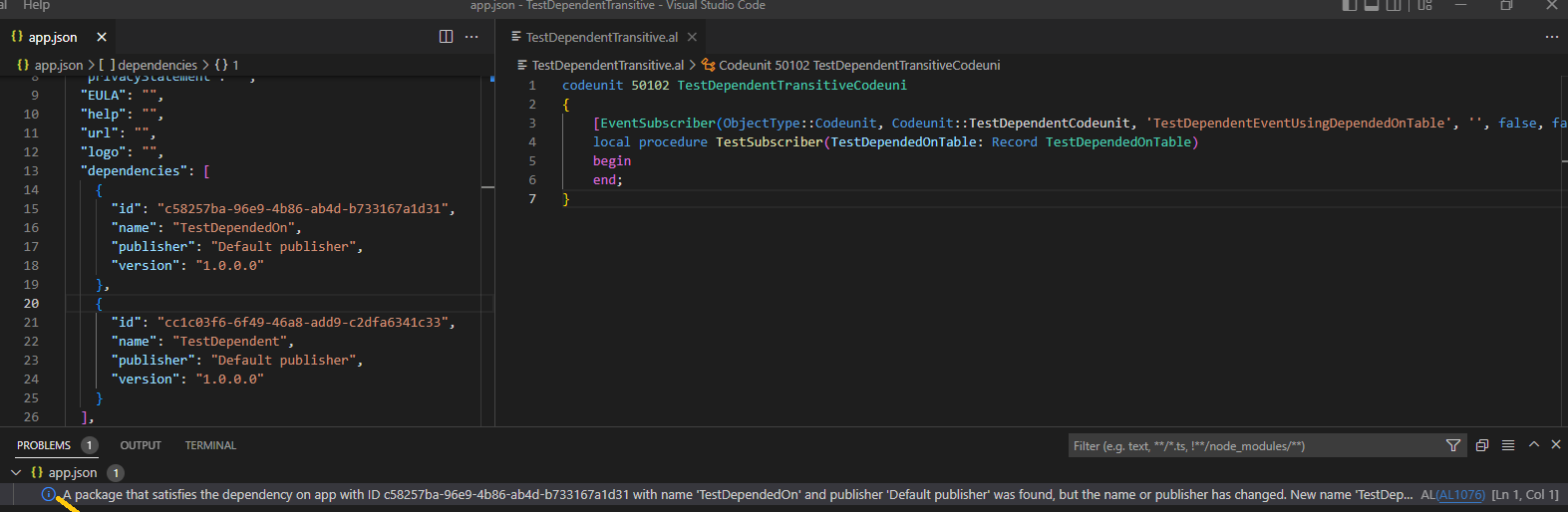
Tells us we should update to the new name of the latter in app.json.
[{
	"resource": "/c:/Users/dnpb/Documents/AL/TestDependentTransitive/app.json",
	"owner": "_generated_diagnostic_collection_name_#0",
	"code": {
		"value": "AL1076",
		"target": {
			"$mid": 1,
			"external": "https://docs.microsoft.com/en-us/dynamics365/business-central/dev-itpro/developer/diagnostics/diagnostic-al1076",
			"path": "/en-us/dynamics365/business-central/dev-itpro/developer/diagnostics/diagnostic-al1076",
			"scheme": "https",
			"authority": "docs.microsoft.com"
		}
	},
	"severity": 2,
	"message": "A package that satisfies the dependency on app with ID c58257ba-96e9-4b86-ab4d-b733167a1d31 with name 'TestDependedOn' and publisher 'Default publisher' was found, but the name or publisher has changed. New name 'TestDependedOn - renamed' and new publisher 'Default publisher'. Consider updating the dependency reference to the new name/publisher.",
	"source": "AL",
	"startLineNumber": 1,
	"startColumn": 1,
	"endLineNumber": 1,
	"endColumn": 1
}]
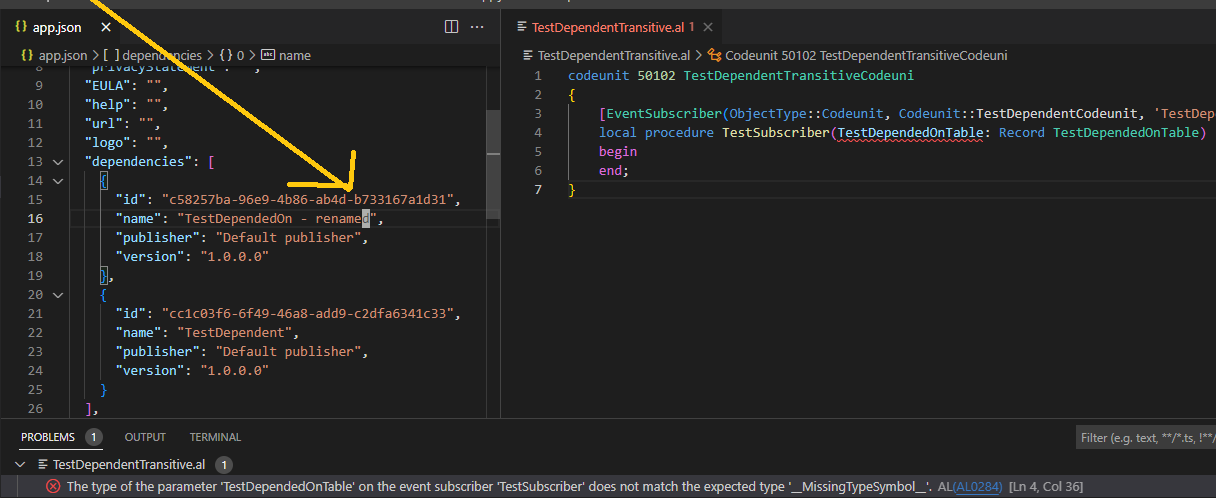
But if we do that, we get this error:
[{
	"resource": "/c:/Users/dnpb/Documents/AL/TestDependentTransitive/TestDependentTransitive.al",
	"owner": "_generated_diagnostic_collection_name_#0",
	"code": {
		"value": "AL0284",
		"target": {
			"$mid": 1,
			"external": "https://docs.microsoft.com/en-us/dynamics365/business-central/dev-itpro/developer/diagnostics/diagnostic-al284",
			"path": "/en-us/dynamics365/business-central/dev-itpro/developer/diagnostics/diagnostic-al284",
			"scheme": "https",
			"authority": "docs.microsoft.com"
		}
	},
	"severity": 8,
	"message": "The type of the parameter 'TestDependedOnTable' on the event subscriber 'TestSubscriber' does not match the expected type '__MissingTypeSymbol__'.",
	"source": "AL",
	"startLineNumber": 4,
	"startColumn": 36,
	"endLineNumber": 4,
	"endColumn": 55
}]
And (unlike in so many other cases!) "Reload Window" does not save us - it simply does not work.
We have been renaming some apps, something we thought was now harmless, and getting bombarded with reports of this error.
Is there a way this can be fixed, pleeeeeasssee.... ;-) - or at least improved, so the suggested fix doesn't actually make things worse?
Thanks!
Name: AL Language
Id: ms-dynamics-smb.al
Description: AL development tools for Dynamics 365 Business Central
Version: 9.2.639332
Publisher: Microsoft
VS Marketplace Link: https://marketplace.visualstudio.com/items?itemName=ms-dynamics-smb.al

Some quick questions:
- Does this happen in the context of a workspace where the both apps are present?
- Does this go away if you clear your .alpackages cache?

Thanks for the reply.
- No, I have only tested it using separate VS Code windows, one project per window.
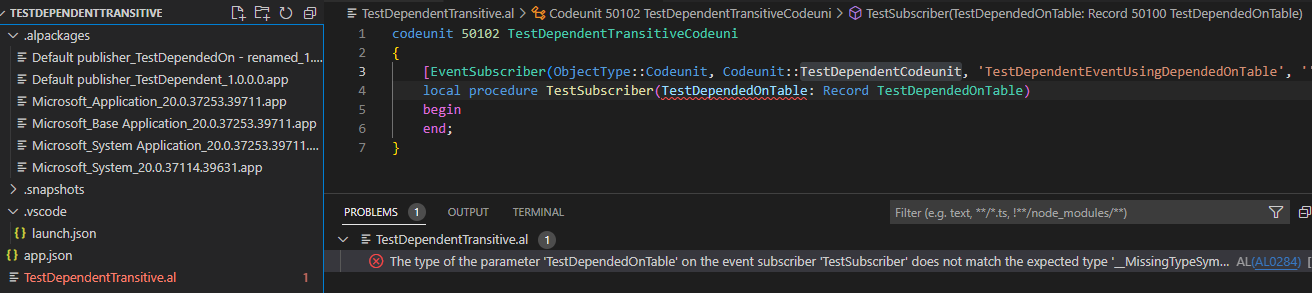
- If I clear
.alpackagesand (after Reload Window) redo Download Symbols, once the dust settles in the PROBLEMS tab, I am back to the same error:
Hi @dnpb, sorry for the long waiting time. I am looking at this one now and I can't reproduce it, are you willing to try again with the latest extension?

This issue has been closed because it needs more information and has not had recent activity. Please open a new issue if you believe this has not been resolved and reference the current issue.
I have recently encountered this problem and it was caused by dependency app sharing a dependency with my main app and where inspite of them having same app id, because the app name was different BC24 I could not install in BC SaaS. Many resellers have multiple product apps where they may not have been updated by other teams to reflect a later version always and this can cause quite lot of pain. Why cannot the app ID be enough?
