

 microsoft
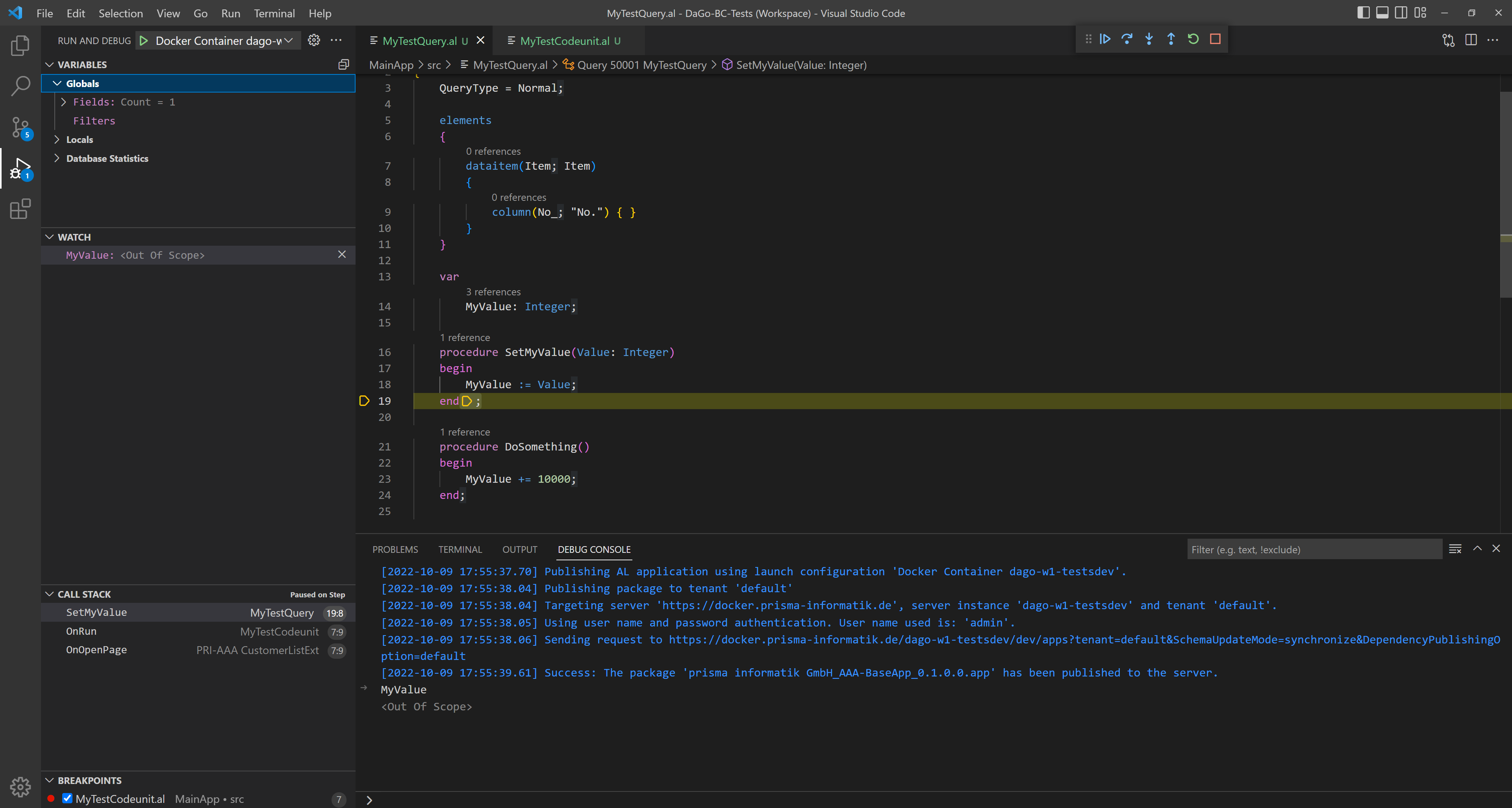
Global variables in a query are not displayed during debugging
1. Describe the bug
It is rare, but it does happen that you develop code inside a query object. In such a case, global variables are often created to set or cache certain information. However, the content can not be viewed when debugging.

2. To Reproduce
- Create a new query object with global variable.
- Create functions in the query object that change the values in the global variables as they process through.
- Execute the query e.g. via a codeunit and try to debug the global variable.
Or just try to run and debug my code.
codeunit 50014 MyTestCodeunit
{
    trigger OnRun()
    var
        MyTestQuery: Query MyTestQuery;
        MyReturnValue: Integer;
    begin
        MyTestQuery.SetMyValue(10000);

        MyTestQuery.Open();
        while MyTestQuery.Read() do
            MyTestQuery.DoSomething();

        MyReturnValue := MyTestQuery.ReturnMyValue();
    end;

}

query 50001 MyTestQuery
{
    QueryType = Normal;

    elements
    {
        dataitem(Item; Item)
        {
            column(No_; "No.") { }
        }
    }

    var
        MyValue: Integer;

    procedure SetMyValue(Value: Integer)
    begin
        MyValue := Value;
    end;

    procedure DoSomething()
    begin
        MyValue += 10000;
    end;

    procedure ReturnMyValue(): Integer;
    begin
        exit(MyValue);
    end;
}
3. Expected behavior Global variables are also displayed in the query
4. Versions:
- AL Language: v7.3.486497
- VS Code: 1.58.1
- BC: 18.2 Cloud/ OnPrem

Have you tried using the watch window or the debug console to view the variable?

@kalberes Neither Watch nor the debug console show the variable. Would you be so kind to fix this issue?

The fix for this issue has been checked in to the master branch. It will be available in the bcinsider.azurecr.io/bcsandbox-master Docker image starting from platform build number 23.0.10428.0 and VS Code Extension Version <None>.
If you don’t have access to these images you need to become part of the Ready2Go program: aka.ms/readytogo
For more details on code branches and docker images please read: https://blogs.msdn.microsoft.com/nav/2018/05/03/al-developer-previews-multiple-releases-and-github/ https://freddysblog.com/2020/06/25/working-with-artifacts/
