

 microsoft
Spurious syntax errors when adding conditions to FlowField CalcFormula expression: "'FIELD', 'CONST' or 'FILTER' keyword is expected."
Describe the bug
Prepending a new condition to a FlowField's CalcFormula results in a false syntax error, and I have to then go and re-type a different part of the pre-existing code to dismiss that.
To Reproduce
- Have a
FlowFieldwith aCalcFormulacontaining 1 (or more) condition(2) - Go to just after the
where(, type a space, then go before that, and add a new condition (having the space after means Intellisense works, etc.) - Observe the spurious errors reported:
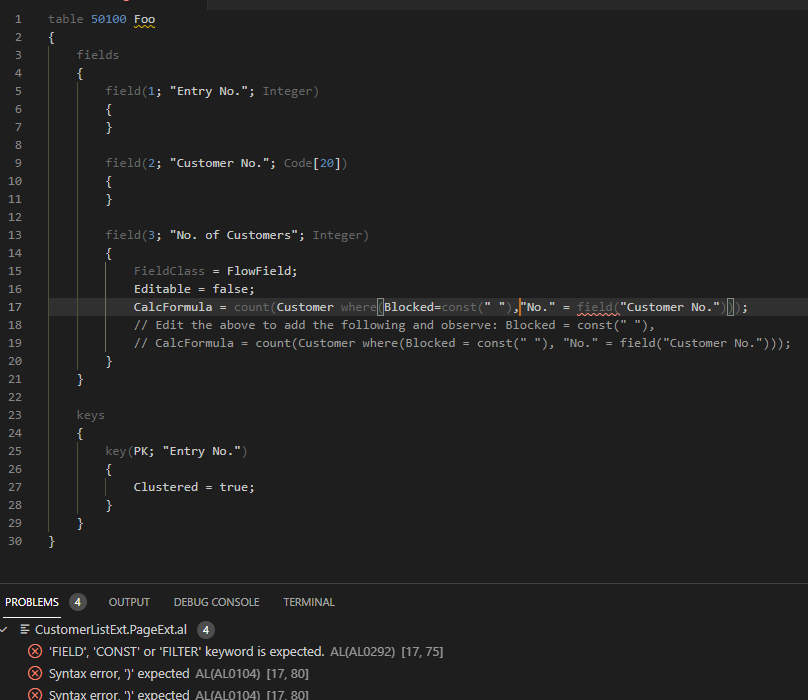
'FIELD', 'CONST' or 'FILTER' keyword is expected. AL(AL0292) [17, 78]
Syntax error, ')' expected AL(AL0104) [17, 83]
Syntax error, ')' expected AL(AL0104) [17, 83]
minimal sample:
table 50100 Foo
{
    fields
    {
        field(1; "Entry No."; Integer)
        {
        }

        field(2; "Customer No."; Code[20])
        {
        }

        field(3; "No. of Customers"; Integer)
        {
            FieldClass = FlowField;
            Editable = false;
            CalcFormula = count(Customer where("No." = field("Customer No.")));
            // Edit the above to add the following and observe: Blocked = const(" "),
            // CalcFormula = count(Customer where(Blocked = const(" "), "No." = field("Customer No.")));
        }
    }

    keys
    {
        key(PK; "Entry No.")
        {
            Clustered = true;
        }
    }
}
Expected behavior This is yet another waste of developers' time, where the background/realtime code analysis fires errors that aren't really errors, and we have to re-enter/cut/paste/whatever the same code just to get rid of those wrongly reported errors.
See also e.g. #6225, #6232, #6276
Screenshots
This is the exact scenario where I first noticed this bug.
Original code before adding condition:

after adding condition, reporting spurious error:

after fixing said error by deleting and retyping the 'offending' field keyword...

This is the same false error with the minimal code given above:

after retyping field:
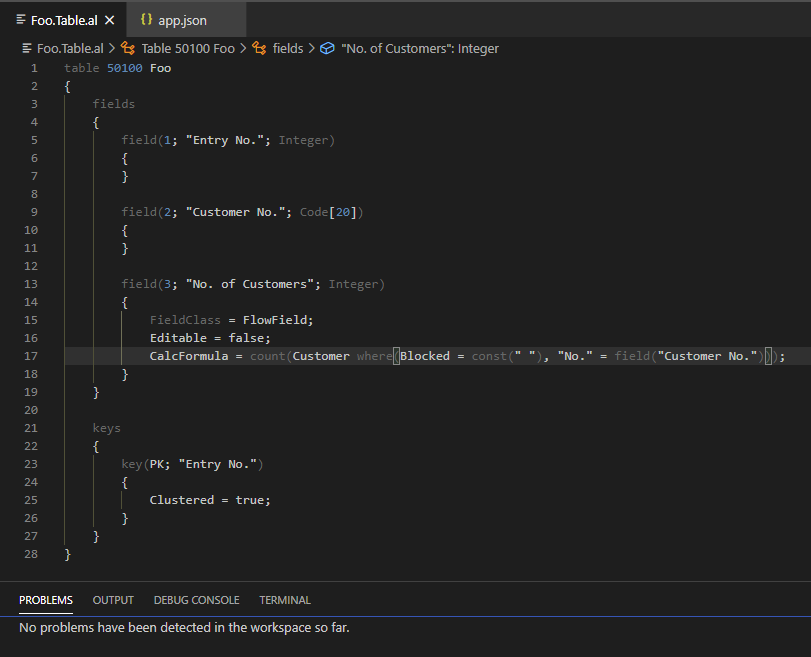
5. Versions:
- AL Language: 6.1.362735
- Business Central: n/a

just to confirm, can still replicate (although I'm not sure it happens every time the new field is added, or for every conceivable way it can be typed)
I am having this same issue version, started happening after addition TooltipML condition to fields which already existed in the project
