microsoft
AL Compiler does not check RDLC textbox values against DataSet.
- AL Extension Version: 0.16.26913
- Server Version: AU Dynamics NAV 12.3
PagExt50110-Page22.RunReport.zip
In the attached RDLC layout the Customer Address field was originally in the DataSet and was added to the report layout. Then the Address field was removed from the DataSet. There is no compiler error in Visual Studio Code, and the report is packaged and published with no problems detected. However at runtime it errors.
I think there should be an error generated by the compiler.

Hi Robyn, I agree, quick question, did you use these steps to create the RDLC layout? I understood from another thread (#1187) that there would be a release to allow us to only work in VSCode for RDLC layout, it'd be interesting to see how to do that if there is a guide somewhere. Also if that was released, compiler errors may be implemented there too, hopefully.

I created the report with the dataset and with the below two properties to the report al code. DefaultLayout = RDLC; RDLCLayout = './TestReport.rdlc'; Then I packaged the report, and it created the TestReport.rdlc with the dataset. Then I used Visual Studio 2017 to open the rdlc file and add a layout.
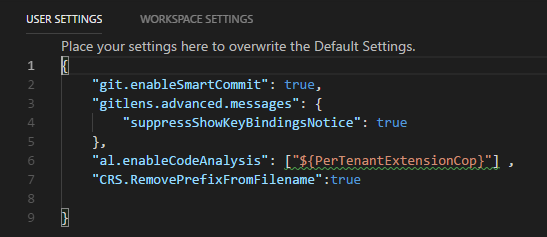
Brilliant, I tried now and I also enabled pertenantextensioncop and it didn't make a difference. so issue is still open.