

 microg
Citymapper has confusing Map glitches
Hello,
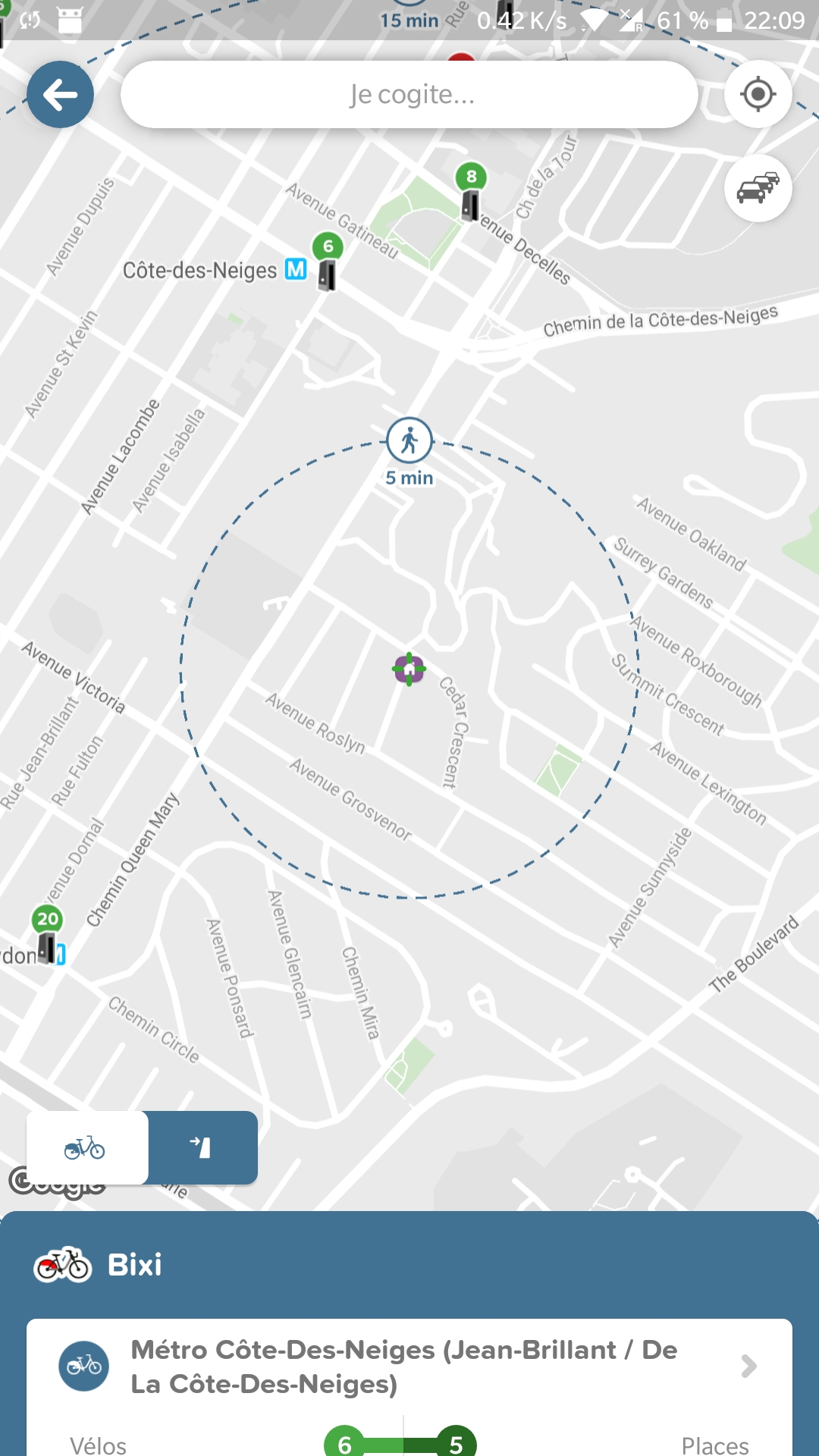
The whole Citymapper app works pretty well. The only issue is when viewing the map. Some elements are obviously glitching, but most importantly, some elements are missing. Here, for example, is a map to view near bike stations, with the Google Play Services, the number of bikes is shown, where with microG, it isn't.
With Google Play Services :
With MicroG :
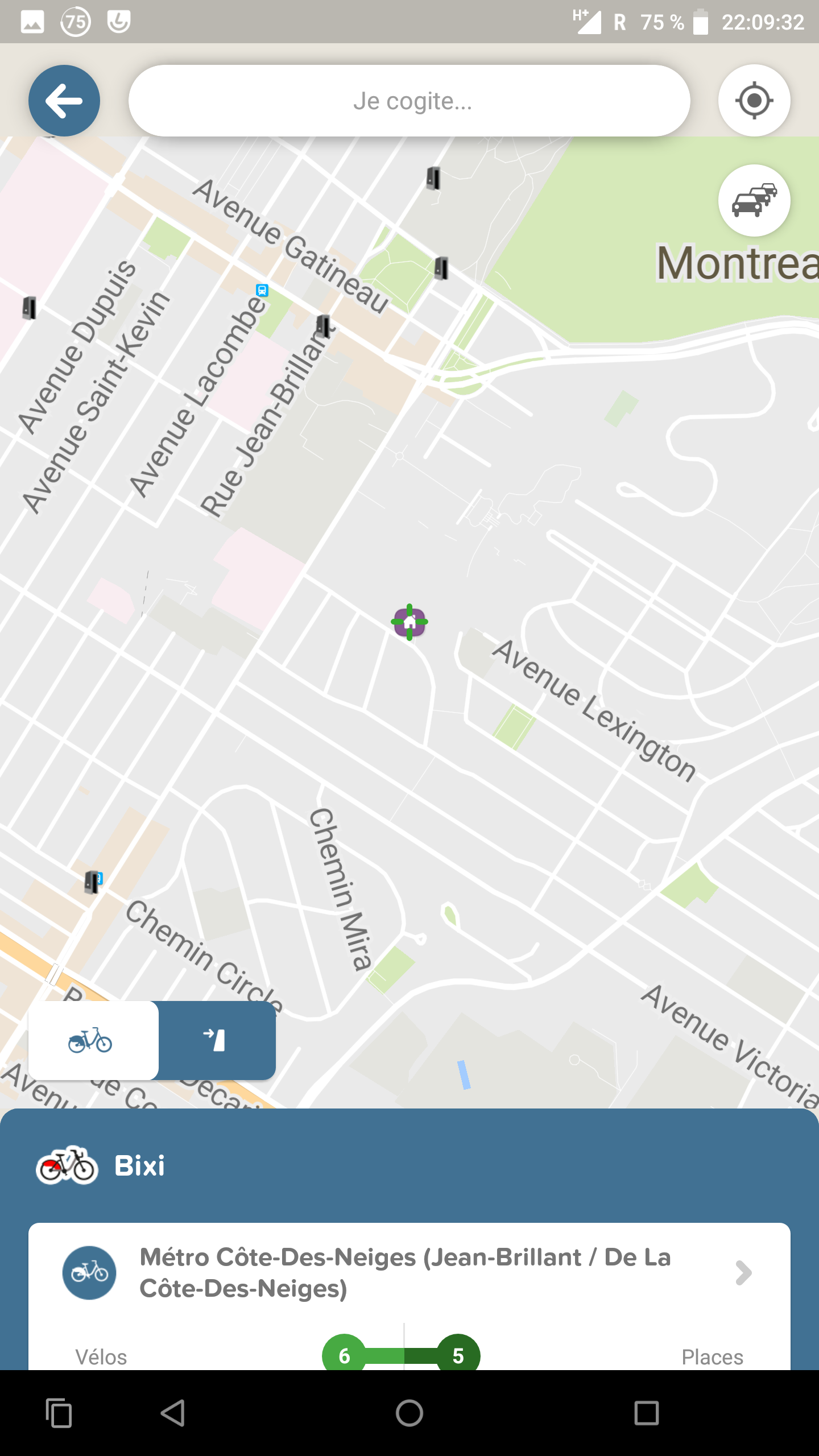
EDIT: In this case, it seems like Citymapper shows the numbers of bikes.... Sometimes (most of the time not).
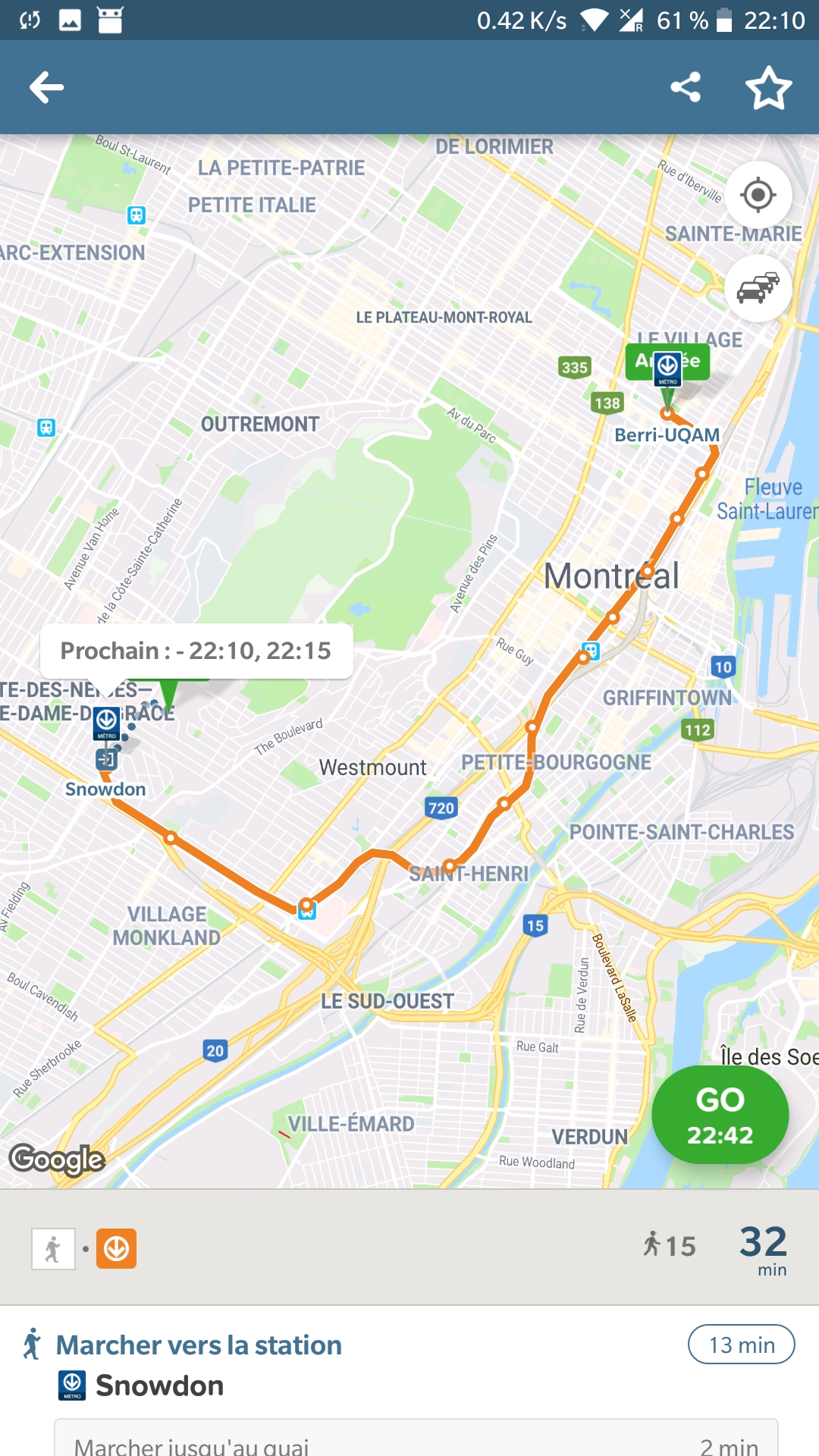
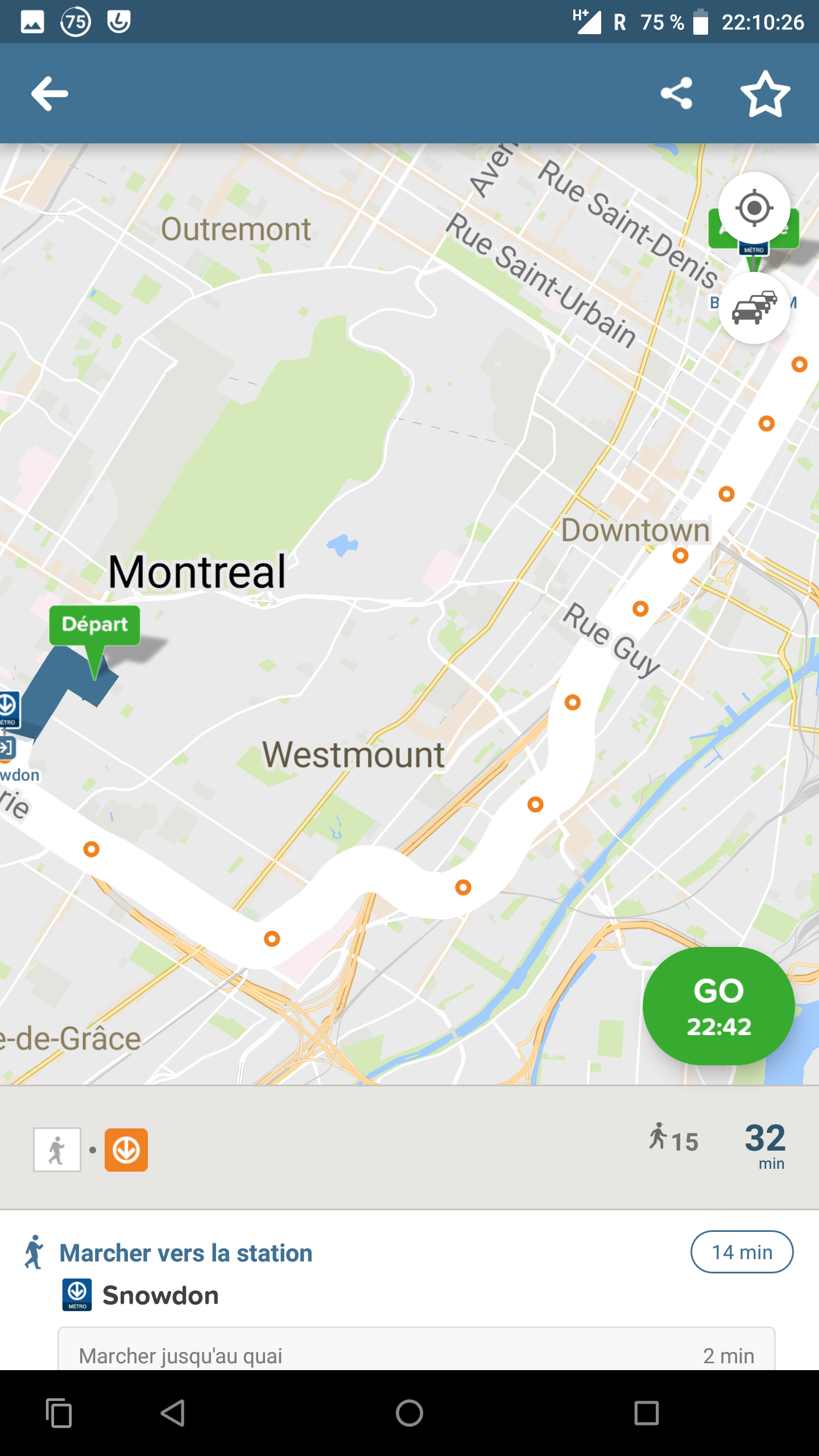
Example of other minor glitches on the map :
With Google Play Services
With MicroG :
Nexus 6P with Lineage 15.1-20180827-microG-angler
MicroG version 0.2.5.12879
Thanks


@wedza have you tried using 0.2.6.13280? Apparently some Maps API fixes went into that release, I find the map doesn't load at all in Citymapper now.

I'm using version 0.2.6.13280 and I don't see any map at all. LineageOS version 16.0.

I have now microG 0.2.6.15181-79 and Citymapper 8.4 with an Oneplus 3T on Android Pie , and the map is always shown with theses glitches.
@wedza How did you get the map to show? Did you have to install anything in particular?
Not at all @ralvessa . I'm using the Sky Dragon custom ROM and have installed microG with the awesome NanoDroid Tool. I also have Magisk installed. I don't know if all of this make it work tho.
What's strange, is that apps like the classic Google Maps, which supposedly have less dependencies on microG, won't load maps.
A little update on this. Since the transition to the Mapbox component (I'm using 0.2.8.17785-mapbox). It seems like an handful of theses glitches are gone (to take back the example of my firsts screenshots, the number of the bike stations is shown now).
The stations and the outline of the path is now with the correct width and colour, like with the Play Services.
But, the map are very laggy (less than 1 fps on my device). That is the case on all Maps, but especially on Citymapper since it have a lot of elements drawn on it.
Also for my case, the maps elements (lines and stations added by Citymapper) does not appear at all on top of the map when you preview a journey even if the map component is present. You need to tap "Go" to show it. And one time out of two, the app seems to crash and go back to the home screen.
A nice progression with this new version ! I'm very happy that OSM data is used now instead of proprietary ones.
I'm now using a Oneplus 3T with Havoc OS 3.0 (which is on Android 10), however, those glitches were the same on Android 9 Pie.
Hi, I Just installed microg with nanodroid. I still have to check which backend microg uses (mapbox ?). Citymapper doesn't work : it shows a popup telling that it won't work without Google play services. The map doesn't show, but it seems that it's the only issue.

Hello, I've tried to use citymapper on CalyxOS (latest septembre update) with a pixel 7 but not working. The app get stuck on a complete green screen right just after starting the app.
It was working well before (when i was on /e/OS, with microG also)

@MattRGX I observe this to happen during the initial launch only. After closing and re-opening the app, the map seems to work perfectly as far as I can tell.

@fynngodau i've tried to reinstall it, then closing and reopen it. Still stuck on startup. But not on the complete green screen, now it is a green screen with the white circle logo in the middle.
After updating microG please try to completely uninstall Citymapper and reinstall it (clearing the app data is not enough if there were new permissions in the last microG that wasn't there before).
Also be sure that the version of microG GmsCore is at least 0.2.29.233013. Trying with old versions doesn't help.

@ale5000-git i can't really update microG myself as i'm dependent on CalyxOS update. But i'm on the latest CalyxOS update available so i guess that i have the latest microG.
Regarding citymapper, i manage to make it work by uninstalling it and reinstalling it but it is very unstable. When the app starts correctly, then if i kill the app and start it again, i got stuck on the green screen. I need to clear the app data to be able to start the app again and so on. For me it is not really usable as i need to clear app data each time before opening the app to make sure that it will work properly.
EDIT : here is my actual version of microG, version 0.2.29.233013-49 (1a2e94c)
Still an issue with 0.3.7.250732 on LineageOS 22.2 There is constant glitches when map items randomly disappear. I'll try to share some logs when I can

I understand MicroG emulates the GMaps services with MapLibre, should this be an issue to report there then?
