

 microg
gms.vision.Barcode getBoundingBox() returns incorrect coordinates
Describe the bug
The gms.vision.Barcode class getBoundingBox() function returns incorrect coordinates for the bounding box of a detected QR Code or other 2D barcode.
To Reproduce
It's easiest to reproduce using the "barcode-reader" demo app from the Google android-vision samples repo. The Google repo is no longer maintained so I used this fork which is already updated for recent Android SDK versions.
Steps to reproduce the behavior:
- Launch barcode-reader sample app under MicroG and view a QR code in the camera.
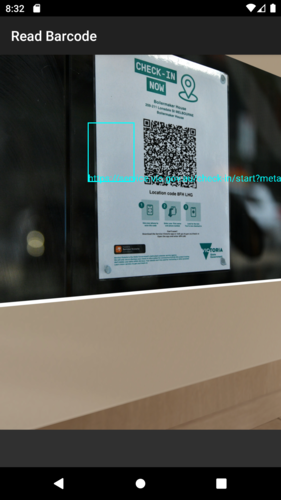
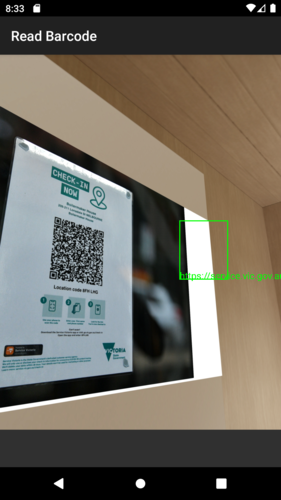
- Note the bounding box overlaid on the camera view is in the wrong place relative to the QR code position.
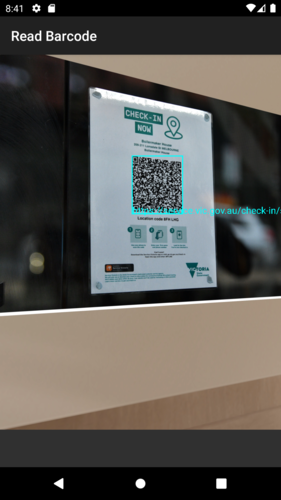
- If necessary, launch the same app with GSF and verify the bounding box is drawn in the correct place.
Screenshots
Running barcode-reader under AVD with MicroG:
Same QR code scanned under AVD with GSF:
System
- Tested with AVD image "Pixel 2 API 29 (MicroG)" with Android 10
Additional context
The bounding box coordinates seem to be mirrored in both axes when the phone is in the default orientation. I think this is to do with the rotation property of the image passed into the BarcodeDetector API, it looks like the bounding box coordinates are expected to have the rotation applied to them. However I haven't dug into this very much.
The impact of the bug is pretty low. There are some apps (like the Service Victoria COVID checkin app) that display a region on the live camera overlay and require the scanned QR code to be inside this region. However if the region is in the centre of the screen then it's possible to zoom out a little and the bounding box will still be in roughly the right place, as a workaround.
