

 metabase
Setting column Visibility to "Only in detail views" stills shows the column as being included in Notebook
Describe the bug When setting a column to "Only in detail views" in Data Model, then it still shows as if the column is being selected in Notebook editor, and selecting/deselecting the column there doesn't make any difference, but it's possible to add the column back via visualization Settings sidebar, where the column is available under "More columns".
To Reproduce
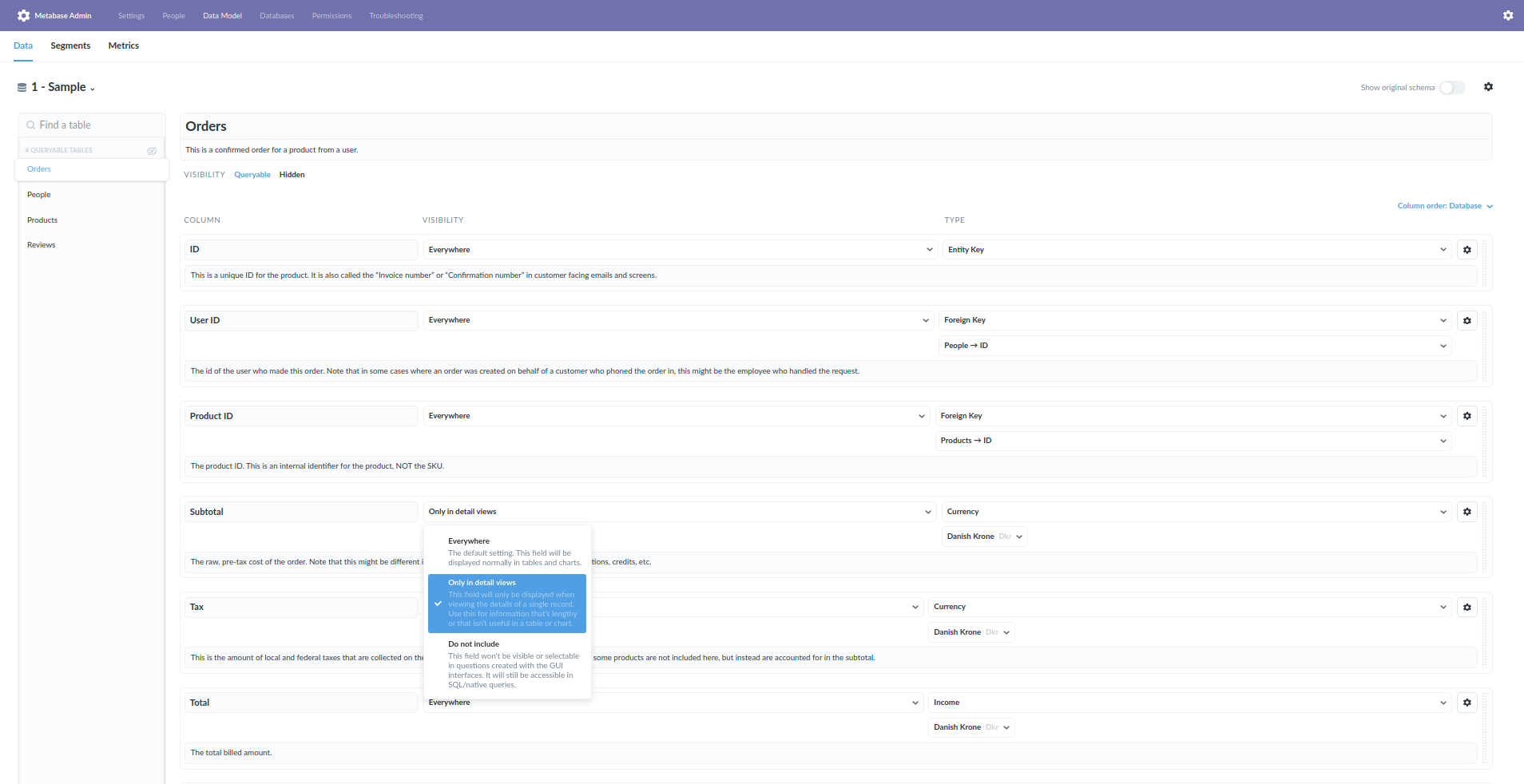
- Admin > Data Model > Sample Dataset > Orders > Set Visibility for "Subtotal" to "Only in detail views"
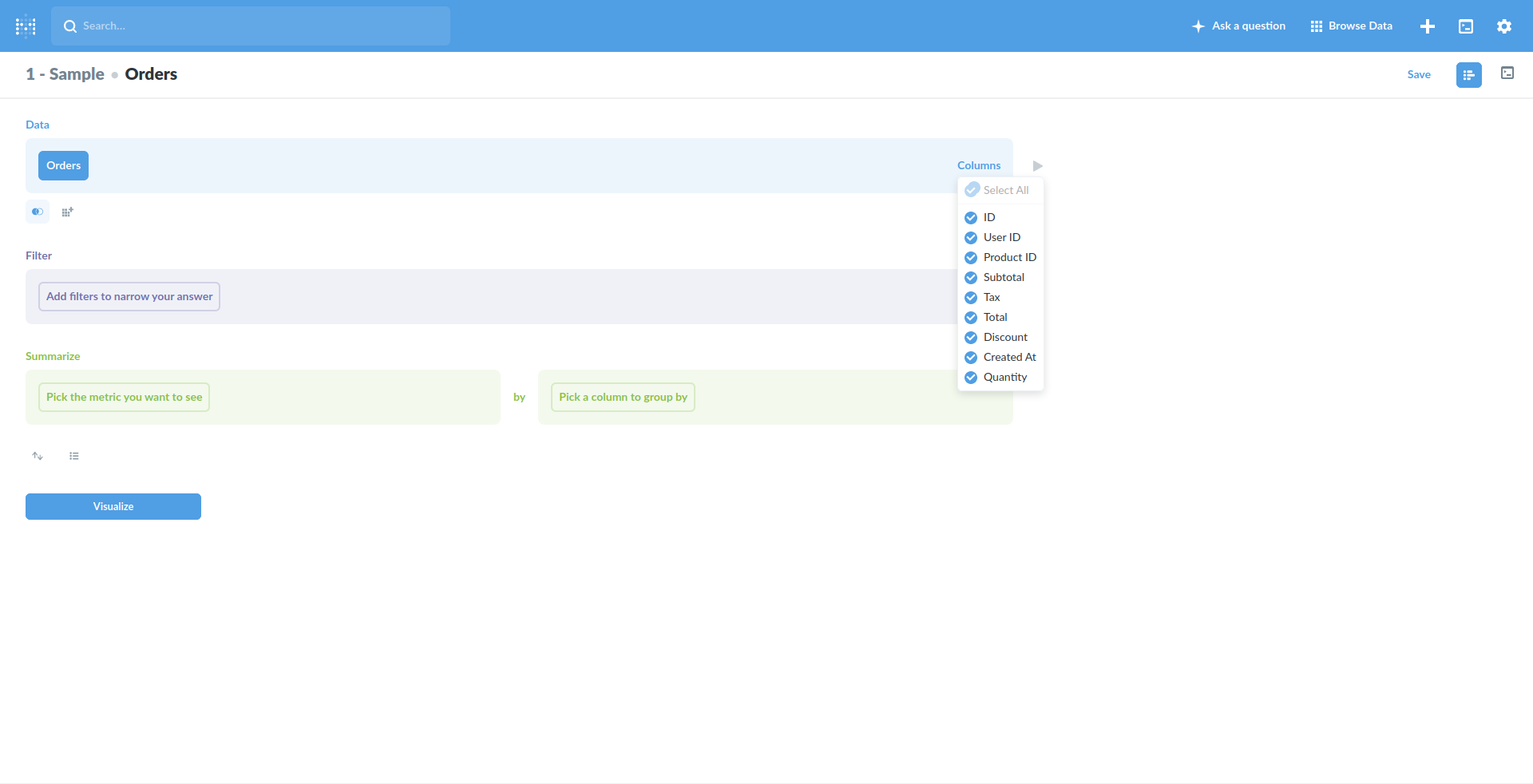
- Custom question > Sample Dataset > Orders - click the Columns-dropdown to the right - notice "Subtotal" is selected
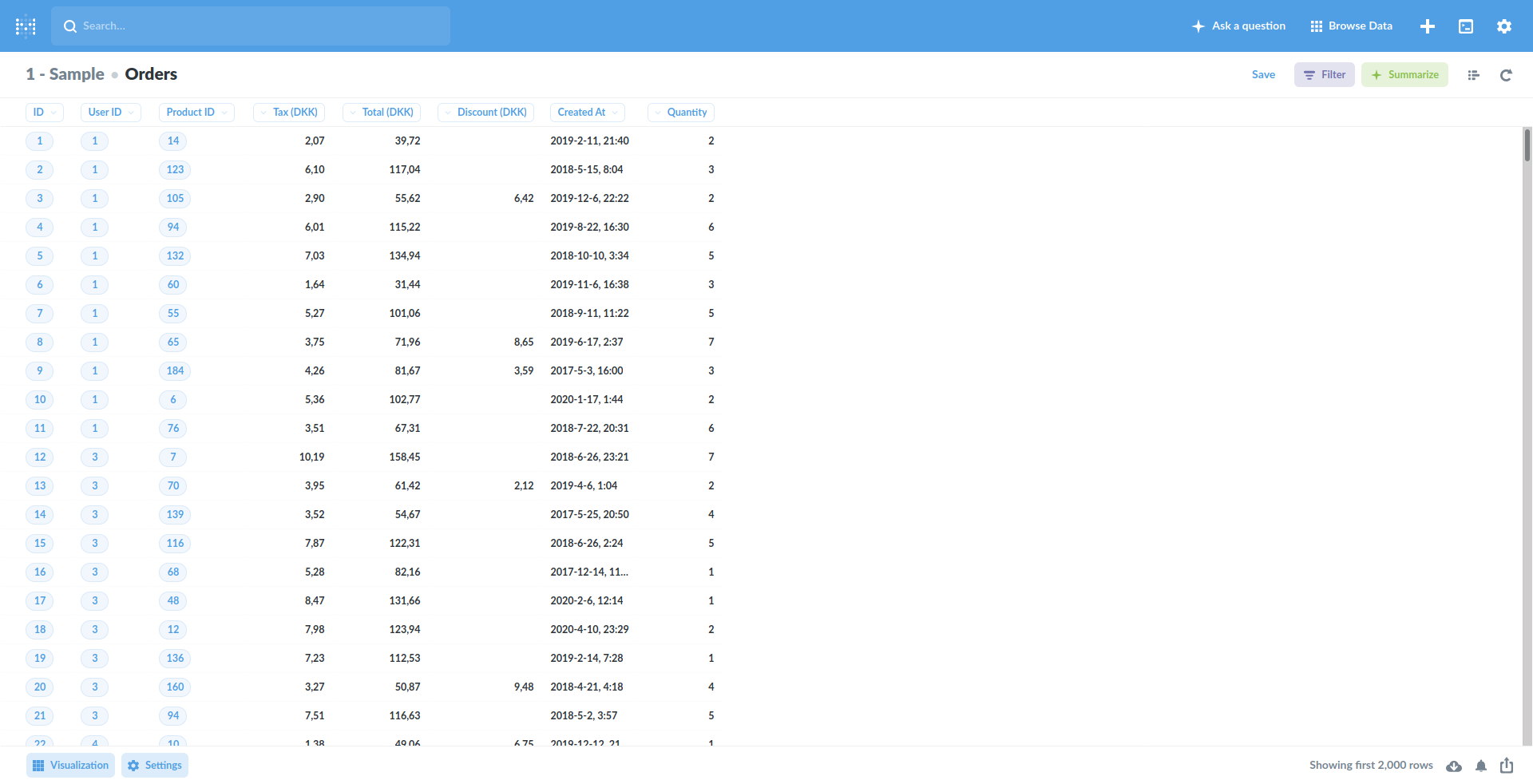
- Visualizing will not include the column:
- Click visualization Settings > More columns > click the
+next to "Subtotal"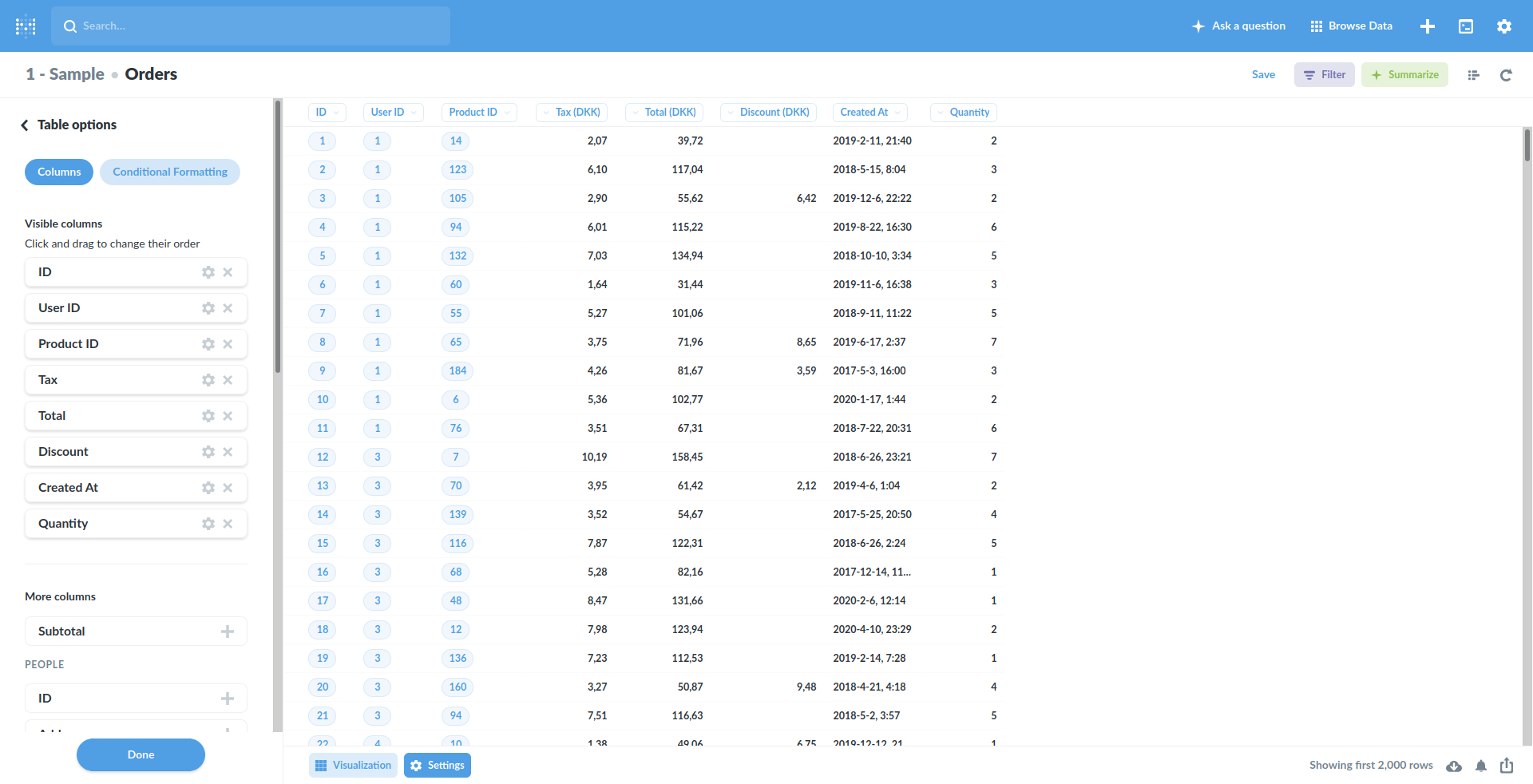
- The "Subtotal" column is now included, even according to the column order defined in Data Model:
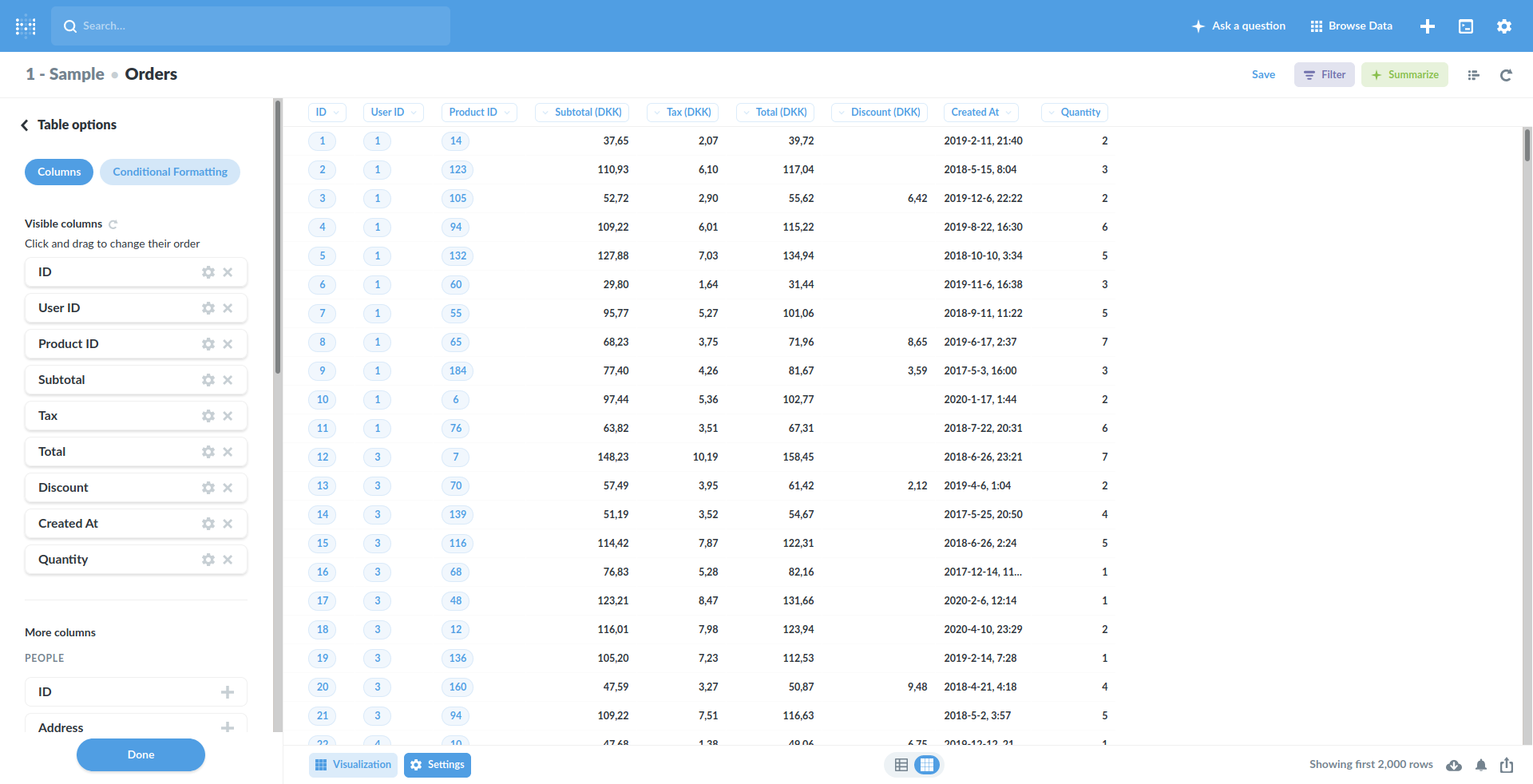
Expected behavior The column should not be selected in step 2.
Information about your Metabase Installation: Metabase 0.34.3, 0.36.7, 0.37.0-rc2
Additional context Related to #4158, #4159, #10460, #12044


Pretty certain that's it's about viz mainly, so "Only in detail views" should not remove it from the QB. To confirm and close