zefyr

zefyr copied to clipboard
 memspace
Invalid argument(s): Cannot handle embed: {type: hr}
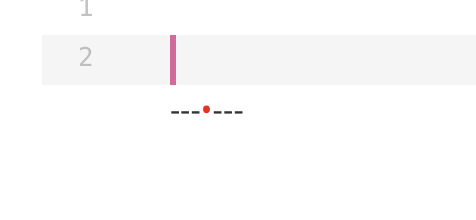
When I entered the "-" button to insert a separate line and call notusMarkdown.encode(_controller.document.toDelta()) to get the raw markdown text.I got this error:
════════ Exception caught by foundation library ════════════════════════════════
Invalid argument(s): Cannot handle embed: {type: hr}
════════════════════════════════════════════════════════════════════════════════
This is my "flutter doctor -v" 's output:
flutter doctor -v
[√] Flutter (Channel beta, v1.17.0, on Microsoft Windows [Version
    10.0.18363.778], locale zh-CN)
    • Flutter version 1.17.0 at E:\flutter
    • Framework revision d3ed9ec945 (13 days ago), 2020-04-06 14:07:34 -0700
    • Engine revision c9506cb8e9
    • Dart version 2.8.0 (build 2.8.0-dev.18.0 eea9717938)


[√] Android toolchain - develop for Android devices (Android SDK version 29.0.3)
    • Android SDK at C:\Users\Dorbmon\AppData\Local\Android\sdk
    • Platform android-29, build-tools 29.0.3
    • Java binary at: C:\Program Files\Android\Android Studio\jre\bin\java
    • Java version OpenJDK Runtime Environment (build
      1.8.0_212-release-1586-b04)
    • All Android licenses accepted.

[√] Chrome - develop for the web
    • Chrome at C:\Program Files (x86)\Google\Chrome\Application\chrome.exe

[√] Android Studio (version 3.6)
    • Android Studio at C:\Program Files\Android\Android Studio
    • Flutter plugin version 44.0.2
    • Dart plugin version 192.7761
    • Java version OpenJDK Runtime Environment (build
      1.8.0_212-release-1586-b04)

[!] IntelliJ IDEA Ultimate Edition (version 2019.3)
    • IntelliJ at C:\Program Files\JetBrains\IntelliJ IDEA 2019.3.3
    X Flutter plugin not installed; this adds Flutter specific functionality.
    X Dart plugin not installed; this adds Dart specific functionality.
    • For information about installing plugins, see
      https://flutter.dev/intellij-setup/#installing-the-plugins

[√] VS Code (version 1.44.2)
    • VS Code at C:\Users\Dorbmon\AppData\Local\Programs\Microsoft VS Code
    • Flutter extension version 3.9.1

[√] Connected device (3 available)
    • PCT AL10   • 192.168.2.102:5555 • android-arm64  • Android 10 (API 29)
    • Chrome     • chrome             • web-javascript • Google Chrome
      81.0.4044.113
    • Web Server • web-server         • web-javascript • Flutter Tools

And this is the version of zefyr:
zefyr:
    git:
      url: git://github.com/masewo/zefyr.git
      path: packages/zefyr/
I also have the same issue. Invalid argument(s): Cannot handle embed: {type: hr}

reference: https://github.com/memspace/zefyr/issues/166#issuecomment-531148885
#_writeAttribute
...
else if (attribute.key == NotusAttribute.embed.key) {
      _writeEmbedTag(buffer, attribute as NotusAttribute<Map<String, dynamic>>,
          close: close);
    }
...

void _writeEmbedTag(StringBuffer buffer,
      NotusAttribute<Map<String, dynamic>> string,
      {bool close: false}) {
    if (string.value['type'] == "image") {
	...
    } else if (string.value['type'] == "hr") {
      _writeHrTag(buffer, string,
          close: close);
    }
  }

  void _writeHrTag(StringBuffer buffer,
      NotusAttribute<Map<String, dynamic>> string,
      {bool close: false}) {
    buffer.write('---');
  }
Please note that there will be magic symbols(8203) in hr, which will cause markdown to not be displayed correctly, I did the following to avoid this problem
if (text.codeUnits.length > 0 && text.codeUnits.first != 8203) {
    buffer.write(text);
}