

 meefik
No network for non-root program when lock screen
I have a rooted xiaomi 10 pro phone, ,the network is unavailable for non-root users after screen locked for a while, only work for root users .I could login to linux container as a non-root user via ssh because sshd is run as root, but when I try to use a program to connect network as a non-root user eg: ping,at first it works ,but if I lock the screen for a while, it wouldn't work. It seems there are some limits for my background process at the screen lock state. I have triedusermod -a -G aid_inet,aid_net_raw usernameand the way described in #1092
,but don't make it better.anyone could help?

Also,when I test network,it shows ping: sendmsg operation not permitted for non-root users,what happend?
finally I found a way, it is because of android doze mode.just type su in termux or telnet terminal in ld to get the equivalent of adb shell($ become #),and type command
dumpsys deviceidle disable to disable doze mode. That works! and maybe is there a way to add the process runned by users created in chroot to the deviceidle white list to solve this?
though disabling doze mode is a solution, but I wish someone could make user all_a100 in the doze mode deviceidle whitelist.
because make linuxdeploy app itself has a package name "ru.meefik.linuxdeploy" and a user name u0_a475, add it to deviceidle whitelist is easydumpsys deviceidle whitelist +ru.meefik.linuxdeploy.
But what about users in the chmod env (eg: all_a100 in /data/user/0/ru.meefik.linuxdeploy/files/bin/ps or 60000 in /system/bin/ps for username android and 1022 for another user named papa, different ps has different username for same process )?
how to add them in the whitelist?
linuxdeploy app user:
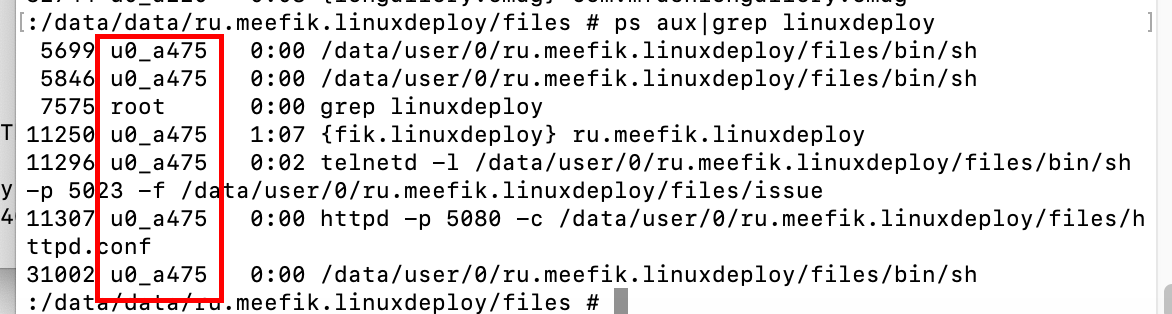 user android for ps of busybox shows :
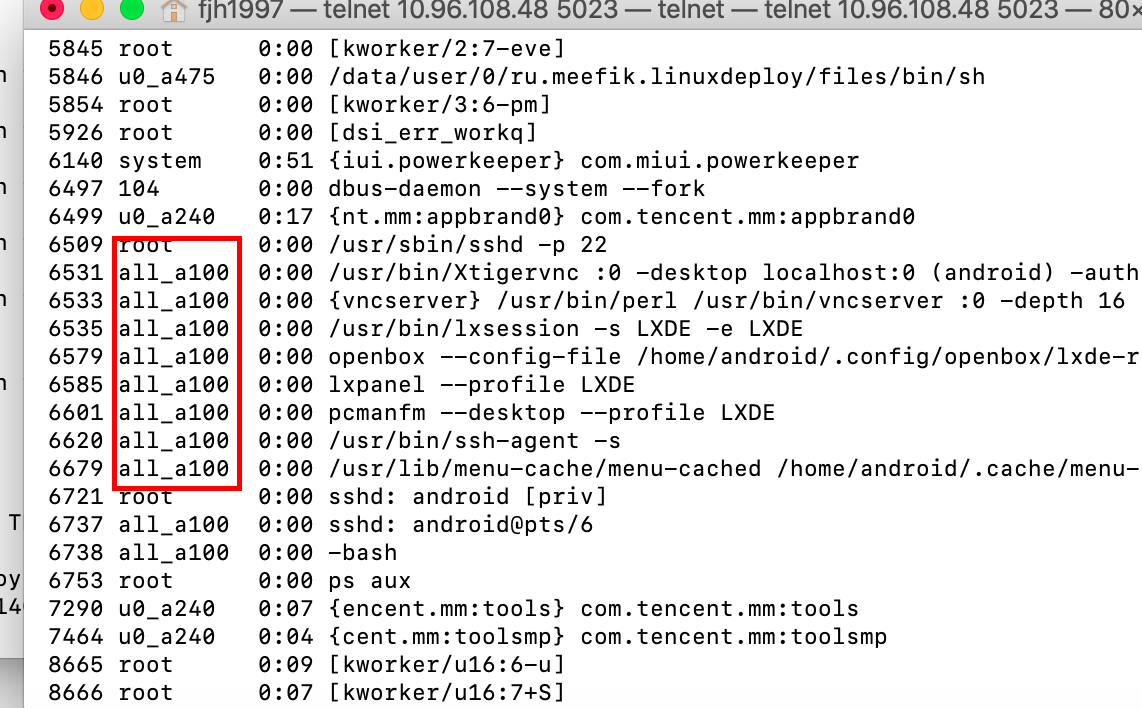 user android for ps in debian container shows:
 user android for ps of /system/bin/ps shows:
 another user papa for ps of busybox shows:

I have the same issue and I found that network also stops when power saver is enabled on my phone, whether locked or unlocked. Disabling power saver might help.


@HyzenB
I have the same issue and I found that network also stops when power saver is enabled on my phone, whether locked or unlocked. Disabling power saver might help.
What the HELL!!!!!
You solve my problem!!!
What a breaking discovery !!!!

