
Render-CRLF
 Render-CRLF copied to clipboard
 medo64
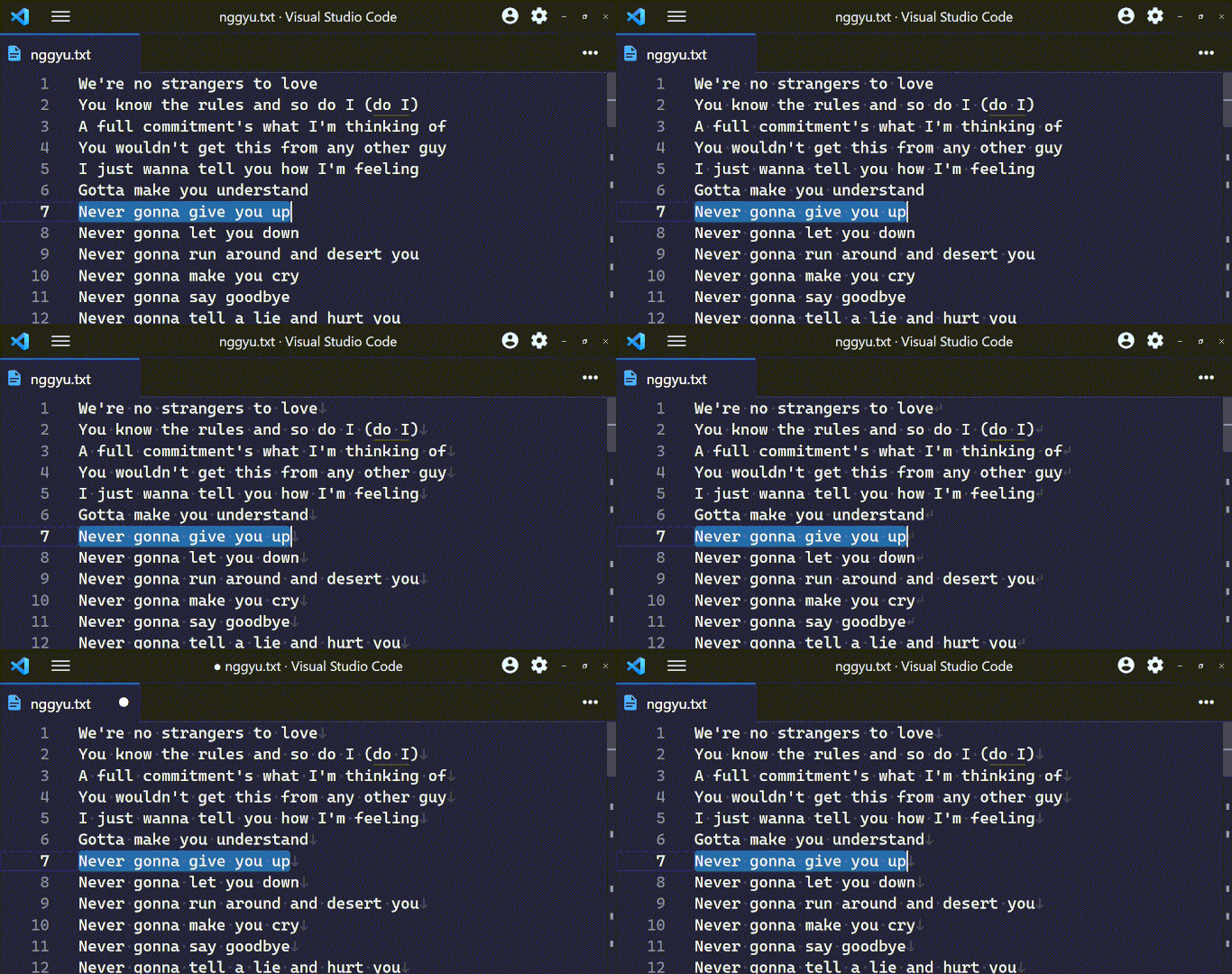
This VS Code extension renders end of line characters (LF, CRLF) when whitespace rendering is on.

Render Line Endings
This extension renders end of line characters (CR, LF, CRLF) when
whitespace rendering is on.
Installation
- Press CTRL P or COMMAND P
- Write
ext install medo64.render-crlf - Press
Enter
Features
- Renders end of line characters:
CR,LF,CRLFNote:
CRfiles are not supported by VS Code. See Upstream Issues - Only renders visible portions of text, which makes it very fast even for huge documents
- The characters used to render EOL can be customized
- Respects the value of
editor.renderWhitespace- The option can be toggled with
View > Appearance > Render Whitespaceor from the Command Palette - An example with
editor.renderWhitespace: selection: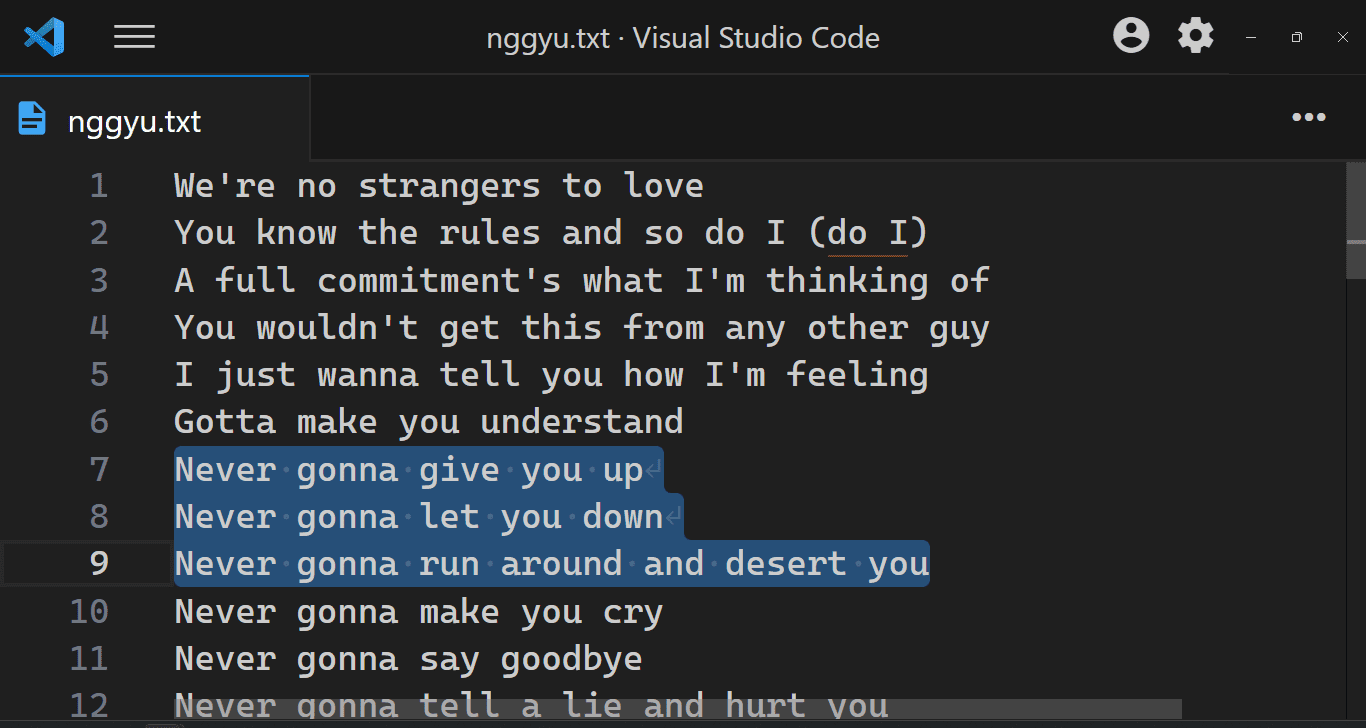
- The option can be toggled with
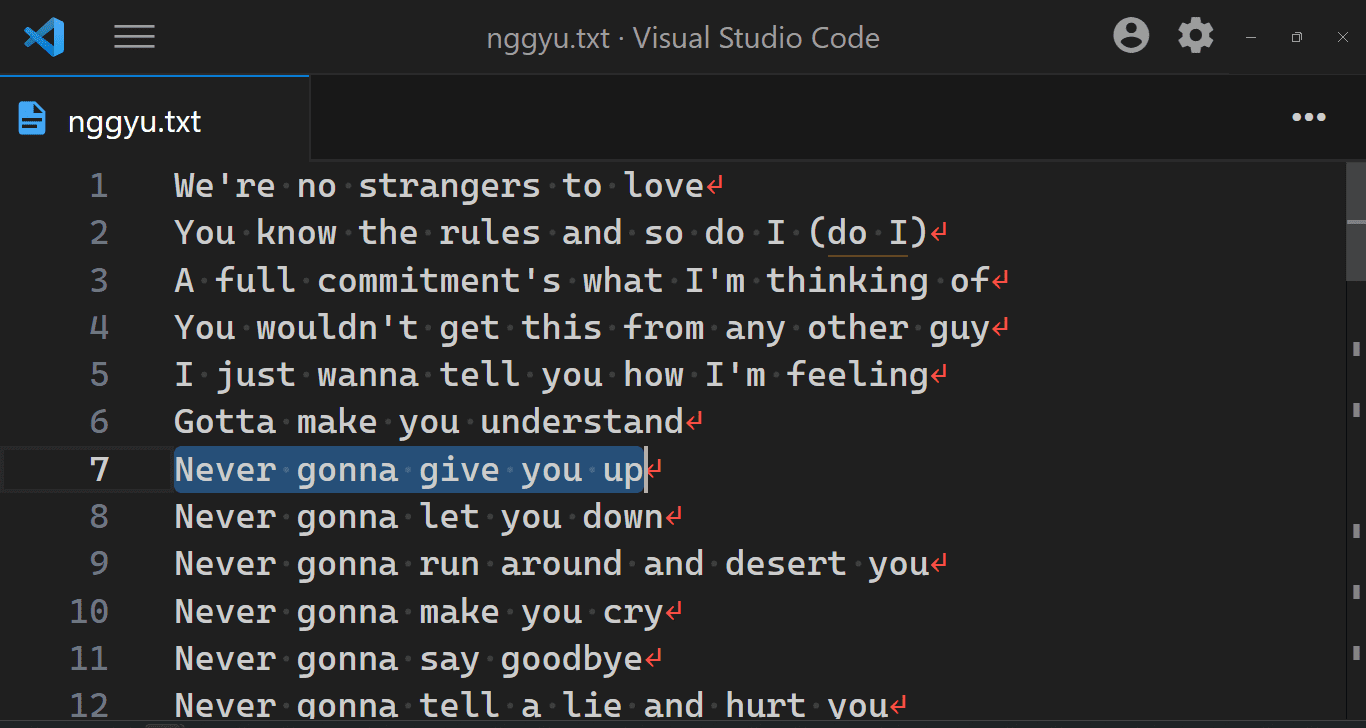
- Can be configured to highlight non-standard EOL only:
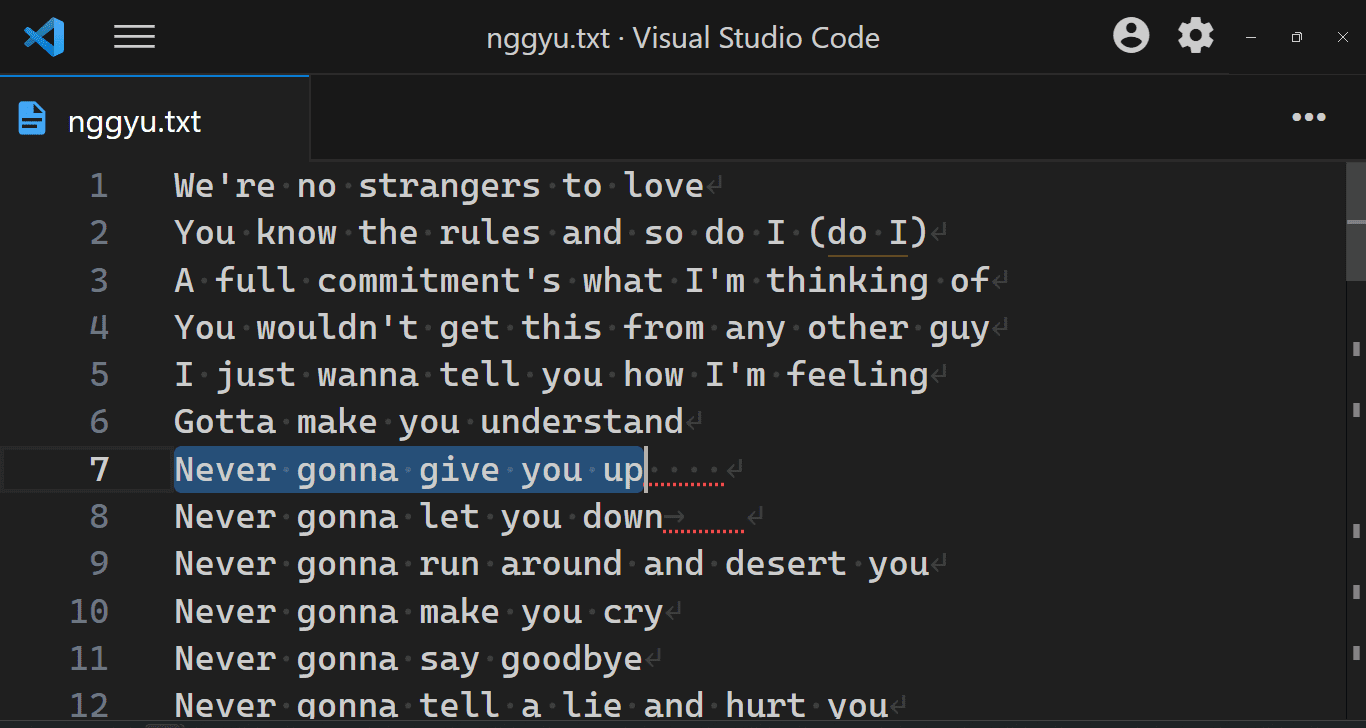
- Can be configured to highlight trailing whitespace only:
- Configuration options can be set per language
- Uses colors from the current theme:
"editorWhitespace.foreground": Rendered characters"errorForeground": Non-standard EOL and trailing whitespace, if configured
Settings
This extension contributes the following settings (compatible with code-eol
extension):
| Setting | Default | Description |
|---|---|---|
"code-eol.newlineCharacter" |
"↓" |
Character used to display LF, Linux and Mac's line ending. |
"code-eol.returnCharacter" |
"←" |
Character used to display CR, old Macintosh' line ending.Note: CR files are not supported by VS Code: see `microsoft/vscode#35797. |
"code-eol.crlfCharacter" |
"↵" |
Character used to display CRLF, Windows' line ending. |
"code-eol.highlightNonDefault" |
false |
If set, non-standard line endings will be highlighted as errors. The standard EOL is taken from files.eol. |
"code-eol.highlightExtraWhitespace" |
false |
If set, trailing whitespace will be highlighted as errors. |
"code-eol.decorateBeforeEol" |
false |
If set, rendered characters will come before the end of the line. Note: If set, line endings will not be rendered on empty lines. |
"code-eol.forceShowOnWordWrap" |
false |
If set, rendered characters will always be shown when word wrap is on, regardless of the other settings. |
Upstream Issues
Please upvote the following VS Code issues:
Mixed Line Endings Are Not Supported (microsoft/vscode#127)
VS Code normalizes line endings of mixed files upon load, and thus this extension will always show one kind of EOL character.
CR Line Ending Is Not Supported (microsoft/vscode#35797)
VS Code does not support the CR line ending. Therefore, while you can
configure it, you will never see CR as a line ending.
Not Rendering Glyphs For Large Files (microsoft/vscode#27100)
For performance reasons VS Code doesn't synchronize files that are over 5MB in size. Therefore, no line-ending characters will be visible on large files.
To avoid this you can set:
"editor.largeFileOptimizations": false
 medo64