

 mdn
mdn
Auto generated anchor tags in Heading elements pointing to that heading itself except H1 elements (This is on every page)
MDN URL
https://developer.mozilla.org/en-US/docs/Learn/JavaScript
What specific section or headline is this issue about?
Heading elements on every page except H1 element
What information was incorrect, unhelpful, or incomplete?
I found that there are auto generated anchor tags in heading elements on every page. These anchor tags points to that heading itself in which it is generated.
The linked page is just one example of it. This issue is on every page.
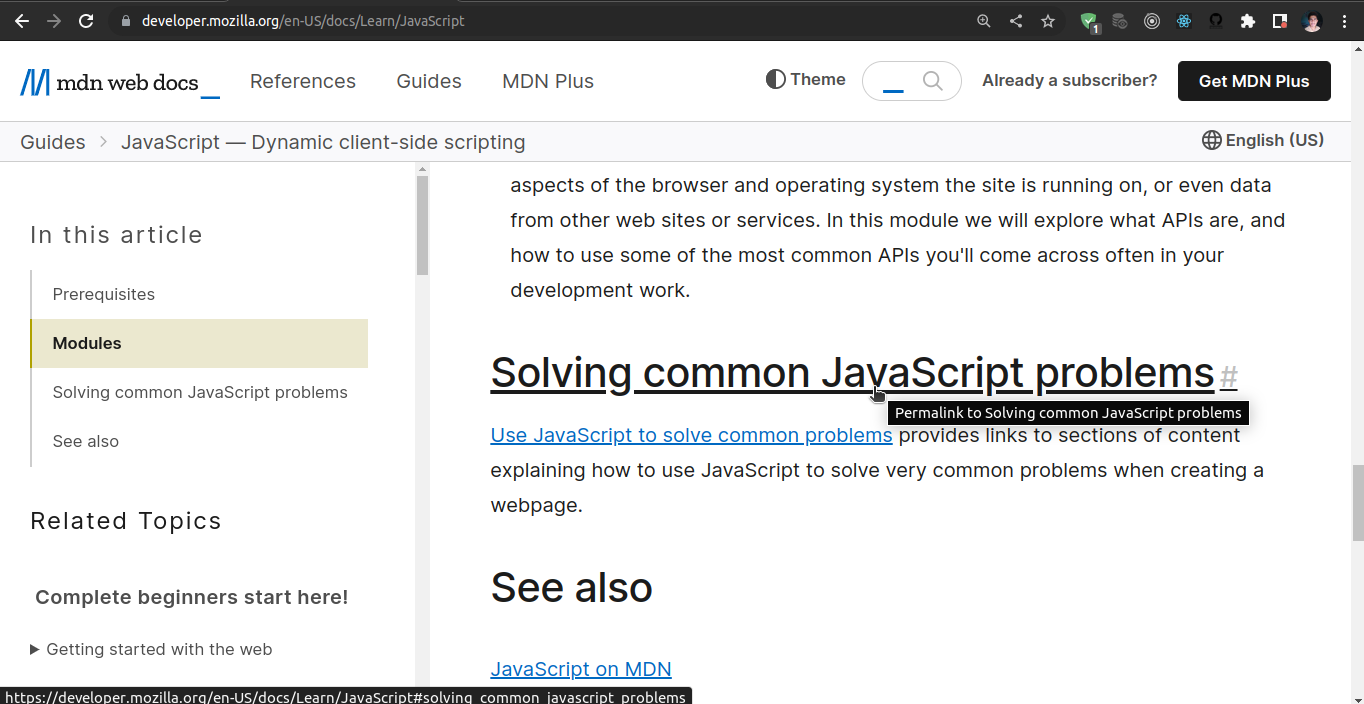
When I move cursor on to heading, it becomes pointer, which means, this heading element has an anchor tag in it. When I click on this heading(with auto generated anchor) to points to itself only. As you can see in below image.
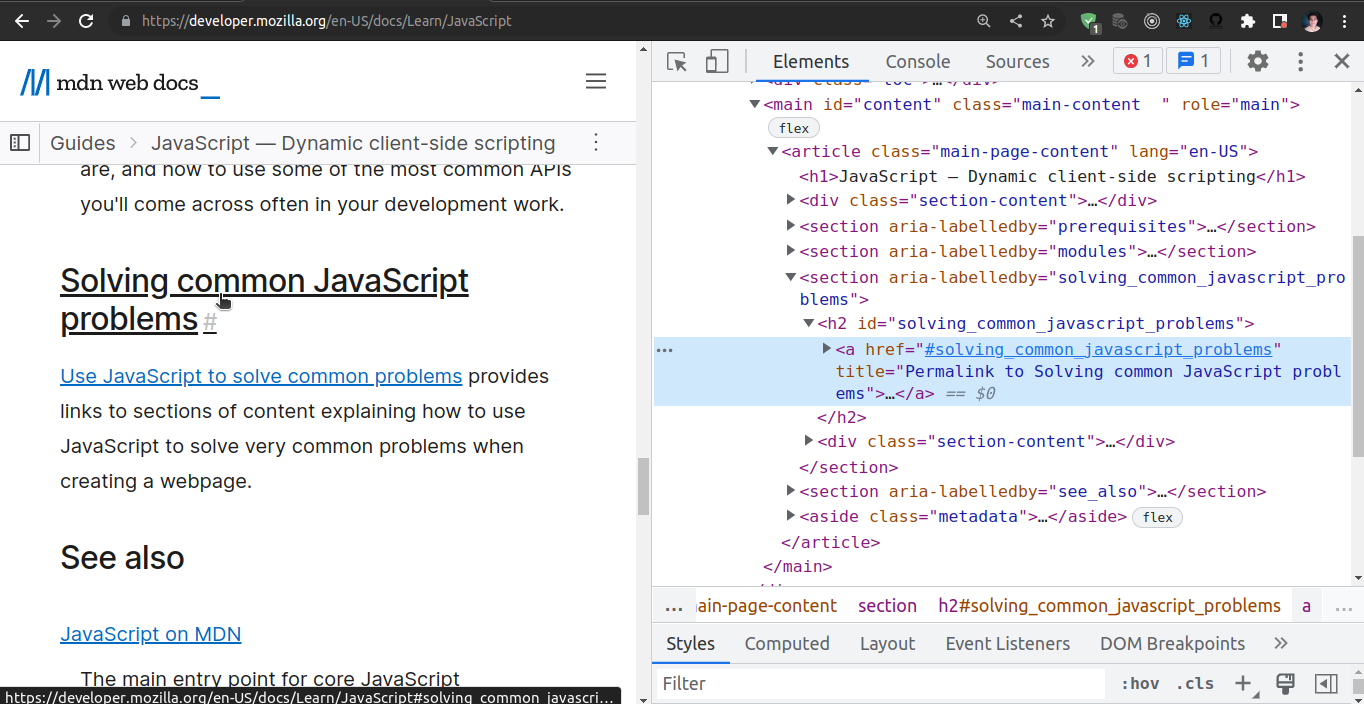
When I inspect, it shows that heading element has a nested anchor tag in it.
See below
What did you expect to see?
There should not be any nested or auto generated anchor tags in heading elements. If heading has an id attribute then any other element should point to this, not itself.
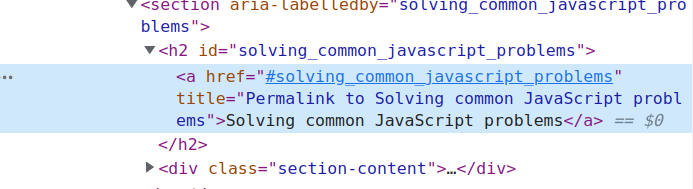
This should not be like this :-
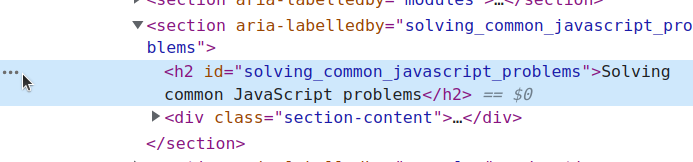
This should be like this :-

I'm pretty sure the idea of this is that if you want to link someone to a specific section of the page which you manually scrolled to, you can click the heading and then copy the generated link, instead of having to click the link in the sidebar or edit the link based on the id in the source code. I know I've used it for that purpose before.

Hi @iSatVeerSingh, thank you for taking the time to open this well-written issue and for providing screenshots. 👍
However, as @danielhjacobs correctly points out: this is a feature ⭐, not a bug 🐛. You can right-click on any heading (except the H1, because that one is at the top of the page) and get a link to that heading on the current page. On desktop, you could also use the TOC to achieve the same, but the link on the heading is easier to discover and is also directly available on mobile (or smaller screens, for that matter).
